
1. הקדמה
א דאנק פארן קויפןasing the XElectron C50 1080P Projector. This manual provides essential information for setting up, operating, and maintaining your projector to ensure optimal performance and longevity. Please read this manual thoroughly before using the product and retain it for future reference.
2. זיכערקייַט אינפֿאָרמאַציע
- קוק נישט גלייך אריין אין די פּראָיעקטאָר לינז ווען די לamp איז אָן. די אינטענסיווע ליכט קען שאַטן די אויגן.
- זיכער מאַכן אַז עס איז דאָ געהעריקע ווענטילאַציע אַרום דעם פּראָיעקטאָר. בלאָקירט נישט די ווענטילאַציע עפענונגען.
- האַלט דעם פּראָיעקטאָר אַוועק פון וואַסער, נעץ און ברענענדיקע מאַטעריאַלן.
- ניצט נאָר דעם מאַכט אַדאַפּטער וואָס ווערט צוגעשטעלט מיטן פּראָיעקטאָר.
- פרובירט נישט צו פאררעכטן דעם פראיעקטאר אליין. לאָזט איבער אלע סערוויסעס צו קוואַליפֿיצירטע פּערסאָנעל.
- Place the projector on a stable, level surface to prevent damage from falling.
3. פּעקל אינהאַלט
באַשטעטיקט אַז אַלע זאכן וואָס זענען אויסגערעכנט אונטן זענען אַרייַנגערעכנט אין אייער פּעקל:
- XElectron C50 Projector
- ווייַט קאָנטראָל
- מאַכט אַדאַפּטער
- HDMI קאַבלע
- וואָראַנטי קאַרד

Image: Contents of the XElectron C50 Projector package, including the projector, remote, cables, and documentation.
4. פּראָדוקט איבערview
4.1 Projector Dimensions and Weight
The XElectron C50 projector is designed to be compact and portable.

Image: Diagram showing the dimensions of the XElectron C50 projector: 26 cm (length), 21.2 cm (width), 10.2 cm (height), and a weight of 1.900 kg.
4.2 פּאָרטן און קאָנטראָלן
Familiarize yourself with the various input/output ports and control buttons on your projector.

בילד: הינטערשטע און זייט views of the XElectron C50 projector, highlighting the 3.5 mm Audio Port, AV Port, HDMI 1, HDMI 2, USB 1, USB 2, IR receiver, and Power Port.
4.3 רימאָוט קאָנטראָל פאַנגקשאַנז
The included remote control allows for convenient operation of the projector from a distance.

Image: Diagram of the XElectron C50 remote control, labeling buttons such as ON/OFF, MUTE, PAUSE/PLAY, navigation (UP, DOWN, LEFT, RIGHT, OK), SOURCE, MENU, EXIT, VOLUME DOWN, and VOLUME UP.
5. סעטאַפּ
5.1 פּלאַצירונג און פּראָיעקציע דיסטאַנץ
Optimal image quality depends on correct projector placement and distance from the screen.

Image: A guide illustrating recommended projection distances and corresponding screen sizes for the XElectron C50 projector. For example, 3.5 ft distance for a 35-inch screen, up to 20 ft for a 300-inch screen. Recommended screen size is 100 to 120 inches.
5.2 מאַכט קאַנעקשאַן
- Connect the power adapter to the projector's Power Port.
- צאַפּן די מאַכט אַדאַפּטער אין אַ פּאַסיק עלעקטריקאַל ווענטיל.
- דריק דעם מאַכט קנעפּל אויף דעם פּראָיעקטאָר אָדער ווײַטקאָנטראָל צו עס אנצינדן.
5.3 פאָקוס און קיסטאָון אַדזשאַסטמענט
- פאָקוס: Rotate the focus ring near the lens until the projected image is sharp and clear.
- Keystone Correction: If the image appears trapezoidal, use the keystone adjustment feature (manual or digital, refer to on-screen menu) to correct the image shape. The C50 supports vertical keystone correction.
6. אַפּערייטינג ינסטרוקטיאָנס
6.1 פּאַוערינג אויף / אַוועק
- מאַכט אויף: דרוק די מאַכט קנעפּל אויף די פּראַדזשעקטער אָדער די ווייַט קאָנטראָל.
- מאַכט אַוועק: דריק נאכאמאל דעם פאוער קנעפל. באשטעטיגט דעם אפשטעל אויב געבעטן.
6.2 אויסוואל פון איינגאבע מקור
Use the 'SOURCE' button on the remote control or the projector's control panel to cycle through available input sources (HDMI 1, HDMI 2, AV, USB).
6.3 קאַנעקטינג דעוויסעס
- הדמי: Connect devices like laptops, set-top boxes, or gaming consoles using an HDMI cable to either HDMI 1 or HDMI 2 port.
- וסב: אַרײַנשטעלן אַ USB דרייוו אין דעם USB 1 אָדער USB 2 פּאָרט צו שפּילן מעדיע files גלייַך.
- פון: Use the AV port for older devices with composite video output.
6.4 ווירעלעסס קאַנעקטיוויטי
The XElectron C50 supports various wireless connection options for enhanced versatility.
בלועטאָאָטה קאַנעקשאַן
Connect Bluetooth audio devices like headphones or speakers to the projector.

Image: The XElectron C50 projector with a Bluetooth logo, surrounded by icons of various Bluetooth audio devices like headphones, earbuds, and speakers, indicating support for wireless audio connections.
Wi-Fi, Miracast, and AirPlay (Screen Mirroring)
Wirelessly mirror content from your smartphone, tablet, or laptop to the projector.
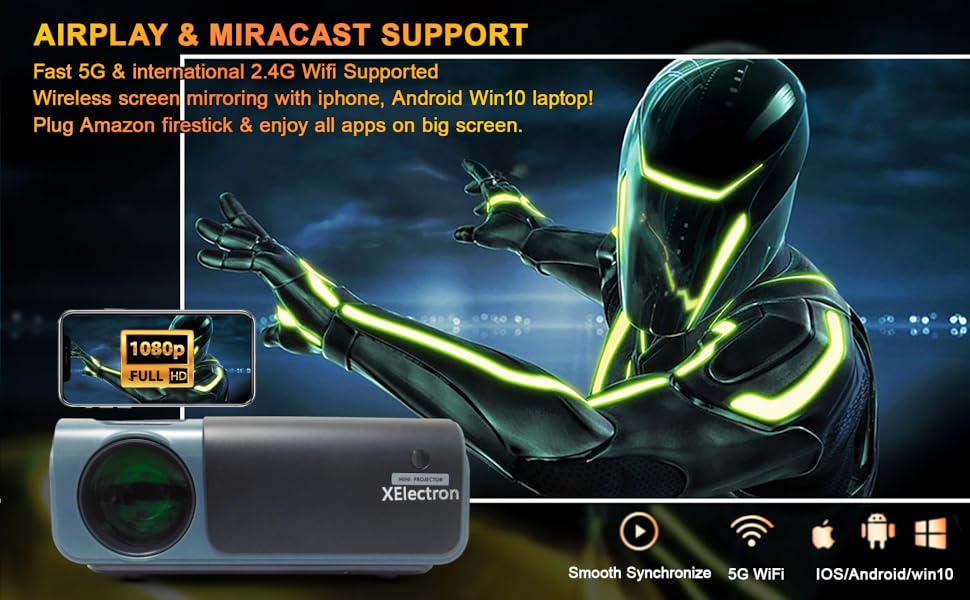
Image: A graphic illustrating the XElectron C50 projector supporting AirPlay and Miracast for wireless screen mirroring from iOS, Android, and Windows devices, including a phone displaying content mirrored to a large screen.
- Ensure your projector and device are connected to the same Wi-Fi network.
- Select the appropriate screen mirroring option (Miracast for Android/Windows, AirPlay for iOS) from the projector's menu.
- Follow the on-screen instructions to connect your device.
6.5 גיימינג סעטאַפּ
Connect your gaming console via HDMI or use wireless screen mirroring for mobile gaming.

Image: A person playing a racing game on a large projected screen using a gamepad, with icons indicating connectivity options like USB 1, USB 2, HDMI 1, HDMI 2, and VGA for expanding gaming possibilities with the C50 projector.
7. וישאַלט
- לענס רייניקונג: ניצט אַ ווייכע, לינט-פֿרייע שטאָף ספּעציעל דיזיינד פֿאַר אָפּטישע לענסעס צו פֿאָרזיכטיק ווישן די פּראָיעקטאָר לענס. ניצט נישט קיין שרײַבנדיקע רייניגער.
- שטויב פילטער רייניקונג: Regularly check and clean the dust filters to ensure proper airflow and prevent overheating. Refer to the projector's exterior for filter locations.
- סטאָרידזש: ווען נישט אין באַנוץ פֿאַר לענגערע פּעריאָדן, זאָל מען האַלטן דעם פּראָיעקטאָר אין אַ קיל, טרוקן אָרט, באַשיצט פֿון שטויב און דירעקטער זון.
- ווענטילאַטיאָן: Ensure the projector's ventilation openings are clear of obstructions during operation.
8. טראָובלעשאָאָטינג
If you encounter issues with your XElectron C50 projector, refer to the following common problems and solutions:
| פּראָבלעם | מעגלעך סיבה | לייזונג |
|---|---|---|
| קיין בילד נישט פּראָיעקטירט | Power cable loose, incorrect input source, device not connected | Check power connection, select correct input source, ensure source device is on and connected. |
| בילד איז פארשוואומען אדער נישט אין פאָקוס | Focus ring not adjusted, projector too close/far from screen | Adjust the focus ring. Ensure projector is within recommended projection distance. |
| בילד איז טראַפּעזאָידאַל | פּראָיעקטאָר נישט פּערפּענדיקולאַר צום עקראַן | Use keystone correction feature to adjust the image shape. |
| קיין געזונט | Volume too low, external audio device not connected, source device audio settings | Increase projector volume. Check external speaker connection. Verify audio output settings on source device. |
| Cannot connect via Wi-Fi/Bluetooth | Incorrect settings, device compatibility, network issues | Ensure Wi-Fi/Bluetooth is enabled on both devices. Check network connection. Refer to specific connection instructions in Section 6.4. |
| פּראָיעקטאָר איבערהייצט זיך אָדער שליסט זיך אויס | Blocked ventilation, prolonged use in hot environment | Ensure ventilation openings are clear. Operate in a well-ventilated area. Allow projector to cool down. |
9. ספּעסאַפאַקיישאַנז
Detailed technical specifications for the XElectron C50 Projector:
- סאָרט: XElectron
- מאָדעל: C50M
- ווייַז טעכנאָלאָגיע: לעד, על-סי-די
- געבוירן רעזאלוציע: 1920 x 1080 (1080p פול HD)
- געשטיצט רעזאלוציע: אַרויף צו 4K
- בילד ברייטנאַס: 7500 לומענס
- בילד קאַנטראַסט פאַרהעלטעניש: 10000:1
- אַספּעקט פאַרהעלטעניש: 16:9
- שטייענדיק פאַרשטעלן ווייַז גרייס: אַרויף צו 300 אינטשעס
- פּראָדוקט דימענשאַנז: 26 X 21.2 X 10.2 סענטימעטער
- נומער וואָג: 1.5 קג
- פּראַסעסער נומער: 4
- Flash Memory Installed Size: 8 גיגאבייט
- ייַזנוואַרג צובינד: 3.5mm Audio, AV, 802.11 ac/b/g/n (Wi-Fi), Bluetooth, HDMI (x2), USB (x2)
- ווירעלעסס טיפּ: 2.4 גיגאהערץ ראַדיאָ פרעקווענץ, 5.8 גיגאהערץ ראַדיאָ פרעקווענץ, בלועטוט
- קאַמפּאַטאַבאַל דעוויסעס: iPhone, Android Phone, Set-top box, Laptop, TV Box, etc.
- ספּעציעלע פֿעיִקייטן: 300 inch Display, Bluetooth, Native 1080P Resolution, Built-in Speakers, Vertical Keystone correction
- Speakers Nominal Output Power: 20 וואטס
- ראַש מדרגה: 40 דעציבעלן
- Voltage: 230 וואלטס
- וואָסtage: 70 וואטס
- מאַכט מקור: AC
- דערפרישן קורס: 60 הז
- מאַונטינג טיפּ: Ceiling Mount supported
- מאָדעל יאָר: 2021
10. וואָראַנטי און שטיצן
XElectron is committed to providing excellent customer service and product support.
- וואָראַנטי: The XElectron C50 Projector comes with a 12-month manufacturer warranty. Please refer to the included Warranty Card for detailed terms and conditions.
- קונה סערוויס: For any technical assistance, troubleshooting, or warranty claims, please contact XElectron customer service.
- ענטפער צייט: Expect a prompt reply within 24 hours for inquiries.
- Official Guide: Technical help is available to solve any problems you may encounter.

Image: Graphic detailing XElectron's customer support, including 24-hour reply, 12-month manufacturer warranty, lifetime customer service, and official technical guides.