
Crosscall 1001011101114
Crosscall CORE-M5 User Manual
מאָדעל: 1001011101114
הקדמה
This manual provides comprehensive instructions for the setup, operation, maintenance, and troubleshooting of your Crosscall CORE-M5 rugged smartphone. Designed for durability and performance in challenging environments, the CORE-M5 is built to withstand various conditions while providing essential communication and smart device functionalities.
Please read this manual thoroughly before using your device to ensure proper operation and to maximize its lifespan.
פּעקל אינהאַלט
ביים עפענען דעם פעקל, זיכער מאכן אז אלע זאכן זענען דא:
- Crosscall CORE-M5 Device
- וסב טשאַרדזשינג קאַבלע
- שנעל אָנהייב גייד
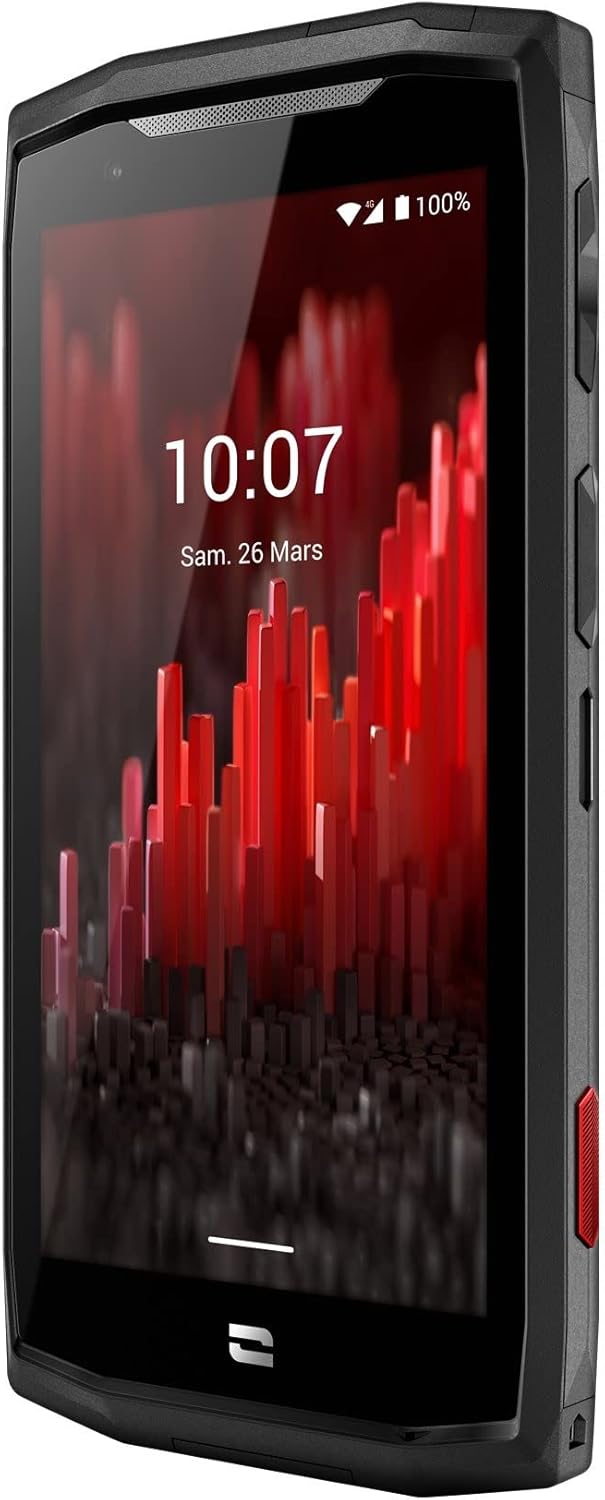
בילד: פראָנט ווינקלעד view of the Crosscall CORE-M5 device, highlighting its robust design and display.
סעטאַפּ
1. אריינשטעלן די סים קארטל און מעמארי קארטל
The CORE-M5 supports SIM cards for cellular connectivity and an optional memory card for expanded storage. Locate the SIM/memory card tray on the side of the device.
- מאַכט אויס די מיטל גאָר.
- Use the provided SIM ejector tool (or a small paperclip) to open the SIM/memory card tray.
- Carefully place your SIM card(s) and/or memory card into the designated slots on the tray, ensuring correct orientation as indicated on the tray.
- דזשענטלי שטופּן די טאַץ צוריק אין די מיטל ביז עס קליקס אין פּלאַץ.

Image: A user demonstrating the insertion of a SIM card into the device's slot.
2. ערשטע אויפלאָדונג
Before first use, it is recommended to fully charge your CORE-M5.
- פֿאַרבינדט דעם USB טשאַרדזשינג קאַבל צום אַפּאַראַט'ס טשאַרדזשינג פּאָרט.
- Connect the other end of the cable to a compatible USB power adapter or a computer's USB port.
- The charging indicator on the screen will show the charging status. Allow the device to charge until the battery icon indicates a full charge.
3. אײַנצושאַלטן און ערשטע קאָנפיגוראַציע
- Press and hold the Power button (usually located on the side) until the Crosscall logo appears.
- פֿאָלגט די אינסטרוקציעס אויף דעם עקראַן צו פֿאַרענדיקן די ערשטע סעטאַפּ, אַרייַנגערעכנט שפּראַך אויסוואַל, Wi-Fi פֿאַרבינדונג, Google חשבון סעטאַפּ און זיכערהייט סעטטינגס.
Operating the CORE-M5
יקערדיק נאַוויגאַציע
- טאָוטשסקרעען: Navigate the device using taps, swipes, and pinch gestures on the 4.95-inch touchscreen display.
- מאַכט קנעפּל: Press to turn the screen on/off, or press and hold to power off/restart the device.
- באַנד קנעפּלעך: אַדזשאַסטירן מעדיע וואָלומען, רוף וואָלומען, אָדער רינגטאָן וואָלומען.
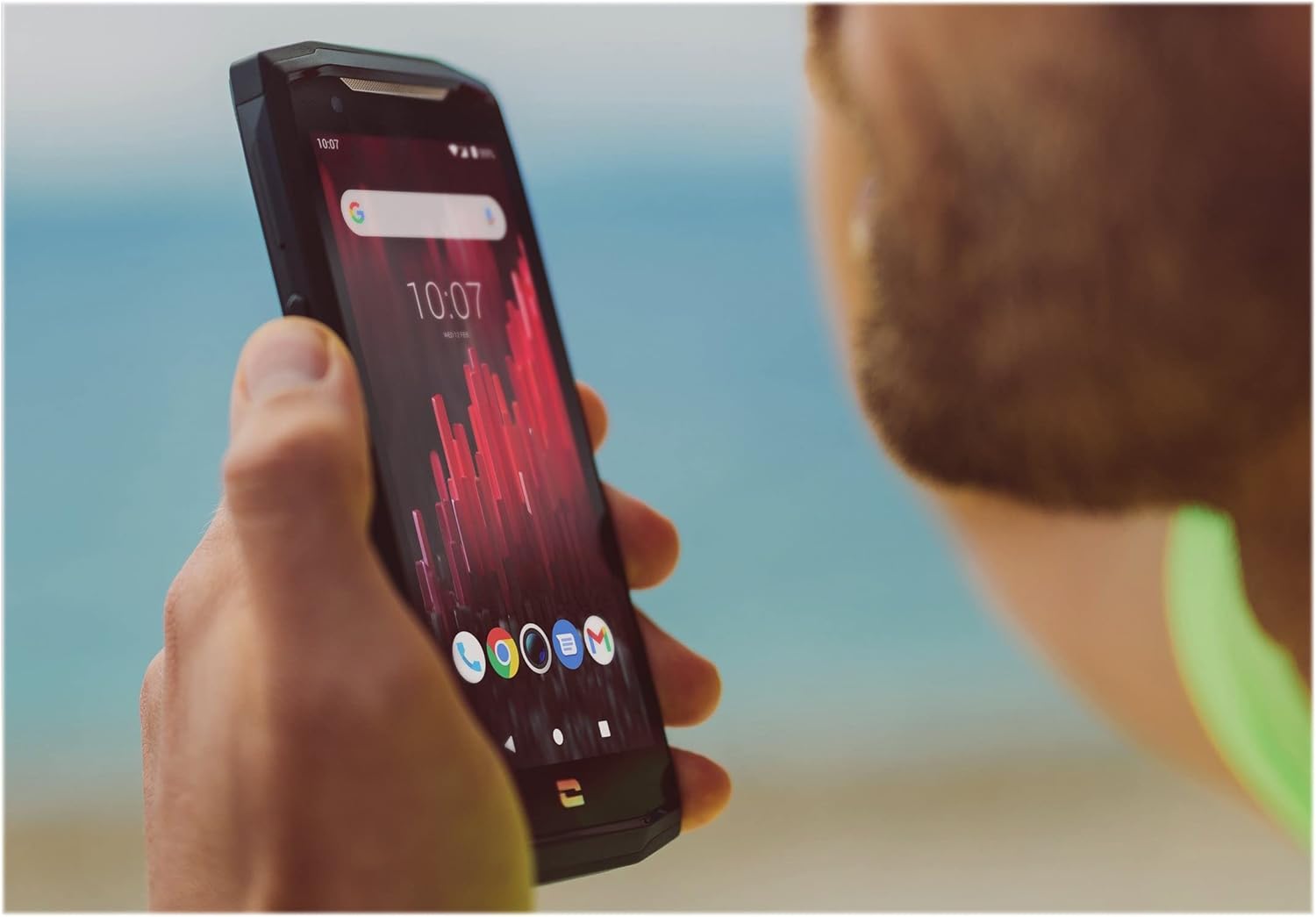
Image: The CORE-M5 in use, demonstrating its compact size and clear display for outdoor visibility.
קאַנעקטיוויטי
- ווי-פי: צוטריט Wi-Fi סעטטינגס פון די שנעל סעטטינגס פּאַנעל אָדער סעטטינגס אַפּ צו פאַרבינדן צו וויירלעס נעטוואָרקס.
- בלועטאָאָטה: Pair with Bluetooth devices such as headphones, speakers, or other smartphones via the Bluetooth settings.
- וסב: Connect the device to a computer using the USB cable for data transfer or charging.
- סעליאַלער דאַטן: Enable or disable mobile data from the Quick Settings or Network & Internet settings. Supports 2G and 3G cellular technologies.
אַפּאַראַט פאַנגקשאַנאַליטי
The CORE-M5 features both front and rear cameras for capturing photos and videos.
- עפֿנט די קאַמעראַ אַפּליקאַציע פֿון דער היים־עקראַן אָדער אַפּ־שוך.
- Tap the shutter button to take a photo or switch to video mode to record.
- Use the on-screen controls to switch between front and rear cameras, adjust zoom, or apply filters.
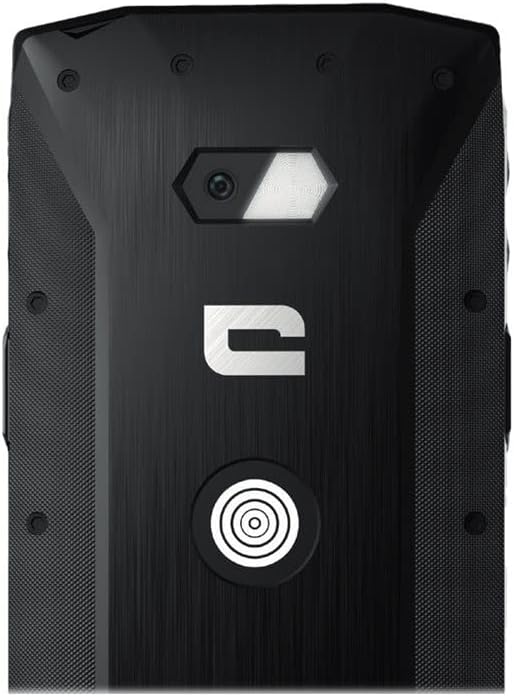
בילד: דעטאַלירט view of the CORE-M5's rear, highlighting the camera module and the X-Link magnetic connection system.
X-Link System
The CORE-M5 is equipped with Crosscall's X-Link magnetic connection system on the back, allowing for easy attachment of compatible accessories such as chargers, mounts, and external batteries.
- Align the X-Link accessory with the magnetic connector on the back of your CORE-M5.
- The magnets will guide the accessory into place, ensuring a secure connection.

Image: The CORE-M5 securely mounted in a vehicle, demonstrating the utility of the X-Link system for hands-free use.
וישאַלט
- רייניקונג: ניצן אַ ווייך, דamp cloth to clean the device. Avoid harsh chemicals or abrasive materials. Ensure all ports are closed before cleaning if exposed to water.
- וואַסער און שטויב קעגנשטעל: The CORE-M5 is designed to be rugged. However, ensure all port covers are securely closed to maintain water and dust resistance. Avoid prolonged submersion beyond specified limits.
- באַטערי זאָרגן: To prolong battery life, avoid extreme temperatures. Do not allow the battery to fully discharge frequently.
- ווייכווארג דערהייַנטיקונגען: קאָנטראָלירט און אינסטאַלירט רעגולער סיסטעם דערהייַנטיקונגען צו ענשור אָפּטימאַלע פאָרשטעלונג און זיכערהייט.
טראָובלעשאָאָטינג
| פּראָבלעם | מעגלעך סיבה | לייזונג |
|---|---|---|
| די מיטל וועט נישט לויפן אויף | נידעריגע באַטעריע; ווייכווארג קראַך | Charge the device for at least 30 minutes. Perform a forced restart by holding the Power button for 10-15 seconds. |
| די פאַרשטעלן איז ניט ריספּאַנדאַבאַל | צייטווייליגע ווייכווארג גליטש | ריסטאַרט דעם מיטל. אויב עס רעאַגירט נישט, מאַכט אַ געצוואונגענע ריסטאַרט. |
| Poor call quality / No network | Weak signal; incorrect SIM insertion; network issue | Move to an area with better signal. Reinsert the SIM card. Contact your network provider. |
| אַפּפּס קראַשן אָדער פרירן | Insufficient memory; app conflict; outdated software | Close background apps. Clear app cache/data. Update apps and system software. Free up storage space. |
ספּעסאַפאַקיישאַנז
| שטריך | דעטאַל |
|---|---|
| מאָדעל נאָמען | 1001011101114 |
| סאָרט | קראָססקאַלל |
| אָפּערייטינג סיסטעם | אַנדרויד |
| קפּו מאָדעל | קאָרטעקס |
| פאַרשטעלן גרייס | 4.95 אינטשעס |
| האַכלאָטע | 1026 X 513 |
| באַראַן | 3 גיגאבייט |
| זכּרון סטאָרידזש קאַפּאַסיטי | 32 גיגאבייט |
| באַטאַרייע קאַפּאַציטעט | 4000 מאַה |
| טעלעפאָן רעדן צייט | 24 שעה |
| קאַנעקטיוויטי | בלועטאָאָטה, ווי-פי, וסב |
| סעליאַלער טעכנאָלאָגיע | 2G, 3G |
| ווירעלעסס קאַריער | אַנלאַקט |
| קאַמעראַס | דערציען, פראָנט |
| קאָליר | שוואַרץ |
| פּראָדוקט דימענשאַנז | 4.25 X 0.79 X 4.25 אינטשעס |
| פּונקט וואָג | 8 אונסעס (226.6 גראַם) |
| ערשטער בנימצא | 21 סעפטעמבער 2021 |
וואָראַנטי און שטיצן
Crosscall products are known for their durability and come with a manufacturer's warranty. For specific warranty terms and conditions, please refer to the warranty card included with your product or visit the official Crosscall webפּלאַץ.
For technical support, troubleshooting assistance, or service requests, please contact Crosscall Customer Service through their official channels. Have your product model number (1001011101114) and purchase information ready when contacting support.
Official Crosscall Webפּלאַץ: www.crosscall.com
Ask a question about this manual
Ask about setup, troubleshooting, compatibility, parts, safety, or missing instructions. Manuals+ will review the question and use this page’s manual context to help answer it.