
הקדמה
Thank you for choosing Senso Orbits Wireless Earbuds. These earbuds are designed to provide a high-quality audio experience with features like Environmental Noise Cancellation (ENC), deep bass, and a compact charging case. This manual will guide you through the setup, operation, and maintenance of your new earbuds.
וואָס איז אין די קעסטל
- Senso Orbits Wireless Earbuds
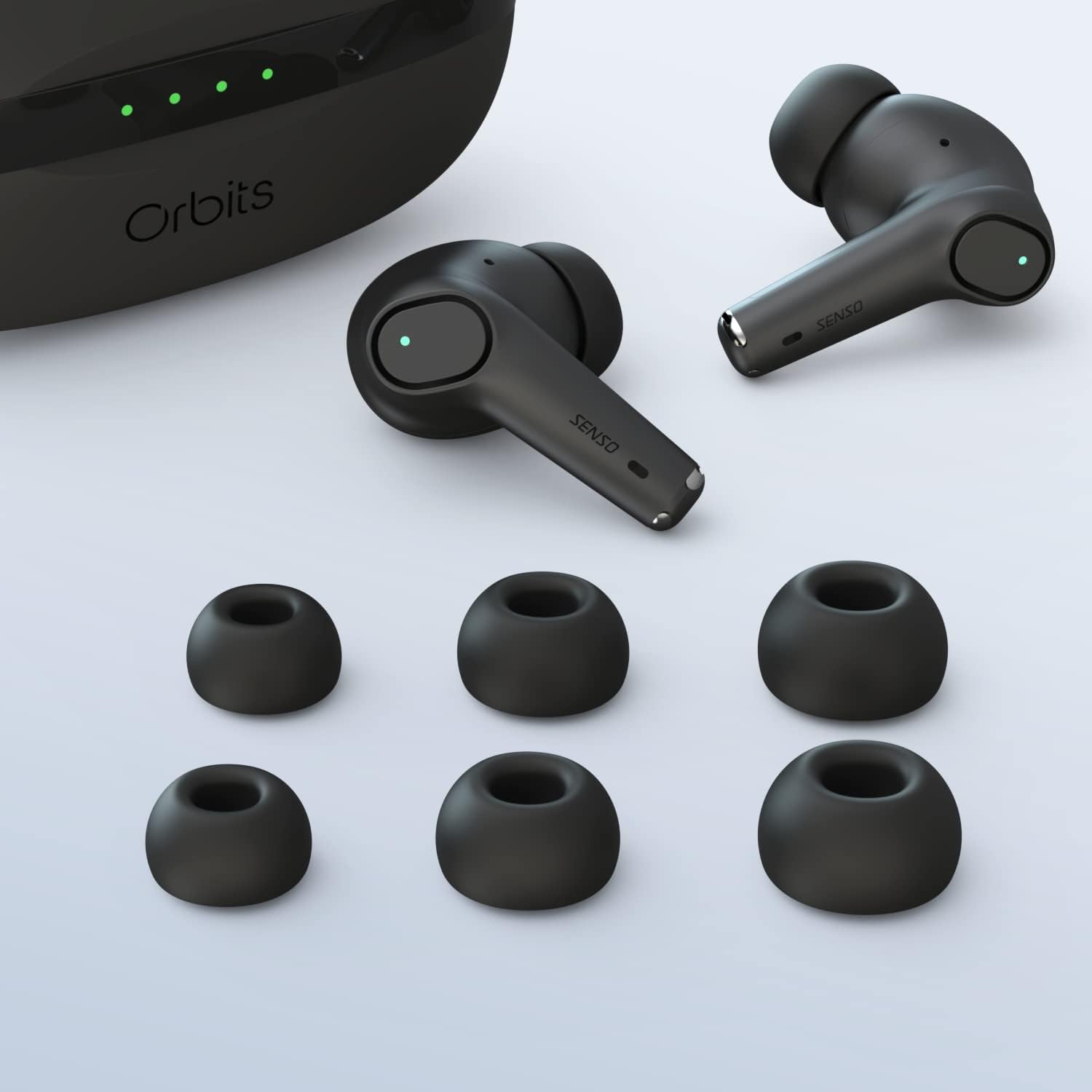
- Compact USB-C Charging Case
- קייפל גרייסן פון אויער עצות
- וסב-C טשאַרדזשינג קאַבלע
- ינסטראַקשאַנז מאַנואַל
סעטאַפּ
ערשט טשאַרדזשינג
Before first use, fully charge the earbuds and the charging case. Connect the USB-C cable to the charging port on the case and to a power source. The LED indicators on the case will show the charging status.
פּערינג מיט דיין מיטל
The Senso Orbits earbuds feature a responsive one-step instant connection. Simply open the charging case, and the earbuds will automatically enter pairing mode. Then, follow these steps:
- עפענען די טשאַרדזשינג פאַל.
- אויף אייער דעווייס (סמאַרטפאָן, טאַבלעט, אאז"וו), גייט צו בלועטוט סעטטינגס.
- Select "Orbits" or "Orbits ENC70" from the list of available devices.
- אַמאָל פארבונדן, וועט איר הערן אַן אַודיאָ פּראָמפּט, און די אויערקנעפּלעך זענען גרייט פֿאַר נוצן.

אַפּערייטינג ינסטראַקשאַנז
ריר קאָנטראָלס
The Senso Orbits earbuds are equipped with multi-function touch controls. Simply tap on the earbuds to access various functions:
- באנד +/-: Double tap the Left (L) earbud to decrease volume, or the Right (R) earbud to increase volume.
- שפּיל / פּויזע: Single tap either L or R earbud.
- פרייַערדיק / ווייַטער שפּור: Triple tap the L earbud for the previous track, or the R earbud for the next track.
- Answer/Reject Phone Call: Press and hold either L or R earbud for 2 seconds to answer or reject a call.
- Activate Voice Assistant (SIRI): Press and hold either L or R earbud for 2 seconds.

טשאַרדזשינג די עאַרבודז און קאַסטן
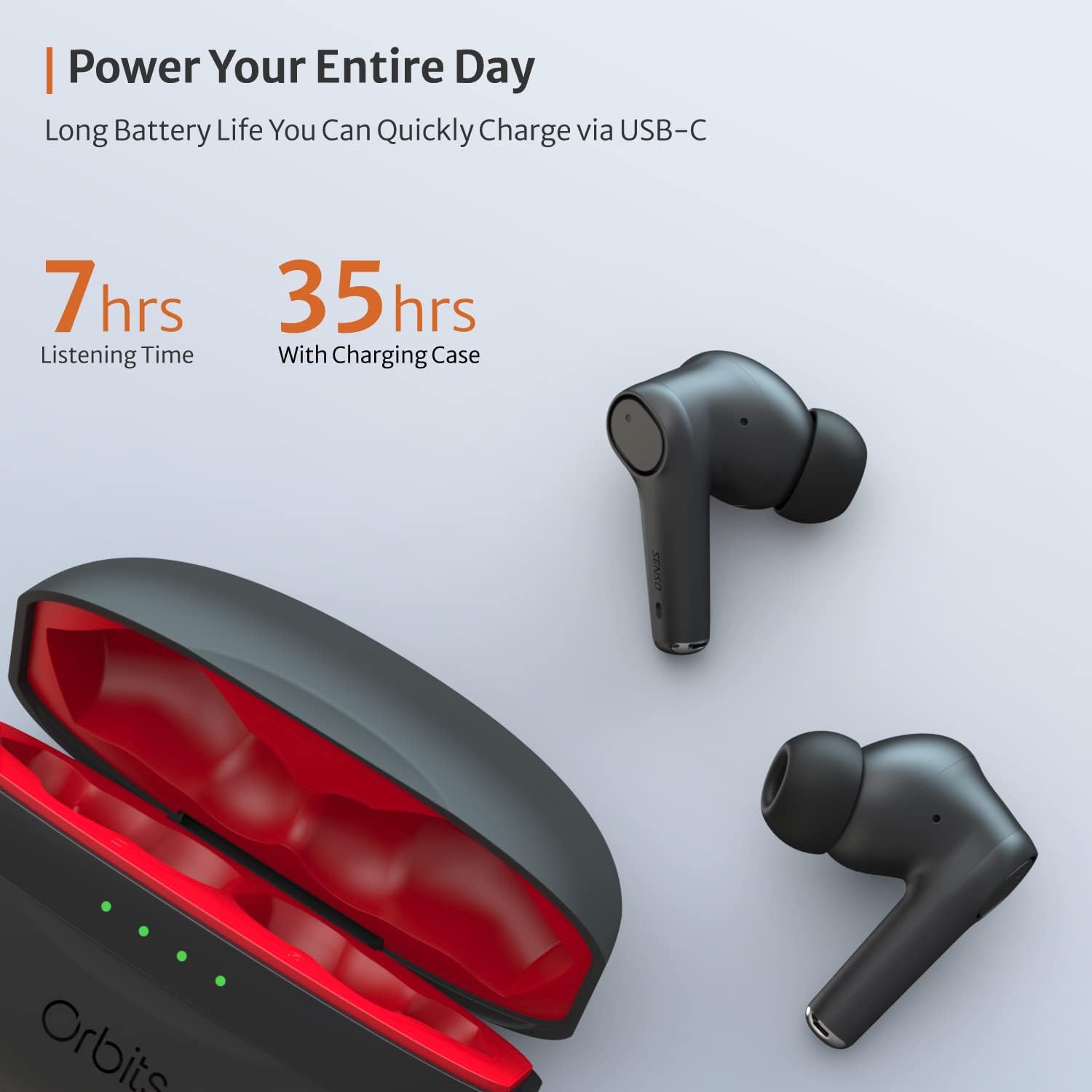
The charging case provides extended battery life for your earbuds. The earbuds will charge automatically when placed inside the case and the lid is closed. The case itself can be charged via a USB-C cable. The LED indicators on the case show the remaining battery level.
ענווייראָנמענטאַל ראַש קאַנסאַליישאַן (ENC) פֿאַר רופן
The Senso Orbits earbuds feature a QUAD-microphone array with ENC technology to effectively suppress environmental noise and enhance voice clarity during calls. This reduces ambient noise by up to 35dB, ensuring clear communication.
וישאַלט
רייניקונג
Regularly clean your earbuds and charging case to ensure optimal performance and hygiene. Use a soft, dry, lint-free cloth. For ear tips, you may gently wipe them with a damp cloth and mild soap, ensuring they are completely dry before reattaching.
וואַסער קעגנשטעל
The Senso Orbits earbuds are IPX rated, providing protection against light rain, accidental splashes, and sweat. They are suitable for sports and exercise. However, they are not designed for submersion in water. Avoid exposing them to excessive moisture or harsh chemicals.

סטאָרידזש
ווען נישט אין באַנוץ, לייגט די אויערן-קנעפּלעך אין זייער טשאַרדזשינג קעסטל צו באַשיצן זיי און האַלטן זיי טשאַרדזשד. לייגט די קעסטל אין אַ קיל, טרוקן אָרט אַוועק פון דירעקט זונשייַן און עקסטרעמע טעמפּעראַטורן.
טראָובלעשאָאָטינג
- אויערקנעפּלעך נישט פּערינג: Ensure both earbuds are in the charging case, then open the lid. Check your device's Bluetooth settings to ensure it's discoverable and select "Orbits". If issues persist, try resetting the earbuds (refer to specific reset instructions if provided in a separate quick start guide).
- קיין קלאַנג פֿון איין אויערקנעפּל: Place both earbuds back in the charging case, close the lid, and then reopen it. Re-pair with your device.
- טשאַרדזשינג ישוז: Ensure the USB-C cable is securely connected to both the case and the power source. Check if the charging port is clean and free of debris.
- נעבעך רופן קוואַליטעט: זיכער מאַכן אַז די אויערקנעפּלעך זענען ריכטיק אַרײַנגעזעצט אין אײַערע אויערן. קאָנטראָלירט צי עס זענען פֿאַראַן קיין שטערונגען אַרום די מיקראָפֿאָנען.
ספּעסאַפאַקיישאַנז
| שטריך | דעטאַל |
|---|---|
| מאָדעל נאָמען | אָרבאַץ |
| קאַנעקטיוויטי טעכנאָלאָגיע | בלועטוט 5.0, וויירלעס |
| ווירעלעסס קאָמוניקאַציע טעכנאָלאָגיע | בלועטאָאָטה |
| אַרייַנגערעכנט קאַמפּאָונאַנץ | טשאַרדזשינג קאַסע |
| מאַטעריאַל | פּלאַסטיק, סיליקאָן |
| ספּעציפיש ניצט פֿאַר פּראָדוקט | ספּאָרט און עקסערסייז |
| טשאַרדזשינג צייט | 2 שעה |
| וואַסער קעגנשטעל מדרגה | Waterproof (IPX rated) |
| קאָנטראָל מעטאָד | ריר |
| בלועטאָאָטה ווערסיע | 5.0 |
| ראַש קאָנטראָל פֿעיִקייטן | Active Noise Control (ENC) |
| ספּעציעלע שטריך | Lightweight, Microphone Included, Noise Cancellation, Water-resistant, Wireless |
| פּונקט וואָג | 5 אונסעס |
| באַטעריע לעבן (אויערקנעפּלעך) | אַרויף צו 7-8 שעה |
| גאַנץ שפּילצייט (מיט טשאַרדזשינג קעסטל) | אַרויף צו 35 שעה |
וואָראַנטי און שטיצן
עקסטענדעד וואָראַנטי
Senso offers an option to extend the warranty to two years for free. To convert to a Two Year Warranty, please visit www.sensoshop.com/warranty. This must be claimed within 7 days of receiving the product.
קונה שטיצן
For any further assistance, technical support, or inquiries, please refer to the contact information provided with your product packaging or visit the official Senso webפּלאַץ.