
הקדמה
Thank you for choosing the Tronsmart Battle Wireless Gaming Earbuds. These earbuds are designed to provide an immersive audio experience for gaming and everyday listening, featuring low-latency mode, touch controls, and a durable design. This manual will guide you through the setup, operation, and maintenance of your new earbuds.

Image: User enjoying gaming with Tronsmart Battle Wireless Gaming Earbuds.
סעטאַפּ
1. פּעקל אינהאַלט
זיכער מאַכן אַז אַלע זאכן זענען פאַראַן אין פּעקל:
- 2 x Tronsmart Battle Wireless Gaming Earbuds
- 1 רענטגענ טשאַרדזשינג קאַסע
- 1 רענטגענ וסב טיפּ- C טשאַרדזשינג קאַבלע
- 1 x באַניצער מאַנואַל
2. אויפלאָדן די אויערקנעפּלעך און קעסטל
פארן ערשטן באניץ, לאדט גוט אויף די אויערפאנען און די טשאַרדזשינג קעיס.
- שטעלן די עאַרבודז אין די טשאַרדזשינג פאַל.
- Connect the USB Type-C cable to the charging port on the case and to a power source.
- די אינדיקאַטאָר ליכטלעך אויף דער קעסטל וועלן ווייַזן די טשאַרדזשינג סטאַטוס. א פולע טשאַרדזשינג נעמט אַרום 2 שעה.
The charging case provides up to 20 hours of total playtime, with earbuds offering up to 5 hours on a single charge.

Image: Battery life details for Tronsmart Battle Earbuds and Charging Case.
3. בלועטאָאָטה פּערינג
צו פֿאַרבינדן אייערע אויערקנעפּלעך צו אַ דעווייס:
- עפֿנט דעם טשאַרדזשינג קעסטל. די אויערקנעפּלעך וועלן אויטאָמאַטיש אַרײַן אין פּערינג מאָדע.
- אויף אייער דעווייס (סמאַרטפאָן, טאַבלעט, לאַפּטאָפּ), אַקטיווירט בלועטוט.
- זוכן פֿאַר "Tronsmart Battle" in the list of available Bluetooth devices.
- Select "Tronsmart Battle" to connect. Once connected, you will hear an audio prompt.
The earbuds use Bluetooth v5.0 for a stable connection up to 10 meters (33 feet).
אַפּערייטינג ינסטראַקשאַנז
ריר קאָנטראָלס
The Tronsmart Battle earbuds feature intuitive touch controls on each earbud. Refer to the following table for common functions:
| קאַמף | פֿונקציע |
|---|---|
| איין צאַפּ (לינקס/רעכטס) | שפּילן/פּויזירן מוזיק, ענטפֿערן/ענדיגן רוף |
| טאָפּל טאַפּ (לינקס) | פֿריִערדיקע שפּירט |
| טאָפּל טאַפּ (רעכטס) | ווייַטער שפּור |
| טריפל טאַפּ (לינקס/רעכטס) | Toggle Gaming Mode / Music Mode |
| Long Press (2 seconds, Left/Right) | אַקטאַווייט קול אַססיסטאַנט (סירי, Google אַססיסטאַנט) |
| Long Press (3 seconds, Left/Right) | אָפּוואַרפן רופן |
גיימינג מאָדע (נידעריק לייטאַנסי)
The earbuds feature a dedicated low-latency gaming mode for synchronized audio and visuals, providing an immersive experience with accurate sound cues like gunshots and footsteps.
- To activate Gaming Mode: Triple tap either earbud.
- To switch back to Music Mode: Triple tap either earbud again.

Image: Illustration of the Ultra Low Latency Gaming Mode for immersive audio.
Sound Quality and Driver
Equipped with 13mm drivers, the Tronsmart Battle earbuds deliver expansive sound with refined high-quality audio, optimized for gaming and music listening.
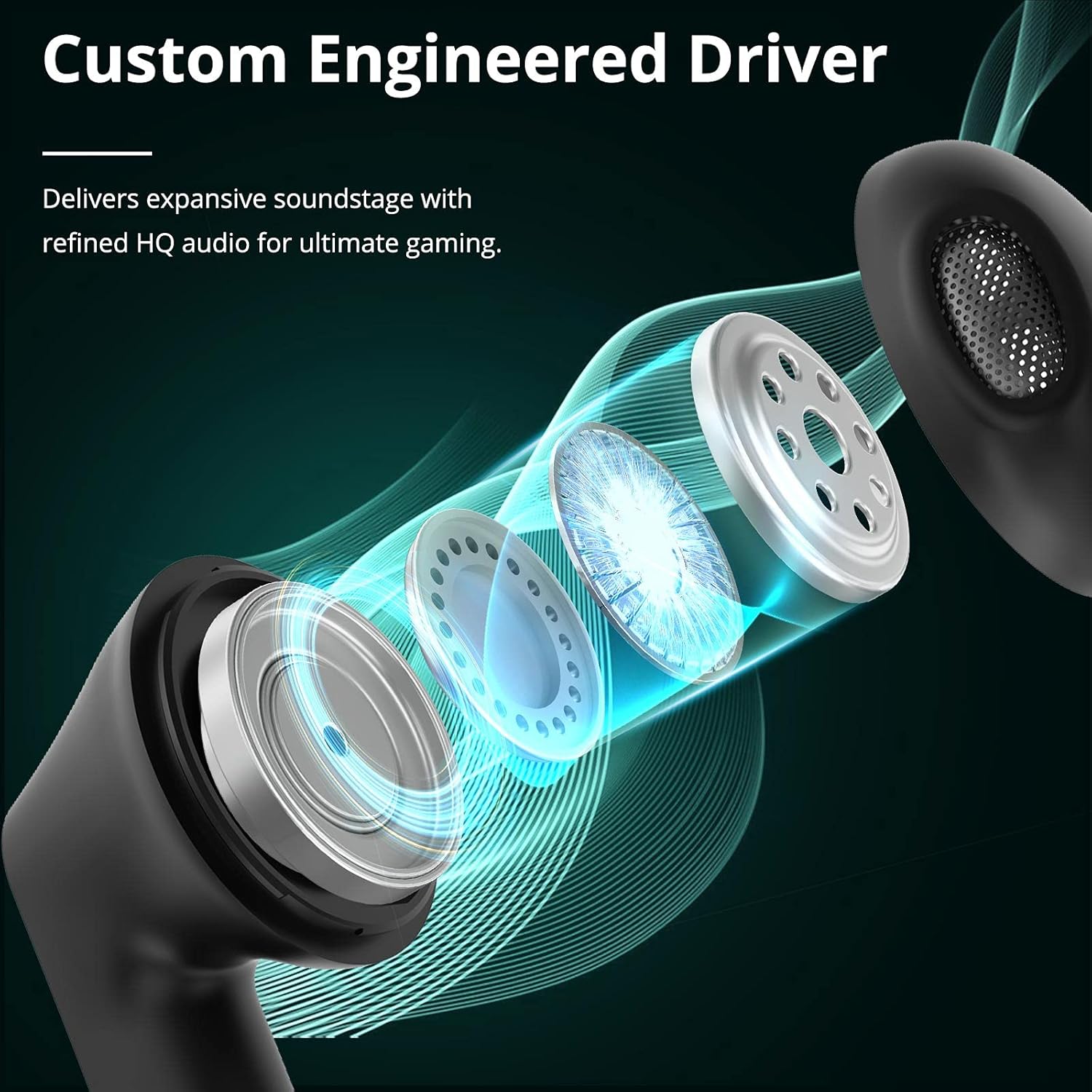
Image: Custom Engineered Driver for enhanced sound quality.
ליגהטינג ווירקונג
The charging case features dynamic lighting effects that enhance the gaming aesthetic and can also serve as a stress-relief feature by rotating the case.

Image: Charging case with integrated lighting effects.
וישאַלט
רייניקונג
רעגולערע רייניקונג העלפט אויפהאלטן אָפּטימאַלע פאָרשטעלונג און היגיענע:
- ניצט אַ ווייכן, טרוקענעם, לינט-פֿרייעם שטאָף צו ווישן די אויערקנעפּלעך און די טשאַרדזשינג קעסטל.
- ניצט נישט קיין שרײַבנדיקע רייניגער, אַלקאָהאָל, אדער כעמישע סאָלווענטן.
- Gently clean the earbud mesh and charging contacts with a dry cotton swab if necessary.
וואַסער קעגנשטעל (IPX5)
The Tronsmart Battle earbuds are rated IPX5 water-resistant, meaning they can withstand splashes and sweat. They are not designed for submersion in water. Avoid exposing them to heavy rain or showering.
סטאָרידזש
ווען נישט אין באַנוץ, לייגט די אויערקנעפּלעך אין זייער טשאַרדזשינג קעסטל צו באַשיצן זיי און האַלטן זיי טשאַרדזשד. לייגט זיי אין אַ קיל, טרוקן אָרט אַוועק פון עקסטרעמע טעמפּעראַטורן.
טראָובלעשאָאָטינג
If you encounter issues with your Tronsmart Battle earbuds, try the following solutions:
- אויערקנעפּלעך נישט פּערינג:
- זיכער מאַכן אַז ביידע אויערקנעפּלעך זענען אין די טשאַרדזשינג קעסטל און גאָר אויפגעלאָדן.
- Remove "Tronsmart Battle" from your device's Bluetooth list and try pairing again.
- Restart your device's Bluetooth function.
- קיין קלאַנג פֿון איין אויערקנעפּל:
- לייגט ביידע אויערקנעפּלעך צוריק אין דעם טשאַרדזשינג קעסטל, מאַכט צו דעם דעקל, און נעמט זיי ווידער ארויס.
- מאַכן זיכער אַז ביידע עאַרבודז זענען באפוילן.
- Try resetting the earbuds (refer to the full Tronsmart support webזייטל פֿאַר ספּעציפֿישע ריסעט אינסטרוקציעס אויב נייטיק).
- טשאַרדזשינג ישוז:
- קאָנטראָלירט דעם USB טיפּ-C קאַבל און מאַכט אַדאַפּטער פֿאַר שעדיקן.
- זיכער מאַכן אַז די טשאַרדזשינג קאָנטאַקטן אויף די אויערקנעפּלעך און קעסטל זענען ריין און פריי פון שמוץ.
- פּרוּווט אַ אַנדערש טשאַרדזשינג קאַבלע אָדער מאַכט מקור.
- נידעריקע קול אדער שלעכטע געזונט קוואַליטעט:
- אַדזשאַסטירן די באַנד אויף ביידע דיין מיטל און די אויערקנעפּלעך.
- זייט זיכער אז די אויערקנעפּלעך זענען ריכטיק אײַנגעזעצט אין אייערע אויערן.
- Clean any debris from the earbud mesh.
טעכניש ספּעסאַפאַקיישאַנז
| שטריך | באַשרייַבונג |
|---|---|
| מאָדעל נאָמען | Tronsmart Battle |
| מאָדעל נומער | 52325 |
| בלועטאָאָטה ווערסיע | 5.0 |
| בלועטאָאָטה פּראָfiles | AVRCP, A2DP, HFP |
| טראַנסמיסיע ראַנגע | אַרויף צו 10 מעטער (33 פֿיס) |
| דרייווער גרייס | 13 מם |
| ימפּידאַנס | 16 Ohm |
| עאַרבוד באַטערי קאַפּאַציטעט | 35 מאַה (יעדער) |
| טשאַרדזשינג קאַסע באַטאַרייע קאַפּאַציטעט | 500 מאַה |
| אויערקנעפל שפּילצייט (איינציקע אָפּצאָל) | אַרויף צו 5 שעה |
| גאַנץ שפּילצייט (מיט טשאַרדזשינג קעסטל) | אַרויף צו 20 שעה |
| טשאַרדזשינג צייט | אומגעפער 2 שעה (אויערקנעפּלעך און קעסטל) |
| טשאַרדזשינג פּאָרט | וסב טיפּ-C |
| וואַסער קעגנשטעל שאַץ | IPX5 |
| מיקראָפאָן | געבויט-אין |
| דימענסיעס (טשאַרדזשינג קעיס) | 59 X 60.93 X 31.79 מם |
| וואָג (גאַנץ) | 41 ג |
| קאָליר | שוואַרץ |
וואָראַנטי אינפֿאָרמאַציע
According to the product information, a specific warranty description is not applicable. Please refer to the retailer's return policy or contact Tronsmart customer support for details regarding any applicable guarantees or consumer rights in your region.
קונה שטיצן
For further assistance, technical support, or inquiries about your Tronsmart Battle Wireless Gaming Earbuds, please visit the official Tronsmart webזייטל אדער קאנטאקט זייער קאסטומער סערוויס גלייך.
באַאַמטער Webפּלאַץ: www.tronsmart.com