
ABS V-380 Robot Camera (RBC02)
ABS V-380 Mini IP Smart Wireless WiFi 1080P 360-Degree Robot Camera (Model RBC02) User Manual
הקדמה
The ABS V-380 Mini IP Smart Wireless WiFi 1080P 360-Degree Robot Camera (Model RBC02) is designed for comprehensive home monitoring. It serves as an ideal solution for keeping an eye on your home, children, or pets. This camera offers a full 360-degree viewing range with high-definition 1080P resolution, enhanced by electronic Pan-Tilt-Zoom (PTZ) technology for remote control via your mobile device. Its compact design supports both Wi-Fi connectivity and smart Wi-Fi configuration, making it a versatile addition to any smart home setup.
Key features include two-way audio communication, live video streaming to your smartphone, motion detection alerts, and night vision capabilities. The camera supports continuous recording to a local TF card (up to 64GB, not included) or event-based recording upon motion detection, allowing for up to one month of footagE סטאָרידזש.
פּעקל אינהאַלט
Before proceeding with installation, please ensure all items are present in the package:
- 1 x ABS V-380 Robot Camera
- 1 x מאַכט אַדאַפּטער
- 1 x וסב מאַכט קאַבלע
- 1 רענטגענ מאַונטינג קלאַמער
- מאָנטירונג שרויפן און וואַנט פּלאַגז
- באַניצער מאַנואַל

Image: The ABS V-380 Robot Camera shown with its included accessories: power adapter, USB cable, mounting bracket, screws, and the user manual.
סעטאַפּ
1. פּאַוערינג אויף די קאַמעראַ
- Connect the provided USB power cable to the camera's power input port.
- צאַפּן די אנדערע סוף פון די וסב קאַבלע אין די מאַכט אַדאַפּטער.
- צאַפּן די מאַכט אַדאַפּטער אין אַ נאָרמאַל עלעקטריקאַל ווענטיל.
- The camera will power on automatically. Wait for the LED indicator to begin flashing, indicating it is ready for configuration.
2. געפירט ינדיקאַטאָר סטאַטוס
- Rapid Flashing (approx. 0.5 seconds interval): STA Pairing Mode (ready to connect to your Wi-Fi network).
- Slow Flashing (approx. 2 seconds interval): AP Mode (Access Point mode, for direct connection to the camera).
- האַרט ליכט: Successfully configured and connected to the network.
3. Mobile App Installation and Wi-Fi Configuration
The camera requires a mobile application for initial setup and remote control. This process is designed for simple installation without additional hardware.
- Download the official V-380 application from your smartphone's app store (available for Android and iOS devices).
- עפֿענען די אַפּ און נאָכגיין די ינסטראַקשאַנז אויף דעם עקראַן צו שאַפֿן אַ חשבון אָדער קלאָץ אין.
- Add your camera to the app. This typically involves scanning a QR code on the camera or manually adding the device.
- Follow the app's prompts to connect the camera to your home Wi-Fi network. Ensure your Wi-Fi router is within range.
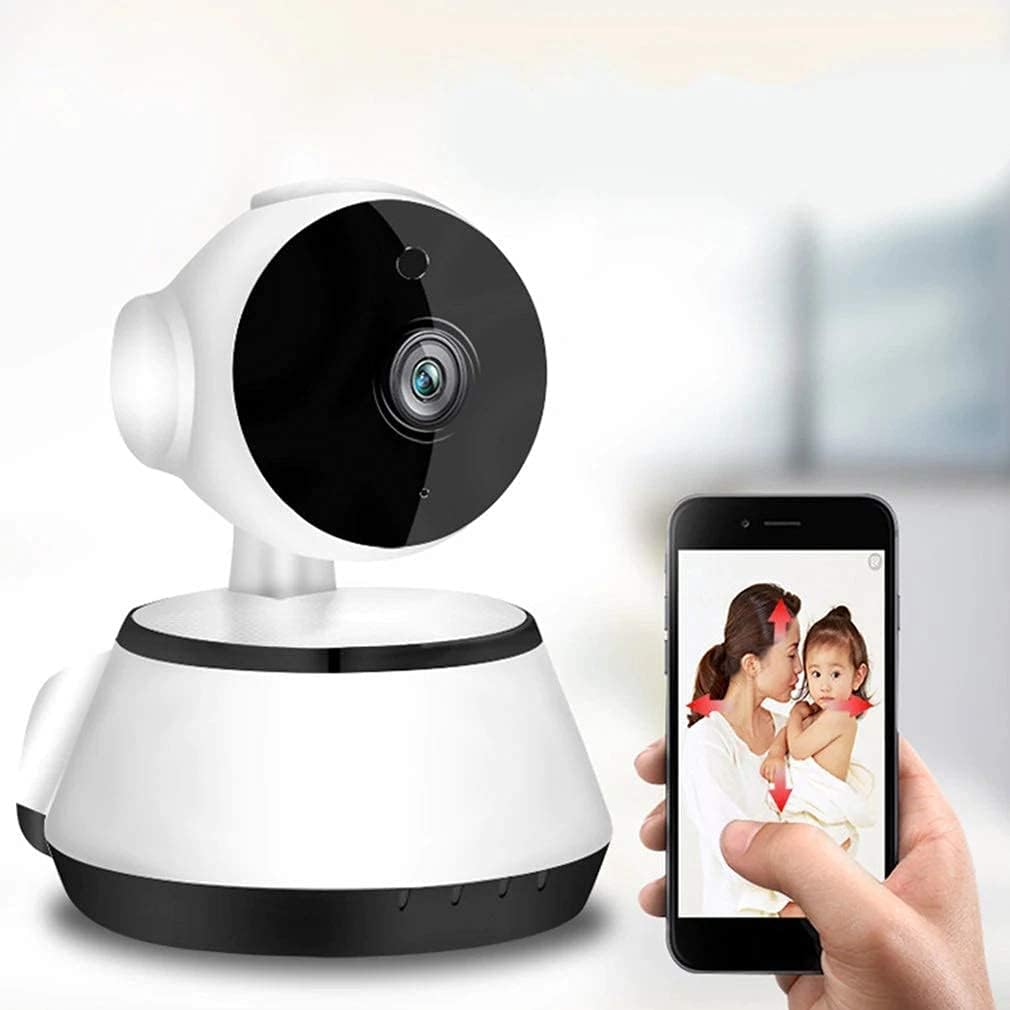
Image: The ABS V-380 Robot Camera being controlled and viewed via a smartphone application, demonstrating network monitoring and mobile control.
4. מאָונטינג די קאַמעראַ
The camera offers flexible installation options, including wall mounting, surface mounting, or hoisting (ceiling mount).
- Wall/Surface Mount: Use the provided mounting bracket as a template to mark screw holes. Drill pilot holes, insert wall plugs if necessary, and secure the bracket with screws. Attach the camera to the bracket.
- טאַבלעטאָפּ אָרט: The camera can also be placed on any flat surface without mounting.
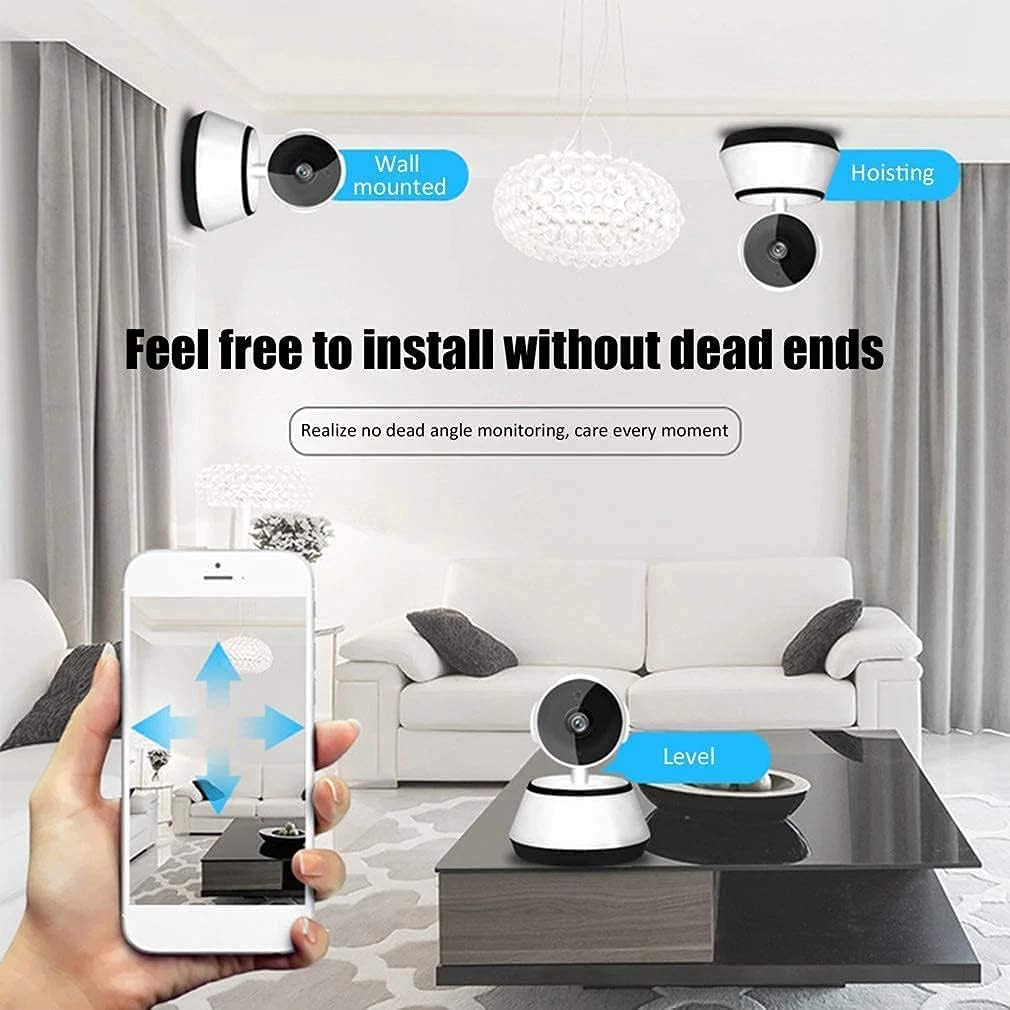
Image: Illustration of the camera's versatile installation options, including wall, ceiling (hoisting), and tabletop placement, allowing for monitoring without blind spots.
אַפּערייטינג ינסטראַקשאַנז
1. Remote Monitoring and Control
Once connected, you can access the camera's features through the mobile app:
- לעבן View: View real-time video feed from your camera.
- פּאַן & טילט: Control the camera's 360-degree horizontal (pan) and 90-degree vertical (tilt) movement directly from the app to adjust the viewינג ווינקל.
- עלעקטראָניש פארגרעסער: Zoom in on details within the live feed.
- Capture Photos/Videos: Take snapshots or record video clips directly to your phone.

Image: A smartphone displaying the remote control interface for the camera, illustrating how to adjust the pan (355 degrees horizontal) and tilt (90 degrees vertical) angles.

Image: The camera's smooth pan and tilt monitoring capabilities, allowing a sweeping view of the entire house via the app.
2. Two-Way Audio Communication
The camera features a built-in anti-noise filter for clear two-way audio. This allows you to communicate with individuals near the camera.
- ינטערקאַם מאָדע: Speak through your phone and have your voice broadcast through the camera's speaker.
- הענט-פריי מאָדע: Listen to audio from the camera's environment through your phone.

Image: Demonstrates the high-fidelity two-way audio feature, enabling real-time communication with individuals in the camera's vicinity, such as a baby or family member.
3. רעקאָרדינג אָפּציעס
The camera supports video recording in two primary modes:
- 24/7 קאָנטינויִערלעכע רעקאָרדינג: רעקאָרדירט ווידעאָ קאַנטיניואַסלי, אָווועררייטינג עלטערע פודtage ווען די זכּרון קאָרט איז פול.
- רעקאָרדינג פון באַוועגונג דעטעקטיאָן: Records only when motion is detected, conserving storage space.
The camera supports local storage via a TF (microSD) card up to 64GB (memory card not included). With a 64GB card, it can store up to one month of footage depending on recording settings.

Image: The camera's memory card slot, highlighting its support for 8-64GB TF cards for secure, automatic loop recording and 24-hour monitoring.
4. נאַכט זעאונג
Equipped with infrared light source, the camera automatically switches between day and night vision modes, ensuring clear video recording even in low-light or complete darkness.
5. Alarm Push Notifications
When motion is detected, the camera can send alarm push notifications to your smartphone, alerting you to activity in the monitored area.
וישאַלט
- רייניקונג: ווישט אָפּ די קאַמעראַ לינז און קערפּער מיט אַ ווייכן, טרוקענעם שטאָף. פֿאַרמייַדט ניצן שטרענגע כעמיקאַלן אָדער שרײַבנדיקע רייניקונגסמיטלען.
- Firmware דערהייַנטיקונגען: Periodically check the mobile app for available firmware updates to ensure optimal performance and security.
- סטאָרידזש פאַרוואַלטונג: If using a TF card for recording, regularly review און באַקאַפּן וויכטיקע פודtage. The camera supports automatic loop recording, which will overwrite the oldest fileס ווען די קאָרט איז פול.
- מאַכט צושטעלן: Ensure the camera is connected to a stable power source. Unplug the camera during electrical storms or when not in use for extended periods.
טראָובלעשאָאָטינג
| פּראָבלעם | מעגלעך סיבה | לייזונג |
|---|---|---|
| קאַמעראַ גייט נישט אָן. | Power cable or adapter issue; power outlet problem. | Check power connections. Try a different power outlet. Ensure the adapter is functioning. |
| ניט געקענט צו פאַרבינדן צו ווי-פי. | Incorrect Wi-Fi password; camera too far from router; router settings. | Double-check Wi-Fi password. Move camera closer to the router. Ensure your router is broadcasting a 2.4GHz Wi-Fi signal (5GHz is not supported). Reset the camera and try setup again. |
| No video recording or playback issues. | No TF card inserted; TF card full or corrupted; camera not powered on during recording period. | Insert a compatible TF card (8-64GB). Format the TF card via the app. Ensure the camera remains powered on for continuous recording. Check app settings for recording schedule. |
| באַוועגונג דעטעקשאַן אַלערץ נישט באקומען. | Motion detection disabled in app; app notifications blocked; network issues. | Enable motion detection and push notifications in the camera app. Check your phone's notification settings for the app. Ensure stable internet connection. |
| Camera disconnects frequently. | Weak Wi-Fi signal; network interference. | Relocate the camera closer to the Wi-Fi router or use a Wi-Fi extender. Minimize interference from other wireless devices. |
| No reset button found / unable to reset. | Some models may have an internal or less obvious reset mechanism. | Refer to the specific instructions provided with your camera model for reset procedures. If no physical button is apparent, check the app for a software reset option or contact support. |
ספּעסאַפאַקיישאַנז
| שטריך | דעטאַל |
|---|---|
| סאָרט | ABS |
| מאָדעל נאָמען | ABS V-380 |
| נומער מאָדעל נומער | ROBOT CAMERA (RBC02) |
| טייל נומער | EV-ROBOT CAMERA-02 |
| קאָליר | ווייַס / שוואַרץ |
| פאָרם פאַקטאָר | קופּאָל |
| מאַטעריאַל | פּלאַסטיק |
| ווידעא קאַפּטורע רעסאָלוטיאָן | 1080 פּ |
| נומער פון טשאַנאַלז | 2 |
| קאַנעקטיוויטי טעכנאָלאָגיע | ווירעלעסס (ווי-פי) |
| ווירעלעסס קאָמוניקאַציע טעכנאָלאָגיע | ווי-פי |
| קאַמפּאַטאַבאַל דעוויסעס | סמאַרטפאָון (אַנדרויד, יאָס) |
| קאָנטראָללער טיפּ | אַנדרויד |
| מאַכט מקור | AC Current (5 Watts) |
| מאַונטינג טיפּ | וואנט בארג, ייבערפלאַך בארג |
| ייַנמאָנטירונג טיפּ | עמבעדיד |
| ספּעציפיש ניצט | Indoor Use (also suitable for covered outdoor areas) |
| ספּעציעלע פֿעיִקייטן | Night Vision, High Definition, Motion Sensor, Two-Way Audio |
| ליכט מקור טיפּ | ינפרערעד |
| וואַסער קעגנשטעל מדרגה | ניט וואַסער קעגנשטעליק |
| באַטעריז פארלאנגט? | ניין |
| פּונקט וואָג | 270 ג |
| פּעקל דימענשאַנז | 13.6 X 10.8 X 10 סענטימעטער |
| ערשטער דאַטע בנימצא | 28 נאוועמבער 2021 |
וואָראַנטי אינפֿאָרמאַציע
Specific warranty details for the ABS V-380 Robot Camera (Model RBC02) were not provided in the product data. Please refer to the retailer's return policy or contact the manufacturer directly for information regarding product warranty and guarantees.
שטיצן
For further assistance, technical support, or inquiries regarding your ABS V-380 Robot Camera, please:
- Consult the official V-380 mobile application for in-app support or FAQs.
- קאָנטאַקט די זיצער פון וועמען איר געקויפט דעם פּראָדוקט.
- Visit the manufacturer's official website (if available) for support resources.
Ask a question about this manual
Ask about setup, troubleshooting, compatibility, parts, safety, or missing instructions. Manuals+ will review the question and use this page’s manual context to help answer it.