
1. פּראָדוקט איבערview
The NETVUE Sentry 2 is a 1080P outdoor security camera designed to provide comprehensive surveillance for your home. It features advanced functionalities such as 360° pan and 110° tilt for wide area coverage, real-time motion and human detection, two-way audio communication, and enhanced night vision capabilities. Its IP66 weatherproof rating ensures reliable performance in various outdoor conditions.
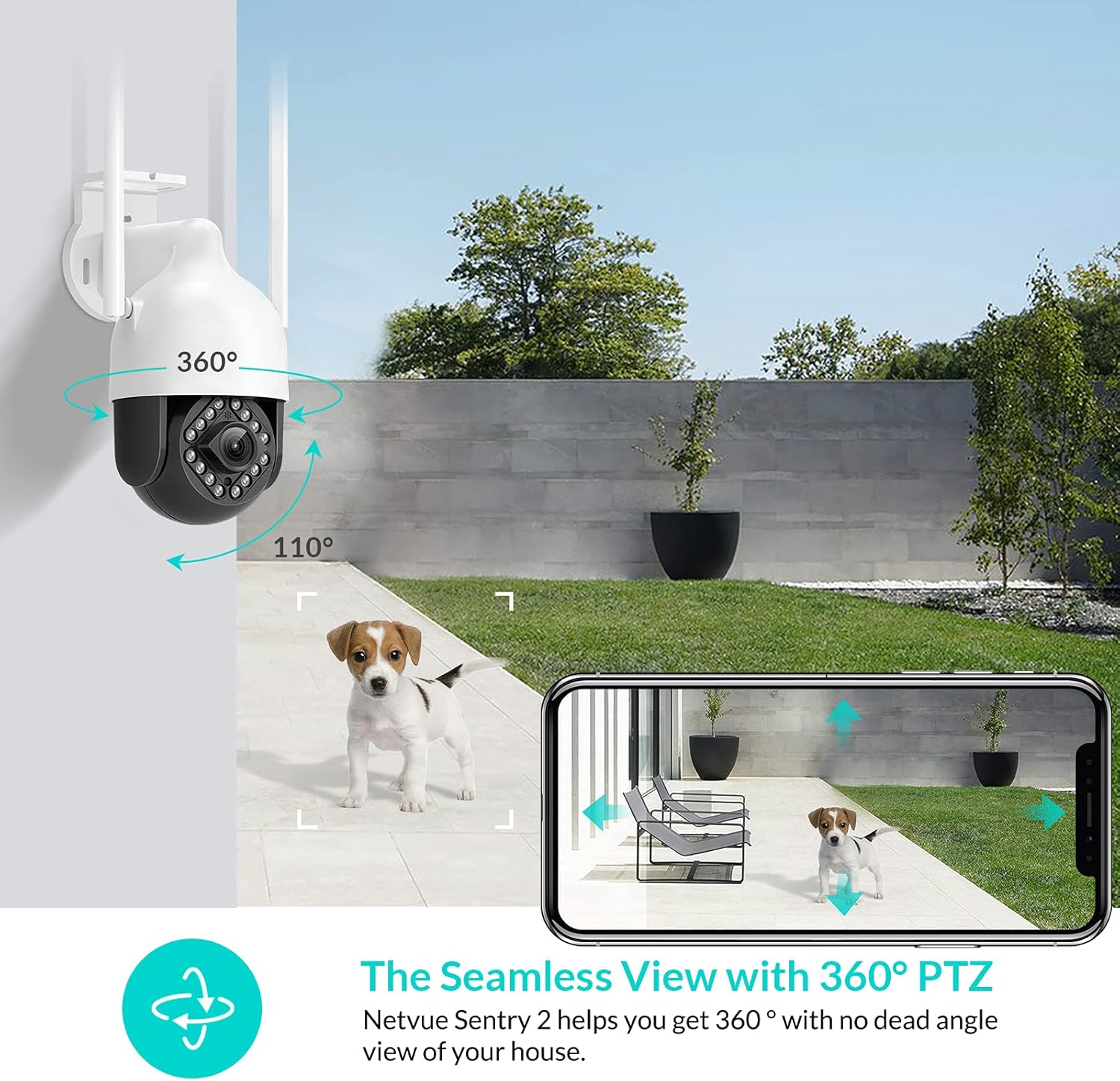
Image: NETVUE Sentry 2 Outdoor Security Camera showcasing its 360° pan and 110° tilt view.
2. וואָס איז אין דער קעסטל
Upon unboxing your NETVUE Sentry 2 camera, please verify that all components are present:
- NETVUE Sentry 2 Outdoor Security Camera
- מאַכט אַדאַפּטער
- מאָונטינג קלאַמער
- מאָנטירונג שרויפן און וואַנט אַנקערס
- Waterproof Kit for Cable Connections
- באַניצער מאַנואַל (דעם דאָקומענט)
For a visual guide on the product and its components, please refer to the official product video below:
Video: Official Netvue Outdoor Security Camera Sentry 2 overview, including unboxing and installation steps.
3. סעטאַפּ און ייַנמאָנטירונג
3.1 מאַכט אויף
- Connect the power adapter to the camera's power input.
- צאַפּן די מאַכט אַדאַפּטער אין אַ נאָרמאַל עלעקטריקאַל ווענטיל.
- Wait for the camera to power on and initiate its self-test.
3.2 אַפּ דאַונלאָודינג און אַקאַונט שאַפונג
- Download the official NETVUE app from your device's app store (iOS or Android).
- עפֿנט די אַפּ און שאַפֿט אַ נײַעם אַקאַונט, אָדער לאָגט זיך אײַן אויב איר האָט שוין אײנעם.
3.3 ווי-פי קאַנעקשאַן
The NETVUE Sentry 2 camera supports 2.4GHz Wi-Fi networks. Ensure your mobile device is connected to a 2.4GHz Wi-Fi network during the setup process.
- In the NETVUE app, tap 'Add Device' and select your camera model.
- Follow the on-screen instructions to connect the camera to your Wi-Fi network. This typically involves scanning a QR code generated by the app with the camera lens.

Image: NETVUE Sentry 2 camera demonstrating stable Wi-Fi connection in distance.
3.4 גשמיות ינסטאַלירונג
אויסקלייבן אַ פּאַסיק אָרט אינדרויסן צו מאָנטירן די קאַמעראַ, און זיכער מאַכן אַז עס האָט אַ קלאָרע view and is within Wi-Fi range. The camera is IP66 weatherproof, suitable for various outdoor conditions.
- Use the mounting bracket as a template to mark drill holes on the desired surface.
- בויער די האָלעס און אַרייַנלייגן די וואַנט אַנגקערז.
- באַפֿעסטיקן די מאַונטינג קלאַמער צו דער ייבערפלאַך מיט די צוגעשטעלטע שרויפֿן.
- צוטשעפּען די אַפּאַראַט צו די מאַונטינג קלאַמער.
- Ensure all cable connections are properly sealed using the waterproof kit to prevent water ingress.
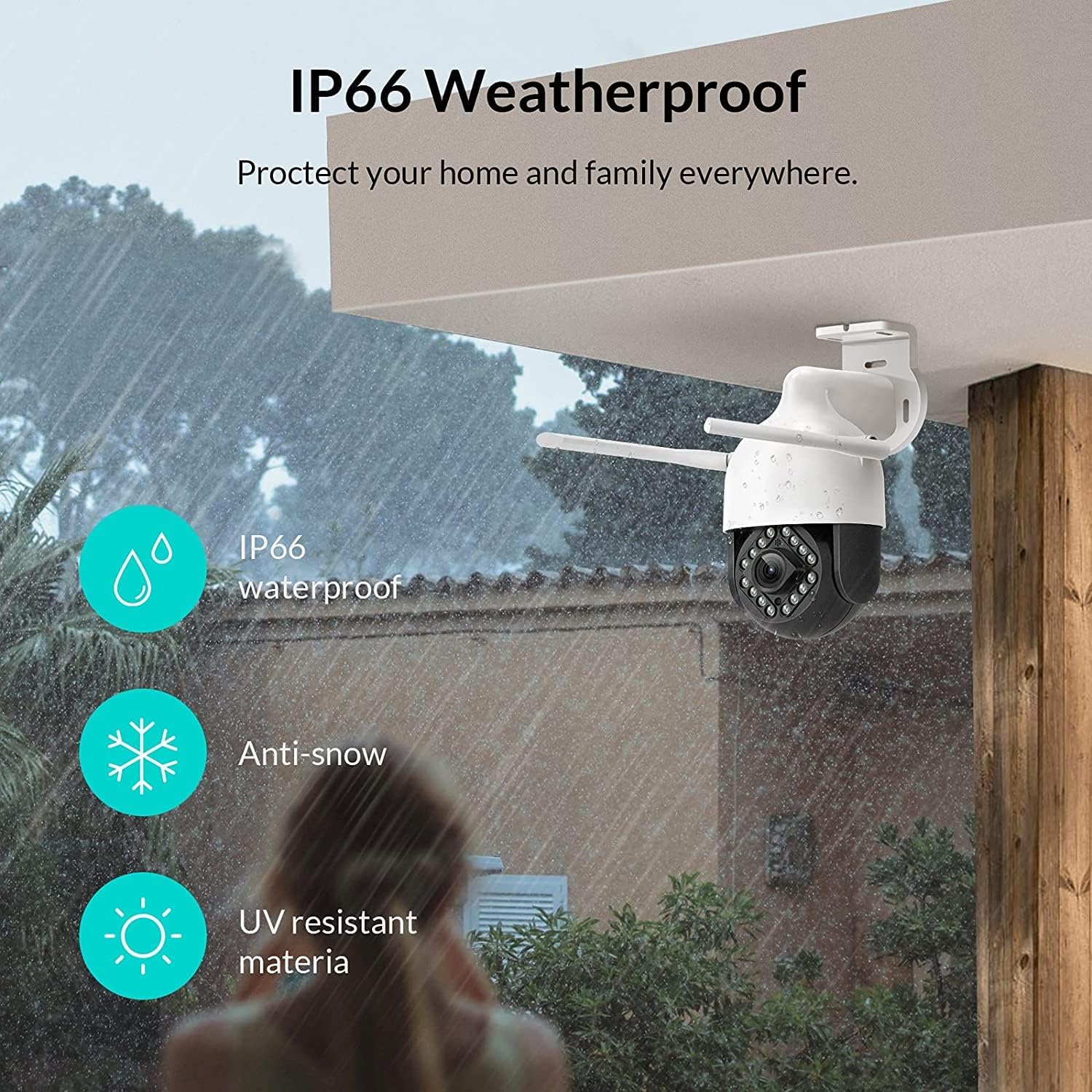
Image: NETVUE Sentry 2 camera highlighting its IP66 weatherproof features against rain and snow.
4. אַפּערייטינג די קאַמעראַ
4.1 לעבן View און פּאַן/טילט קאָנטראָל
Access the live video feed from your camera through the NETVUE app. You can remotely control the camera's pan (horizontal) and tilt (vertical) movements to adjust the viewינג ווינקל ווי דארף.
4.2 Motion and Human Detection
The camera is equipped with motion and human detection capabilities. When motion or a human figure is detected, you will receive immediate notifications on your mobile device.

Image: Real-time motion detection alert displayed on a smartphone from the NETVUE Sentry 2 camera.

Image: Motion and human detection alert from the NETVUE Sentry 2 camera, showing a person at the front door.
4.3 צוויי-וועג אַודיאָ
Utilize the two-way audio feature to communicate with individuals near the camera. This is useful for interacting with visitors or deterring unwanted guests.

Image: Two-way audio feature of the NETVUE Sentry 2 camera, allowing communication with a delivery person.
4.4 נאַכט זעאונג
The NETVUE Sentry 2 camera is equipped with 16 infrared lights for super night vision, providing clear video footage even in low-light or complete darkness.

Image: Close-up of the NETVUE Sentry 2 camera's 16 infrared lights for super night vision.
5. וישאַלט
5.1 רייניקן די קאַמעראַ
Periodically clean the camera lens and housing to ensure optimal performance. Use a soft, damp cloth to wipe away dust and dirt. Avoid using harsh chemicals or abrasive materials that could damage the lens or finish.
5.2 פירמוואַרע דערהייַנטיקונגען
Regularly check the NETVUE app for available firmware updates. Keeping your camera's firmware up-to-date ensures you have the latest features, security enhancements, and bug fixes.
5.3 סטאָרידזש פאַרוואַלטונג
The camera supports local storage via a microSD card (not included) and cloud storage options. If using a microSD card, ensure it is properly formatted and regularly check its status within the app to prevent recording issues.
6. טראָובלעשאָאָטינג
6.1 Wi-Fi פֿאַרבינדונג פּראָבלעמען
- Ensure 2.4GHz Wi-Fi: The camera only supports 2.4GHz Wi-Fi. Confirm your router is broadcasting a 2.4GHz signal and your phone is connected to it during setup.
- סיגנאַל שטאַרקייט: Verify the camera is installed within a strong Wi-Fi signal range. Relocate the camera or use a Wi-Fi extender if necessary.
- ראָוטער סעטטינגס: Check your router settings for any restrictions that might prevent new devices from connecting.
6.2 SD Card Not Detected or Recording
- Reinsert SD Card: Power off the camera, remove the microSD card, and reinsert it firmly. Power the camera back on.
- פֿאָרמאַטירונג סד קאָרט: Format the SD card through the NETVUE app. If issues persist, try a different, high-quality microSD card.
- קוק אַפּ סעטטינגס: Ensure recording settings are correctly configured in the NETVUE app.
6.3 No Motion Alerts
- געבן אַלערץ: Confirm motion detection and notification alerts are enabled in the NETVUE app settings.
- סטרויערן סענסיטיוויטי: Adjust the motion detection sensitivity to an appropriate level.
- Check Schedule: Ensure motion detection is not disabled during specific times via a schedule.
6.4 אַלגעמיינע פּראָבלעמען
- ריסטאַרט קאַמעראַ: Disconnect the power adapter, wait 10 seconds, and reconnect it to restart the camera.
- דערהייַנטיקן אַפּ: Ensure your NETVUE app is updated to the latest version.
7. ספּעסאַפאַקיישאַנז
| קאַמפּאַטאַבאַל דעוויסעס | ווידעא מאָניטאָר |
| מאַכט מקור | AC/DC |
| קאַנעקטיוויטי פּראָטאָקאָל | ווי-פי |
| קאָנטראָללער טיפּ | איריס |
| מאַונטינג טיפּ | וואנט בארג |
| ווידעא קאַפּטורע רעסאָלוטיאָן | 1080 פּ |
| נומער פון זאכן | 1 |
| נומער פון טשאַנאַלז | 1 |
| ווירעלעסס קאָמוניקאַציע טעכנאָלאָגיע | ווי-פי |
| באַטעריז פארלאנגט? | ניין |
| נידעריק ליכט טעכנאָלאָגיע | נאַכט קאָליר |
| פלינק טיפּ | בלויז באַוועגונג |
| ליכט מקור טיפּ | ינפרערעד |
| ווידעא קאַפּטורע פֿאָרמאַט | עמפּעג-4 |
| יוניט גראף | 1.0 גראף |
| אינטערנאַציאָנאַלע פּראַטעקשאַן שאַץ | IP66 |
| פּעקל דימענשאַנז | 11.3 X 6.1 X 5.91 אינטשעס |
| פּונקט וואָג | 2.12 פונט |
| רעקאָממענדעד ניצט פֿאַר פּראָדוקט | דרויסנדיק זיכערהייַט |
| דרינענדיק / דרויסנדיק באַניץ | דרויסנדיק |
8. וואָראַנטי און שטיצן
For warranty information and technical support, please refer to the official NETVUE website or contact NETVUE customer service directly. Keep your purchase receipt for warranty claims.