
1. הקדמה
This manual provides essential instructions for the installation, operation, and maintenance of your TODAAIR PTZ Baby Monitor and Home Security Camera (Model CA01). This camera is designed to provide 1080P HD video surveillance with advanced features such as night vision, motion detection, two-way audio, and compatibility with smart home systems like Amazon Alexa and Google Home. Please read this manual thoroughly before using the product to ensure proper setup and functionality.
2. פּראָדוקט איבערview
2.1 פּעקל אינהאַלט
- TODAAIR PTZ Baby Monitor and Home Security Camera (Model CA01)
- מאַכט אַדאַפּטער
- Mounting Accessories (Screws, Wall Plugs)
- באַניצער מאַנואַל
2.2 שליסל פֿעיִקייטן
- 1080P HD Vision: Provides clear 1080P HD image and video recording for detailed monitoring.
- פּאַן-טילט-זום (PTZ) פאַנגקשאַנאַליטעט: Features 355° horizontal and 70° vertical tilt range for comprehensive area coverage.
- קלאָרע נאַכט זעאונג: Enhanced lens combined with infrared technology allows for clear black and white images in dark conditions, up to 5 meters.
- באַוועגונג דעטעקשאַן שרעק: Real-time motion detection sends notifications to your smartphone when activity is detected.
- צוויי-וועג אַודיאָ: Built-in microphone and speaker enable two-way communication.
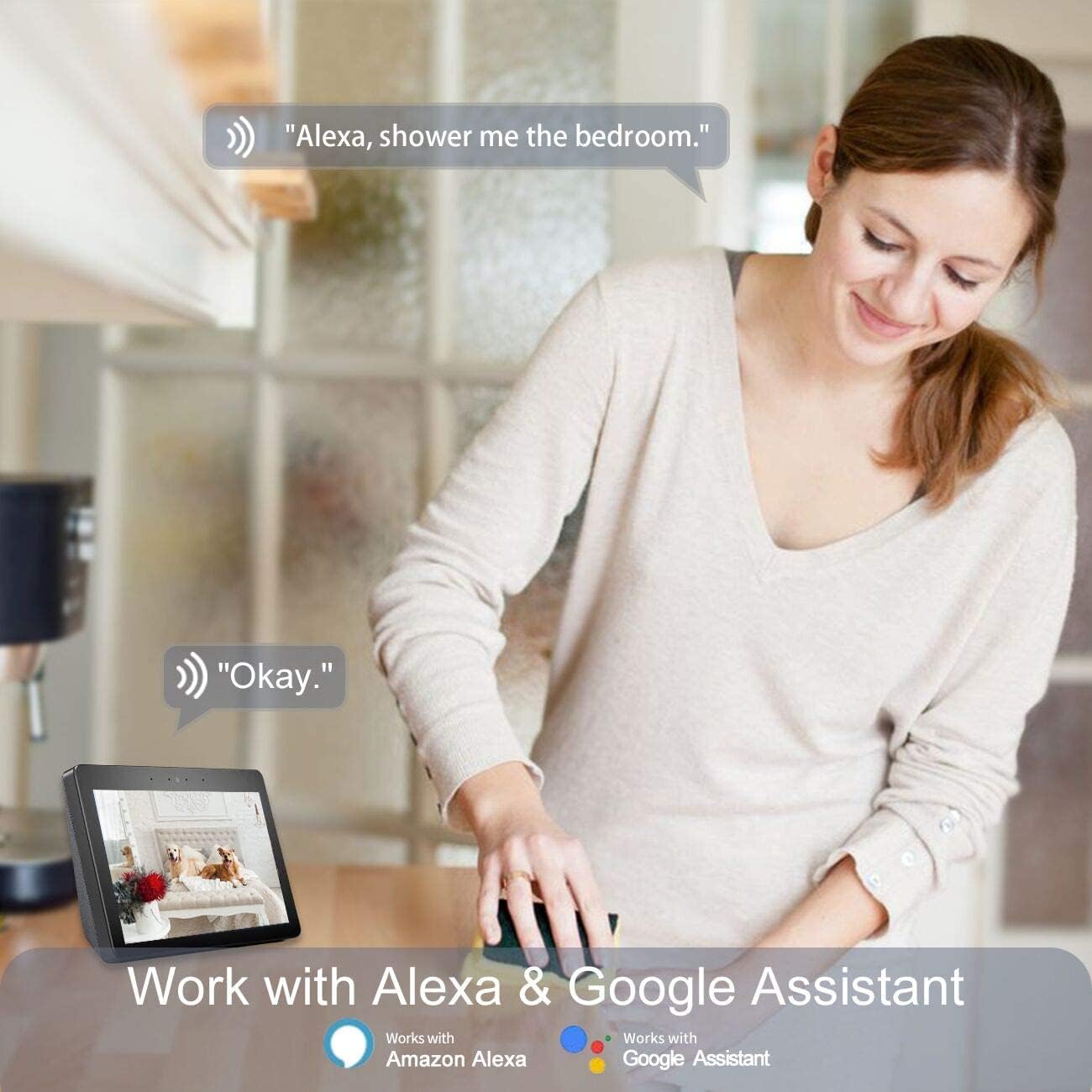
- סמאַרט היים קאַמפּאַטאַבילאַטי: Works with Amazon Alexa and Google Home for voice control and integration.
- Cloud & Local Storage: Supports USA Server Cloud Storage and up to 128GB TF card for video data and images.
2.3 פּראָדוקט דיאַגראַמע
Below is an illustration of the TODAAIR PTZ Camera with its main features highlighted.


3. סעטאַפּ
3.1 ערשטע קאַמעראַ סעטאַפּ
- אראפקאפיע די אַפּ: זוכן פֿאַר the "Tuya Smart" app (or "Smart Life" as mentioned in the Alexa video) on the Apple App Store or Google Play Store and install it on your smartphone.
- מאַכט אויף: Connect the camera to a power source using the provided adapter. Wait for the camera to power on and enter pairing mode (usually indicated by a flashing LED).
- רעגיסטרירן/אריינלאָגירן: עפֿנט די אַפּ, רעגיסטרירט אַ נײַעם אַקאַונט, אָדער לאָגט זיך אײַן אויב איר האָט שוין אײנס.
- לייג דיווייס: In the app, follow the on-screen instructions to add a new device. This typically involves scanning a QR code on the camera or selecting the camera type manually and connecting to your Wi-Fi network. Ensure your Wi-Fi network is 2.4GHz.
3.2 גשמיות ינסטאַלירונג
The TODAAIR PTZ Camera can be placed on a flat surface or mounted to a wall. Use the provided mounting accessories for wall installation. Ensure the camera is placed in a location that provides the desired viewווינקל און איז אין דער ראַנגע פון אייער Wi-Fi נעץ.
3.3 Smart Assistant Integration (Alexa & Google Home)
The TODAAIR PTZ Camera is compatible with Amazon Alexa and Google Home, allowing for voice control and integration into your smart home ecosystem. Follow the steps below to link your camera with Alexa:
- דאַונלאָוד אַלעקסאַ אַפּ: Install the Amazon Alexa app from your device's app store.
- לאָגין / פאַרשרייַבן: Register or log in to your Amazon account within the Alexa app.
- אַקסעס סעטטינגס: From the Alexa app homepage, click the menu button (usually three horizontal lines) in the upper left corner, then select "Settings".
- Set Up New Device: In Settings, select "SET UP A NEW DEVICE". Choose your Echo device type and language.
- Connect to Echo Hotspot: Follow the app's prompts to connect your phone to the Echo device's hotspot. Ensure the Echo's indicator light is orange and rotating during this process. If not, press and hold the button on the Echo to reset it.
- Connect Echo to Wi-Fi: Once connected to the Echo hotspot, the Alexa app will guide you to connect your Echo to your home Wi-Fi network. Select your network and enter the password.
- Enable Tuya Smart Skill: Go back to the Alexa app homepage, open the menu, and select "Skills". In the search box, type "Tuya Smart" and select the skill. Click "Enable Skill".
- פֿאַרבינדן אַקאַונטס: A dialog box will appear asking for your Tuya Smart app account credentials. Enter your account and password to link the accounts.
- אַנטדעקן דעוויסעס: Once accounts are linked, say "Alexa, discover devices" to your Echo. Alexa will automatically find and add your TODAAIR camera.
- Rename Devices (Optional): For easier voice control, it is advised to change your device name in the Tuya Smart app to English before connecting to Echo. For example, you can name your camera "Baby Camera" or "Living Room Camera".
You can also integrate with Google Home by enabling the Tuya Smart skill within the Google Home app and linking your accounts.
4. אַפּערייטינג ינסטרוקטיאָנס
4.1 לעבן View און PTZ קאָנטראָל
- Open the Tuya Smart app and select your camera from the device list.
- דער לייוו ווידעא פיד וועט דערשייַנען.
- Use the on-screen controls to pan (rotate horizontally 355°) and tilt (rotate vertically 70°) the camera to adjust the viewינג ווינקל.
- Digital zoom may be available through pinch-to-zoom gestures on the live feed.

4.2 צוויי-וועג אַודיאָ
- בשעת viewing the live feed, tap the microphone icon to speak through the camera's speaker.
- Tap the speaker icon to listen to audio from the camera's environment.

4.3 באַוועגונג דעטעקציע און וואָרענונגען
- In the app, navigate to the camera settings to enable motion detection.
- אַדזשאַסטירן סענסיטיוויטי לעוועלס ווי נייטיק צו מינימיזירן פאַלשע אַלאַרמס.
- When motion is detected, the camera will record a short video clip and send a notification to your smartphone.

4.4 נאַכט זעאונג
- דער אַפּאַראַט סוויטשיז אויטאָמאַטיש צו נאַכט זעאונג מאָדע אין נידעריק-ליכט טנאָים.
- Night vision provides clear black and white video up to 5 meters without infrared light pollution.


4.5 ווידעא סטאָרידזש
- וואָלקן סטאָרידזש: The camera supports cloud storage via USA servers for recorded video data and images. Refer to the app for subscription details.
- לאקאלע סטאָרידזש: Insert a Micro SD (TF) card (up to 128GB, not included) into the camera's slot for local video recording.
5. וישאַלט
- רייניקונג: ניצט אַ ווייכע, טרוקענע שטאָף צו רייניקן די קאַמעראַ לינזע און קערפּער. פֿאַרמייַדט ניצן שטרענגע כעמיקאַלן אָדער שרײַבנדיקע רייניגער.
- Firmware דערהייַנטיקונגען: Regularly check the Tuya Smart app for available firmware updates to ensure optimal performance and security.
- זיכער דיין חשבון: Use strong, unique passwords for your app and smart assistant accounts. Enable two-factor authentication if available.
- מאַכט ציקל: אויב די קאַמעראַ האָט פּראָבלעמען, פּרוּווט עס אַרויסצוציען פֿון דער מאַכט־מקור פֿאַר 10 סעקונדעס און דערנאָך עס צוריק אַרײַנשטעקן.
6. טראָובלעשאָאָטינג
| פּראָבלעם | מעגלעך סיבה | לייזונג |
|---|---|---|
| קאַמעראַ קען זיך נישט פֿאַרבינדן צו Wi-Fi | Incorrect Wi-Fi password; 5GHz Wi-Fi network; camera too far from router; network congestion. | Ensure correct 2.4GHz Wi-Fi password. Move camera closer to router. Restart router. |
| נעבעך ווידעא קוואַליטעט | Insufficient bandwidth; dirty lens; low light conditions. | קאָנטראָלירט די אינטערנעט גיכקייט. רייניקט די קאַמעראַ לינז. זאָרגט פֿאַר גענוג ליכט אָדער פֿאַרלאָזט זיך אויף נאַכט זעאונג. |
| Motion detection not working or too sensitive | Settings not configured correctly; environmental factors. | Adjust motion detection sensitivity in the app. Ensure detection zones are set correctly. |
| צוויי-וועג אַודיאָ פּראָבלעמען | Microphone/speaker muted; app permissions; network delay. | Check app audio settings and phone permissions. Ensure stable internet connection. |
| Alexa/Google Home integration failure | Incorrect account linking; device name not recognized. | Re-link Tuya Smart skill. Ensure device names are simple and in English. Say "Alexa, discover devices" again. |
7. ספּעסאַפאַקיישאַנז
| שטריך | דעטאַל |
|---|---|
| רעקאָממענדעד ניצט | בעיבי מאָניטאָרינג |
| סאָרט | TODAAIR |
| קאַנעקטיוויטי טעכנאָלאָגיע | ווירעלעסס (ווי-פי) |
| ספּעציעלע פֿעיִקייטן | Motion Sensor, Night Vision, PTZ Technology |
| דרינענדיק / דרויסנדיק באַניץ | דרינענדיק |
| קאַמפּאַטאַבאַל דעוויסעס | סמאַרטפאָנע |
| קאָנטראָללער טיפּ | אַמאַזאָן אַלעקסאַ |
| בארג טיפּ | וואנט בארג |
| קאָליר | Pro Smart Camera (White) |
| פאָרם פאַקטאָר | קופּאָל |
| אויבערשטער טעמפּעראַטור רייטינג | 60 דיגריז סעלסיוס |
| פלינק טיפּ | בלויז באַוועגונג |
| אָרט טיפּ | קינדער - צימער |
| ליכט מקור | געפירט |
| וואָטערפּרוף רייטינג | IP65 |
| קאָנטראָל מעטאָד | קול |
| ווידעא קאַפּטורע רעסאָלוטיאָן | 1080 פּ, 720 פּ |
| ראַם קורס | 15 fps |
| פאָטאָ סענסאָר טעכנאָלאָגיע | קמאָס |
| מאָדעל נומער | CA01 |
| פאַבריקאַנט | TODAAIR |
| קאַנעקטיוויטי פּראָטאָקאָל | ווי-פי |
| ווירעלעסס טעכנאָלאָגיע | ווי-פי |
| מאַכט מקור | AC/DC |
| וואָסtage | 5 וואטס |
| נומער פון טשאַנאַלז | 2 |
| נומער דימענשאַנז | 5.91 X 3.94 X 7.87 אינטשעס |
| יוניט גראף | 1.0 גראף |
8. וואָראַנטי און שטיצן
TODAAIR is committed to providing high-quality products and professional technical support. If you encounter any problems during the use of your camera, please contact our professional technical team for assistance. Specific warranty details may vary; please refer to the product packaging or the official TODAAIR webוועבזייטל פֿאַר די מערסט אַקטועלע וואָראַנטי אינפֿאָרמאַציע.