
1. הקדמה
This manual provides instructions for the proper setup, operation, and maintenance of your Bytech TBMOMO119AC Foldable Tablet Stand. Please read this manual thoroughly before using the product to ensure optimal performance and longevity.
2. פֿעיִקייטן
The Bytech TBMOMO119AC Foldable Tablet Stand is designed to provide a stable and adjustable platform for your tablet or other compatible portable electronic devices. Key features include:
- פאָלדאַבלע פּלאַן: Allows for compact storage and easy portability.
- אַדזשאַסטאַבאַל Viewאין אַנגלעס: Provides multiple height and angle settings for comfortable viewing.
- ווענטילאַטיאָן: Open design helps prevent device overheating.
- ברייט קאַמפּאַטאַבילאַטי: Suitable for tablets and other devices ranging from 7 to 15 inches.
- דוראַבאַל קאַנסטראַקשאַן: Made from robust materials for long-lasting use.
3. פּעקל אינהאַלט
ביטע באַשטעטיקן אַז אַלע זאכן זענען פאַראַן אין דעם פּעקל:
- 1 x Bytech TBMOMO119AC Foldable Tablet Stand
4. סעטאַפּ אינסטרוקציעס
Follow these steps to set up your tablet stand:
- ופשליסן די שטיין: Gently pull the two main support arms outwards until the stand is fully extended and stable on a flat surface.
- סטרויערן הייך און ווינקל: The stand features adjustable hinges. Carefully lift or lower the support arms to achieve your desired viewing height and angle. Ensure both sides are adjusted evenly for stability.
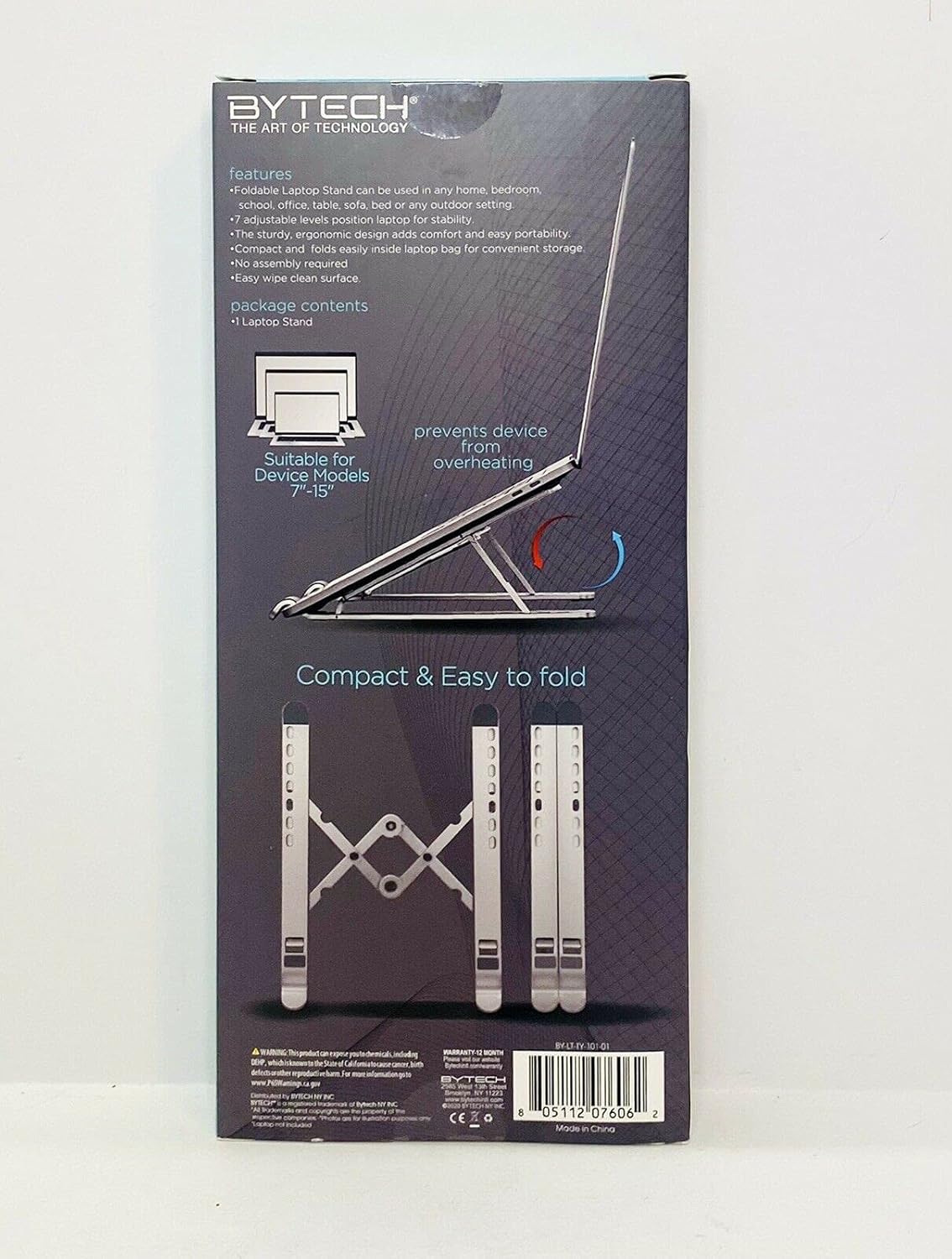
Image 1: The Bytech TBMOMO119AC Foldable Tablet Stand fully extended and ready for use. This image shows the stand's adjustable arms and base, designed to securely hold a tablet.

Image 2: The Bytech TBMOMO119AC Foldable Tablet Stand in its compact, folded state, illustrating its portability and ease of storage.
5. אַפּערייטינג ינסטרוקטיאָנס
To use your tablet stand:
- שטעלן דיין מיטל: Carefully place your tablet or compatible device onto the support hooks at the front of the stand. Ensure the device rests securely against the back support.
- לעצט אַדזשאַסטמאַנץ: Make any final adjustments to the stand's height and angle to achieve your preferred viewing position. Ensure the stand remains stable with your device in place.
6. וישאַלט
To maintain your Bytech TBMOMO119AC Foldable Tablet Stand:
- רייניקונג: ווישט דעם שטאַנד מיט אַ ווייכן, דamp cloth to remove dust and smudges. Avoid using harsh chemicals or abrasive cleaners.
- סטאָרידזש: When not in use, fold the stand into its compact form and store it in a dry place away from direct sunlight.
7. טראָובלעשאָאָטינג
If you encounter issues with your tablet stand, consider the following:
- שטיין אינסטאביליטעט: Ensure the stand is fully unfolded and placed on a flat, stable surface. Verify that both adjustable arms are set to the same height and angle.
- Device Not Secure: Confirm that your device is properly seated on the support hooks and rests against the back support. The stand is designed for devices between 7 and 15 inches.
8. ספּעסאַפאַקיישאַנז
| סאָרט | בייטעק |
| מאָדעל נומער | TBMOMO119AC |
| קאָליר | שוואַרץ |
| קאַמפּאַטאַבאַל דעוויסעס | טאַבלעטן (7-15 אינטשעס) |
| מאַונטינג טיפּ | פאָלדאַבלע |
| אַדזשאַסטאַבאַל לענג | יא |
| פּונקט וואָג | 0.17 קילאָגראַמס |
| מאַטעריאַל | פּלאַסטיק |
| UPC | 805112077328 |
9. וואָראַנטי & שטיצן
The Bytech TBMOMO119AC Foldable Tablet Stand comes with a 12-חודש וואָראַנטי from the date of purchase. This warranty covers manufacturing defects under normal use. For warranty claims or technical support, please contact your retailer or the Bytech customer service department.