
הקדמה
The Samsung Galaxy S21 FE 5G is a factory unlocked Android smartphone designed to enhance your daily mobile experience. It features a 120Hz display, a powerful processor, a pro-grade camera system, and an all-day intelligent battery. This manual provides essential information for setting up, operating, maintaining, and troubleshooting your device.

פיגורע 1: פראָנט view of the Samsung Galaxy S21 FE 5G smartphone.
סעטאַפּ
ערשט סעטאַפּ
Upon first powering on your device, follow the on-screen prompts to select your language, connect to a Wi-Fi network, and sign in with your Google account. This process will guide you through essential configurations to get your phone ready for use.
סים קאָרט ינסטאַלירונג
The Galaxy S21 FE 5G supports Dual SIM functionality using Nano SIM cards. To install your SIM card(s):
- געפינט די סים קארטל טאַץ אויף דער זייט פון דעם מיטל.
- שטעקט אריין דעם סים קארטל ארויסווארף געצייג אין דעם קליינעם לאך לעבן דעם טרעי און דריקט לײַכט ביז דער טרעי קומט ארויס.
- לייגט אריין אייערע נאַנאָ סים קאַרטל(ן) אין דעם טאַץ מיט די גאָלדענע קאָנטאַקטן אַראָפּגעקערט. מאַכט זיכער אַז זיי זענען ריכטיק אַרײַנגעזעצט.
- קערפאַלי ריינסערט די טאַץ אין די מיטל.
מאַכט אויף / אַוועק
- צו מאַכט אויף: דריק און האלט די מאַכט/זייט קנעפּל ביז די Samsung לאָגאָ דערשיינט.
- צו מאַכט אַוועק: Press and hold the Power/Side key and the Volume Down button simultaneously, then tap 'Power off' on the screen. Alternatively, swipe down from the top of the screen to open the Quick Panel, tap the Power icon, and select 'Power off'.
אַפּערייטינג די מיטל
ווייַז און נאַוויגאַציע
Experience smooth scrolling and vibrant visuals on the 6.4-inch Dynamic AMOLED 2X display with a 120Hz refresh rate and 2560 x 1440 resolution. The display offers a fast touch response for seamless interaction, even in bright sunlight.

Figure 2: The Dynamic AMOLED 2X display of the Galaxy S21 FE 5G.
אַפּאַראַט פֿעיִקייטן
The Galaxy S21 FE 5G is equipped with a powerful pro-grade camera system:
- דערציען אַפּאַראַט: 12MP Ultra Wide, 12MP Wide-angle, and 8MP Telephoto.
- פראָנט אַפּאַראַט: 32MP סעלפי קאַמעראַ.
- 30x פּלאַץ זום: Combines 3x Hybrid Optic Zoom and 30x digital zoom for high-resolution close-ups, with EngageZoom Lock to reduce shakiness.
- נאַכט מאָדע: Capture crisp images in vivid color, even in low-light conditions.

Figure 3: Portrait mode capabilities of the Galaxy S21 FE 5G camera.

Figure 4: Night mode feature for enhanced low-light photography.
באַטערי מאַנאַגעמענט
The device features a 4500mAh intelligent battery designed to last all day, even with 5G usage. Super Fast Charging can charge 50% of the battery in approximately 30 minutes. Average battery life for talk time is 37 hours.

Figure 5: All-day intelligent battery of the Galaxy S21 FE 5G.
פאָרשטעלונג
Powered by an efficient Snapdragon processor with 6GB RAM, the Galaxy S21 FE 5G delivers reliable performance for graphic-heavy gaming and multitasking.
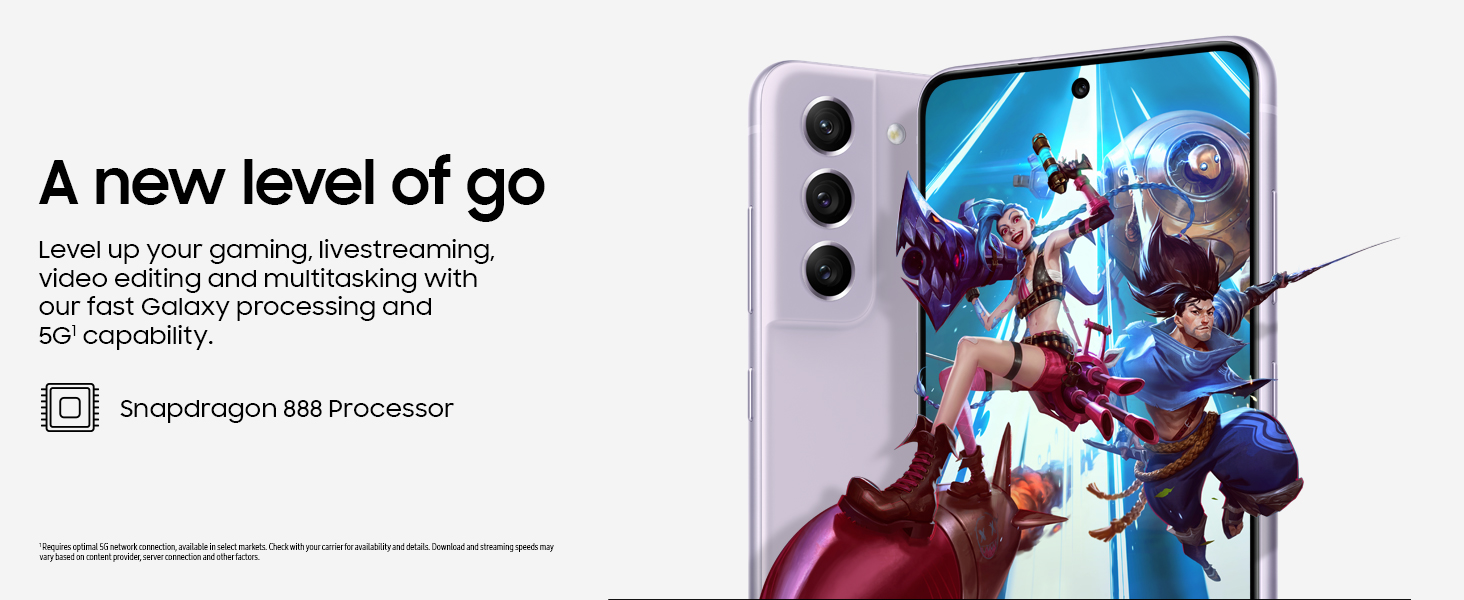
Figure 6: High-performance processor for gaming and multitasking.
קאַנעקטיוויטי
The device supports 5G cellular technology, Wi-Fi, Bluetooth, and NFC for versatile connectivity options. It is an unlocked device, allowing flexibility with wireless carriers.
וישאַלט
רייניקונג
To clean your device, gently wipe the screen and body with a soft, lint-free cloth. Avoid using harsh chemicals or abrasive materials that could damage the screen or finish.
ווייכווארג דערהייַנטיקונגען
Regularly check for and install software updates to ensure your device has the latest features, security patches, and performance improvements. You can usually find this option in the device's Settings menu under 'Software update'.
פאַבריק באַשטעטיק
A factory reset will erase all data from your phone and restore it to its original factory settings. This can be useful for troubleshooting persistent issues or preparing the device for transfer to a new owner. Before performing a factory reset, ensure all important data is backed up to an external storage device or cloud service.
Video 1: Instructions on how to perform a factory reset on an Android phone. This process will erase all data and restore the device to its default settings.
טראָובלעשאָאָטינג
אויב איר טרעפט פּראָבלעמען מיט אייער מיטל, פּרוּווט די פֿאָלגנדיקע גרונטלעכע טראָובלעשווטינג טריט:
- ריסטאַרט די מיטל: א פשוטע ריסטאַרט קען אָפט פאַרריכטן קליינע ווייכווארג פּראָבלעמען.
- קוק פֿאַר ווייכווארג דערהייַנטיקונגען: זיכער מאַכן אַז אייער מיטל לויפט די לעצטע ווייכווארג ווערסיע.
- Clear app cache/data: If a specific app is causing issues, try clearing its cache or data in Settings > Apps.
- Check network connection: For connectivity issues, verify Wi-Fi or cellular data is enabled and working correctly.
- באַראַטנ זיך די באַניצער מאַנואַל: For more detailed solutions, refer to the comprehensive user manual available through the device settings.
ספּעסאַפאַקיישאַנז
| שטריך | באַשרייַבונג |
|---|---|
| סאָרט | סאַמסונג |
| מאָדעל נאָמען | Galaxy S21 FE 5G |
| אָפּערייטינג סיסטעם | אַנדרויד 12.0 |
| קפּו מאָדעל | סנאַפּדראַגאָן |
| ראַם זכּרון אינסטאַלירט גרייס | 6 גיגאבייט |
| זכּרון סטאָרידזש קאַפּאַסיטי | 256 גיגאבייט |
| פאַרשטעלן גרייס | 6.4 אינטשעס |
| האַכלאָטע | 2560 X 1440 |
| דערפרישן קורס | 120 הז |
| סעליאַלער טעכנאָלאָגיע | 5G |
| דראָטלאָזע נעץ טעכנאָלאָגיע | ווי-פי |
| קאַנעקטיוויטי טעכנאָלאָגיע | בלועטוט, ען-עף-סי, יו-עס-בי, וויי-פיי |
| Rear Facing Camera Photo Sensor Resolution | 12 מפּ |
| Front Photo Sensor Resolution | 32 מפּ |
| באַטאַרייע קאַפּאַציטעט | 4500 מיליamp שעהן |
| וואַסער קעגנשטעל מדרגה | וואָטערפּרוף |
| פּונקט וואָג | 190 גראַמז |
וואָראַנטי און שטיצן
The Samsung Galaxy S21 FE 5G comes with a 1-Year Manufacturer Warranty. For warranty claims or technical support, please contact Samsung customer service or visit their official support website. You can also find additional support resources and user manuals in the device's settings under 'User manual'.