
NC SWM 9702
NC Car Radio 1 Din MP5 Player User Manual
Model: SWM 9702
פּראָדוקט איבערview
This manual provides detailed instructions for the installation, operation, and maintenance of your NC Car Radio 1 Din MP5 Player (Model SWM 9702). This versatile unit features a 7-inch retractable HD screen, Bluetooth connectivity, GPS navigation, USB support, iOS/Android Mirror Link, and FM radio. It is designed to enhance your in-car entertainment and navigation experience.

פיגורע 1.1: The NC Car Radio MP5 Player unit shown with its essential components, including the main head unit, two wiring harnesses for power and speakers, a GPS antenna for navigation, and the user operation manual. This image provides a comprehensive view of what is included in the product package.
סעטאַפּ און ינסטאַלירונג
1. פּעקל אינהאַלט
איידער איר הייבט אן די אינסטאַלאַציע, ביטע זיכער מאַכן אַז אַלע קאָמפּאָנענטן זענען פאַראַן אין דער פּאַקעט:
- Main Head Unit (Car Radio MP5 Player)
- גפּס אַנטענע
- Disassembly Keys (2)
- Power Cords (2) - for rear tail cable plus front connections
- באַניצער אָפּעראַציע מאַנואַל
2. וויירינג קאַנעקשאַנז
Proper wiring is crucial for the functionality of the car radio. Refer to the wiring diagram provided with the unit for specific connections. Below are general guidelines:
- מאַכט קשר: Connect the yellow wire to constant 12V (B+), the red wire to accessory 12V (ACC), and the black wire to ground.
- רעדנער קאַנעקשאַנז: Connect the speaker wires to your vehicle's speaker system. Ensure correct polarity for optimal sound.
- אַנטענע קשר: פֿאַרבינדט די ראַדיאָ אַנטענע פֿונעם פֿאָרמיטל.
- גפּס אַנטענע: Connect the provided GPS antenna to the designated port on the rear of the unit. Position the antenna in a location with a clear view of the sky for best signal reception.
- דערציען View Camera Input (Optional): אויב איר אינסטאלירט א הינטערשטע view camera (not included with this specific model), connect its video output to the "REVERSE IN" RCA port and its power to the reverse light circuit.
- RCA אַוטפּוץ: Utilize the 2 audio outputs for connecting to external ampלייפערז אָדער סובוואָאָפערס.
- וסב פּאָרץ: The unit features 2 rear tail cable USB ports and a front USB port for media playback and phone connectivity.
באַמערקונג: Incorrect wiring can damage the unit or your vehicle's electrical system. If you are unsure, consult a professional installer.
3. מאַונטינג די אַפּאַראַט
Insert the 1-DIN unit into your vehicle's dashboard opening. Secure it using the provided mounting brackets or screws. Ensure the retractable screen mechanism has sufficient clearance to extend and retract without obstruction.
אַפּערייטינג ינסטראַקשאַנז
1. יקערדיק פאַנגקשאַנז
- מאַכט אויף / אַוועק: Press the power button (usually the VOL knob) to turn the unit on or off.
- באַנד קאָנטראָל: Rotate the VOL knob to adjust the volume.
- מאָדע סעלעקציע: Use the "MODE" button or the touchscreen interface to switch between functions like Radio, USB, AUX, Bluetooth, and Navigation.
- ראַדיאָ (FM): Access the FM radio function to scan for stations (87.5~108MHz).
- וסב פּלייַבאַקק: Insert a USB drive into the front or rear USB ports to play audio (MP3/WMA/WAV/APE/FLAC), video, or view pictures (JPG).
- AUX פונקציע: Connect external audio devices via the front AUX audio input.

פיגורע 2.1: אַן איבערview of the diverse functionalities offered by the car radio, including Mirrorlink for phone integration, GPS Navigation, WiFi connectivity, Reverse Image display, Bluetooth for hands-free calls and audio streaming, Aux In for external devices, USB support for media, a responsive Capacitive touchscreen, support for high-quality audio formats like FLAC/APE, 1080P video playback, Driving Record capability, and FM Radio.
2. אַוואַנסירטע פֿעיִקייטן
- Bluetooth Function (Version 4.0):
- פּאָרינג: Enable Bluetooth on your mobile device and search for the car radio (e.g., "CarBT"). Select and pair.
- הענט-פריי רופן: Once paired, you can make and receive calls directly through the unit.
- אַודיאָ סטרימינג: Play music from your phone wirelessly via Bluetooth.
- Mirror Link (Mobile Phone Interconnection):
- אַנדרויד: Supports USB and WiFi screencasting. You can operate your phone from the car screen.
- Apple (iOS): Supports WiFi screencasting. The phone screen is mirrored to the player.
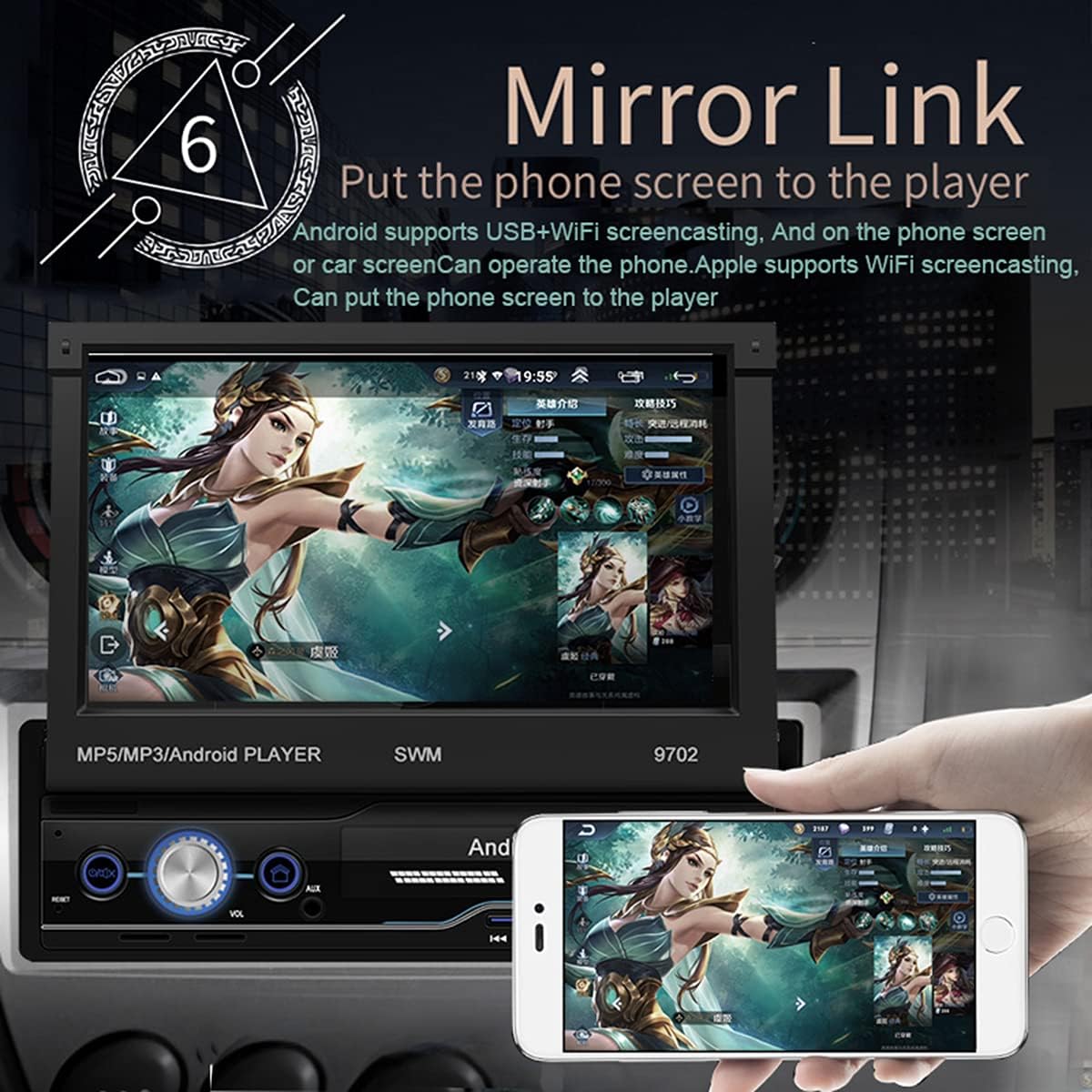
פיגורע 2.2: The Mirror Link function in action, showing a smartphone's display content, such as a game, being mirrored onto the car radio's 7-inch retractable screen. This feature allows for seamless integration and control of mobile applications directly from the car's display.
- גפּס נאַוויגאַציע:
- The unit comes with built-in offline maps (Europe).
- Supports online real-time traffic maps and quick positioning.
- Access navigation applications through the touchscreen.

פיגורע 2.3: The GPS navigation interface on the car radio screen, showing a detailed map with route guidance and estimated travel time. Icons for popular navigation applications are also visible, highlighting the unit's capability for multiple navigation options and real-time traffic updates.
- דערציען View פֿונקציע:
- ווען אַ קאָמפּאַטיבלע הינטערשטער view camera is connected (optional, not included), the screen automatically displays the rear view image when the vehicle is put into reverse.
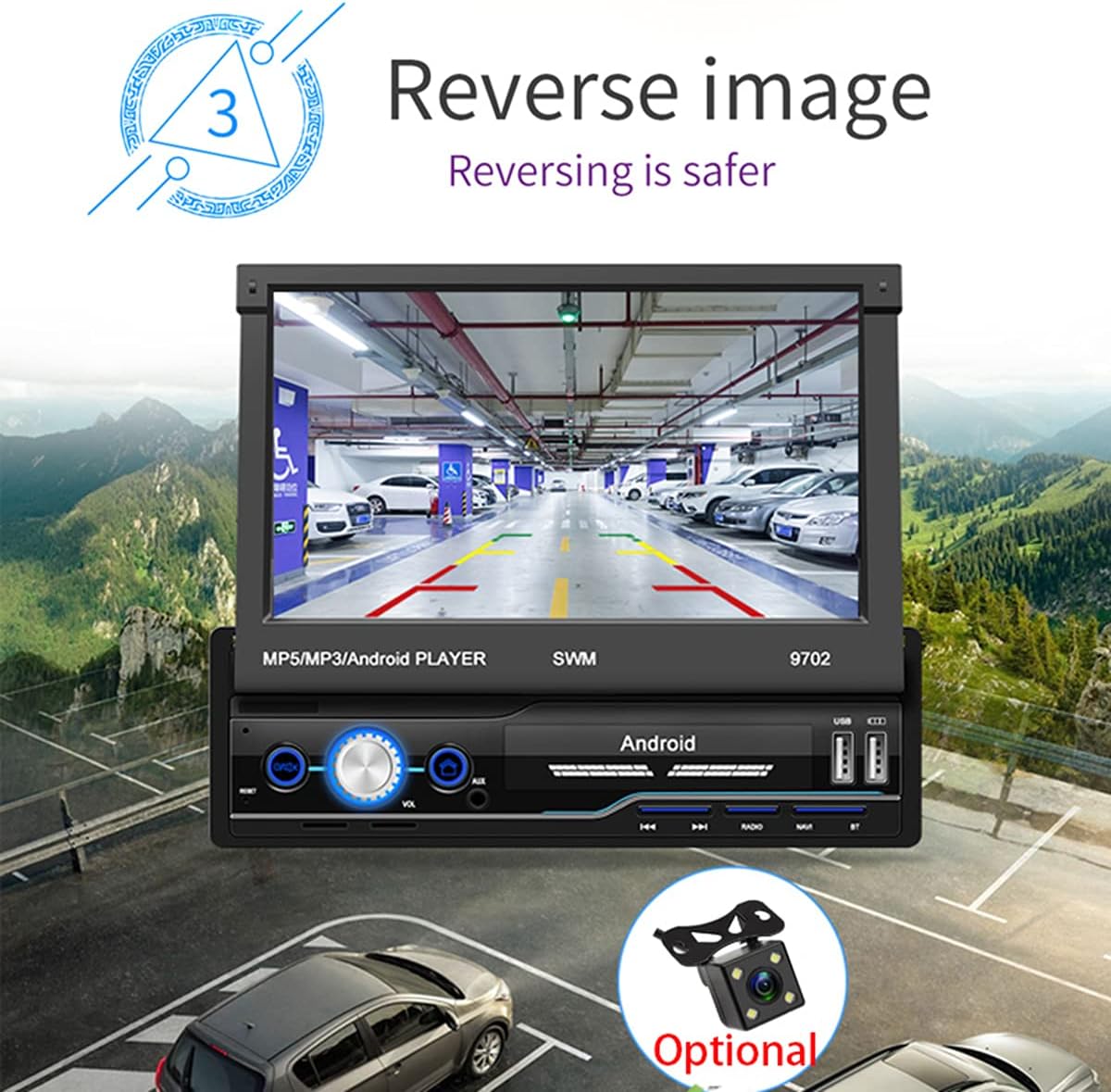
פיגורע 2.4: The reverse image feature in operation, displaying a clear view from a rear camera on the car radio's screen. This function enhances safety during parking and reversing maneuvers by providing a wide-angle view of the area behind the vehicle, complete with guiding lines.
- WIFI Internet Access:
- Connect to a mobile hotspot or available Wi-Fi networks to access online features, download apps, and browse the internet.

פיגורע 2.5: The car radio's screen showcasing a variety of application icons, including social media, navigation, and entertainment apps, demonstrating the unit's WiFi connectivity and ability to run Android applications. This feature allows users to access online content and services directly from the car's display.
- Steering Wheel Control Function:
- The unit supports learning functions for your original car's steering wheel controls. This allows you to control basic functions (e.g., volume, track skip) without taking your hands off the wheel.
- Navigate to "Steering Learn" in the settings menu to configure.
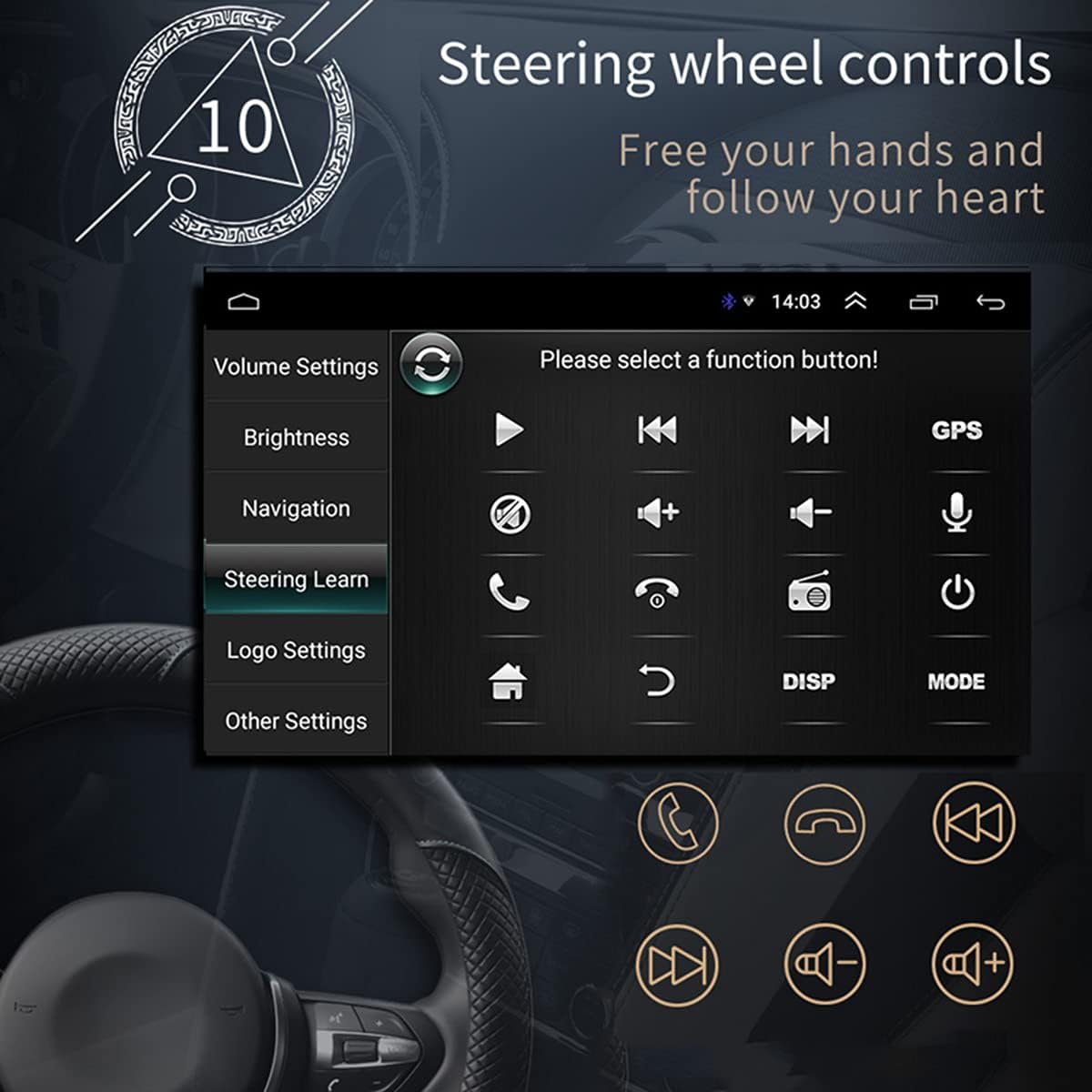
פיגורע 2.6: The steering wheel control learning interface on the car radio, showing options to configure various functions like volume, track control, and call handling directly from the vehicle's steering wheel buttons. This feature enhances driving safety and convenience by keeping hands on the wheel.
- אַפּ ינסטאַלירונג:
- As an Android system, you can install compatible applications directly onto the unit.
- Car Logo Replacement:
- Customize the boot-up logo to match your car's brand. (Factory setting password: 1111)
וישאַלט
- סקרין רייניקונג: ניצט אַ ווייכן, לינט-פֿרייע שטאָף צו פֿאָרזיכטיק ווישן דעם עקראַן. פֿאַר שווערע פֿלעקן, אַ ביסל ווישןampווישט דעם שטאָף מיט וואַסער אָדער אַ פאַרשטעלן-זיכער רייניגער. פֿאַרמייַדט אַברייסיוו מאַטעריאַלן אָדער שטרענגע כעמיקאַלן.
- אַלגעמיינע רייניקונג: האַלט דעם אַפּאַראַט פריי פון שטויב און שמוץ. ניצט אַ ווייכע באַרשט אָדער קאָמפּרעסירטע לופט צו רייניקן ווענטילאַציעס און קנעפּלעך.
- ווייכווארג דערהייַנטיקונגען: קאָנטראָלירט פּעריִאָדיש דעם פאַבריקאַנט'ס website or contact support for available software updates to ensure optimal performance and access to new features.
- ויסמיידן עקסטרעם טעמפּעראַטורעס: שטעלט נישט אויס דעם אַפּאַראַט צו עקסטרעמע היץ אָדער קעלט, ווײַל דאָס קען אַפעקטירן זײַן פאָרשטעלונג און לעבנסדויער.
טראָובלעשאָאָטינג
| פּראָבלעם | מעגלעך סיבה | לייזונג |
|---|---|---|
| קיין מאַכט | Incorrect wiring (power/ground), blown fuse, vehicle battery issue. | Check power and ground connections. Verify vehicle fuses. Ensure battery has sufficient charge. |
| קיין געזונט | Volume too low, mute activated, incorrect speaker wiring, damaged speakers. | Increase volume. Check if mute is on. Verify speaker connections and polarity. Test with different audio source. |
| GPS Signal Lost/Weak | דזשי-פי-עס אנטענע נישט ריכטיג פארבונדן אדער פארשטאפט, איינהייט אין א געגנט מיט שוואכן סאטעליט אויפנאם. | Ensure GPS antenna is securely connected and placed in a clear line of sight to the sky. Move to an open area. |
| בלועטאָאָטה ניט קאַנעקטינג | Bluetooth not enabled on phone/unit, incorrect pairing, interference. | Ensure Bluetooth is enabled on both devices. Delete previous pairings and re-pair. Move closer to the unit. |
| Screen Not Retracting/Extending | שטערונג, מעכאנישע פראבלעם. | Check for any physical obstructions. Do not force the screen. If issue persists, contact support. |
| טאָוטשסקרעען ניט ריספּאַנסיוו | Software glitch, screen dirty, physical damage. | Restart the unit. Clean the screen. If issue persists, contact support. |
ספּעסאַפאַקיישאַנז
| שטריך | דעטאַל |
|---|---|
| מאָדעל | SWM 9702 |
| Voltage | 12V |
| סיסטעם | אַנדרויד |
| קאָנפיגוראַטיאָן | 1G+16G |
| פאַרשטעלן מאָדעל | 7 אינטש הד |
| פאַרשטעלן האַכלאָטע | 1024*600 |
| טאַפליע גרייס | 188 * 58 מם |
| מאַכט | 60 וו |
| ארבעטן טעמפּעראַטור | -10 ~ 60 דיגריז סעלסיוס |
| בלועטאָאָטה מאָדעל | ווערסיע 4.0 |
| מאַכט Ampליפיער טשיפּ | TDA7388 |
| ראַדיאָ פרעקווענסי | FM 87.5 ~ 108 מהז |
| Built-in Offline Map | אייראָפּע |
| וסב צובינד | 2 rear tail cable plus front |
| RCA Terminal Introduction | 2 audio outputs, 2 audio inputs, 2 video inputs, 1 reversing input, 1 video output |
| Front AUX Audio Input | יא |
| דוור פֿונקציע | שטיצן |
| Supported Picture Format | JPG |
| שטיצט אַודיאָ פֿאָרמאַטירונגען | מפּקסנומקס / וומאַ / וואַוו / אַפּע / פלאַק |
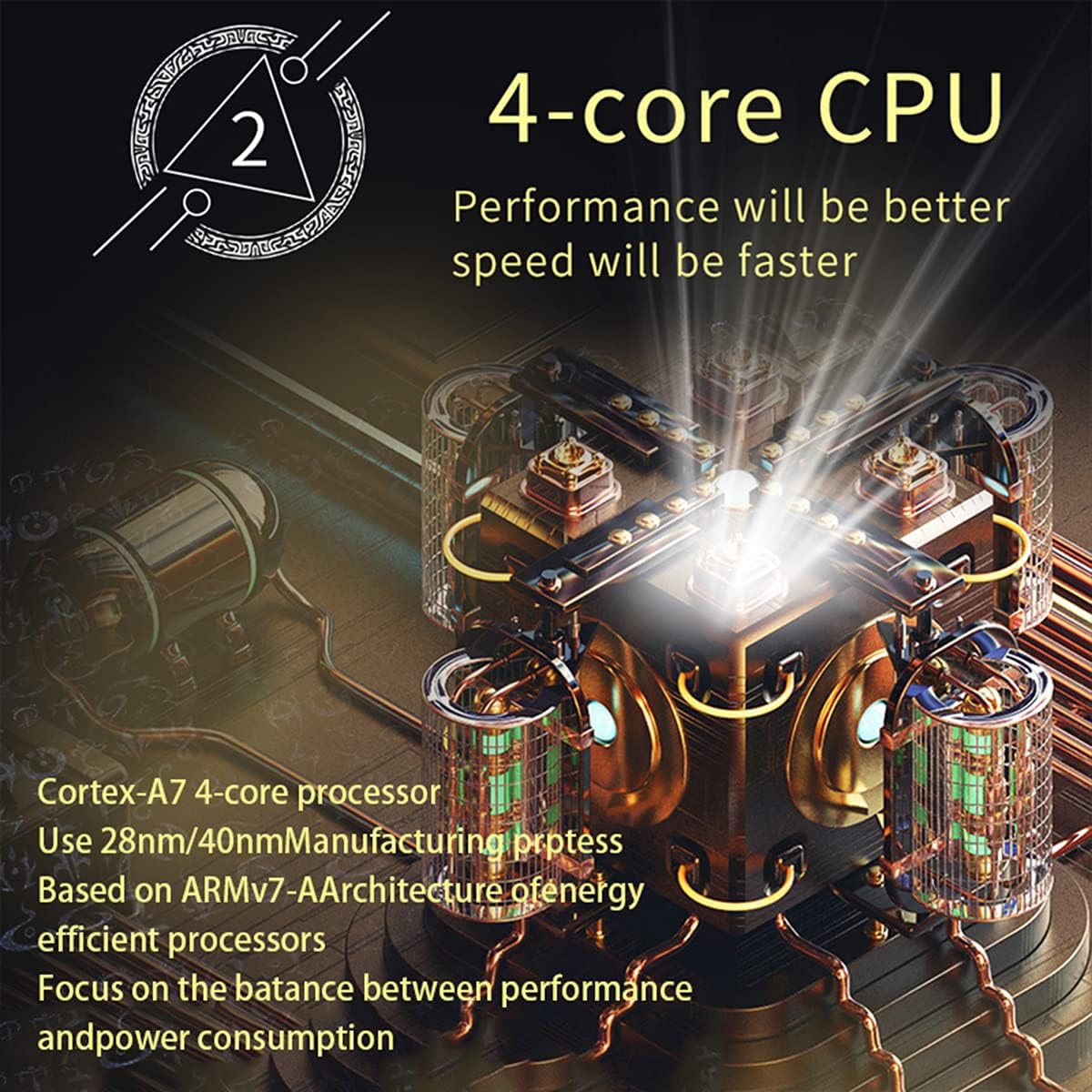
פיגורע 3.1: An illustration of the unit's 4-core Cortex-A7 processor, emphasizing its efficient architecture and manufacturing process (28nm/40nm). This powerful CPU ensures better performance and faster operation for all functions.

פיגורע 3.2: The audio playback interface on the car radio, demonstrating support for high-fidelity lossless audio formats such as APE and FLAC. This ensures a superior listening experience with native sound quality, powered by the TDA7388 high-power ampליפיער IC.
וואָראַנטי און שטיצן
פֿאַר וואָראַנטי אינפֿאָרמאַציע, טעכנישע שטיצע, אָדער סערוויס פֿראַגעס, ביטע קאָנטאַקטירן דעם פֿאַרקויפֿער אָדער פאַבריקאַנט גלייך. האַלט דיין קויפֿ קוויטל ווי אַ באַווייַז פֿון קויפֿן.
You can visit the official NC Store on Amazon for more information and product updates: NC Store
Ask a question about this manual
Ask about setup, troubleshooting, compatibility, parts, safety, or missing instructions. Manuals+ will review the question and use this page’s manual context to help answer it.