
1. הקדמה
The CAMMHD C2 is a compact, head-mounted 4K video camera designed for hands-free recording. It features 6-axis anti-shake stabilization, Wi-Fi connectivity for app control, and a long-lasting 2200mAh battery, making it suitable for various activities such as vlogging, travel, and sports. This manual provides detailed instructions for the proper use and maintenance of your CAMMHD C2 camera.

Figure 1: CAMMHD C2 4K Head-Mounted Video Camera
2. פּעקל אינהאַלט
ביטע איבערצייגן אז אלע זאכן וואס זענען אויסגערעכנט אונטן זענען אריינגערעכנט אין אייער פעקל. אויב עפעס זאכן פעלן אדער זענען געשעדיגט, ביטע קאנטאקטירט קאסטומער סופארט.
- CAMMHD C2 4K Head-Mounted Camera
- Headband Bracket
- העלם בראַקאַץ
- 3 ם קלעפּיק פּאַדס
- Mounting Bracket Tools
- וסב טיפּע- C טשאַרדזשינג קאַבלע
- מאַכט אַדאַפּטער
- 32 גיגאבייט זכּרון קאַרטל (פאַר-אינסטאַלירט אָדער באַזונדער)
- באַניצער מאַנואַל

Figure 2: Included accessories
3. פּראָדוקט איבערview
מאַכט זיך באַקאַנט מיט די קאַמעראַ'ס קאָמפּאָנענטן און קאָנטראָלס.
3.1 קאַמעראַ קאָמפּאָנענטן
- לענס: Captures video and photos.
- Power/Wi-Fi Button: Powers the device on/off and activates Wi-Fi.
- פאָטאָ קנעפּל: Takes still images.
- רעקאָרד קנעפּל: סטאַרץ און סטאַפּס ווידעא רעקאָרדינג.
- ינדיקאַטאָר ליכט: Displays device status (power, recording, Wi-Fi).
- טף קאַרד שפּעלטל: אַרײַנשטעלן די מיקראָSD קאַרטל פֿאַר סטאָרידזש.
- טיפּ-C פּאָרט: פֿאַר טשאַרדזשינג און דאַטן אַריבערפירן.
- באַשטעטיק קנעפּל: ריסטאַרט די מיטל צו פאַבריק סעטטינגס.

פיגורע 3: פראָנט view of the CAMMHD C2 camera

פיגורע 4: דנאָ view of the CAMMHD C2 camera showing ports
4. סעטאַפּ
4.1 ערשט טשאַרדזשינג
Before first use, fully charge the camera using the provided USB Type-C cable and power adapter. The indicator light will show charging status.
4.2 ינסערטינג די זכּרון קאַרד
Locate the TF card slot. Gently insert the provided 32GB microSD card (or another compatible card up to 512GB) until it clicks into place. Ensure the camera is powered off before inserting or removing the memory card.
4.3 מאָונטינג די אַפּאַראַט
The CAMMHD C2 offers versatile mounting options:
4.3.1 Head-Worn Installation
Attach the camera to the headband bracket. Adjust the headband for a comfortable and secure fit on your head. This method provides a first-person perspective.
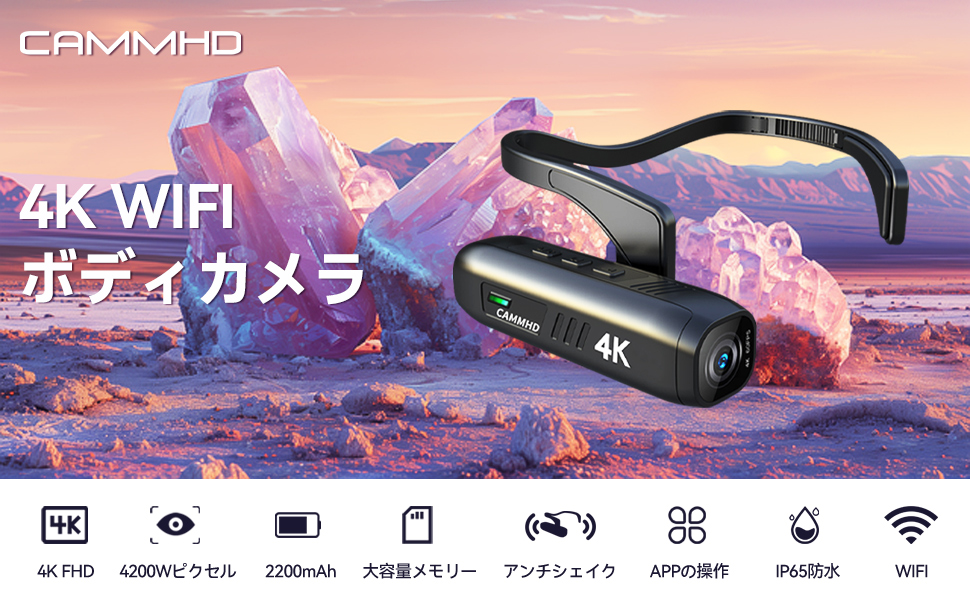
Figure 5: Head-worn installation for hands-free recording
4.3.2 Helmet-Mounted Installation
Use the helmet bracket and 3M adhesive pads to securely attach the camera to your helmet. Ensure the adhesive surface is clean and dry before application for optimal adhesion.

Figure 6: Helmet-mounted installation for secure attachment
5. אָפּעראַציע
5.1 מאַכט אויף / אַוועק
דריקן און האַלטן די מאַכט / ווי-פי קנעפּל for a few seconds to turn the camera on or off. The indicator light will illuminate when powered on.
5.2 רעקאָרדינג ווידעא
דרוק די רעקאָרד קנעפּל once to start video recording. Press it again to stop recording. The indicator light will change to show recording status.
5.3 נעמען בילדער
דרוק די פאָטאָ קנעפּל once to capture a still image.
5.4 Wi-Fi Connection and App Control
The CAMMHD C2 supports Wi-Fi connectivity for real-time viewing, control, and file transfer via a smartphone app.
- Download the "Viidure Camera" app from your smartphone's app store.
- Power on the CAMMHD C2 camera.
- דרוק די מאַכט / ווי-פי קנעפּל briefly to activate Wi-Fi mode on the camera. The indicator light will show Wi-Fi status.
- On your smartphone, go to Wi-Fi settings and connect to the camera's Wi-Fi network (e.g., "M20Pro_20F_XXXXXXXXXX"). The default Wi-Fi password is 12345678.
- Open the "Viidure Camera" app. You can now view לעבן פאָאָtage, control recording, adjust settings, and transfer files directly to your smartphone.
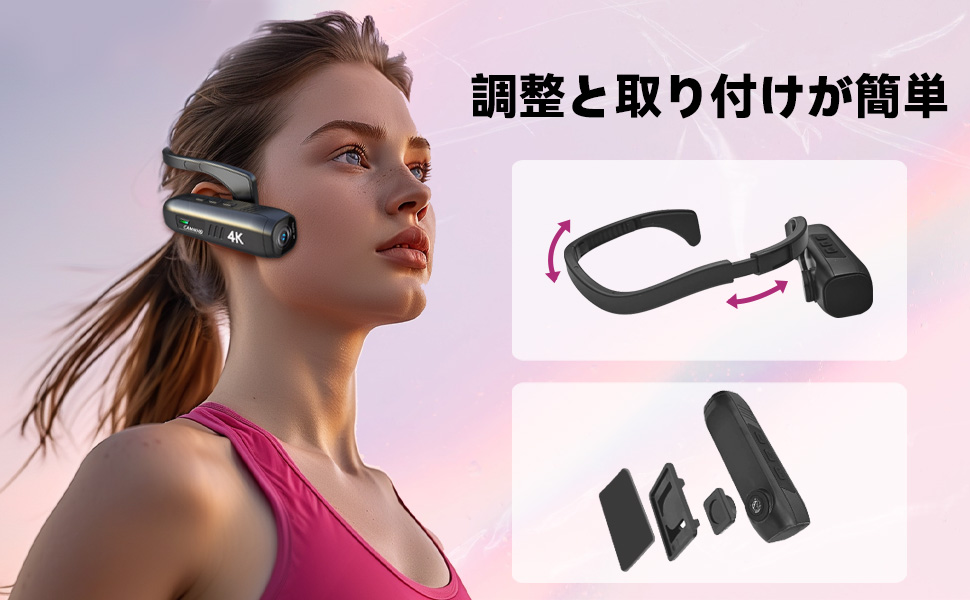
Figure 7: Wi-Fi app control interface
5.5 שליסל פֿעיִקייטן
- 4K High Resolution: Records videos in 3840 x 2160 4K at 30fps or 2704 x 1520 2K at 30fps for clear and vivid footage.
- 6-Axis Anti-Shake: Advanced stabilization technology minimizes blur from movement, ensuring smooth video.
- לאנג באַטאַרייע לעבן: Integrated 2200mAh battery provides approximately 5-7 hours of continuous recording.
- ברייט ווינקל אָביעקטיוו: 130-degree wide-angle lens captures a broader field of view.
- יקספּאַנדאַבאַל סטאָרידזש: שטיצט מיקראָסד קאַרדס אַרויף צו 512 גיגאבייט.
6. וישאַלט
- Keep the camera lens clean using a soft, lint-free cloth. Avoid abrasive materials.
- האַלט די קאַמעראַ אין אַ קיל, טרוקן אָרט אַוועק פון דירעקט זונשייַן און עקסטרעמע טעמפּעראַטורן.
- Regularly back up your recorded data to prevent loss.
- Ensure the Type-C port cover is securely closed when not in use to protect against dust and moisture.
7. טראָובלעשאָאָטינג
| פּראָבלעם | מעגלעך סיבה | לייזונג |
|---|---|---|
| די קאַמעראַ גייט נישט אָן. | נידעריגע באַטעריע; אַפּאַראַט אַרבעט נישט ריכטיק. | לאָדט די קאַמעראַ גאָר אויף. אויב די פּראָבלעם בלייבט, קאָנטאַקטירט שטיצע. |
| קענען ניט פאַרבינדן צו ווי-פי. | Incorrect password; Wi-Fi not activated on camera; app issue. | Ensure Wi-Fi is active on camera. Verify password (12345678). Restart camera and app. |
| ווידעא קוואַליטעט איז שלעכט. | Lens is dirty; low light conditions; incorrect resolution settings. | Clean the lens. Ensure adequate lighting. Check resolution settings in the app. |
| די קאַמעראַ פרירט זיך אָדער ווערט נישט-רעאַגירנדיק. | ווייכווארג פראבלעם. | דרוק דעם באַשטעטיק קנעפּל. |
8. ספּעסאַפאַקיישאַנז
| שטריך | דעטאַל |
|---|---|
| סאָרט | CAMMHD |
| מאָדעל | C2 |
| ווידעא קאַפּטורע רעסאָלוטיאָן | 4K (3840 x 2160) @ 30fps, 2K (2704 x 1520) @ 30fps |
| פאָטאָ סענסאָר טעכנאָלאָגיע | CMOS (Sony 386 sensor) |
| ווידעא קאַפּטורע פֿאָרמאַט | mp4 |
| אַודיאָ פֿאָרמאַט | WAV |
| קאַנעקטיוויטי | וסב, ווי-פי |
| ספּעציעלע פֿעיִקייטן | 4K, Wi-Fi, Vlog, 6-axis Anti-shake |
| באַטאַרייע קאַפּאַציטעט | 2200 מאַה ליטהיום-יאָן |
| דורכשניטלעך באַטאַרייע לעבן | 5-7 שעה |
| סטאָרידזש שטיצן | Up to 512GB microSD card (32GB included) |
| וואָג | 75ג |
| דימענשאַנז (די רענטגענ וו x ה) | 28 X 26 X 101 מם |
9. וואָראַנטי און שטיצן
The CAMMHD C2 camera comes with a 1 יאָר וואָראַנטי from the date of purchase. For technical support, warranty claims, or any inquiries, please contact CAMMHD customer service through the retailer where you purchased the product or visit the official CAMMHD webפּלאַץ.
אָנליין רעסורסן: For additional support, FAQs, and firmware updates, please refer to the CAMMHD official store or product page: CAMMHD Official Store