
Sportop U80
SPORTOP U80 Upright Bike with TFT Screen User Manual
Model: U80 | Brand: Sportop
1. הקדמה
This manual provides essential information for the safe and effective use of your Sportop U80 Upright Bike with TFT Screen. Please read this manual thoroughly before assembly, operation, or maintenance to ensure proper function and user safety. Keep this manual for future reference.
2. וויכטיק סאַפעטי אינפֿאָרמאַציע
Before using the Sportop U80 Upright Bike, please observe the following safety precautions:
- באַראַטנ זיך אַ דאָקטער איידער איר אָנהייבן קיין געניטונג פּראָגראַם.
- זיכער מאַכן אַז אַלע טיילן זענען ריכטיק צוזאַמענגעשטעלט און צוגעצויגן איידער יעדן באַנוץ.
- שטעלט דאס וועלאָסיפּעד אויף א פלאַכער, סטאַבילער ייבערפלאַך מיט גענוג פּלאַץ אַרום אים.
- האַלטן קינדער און פּעץ אַוועק פון די ויסריכט בעשאַס אָפּעראַציע.
- טראָגט פּאַסיקע ספּאָרט־קליידער און שיך.
- דו זאלסט נישט יקסיד די מאַקסימום באַניצער וואָג פון 100 קג.
- הער אויף צו טאָן געניטונגען גלייך אויב איר פילט זיך שוואַך, שווינדלדיק, אָדער דערפאַרט ווייטיק.
- Regularly inspect the bike for wear and tear. Do not use if damaged.
3. אַסעמבלי אינסטרוקציעס
Assembly of the Sportop U80 Upright Bike is required. Detailed assembly instructions are typically provided in a separate guide included with your product packaging. Please refer to that document for step-by-step assembly procedures. If you did not receive an assembly guide or require assistance, please contact customer support.
Ensure all bolts, nuts, and moving parts are securely fastened before initial use.
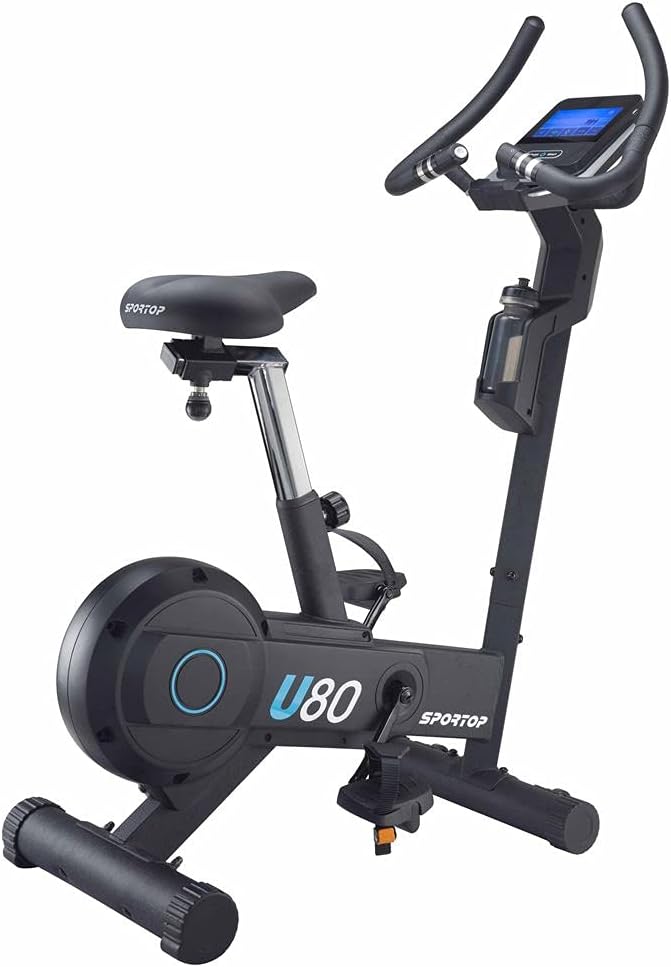
Image 1: The Sportop U80 Upright Bike, fully assembled. This image shows the overall design, including the frame, seat, handlebars, pedals, and the integrated TFT screen.
4. אַפּערייטינג ינסטרוקטיאָנס
4.1 צופּאַסן דעם וועלאָסיפּעד
Proper adjustment of the bike ensures comfort and effectiveness during your workout.
- סיץ אַדזשאַסטמאַנט: The seat is fully adjustable. Loosen the adjustment knob located beneath the seat post, slide the seat to your desired height, and then securely tighten the knob. Ensure your leg has a slight bend at the knee when the pedal is at its lowest point.
- כאַנדלער אַדזשאַסטמאַנט: The racing-style handlebars are designed for various grip positions. While the angle may be fixed, ensure they are securely fastened.
- פּעדאַל רימען: Adjust the straps on the pedals to secure your feet firmly. This prevents your feet from slipping during exercise.

בילד 2: נאָענט־אַרויף view of the adjustable seat on the Sportop U80 Upright Bike, highlighting its design and potential adjustment points.
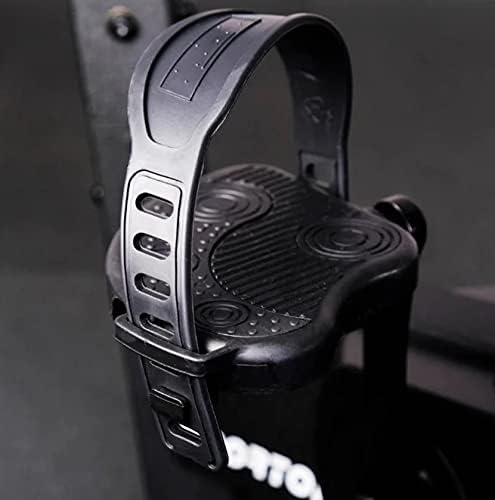
Image 3: Close-up of a pedal with an adjustable strap, designed to secure the user's foot during cycling.
4.2 TFT Touch Panel Display Operation
The Sportop U80 features a 7-inch Android Tablet TFT Touch Panel Display for an interactive workout experience.
- מאַכט אויף / אַוועק: Press the "Quick Start" button to power on the console. The display will illuminate.
- שנעל אָנהייב: Begin a workout immediately by pressing the "Quick Start" button. The bike will start tracking your metrics.
- פּראָגראַם סעלעקציע: The console offers 12 inbuilt programs. Navigate through the menu on the touchscreen to select your desired program.
- אַנדרויד אַפּפּס: The display supports various Android applications such as Netflix, Spotify, Google, and YouTube. A Wi-Fi connection is required to access these features.
- אַודיאָ: The touchscreen has integrated speakers for audio playback from apps or workout programs.
- USB טשאַרדזשינג: A USB port is available for charging your mobile devices.
- Phone Pocket: A dedicated pocket is provided to conveniently hold your phone during workouts.

Image 4: Close-up of the 7-inch Android Tablet TFT Touch Panel Display, showing the main interface with options like "Quick Start", "Manual", "Program", and "Target H. Rate".
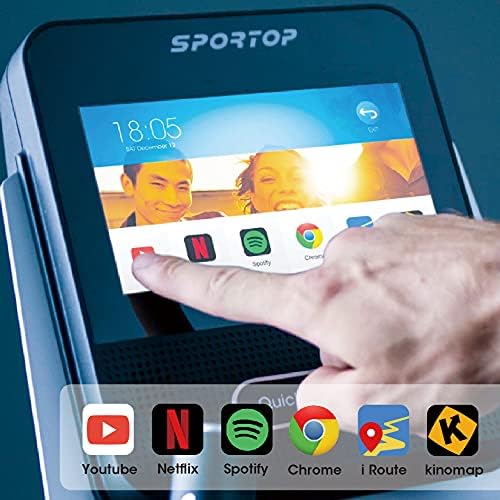
Image 5: A hand interacting with the TFT screen, displaying various Android application icons such as YouTube, Netflix, Spotify, Chrome, iRoute, and Kinomap.
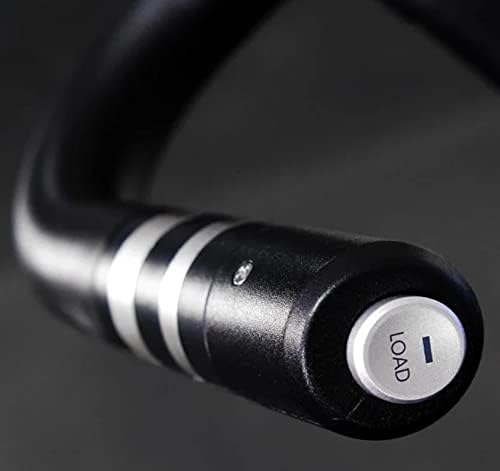
Image 6: Close-up of the end of a handlebar, showing a button labeled "LOAD", which likely controls resistance levels.

Image 7: A water bottle securely placed in the integrated holder on the Sportop U80 Upright Bike frame.
5. וישאַלט
Regular maintenance ensures the longevity and safe operation of your Sportop U80 Upright Bike.
- רייניקונג: ווישן אַראָפּ די בייק מיט אַדamp טוך נאך יעדן באניץ צו באזייטיגן שווייס און שטויב. פארמיידט שווארצע רייניגער אדער סאָלווענטן.
- דורכקוק: קאָנטראָלירט פּעריִאָדיש אַלע באָלץ, ניסלעך און באַוועגלעכע טיילן פֿאַר פעסטקייט. פֿעסטציִען אַלע לויזע פֿעסטערס.
- שמירן: The magnetic resistance system is generally maintenance-free. Refer to the separate assembly guide for any specific lubrication requirements for moving parts.
- סטאָרידזש: When not in use, store the bike in a clean, dry environment. The front-mounted transport wheels allow for easy relocation.

Image 8: Close-up of the front-mounted transport wheels on the Sportop U80 Upright Bike, facilitating easy movement and storage.
6. טראָובלעשאָאָטינג
If you encounter issues with your Sportop U80 Upright Bike, refer to the following common problems and solutions:
| פּראָבלעם | מעגלעך סיבה | לייזונג |
|---|---|---|
| Console not powering on | Loose power connection, depleted batteries (if applicable), power adapter issue. | Ensure power adapter is securely plugged in. Check if batteries need replacement (if battery powered). Verify power outlet functionality. |
| קעגנשטעל נישט טשאַנגינג | Loose connection to resistance mechanism, software glitch. | Check all cable connections to the console and resistance unit. Restart the console. |
| Unstable or noisy operation | Loose bolts, uneven surface. | Ensure all assembly bolts are tightened. Place the bike on a level surface. |
| TFT screen unresponsive or frozen | Software issue, temporary glitch. | Restart the console by powering it off and on. If the issue persists, contact customer support. |
If the problem persists after attempting these solutions, please contact Sportop customer support or your retailer.
7. פּראָדוקט ספּעסאַפאַקיישאַנז
| מאָדעל נאָמען | U80 |
| סאָרט | Sportop |
| קאָליר | שוואַרץ |
| דרייוו סיסטעם | גאַרטל |
| קעגנשטעל מעקאַניזאַם | מאַגנעטיק |
| מאַטעריאַל | פיבערגלאַסס |
| פּונקט וואָג | 39 קילאָגראַמס |
| פּראָדוקט דימענשאַנז (L x W x H) | 117 X 54.4 X 139 סענטימעטער |
| מאַכט מקור | באַטאַרייע פּאַוערד |
| ספּעציעלע פֿעיִקייטן | Adjustable Seat, Distance Traveled Monitor, 7" Android Tablet TFT Touch Panel Display, Integrated Speakers, USB Charging, Phone Pocket, Transport Wheels |
| מינימום וואָג רעקאָממענדאַטיאָן | 100 קילאָגראַמס |
8. וואָראַנטי און שטיצן
Specific warranty details for the Sportop U80 Upright Bike are typically provided with your purchase documentation. Please refer to these documents for information regarding warranty coverage, terms, and conditions.
For technical support, service, or warranty claims, please contact your retailer or the Sportop customer service department. The seller for this product is GYMSPORTZ PTE LTD. Keep your proof of purchase handy when contacting support.
You can often find contact information on the Sportop official webזייטל אדער דורך אייער קויפן פּלאַטפאָרמע.
Ask a question about this manual
Ask about setup, troubleshooting, compatibility, parts, safety, or missing instructions. Manuals+ will review the question and use this page’s manual context to help answer it.