
1. הקדמה
Welcome to the VGR V-171 Hair Trimmer user manual. This guide provides essential information for the safe and effective use, maintenance, and troubleshooting of your new grooming device. Please read all instructions carefully before operating the trimmer and retain this manual for future reference.
2. זיכערקייַט אינסטרוקציעס
To reduce the risk of electric shock, injury, or damage to the appliance, always follow these basic safety precautions:
- האַלטן אַוועק פון וואַסער: ניצט נישט דעם אַפּאַראַט לעבן וואַנעס, שאַוערס,asins, or other vessels containing water. Never immerse the trimmer in water.
- Dry use only: This trimmer is designed for dry use. Do not use it on wet hair or skin.
- Children and infants: Keep the appliance out of reach of children. Do not use on infants or children.
- Eye and skin contact: Avoid direct contact of the blades with eyes or sensitive skin areas.
- שאדן דורכקוק: Do not operate the trimmer if it has a damaged cord, plug, or if it is not working properly, has been dropped, or damaged.
- בדעה באנוץ: ניצן דעם אַפּפּליאַנסע בלויז פֿאַר זיין בדעה הויזגעזינד נוצן ווי דיסקרייבד אין דעם מאַנואַל.
- טשאַרדזשינג: Use only the provided charging cable. Ensure the voltage is compatible before charging.
- רייניקונג: שטענדיק אויסשטעקן דעם טרימער איידער איר רייניגט.
3. פּעקל אינהאַלט
באַשטעטיקן אַז אַלע זאכן זענען פאַראַן אין פּעקל:
- VGR V-171 האָר טרימער
- 4 Guide Combs (various lengths)
- רייניקונג באַרשט
- לובריקייטינג אָיל
- וסב טשאַרדזשינג קאַבלע
- באַניצער מאַנואַל

Image: The VGR V-171 hair trimmer shown alongside its complete set of accessories, including four guide combs, a small cleaning brush, a bottle of lubricating oil, and a USB charging cable, all packaged with the user manual.
4. סעטאַפּ
4.1 טשאַרדזשינג די טרימער
- פאַרזיכערן אַז די טרימער איז סוויטשט אַוועק.
- שטעקט אריין דעם קליינעם עק פונעם USB טשאַרדזשינג קאַבל אין דעם טשאַרדזשינג פּאָרט אין אונטערשטן טייל פונעם טרימער.
- Plug the larger end of the USB cable into a compatible USB power adapter (not included) or a computer USB port.
- The indicator light on the trimmer will illuminate to show that it is charging.
- Allow the trimmer to charge fully before first use. Charging time may vary.
4.2 אנשטעלן און אפנעמען גייד קאמבס
- אויסקלייבן דעם געוואונטשענעם גייד קאַם פֿאַר אייער בילכער האָר לענג.
- Align the guide comb with the trimmer blade and slide it firmly onto the blade until it clicks into place.
- To remove a guide comb, gently push it upwards and away from the blade.
בילד: א פולע view of the VGR V-171 hair trimmer, highlighting its ergonomic design, power button, and battery indicator lights.
5. אַפּערייטינג ינסטרוקטיאָנס
5.1 פּאַוערינג אויף / אַוועק
- To turn on the trimmer, press the power button once.
- To turn off the trimmer, press the power button again.
5.2 האָר שניידן
- זייט זיכער אז אייער האָר איז ריין און טרוקן איידער איר שניידט עס.
- Attach the desired guide comb for the length you wish to achieve. For a closer trim, use without a guide comb.
- Hold the trimmer with the blades facing the area you want to trim.
- Move the trimmer against the direction of hair growth for best results.
- Use slow, controlled movements. Do not press too hard against the skin.
- Regularly clear accumulated hair from the guide comb and blades during use.
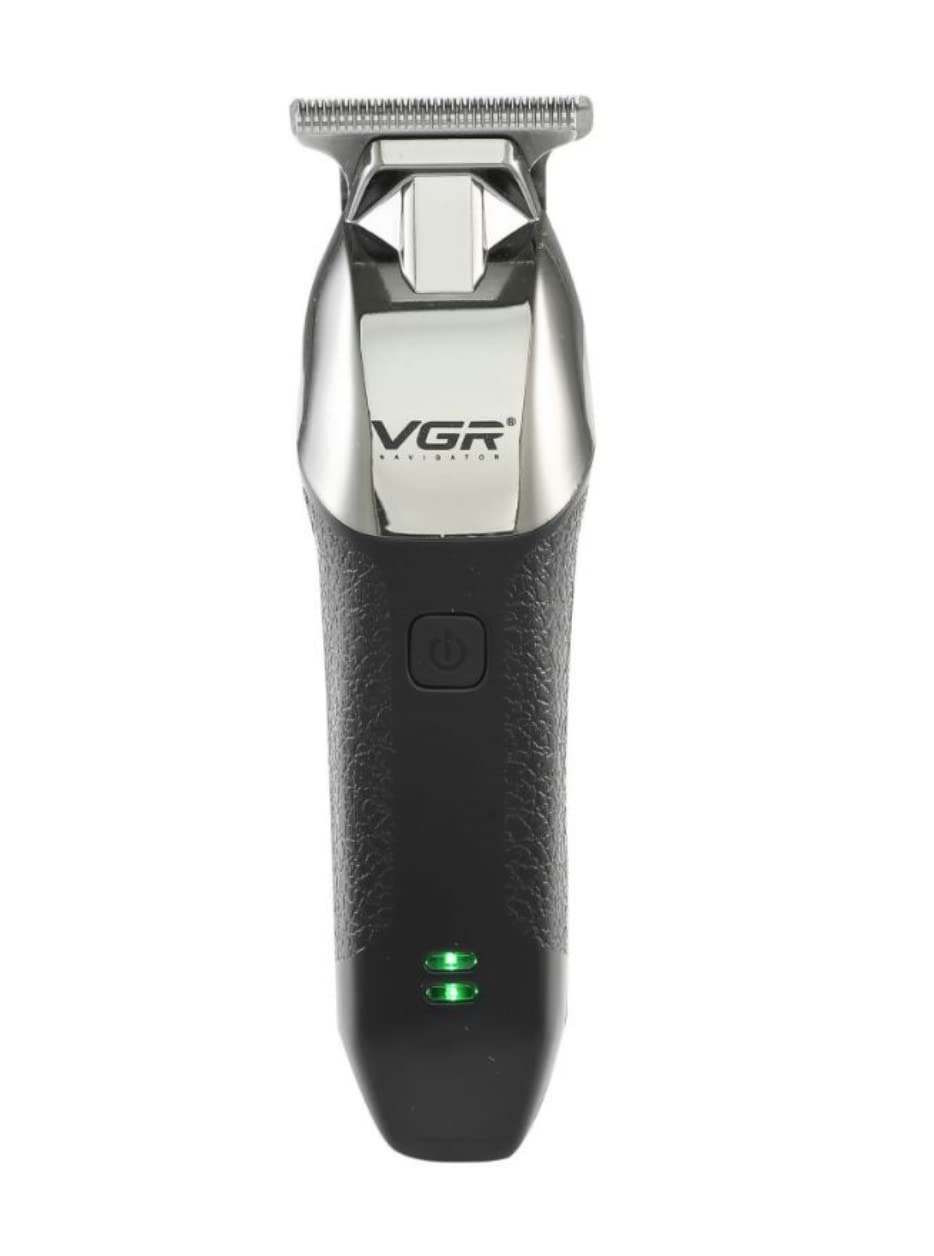
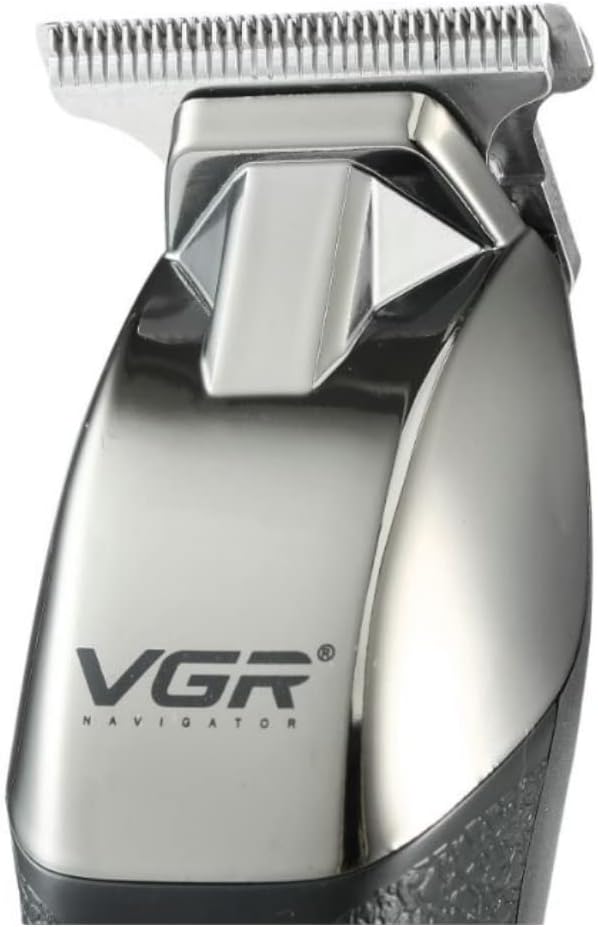
Image: A detailed close-up of the VGR V-171 hair trimmer's stainless steel T-blade, designed for precise trimming.
6. וישאַלט
6.1 רייניקן די בליידס
- Ensure the trimmer is switched off and unplugged before cleaning.
- Use the provided cleaning brush to remove any loose hairs from the blades and the trimmer head.
- For a more thorough clean, you may carefully detach the blade head (refer to specific instructions if provided with your model for blade removal).
- Do not rinse the trimmer head or blades under water, as this model is for dry use only.
6.2 שמירן די בליידס
- After cleaning, apply 1-2 drops of the lubricating oil (provided) onto the blades.
- צינדט אן דעם טרימער פאר א פאר סעקונדעס כדי צו לאזן דעם אויל זיך פארשפרייטן גלייך איבער די בליידס.
- Wipe off any excess oil with a soft cloth. Regular oiling helps maintain blade sharpness and prolongs the life of the trimmer.
6.3 סטאָרידזש
- האַלט דעם טרימער אין אַ קיל, טרוקן אָרט, אַוועק פון דירעקט זונשייַן און נעץ.
- Keep the guide combs and accessories together with the trimmer to prevent loss.
7. טראָובלעשאָאָטינג
| פּראָבלעם | מעגלעך סיבה | לייזונג |
|---|---|---|
| טרימער טוט נישט קער אויף. | באַטערי איז דיפּליטיד. | לאָדט אוֹיפֿ דעם טרימער פֿולשטענדיק. |
| טרימער טוט נישט קער אויף. | דער מאַכט קנעפּל נישט ריכטיק געדריקט. | דריקן די מאַכט קנעפּל פעסט. |
| נעבעך טרימינג פאָרשטעלונג. | די בליידז זענען מאַט אָדער פארשטאפט מיט האָר. | Clean and lubricate the blades. If blades are dull, consider replacement if available. |
| דער טרימער מאַכט אומגעוויינטלעכע גערוישן. | בליידז דאַרפן לובריקאַציע. | טראָגט אויף שמיר־אויל אויף די בליידס. |
אויב די פראבלעם בלייבט נאך פרובירן די לייזונגען, ביטע קאנטאקטירט קאסטומער סופארט.
8. ספּעסאַפאַקיישאַנז
- מאָדעל נומער: V-171
- סאָרט: VGR
- מאַכט מקור: באַטעריע אָפּערירט (ריטשאַרדזשאַבאַל)
- נומער פון גיכקייַט סעטטינגס: 1
- ציל גרופע: מענטשן
- נומער פון קאָפּ: 4
- אָפּעראַציע פֿונקציע: טרוקן
- טיפּ: קליפּער און טרימער
- בלייד מאַטעריאַל: ומבאַפלעקט שטאָל
- ספּעציעלע פֿעיִקייטן: קריקאָנלאָדלעך
- נומער וואָג: 500 גראַמז
- שיפּינג דימענשאַנז: 18.6 X 10.6 X 6.8 סענטימעטער
- קאָליר: שוואַרץ
9. וואָראַנטי און שטיצן
For warranty information, please refer to the warranty card included with your purchase or contact the retailer where the product was bought. For technical support or service inquiries, please contact the manufacturer or your local distributor. Keep your proof of purchase for any warranty claims.