
הקדמה
The J-Tech Digital 4K HDMI Capture Card (JTECH-4KCP) is designed to capture HDMI video signals up to 4K@60Hz and output them to your computer at 1080p 60Hz. This device features an HDMI loop output for real-time monitoring of the source signal, external microphone and headphone support for integrated audio, and a USB Type-C interface for high-speed data transfer to your computer. It is compatible with popular streaming and capture software such as OBS, YouTube Live, and Twitch, making it an ideal solution for capturing presentations, training seminars, and gaming content.
פּעקל אינהאַלט
באַשטעטיקן אַז אַלע זאכן זענען פאַראַן אין פּעקל:
- 1 x J-Tech Digital 4K HDMI Capture Card (JTECH-4KCP)
- 1 x באַניצער מאַנואַל
- 1 x USB 3.0 Data Cable (USB Type-C to USB Type-A)

פּראָדוקט איבערview
דימענשאַנז
The JTECH-4KCP capture card has compact dimensions for portability and ease of integration into your setup.
- לענג: 4.25 אינטשעס (10.8 סענטימעטער)
- ברייט: 2 אינטשעס (5.1 סענטימעטער)
- הייך: 0.6 אינטשעס (1.5 סענטימעטער)
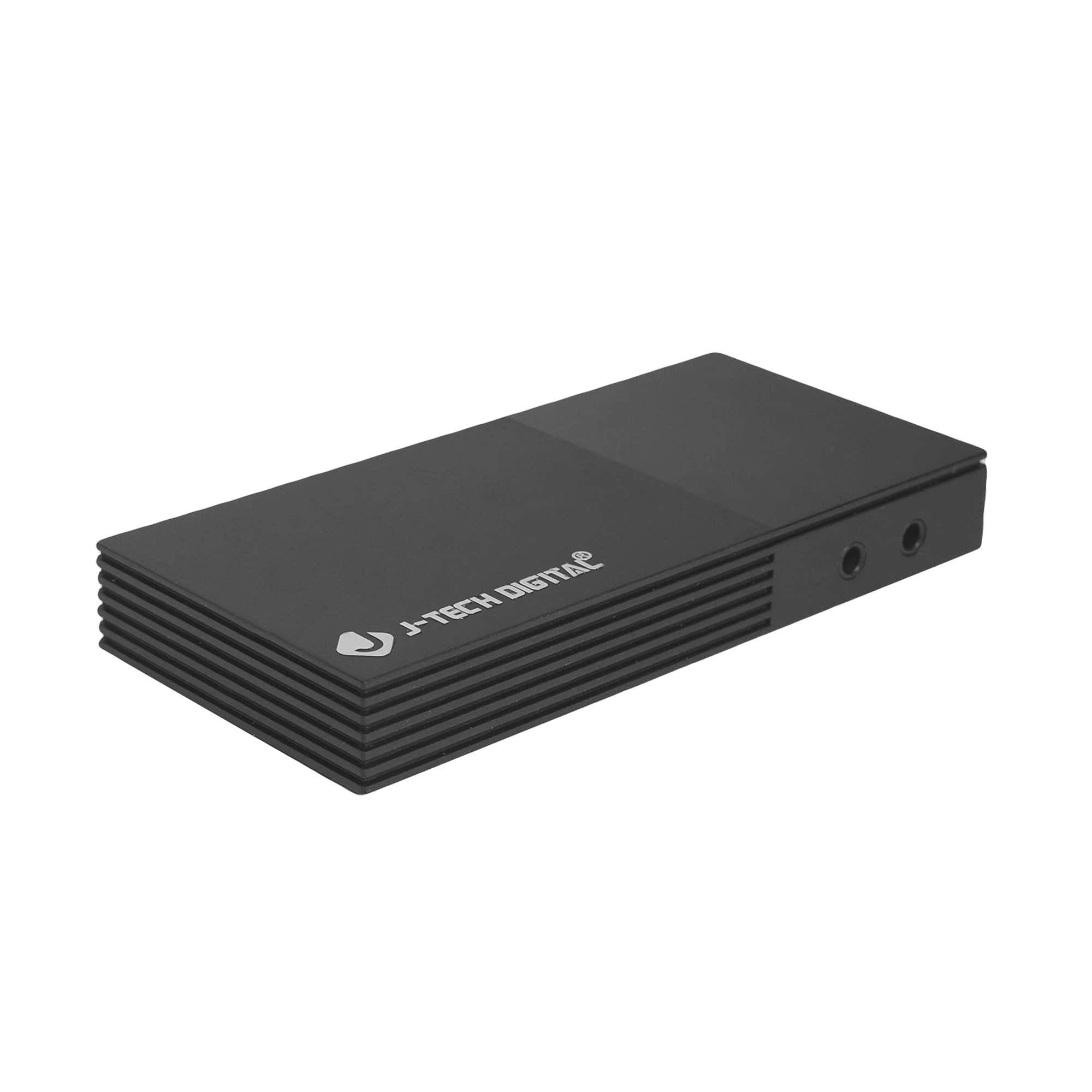
פּאָרץ און ינטערפייסיז
The device features several ports for connectivity:
- Microphone In Port: פֿאַר קאַנעקטינג אַ פונדרויסנדיק מיקראָפאָן.
- Headphones Out Port: For connecting headphones to monitor audio.
- USB-C (PC Port): For connecting the capture card to your computer. This port is USB 3.0 compliant.
- HDMI אין: For connecting your HDMI source device (e.g., game console, camera).
- HDMI אַרויס: For connecting to a display monitor for real-time video passthrough.

סעטאַפּ אינסטרוקציעס
- פאַרבינדן HDMI מקור: Connect an HDMI cable from your source device (e.g., game console, Blu-ray player, camera) to the הדמי אין port on the JTECH-4KCP capture card.
- פֿאַרבינדן דעם עקראַן (אָפּציאָנעל): If you wish to monitor your source signal in real-time without latency, connect a second HDMI cable from the HDMI אָוט port on the capture card to your display monitor.
- פאַרבינדן צו קאָמפּיוטער: Use the provided USB 3.0 Type-C cable to connect the USB-C (PC Port) on the capture card to an available USB 3.0 port on your computer. The device is plug-and-play and typically does not require driver installation.
- פֿאַרבינדן אַודיאָ דעוויסעס (אָפּציאָנאַל): For external audio input, connect a microphone to the Microphone In Port. For audio monitoring, connect headphones to the Headphones Out Port.
- קאַטער ווייכווארג: Open your preferred video capture or streaming software (e.g., OBS Studio, YouTube Live, Twitch Studio) on your computer.
- קאַנפיגיער ווייכווארג: In your software, add the capture card as a video source. It should appear as a 'USB Video Device' or 'HDMI Capture'. Configure video resolution (1080p 60Hz recommended for capture) and audio settings as needed.

אַפּערייטינג ינסטראַקשאַנז
Once the capture card is set up and recognized by your computer and software, you can begin capturing or streaming.
- ווידעא כאַפּן: The JTECH-4KCP captures HDMI input signals up to 4K@60Hz and processes them for recording or streaming at 1080p 60Hz on your computer. Ensure your software settings match these capture capabilities for optimal performance.
- הדמי לופּ רעזולטאַט: The HDMI Out port provides a near-zero latency passthrough of your source signal to a connected display. This is particularly useful for gaming, allowing you to play on your main monitor without experiencing input lag while simultaneously capturing the footage on your computer.
- פונדרויסנדיק אַודיאָ ינאַגריישאַן: Utilize the Microphone In and Headphones Out ports to integrate external audio. This allows you to add commentary or external audio sources directly into your captured or streamed content, and monitor all audio in real-time. Adjust audio levels within your capture software.
- ווייכווארג קאַמפּאַטאַבילאַטי: The capture card is compatible with a wide range of software, including OBS Studio, YouTube Live, Twitch Studio, and Facebook Live. Refer to your software's documentation for specific configuration details.

וישאַלט
To ensure the longevity and optimal performance of your JTECH-4KCP capture card, follow these maintenance guidelines:
- רייניקונג: ניצט אַ ווייכע, טרוקענע שטאָף צו רייניקן די אויסערלעכע זייט פון דעם אַפּאַראַט. פֿאַרמייַדט ניצן פליסיקע רייניקונגס־מיטלען אָדער סאָלווענטן, ווײַל זיי קענען שאַטן די ענדיקונג אָדער אינערלעכע קאָמפּאָנענטן.
- סטאָרידזש: Store the capture card in a cool, dry place away from direct sunlight and extreme temperatures.
- האַנדלינג: באַהאַנדלט דאָס אַפּאַראַט מיט פֿאָרזיכט. פֿאַרמײַדט עס צו לאָזן פֿאַלן אָדער אויסשטעלן עס צו שטאַרקע קלאַפּן.
- ווענטילאַטיאָן: Ensure the device has adequate ventilation to prevent overheating, especially during extended use. Do not block the ventilation slots.
טראָובלעשאָאָטינג
If you encounter issues with your JTECH-4KCP capture card, refer to the following common troubleshooting steps:
| פּראָבלעם | מעגלעך סיבה | לייזונג |
|---|---|---|
| No video signal on computer/software | Incorrect cable connection, incompatible resolution/refresh rate, software not configured. |
|
| No audio captured or monitored | Incorrect audio connections, software audio settings. |
|
| High latency or stuttering during capture/streaming | Computer performance issues, USB port issues, software settings. |
|
| Cannot capture certain content (e.g., movies) | HDCP (High-bandwidth Digital Content Protection) enabled. | The capture card respects HDCP. Content protected by HDCP cannot be captured or recorded. This is a standard digital rights management feature. |
ספּעסאַפאַקיישאַנז
| שטריך | דעטאַל |
|---|---|
| סאָרט | דזש-טעק דיגיטאַל |
| מאָדעל נאָמען | JTECH-4KCP |
| ייַזנוואַרג צובינד | USB Type-C (USB 3.0 compliant) |
| ווידעא קאַפּטורע רעסאָלוטיאָן | 1080 פּ @ 60 הז |
| HDMI אַרייַנשרייַב האַכלאָטע | אַרויף צו 4K @ 60Hz |
| אַפּערייטינג סיסטעם קאַמפּאַטאַבילאַטי | Windows 10 (64-bit), macOS 10.14+ (64-bit) |
| רעקאָממענדעד ניצט | Video Recording, Image Capture, Live Streaming |
| ספּעציעלע פֿעיִקייטן | 4K Near-Zero Latency HDMI Loop Output, External Audio Support (Mic In, Headphone Out), Popular Streaming Platform Compatibility |
| קאַמפּאַטאַבאַל דעוויסעס | Gaming Consoles (Xbox, PS4, PS5, Nintendo Switch), Cameras, Personal Computers, Blu-ray Players |
| מינימום סיסטעם רעקווירעמענץ | Processor: Intel Core i5 or AMD equivalent (or better), RAM: 4GB, Disk Space: 2GB available |
| AV Output Format | MPEG-4 (software dependent) |
| פאַבריקאַנט | דזש-טעק דידזשיטאַל אינק. |
| UPC | 810058920409 |
וואָראַנטי און שטיצן
All J-Tech Digital products are backed by a commitment to quality and customer satisfaction.
- Manufacturer Warranty: The JTECH-4KCP includes a One-Year Manufacturer Replacement Warranty. This warranty covers defects in materials and workmanship under normal use.
- טעכניש שטיצן: J-Tech Digital provides free lifetime technical support from our customer support team. Support is available from 9 AM – 6 PM CST, Monday through Friday.
- קאָנטאַקט אינפֿאָרמאַציע: For warranty claims or technical assistance, please refer to the contact information available on the J-Tech Digital seller page on Amazon or visit the official J-Tech Digital webפּלאַץ.