
הקדמה
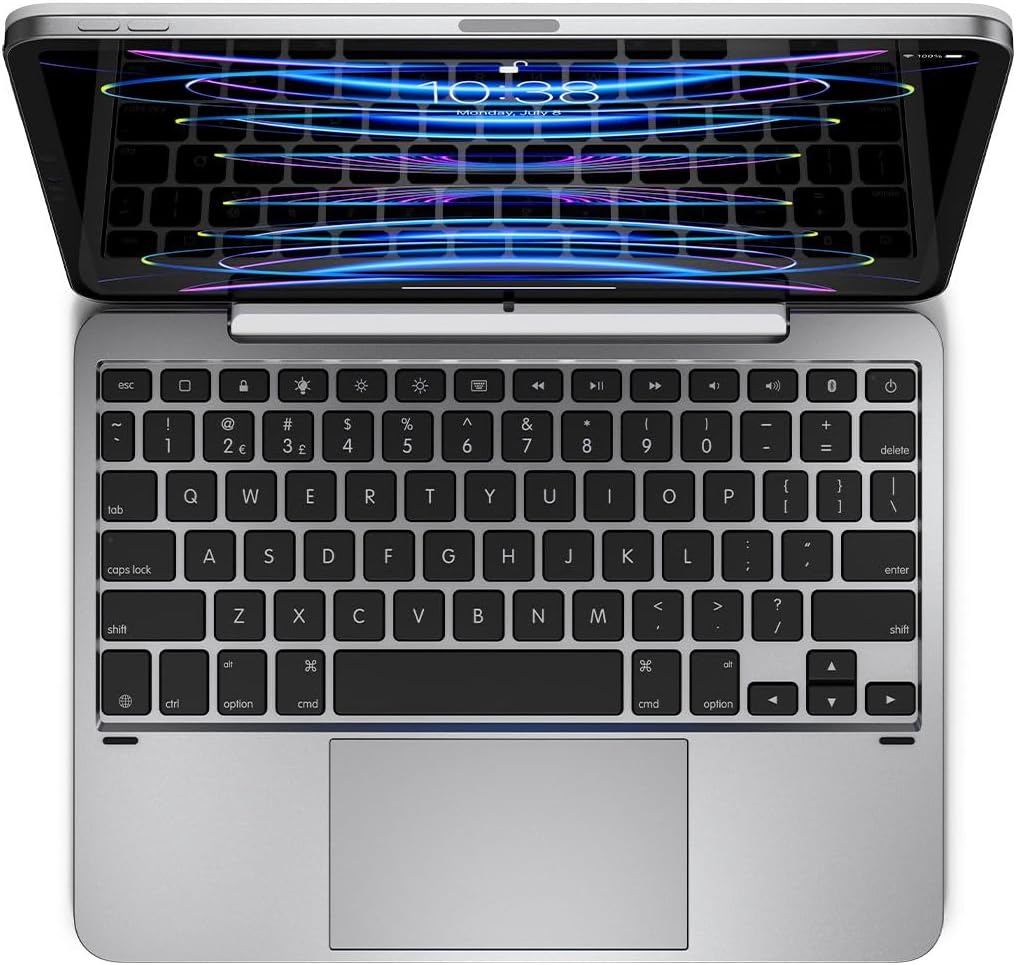
This manual provides detailed instructions for the setup, operation, and maintenance of your Brydge 11 MAX+ Wireless Keyboard Case. Designed to enhance your iPad experience, this keyboard case features a multi-touch trackpad, a magnetic SnapFit case, and Bluetooth 5.0 connectivity for seamless integration.
וואָס איז אין די קעסטל
- 1 x Brydge 11 MAX+ Keyboard Case
- 1 x באַניצער מאַנואַל
- Charging Cable (USB-C, may be included depending on region/bundle)

ביטע זיכער מאַכן אַז אַלע זאכן זענען פאַראַן איידער איר גייט ווייטער מיט דער סעטאַפּ.
קאַמפּאַטאַבילאַטי
The Brydge 11 MAX+ Wireless Keyboard Case is compatible with the following iPad models:
- iPad Pro 11-inch (1st, 2nd, 3rd, & 4th generations)
- iPad Air 11-inch (4th, 5th generations, & M2)
באַמערקונג: This keyboard case is not designed for use with the 11-inch iPad Pro (M4).
סעטאַפּ
1. אנשטעלן אייער אייפּאַד
- Align your iPad with the magnetic back cover of the Brydge 11 MAX+ case.
- The iPad will securely snap into place due to the integrated magnets.
- Ensure the iPad is firmly attached before use. The magnetic connection allows for easy attachment and removal, enabling quick transitions between laptop and tablet modes.

2. בלועטאָאָטה פּערינג
- Turn on your Brydge 11 MAX+ keyboard.
- אויף אייער אייפּאַד, גייט צו סעטטינגס > בלועטאָאָטה.
- Select "Brydge 11.0 MAX+" from the list of available devices.
- באַשטעטיקן דעם פּערינג קאָד אויב געבעטן.

3. פירמוואַרע דערהייַנטיקונגען
To ensure optimal performance and access to the latest features, regularly check for firmware updates using the Brydge Connect app. Download the app from the App Store on your iPad.
אַפּערייטינג ינסטראַקשאַנז
1. ניצן די מולטי-טאטש טרעקפּעד
The integrated multi-touch trackpad supports various iPadOS gestures for efficient navigation. Refer to your iPad's iPadOS settings for a complete list of supported gestures and customization options.

2. Adjusting Backlit Keys
The keyboard features adjustable backlit keys with three brightness levels. Use the dedicated backlight keys on the top row of the keyboard to cycle through the brightness settings or turn the backlight off.

3. באַטעריע לעבן און טשאַרדזשינג
The Brydge 11 MAX+ offers extended battery life, providing up to 3 months of use on a single charge. When the backlight is used consistently, battery life is approximately 40 hours. To charge the keyboard, connect a USB-C cable to the charging port located on the side of the keyboard.

4. צופּאַסן Viewאין אַנגלעס
The keyboard case allows for a 135° screen rotation, providing flexible viewing angles for various tasks, from typing to media consumption.

וישאַלט
To maintain your Brydge 11 MAX+ Wireless Keyboard Case, follow these guidelines:
- ווישן די יקסטיריער סערפאַסיז מיט אַ ווייך, דamp שטאָף. פֿאַרמײַדט שאַרפֿע כעמיקאַלן אָדער אַברייסיוו רייניגער.
- Keep the keyboard free from dust and debris. Use compressed air to clean between keys if necessary.
- ויסמיידן יקספּאָוזינג די מיטל צו עקסטרעם טעמפּעראַטורעס אָדער דירעקט זונשייַן פֿאַר פּראַלאָנגד פּיריאַדז.
טראָובלעשאָאָטינג
If you encounter issues with your Brydge 11 MAX+ keyboard case, consider the following:
- קלאַוויאַטור פֿאַרבינדט זיך נישט: Ensure Bluetooth is enabled on your iPad and the keyboard is powered on. Try unpairing and re-pairing the keyboard.
- טרעקפּעד רעאַגירט נישט: Check that the keyboard is fully charged. Restart your iPad and the keyboard. Ensure no settings are disabling trackpad functionality in iPadOS.
- שליסלען ארבעטן נישט: Verify the keyboard is charged and connected. If specific keys are unresponsive, try cleaning around them.
- די באַטאַרייע פליסן געשווינד: Reduce backlight brightness or turn it off when not needed. Ensure the keyboard is fully charged before use.
For further assistance, refer to the official Brydge support resources.
ספּעסאַפאַקיישאַנז
| פּראָדוקט דימענשאַנז | 9.75 x 7.34 x 0.66 אינטשעס (9.8"ל x 7.3"ברייט x 0.7"ה) |
| פּונקט וואָג | 1.65 פונט |
| פאַבריקאַנט | ברידגע |
| נומער מאָדעל נומער | BRY4033 |
| באַטעריז | 1 ליטהיום יאָן באַטאַרייע פארלאנגט (אַרייַנגערעכנט) |
| קאַנעקטיוויטי טעכנאָלאָגיע | בלועטאָאָטה 5.0 |
| ספּעציעלע פֿעיִקייטן | Backlit, Multi-Touch Trackpad |
| קלאַוויאַטור באַקלייטינג קאָליר סופּפּאָרט | Single Color (3 brightness levels) |
| סקרין ראָוטיישאַן | ביז 135° |
וואָראַנטי & שטיצן
The Brydge 11 MAX+ Wireless Keyboard Case comes with a 1-year limited hardware warranty. For detailed warranty information, product support, FAQs, and contact options, please visit the official Brydge webפּלאַץ.
אפיציעלע פּראָדוקט ווידעא: