
1. הקדמה
This manual provides detailed instructions for the Brinno BCC2000 Lite Construction Bundle, featuring the TLC2020 Time Lapse Camera, ATH1000 Waterproof Housing, and ACC1000P Mounting Clamp. Please read this manual thoroughly before using the product to ensure proper operation and longevity.
2. פּעקל אינהאַלט
The Brinno BCC2000 Lite Construction Bundle includes the following items:
- Brinno TLC2020 צייט לאַפּס קאַמעראַ
- Brinno ATH1000 Waterproof Housing
- Brinno ACC1000P Mounting Clamp קיט
- 2 סטראַפּס
- סד קאָרט
- 2 AA Batteries (Note: 4 AA batteries are required for camera operation. Please ensure you have sufficient batteries.)
- מיקראָ וסב קאַבלע
- באַניצער מאַנואַל

Figure 2.1: Items included in the Brinno BCC2000 Lite Construction Bundle.
3. פּראָדוקט פֿעיִקייטן
3.1 TLC2020 Time Lapse Camera
- HDR FHD Video: Captures high-quality 1080p time-lapse videos.
- Automatic Processing: Images are automatically processed into ready-to-share time-lapse videos, eliminating the need for extensive post-editing.
- לאנג באַטאַרייע לעבן: Powered by 4 AA batteries, the TLC2020 can record for up to 99 days non-stop (at a 5-minute interval).
- Flexible Schedule Setup: Allows setting specific days and times for recording to optimize battery life and capture only desired footage.
- 2 אינטש פאַרשטעלן: For easy menu navigation and live view.

Figure 3.1: The TLC2020 camera offers extended battery life for prolonged recording.
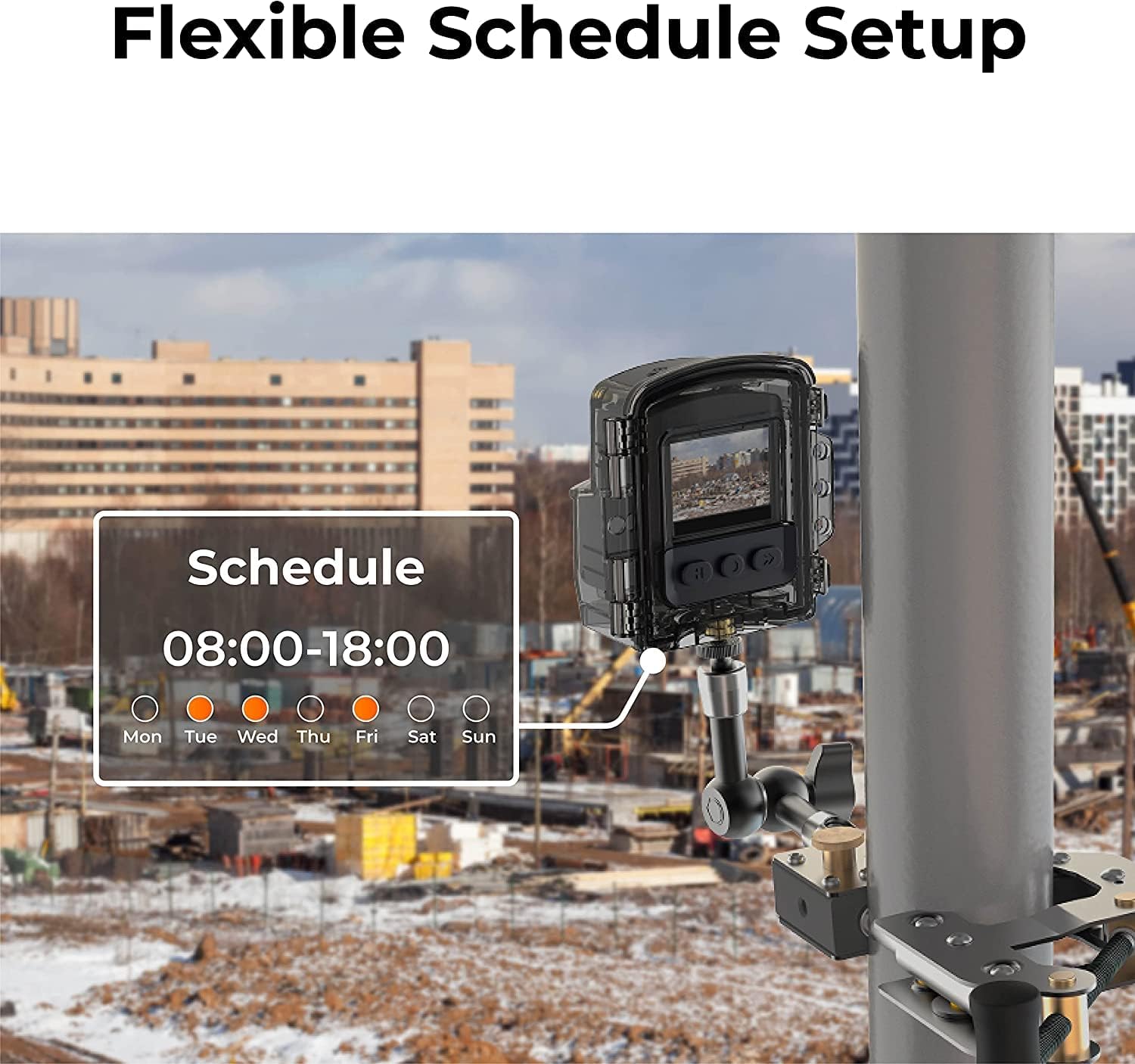
Figure 3.2: The camera's flexible schedule setup allows for customized recording periods.
3.2 ATH1000 Waterproof Housing
- IP67 רייטאַד: Provides robust protection against dust and water ingress, suitable for outdoor environments.
- Four-Season Protection: Designed to protect the camera in various weather conditions.
3.3 ACC1000P Mounting Clamp
- דוראַבאַל קאַנסטראַקשאַן: Made from stainless steel for secure and stable mounting.
- ווערסאַטאַל מאַונטינג: Equipped with two grip options for sturdy installation on both flat and cylindrical surfaces.
- אַדזשאַסטאַבאַל קייט: Clamping range between 0.04 inches to 10.6 inches with the extension pole.
- 360-Degree Rotating Joint: ערלויבט פֿאַר פלעקסאַבאַל פּאַזישאַנינג און ווינקל אַדזשאַסטמאַנט.

Figure 3.3: The camera and housing are securely mounted with the ACC1000P clamp, offering protection in various conditions.

Figure 3.4: The ACC1000P clamp provides versatile mounting options for different surfaces and angles.
4. סעטאַפּ און ייַנמאָנטירונג
4.1 Inserting Batteries and SD Card
- Open the battery compartment cover on the TLC2020 camera.
- אַרייַנלייגן 4 אַאַ באַטעריז, ינשורינג ריכטיק פּאָולעראַטי.
- Insert the Micro SD card into the designated slot until it clicks into place.
- פאַרמאַכן די באַטאַרייע אָפּטייל דעקן סיקיורלי.
4.2 מאָונטינג די אַפּאַראַט
- Place the TLC2020 camera inside the ATH1000 Waterproof Housing. Ensure the housing is properly sealed.
- Attach the ATH1000 Waterproof Housing to the ACC1000P Mounting Clamp.
- Secure the ACC1000P Mounting Clamp to your desired surface (e.g., pole, beam, flat surface) using the appropriate grip and tightening mechanism. Adjust the 360-degree rotating joint to achieve the desired camera angle.

Figure 4.1: The Brinno TLC2020 camera securely mounted in its housing with the clamp.
5. אָפּעראַציע
5.1 אײַנצושאַלטן און ערשטע סעטטינגס
- Press and hold the power button on the camera for 3 seconds to turn it on.
- Use the menu buttons to navigate to the System Settings.
- Set the correct date and time for accurate time-lapse recording.
5.2 Configuring Recording Settings
- ינטערוואַל: Select the desired time interval between captured frames (e.g., 5 seconds, 1 minute, 5 minutes). This determines the speed of your final time-lapse video.
- פּלאַן: Utilize the scheduling feature to set specific start and end times for recording, as well as specific days of the week. This helps conserve battery life and captures only relevant periods.
- בילד סעטטינגס: Adjust exposure, white balance, saturation, contrast, and sharpness as needed for your environment.
- Firmware דערהייַנטיקן: Ensure the camera firmware is updated to the latest version for optimal performance.
5.3 Starting and Stopping Recording
- After configuring all settings, press the 'OK' button or the designated record button to start the time-lapse recording.
- The camera will begin capturing images at your set interval.
- To stop recording, press the 'OK' button or the designated record button again.
5.4 Accessing Recorded Files
- Remove the Micro SD card from the camera.
- Insert the Micro SD card into a computer or card reader to access the recorded time-lapse video fileס (AVI פֿאָרמאַט).
- Alternatively, connect the camera directly to a computer using the Micro USB cable to transfer files.
6. וישאַלט און קער
- Regularly check the ATH1000 Waterproof Housing for any signs of damage or wear to ensure its integrity.
- Clean the camera lens and housing window with a soft, lint-free cloth. Avoid abrasive materials.
- Ensure the battery compartment is dry and free of debris before closing.
- ווען נישט אין באַנוץ פֿאַר לענגערע פּעריאָדן, אַרויסנעמען די באַטעריעס צו פאַרמייַדן ליקאַדזש.
7. טראָובלעשאָאָטינג
7.1 קאַמעראַ גייט נישט אָן
- קוק אויב די באַטעריז זענען ינסערטאַד ריכטיק און גאָר באפוילן.
- Ensure 4 AA batteries are used, as specified.
- Try replacing with new batteries.
7.2 רעקארדירונג פראבלעמען
- Verify that the Micro SD card is properly inserted and has sufficient free space.
- Check the recording schedule and interval settings.
- זיכער מאַכן אַז די קאַמעראַ'ס פירמווער איז אַרויף צו דאַטע.
7.3 שלעכטע בילד קוואַליטעט
- Clean the camera lens and the waterproof housing's front window.
- Adjust image settings such as exposure, contrast, and sharpness in the camera menu.
- Ensure adequate lighting conditions for optimal capture.
8. ספּעסאַפאַקיישאַנז
| שטריך | באַשרייַבונג |
|---|---|
| סאָרט | בריננאָ |
| מאָדעל נומער | TLC2020C |
| ווידעא קאַפּטורע רעסאָלוטיאָן | 1080 פּ |
| פלאַש זכּרון טיפּ | Micro SD (up to 128GB supported) |
| פאַרשטעלן גרייס | 2 אינטשעס |
| קאַנעקטיוויטי טעכנאָלאָגיע | וסב |
| ספּעציעלע פֿעיִקייטן | IP67, Weather Resistant |
| מאַכט מקור | 4 אַאַ באַטעריז |
| פּונקט וואָג | 3.18 פונט (פּעקל) |
| פּראָדוקט דימענשאַנז | 6.7 x 12.4 x 8.4 אינטשעס (פּעקל) |
9. וואָראַנטי און שטיצן
For warranty information and technical support, please refer to the official Brinno website or contact Brinno customer service. Keep your purchase receipt for warranty claims.