
הקדמה
This manual provides essential information for the proper use and maintenance of your Blitzwolf BW-AT2C Smartwatch. Please read these instructions carefully before using the device to ensure optimal performance and longevity. This smartwatch features Bluetooth calling, comprehensive health monitoring, various sports modes, and smart notifications.
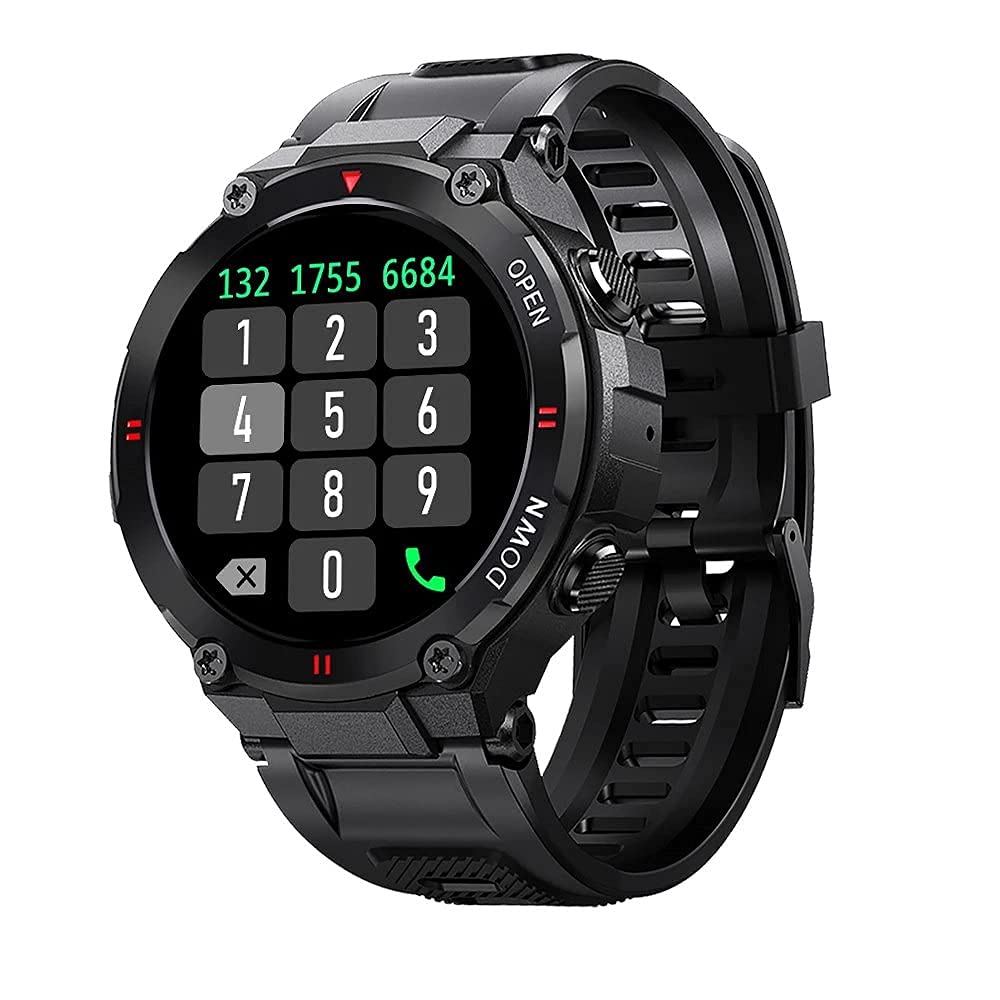
בילד: פראָנט view of the Blitzwolf BW-AT2C Smartwatch, displaying a digital watch face with time, date, battery, and step count.
פּראָדוקט איבערview
The Blitzwolf BW-AT2C Smartwatch is designed for daily use, fitness tracking, and communication. It features a durable build and a clear display.
- ווייַז: 1.3-inch IPS full touch screen.
- קאָנטראָל: Full touch screen and two side buttons.
- סענסאָרס: Heart rate, blood pressure, blood oxygen, pedometer, sleep monitor.
- קאַנעקטיוויטי: Bluetooth 5.0 for calls and data synchronization.
- געווער: IP54 וואַסער קעגנשטעל.

Image: The smartwatch displaying weather information, highlighting its robust design and metal buttons.

בילד: הינטערשטע view of the smartwatch, showing the optical heart rate sensor and magnetic charging contacts, along with the model number BW-AT2C.
סעטאַפּ
1. טשאַרדזשינג די מיטל
Before initial use, fully charge your smartwatch. Connect the magnetic charging cable to the charging contacts on the back of the watch and plug the USB end into a power adapter (not included) or a computer's USB port. The watch screen will indicate charging status. A full charge takes approximately 2 hours.
2. אַפּ אינסטאַלאַציע און פּערינג
- אראפקאפיע די אַפּ: זוכן פֿאַר "Da Fit" in your smartphone's app store (Google Play Store for Android or Apple App Store for iOS) and install it.
- געבן בלועטאָאָטה: מאַכן זיכער אַז בלועטאָאָטה איז ענייבאַלד אויף דיין סמאַרטפאָנע.
- עפֿנט די דאַ פֿיט אַפּ: Launch the "Da Fit" application on your smartphone.
- לייג דיווייס: In the app, navigate to the "Device" section and select "Add Device". The app will search for available devices.
- אויסקלייבן אייער זייגער: Choose "BW-AT2C" from the list of found devices to initiate pairing.
- באַשטעטיקן פּערינג: פֿאָלגט אַלע אינסטרוקציעס אויף דעם עקראַן אויף ביידע אייער טעלעפאָן און זייגער צו באַשטעטיקן די פּערינג.
- Enable Call Function: For the Bluetooth call feature, you may need to pair the watch a second time through your phone's Bluetooth settings. Look for "BW-AT2C_CALL" or similar in your phone's Bluetooth device list and connect to it.
באַמערקונג: For full functionality, ensure the "Da Fit" app has all necessary permissions (e.g., location, notifications, contacts) enabled on your smartphone.
אַפּערייטינג ינסטראַקשאַנז
יקערדיק נאַוויגאַציע
- ריר סקרין: סווייפּ לינקס/רעכטס, אַרויף/אַראָפּ צו נאַוויגירן דורך מעניוז און פֿעיִקייטן. צאַפּן צו סעלעקטירן.
- זייַט קנעפּלעך: The top button typically acts as a power/wake button and a back button. The bottom button may be a shortcut to sports modes or other functions, depending on customization.
- וועק סקרין: הייבט אויף אייער האַנטגעלענק אָדער דריק אַ זייטיקן קנעפּל צו וועקן דעם עקראַן.
- ברייטנאַס אַדזשאַסטמאַנט: Adjust screen brightness through the watch settings or the Da Fit app for better visibility in various lighting conditions.
- מנהג וואַך פנימער: Change watch faces directly on the watch or via the Da Fit app. You can also customize watch faces with your own photos.
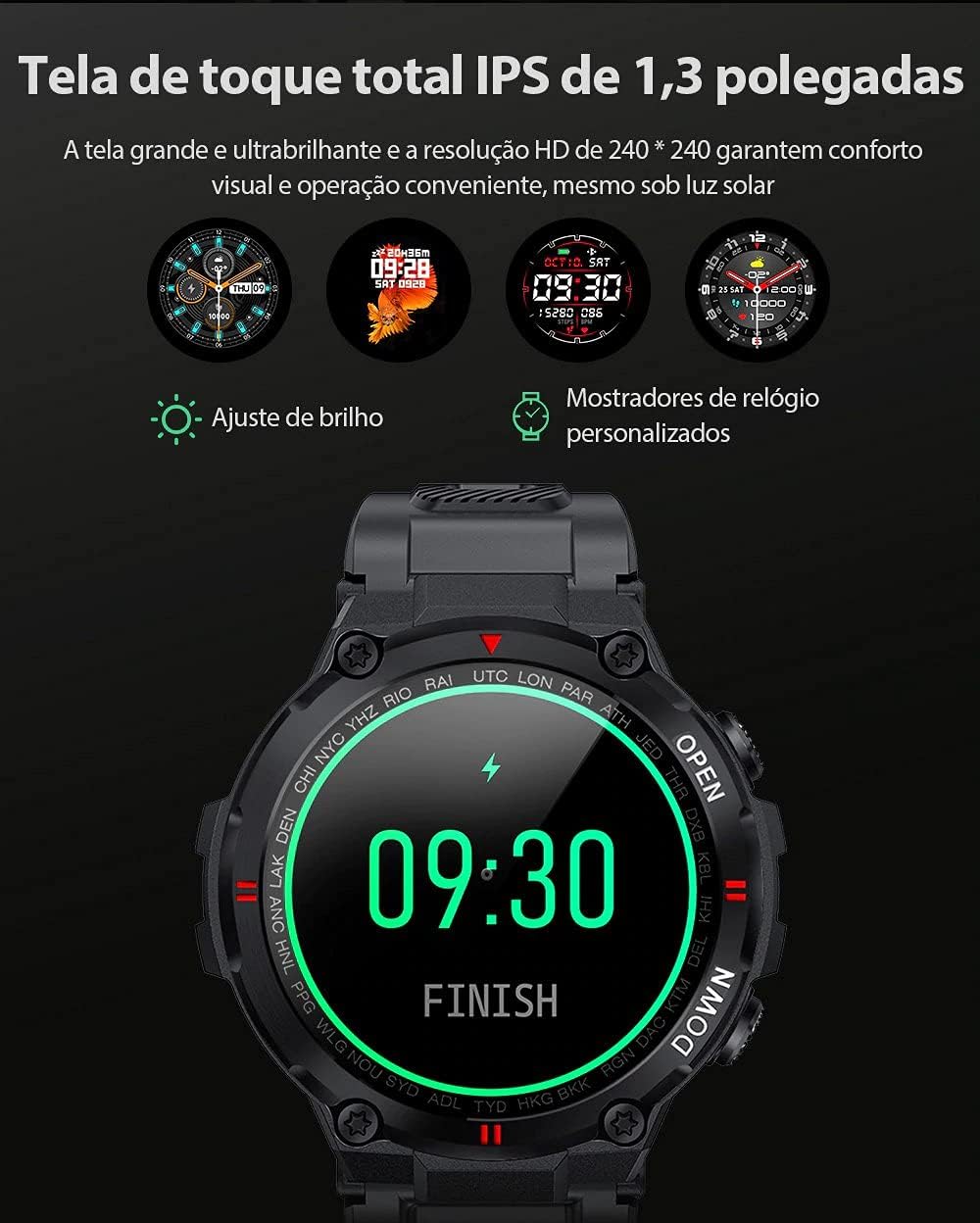
Image: The smartwatch displaying multiple customizable watch faces and options for brightness adjustment.
מאַכן און באַקומען קאַללס
The BW-AT2C allows you to make and receive calls directly from your wrist after successful Bluetooth pairing (including the call function pairing).
- באַקומען קאַללס: ווען אַ רוף קומט אַרײַן, וועט די זייגער ווײַזן דעם רופער־אידענטיפֿיקאַציע־אַפּאַראַט. איר קענט ענטפֿערן אָדער אָפּוואַרפֿן דעם רוף גלייך פֿון דער זייגער־עקראַן.
- מאַכן קאַללס: צוטריט די דייאַל טאַפליע אָדער קאָנטאַקט רשימה אויף דער זייגער צו אָנהייבן אַ רוף.

Image: A comparison showing the BW-AT2C model with its Bluetooth call function (dial pad visible) next to the BW-AT2 model without this feature.
מוזיק קאָנטראָל
Control music playback on your smartphone directly from your watch. Functions include play, pause, skip forward, and skip backward.
געזונט מאָניטאָרינג
די סמאַרטוואַטש מאָניטאָרט קעסיידער פֿאַרשידענע געזונט מעטריקס.
- הארץ ראטע: רעאַל-צייט האַרץ קורס מאָניטאָרינג. View your current heart rate and historical data in the app.
- בלוט דרוק: Measure your blood pressure on demand.
- בלוט זויערשטאָף (SpO2): מאָניטאָר דיין בלוט זויערשטאָף זעטיקונג לעוועלס.
- שלאָף מאָניטאָרינג: טראַקט אייערע שלאָף־מוסטערן, אַרייַנגערעכנט טיפע שלאָף, לייכטע שלאָף און אויפוואַכצײַטן.
- פּעדאָמעטער: ציילט אייערע טעגלעכע טריט, דיסטאַנץ, און פארברענטע קאַלאָריעס.

Image: The smartwatch screen showing a graph of heart rate data, indicating current BPM and historical trends.
ספּאָרט מאָדעס
The watch supports multiple sports modes to track your workouts accurately. Available modes include Walking, Running, Cycling, Skipping Rope, Badminton, Basketball, and Football. Select your desired mode before starting an activity to record relevant data.
נאָוטאַפאַקיישאַנז
Receive notifications from your smartphone directly on your watch. This includes call reminders, message alerts, and app notifications from platforms like WhatsApp, Instagram, Facebook, and Twitter. Ensure notification permissions are granted in the Da Fit app and your phone's settings.

Image: The smartwatch on a user's wrist, showing an incoming call alert and SMS reminder, indicating its notification capabilities.
אנדערע פֿעיִקייטן
- וועקער זייגער: Set up to three alarms via the app.
- סטאַפּוואַטש: ניצט דעם איינגעבויטן סטאָפּוואַטש פֿאַר צייט־אַקטיוויטעטן.
- זיציק דערמאָנונג: The watch will alert you if you remain inactive for too long.
- ווייַט אַפּאַראַט קאָנטראָל: ניצט אייער זייגער ווי אַ ווייַט לאָדן פֿאַר אייער טעלעפאָן'ס קאַמעראַ.
- Find Watch/Find Phone: Locate your watch or phone using the respective functions in the app or on the watch.
- קאַלענדאַר: Access calendar information.
וישאַלט
- רייניקונג: ווישט אָפּ די זייגער און רימען רעגולער מיט אַ ווייכן, טרוקענעם שטאָף. פֿאַר שווערן שמוץ, ניצט אַ לייכט טרוקענעם שטאָף.amp שטאָף און טריקנט גוט אויס. פֿאַרמייַדט שאַרפע כעמיקאַליעס.
- וואַסער קעגנשטעל (IP54): The BW-AT2C is IP54 water-resistant, meaning it is protected against dust ingress and splashing water from any direction. It is suitable for daily use like hand washing or light rain. Do not submerge the watch in water, wear it while swimming, showering, or in saunas. Prolonged exposure to water or high-pressure water jets may cause damage.
- טשאַרדזשינג קאָנטאַקטן: Keep the magnetic charging contacts clean and dry to ensure proper charging.
- סטאָרידזש: האַלט די זייגער אין אַ קיל, טרוקן אָרט ווען נישט אין באַנוץ.
טראָובלעשאָאָטינג
| פּראָבלעם | לייזונג |
|---|---|
| די זייגער טוט זיך נישט אן. | זיכער מאַכן אַז די זייגער איז גאָר אויפגעלאָדן. פֿאַרבינדט עס צום טשאַרדזשער פֿאַר לפּחות 30 מינוט. |
| קען נישט פאַרבינדן מיטן סמאַרטפאָן. |
|
| נאָוטאַפאַקיישאַנז זענען נישט באקומען. |
|
| די רוף פונקציע ארבעט נישט. | Ensure you have paired the "BW-AT2C_CALL" device in your phone's Bluetooth settings in addition to the main watch pairing. |
| נישט פּינקטלעכע געזונט דאַטן. | Ensure the watch is worn snugly on your wrist, not too tight or too loose. Keep the sensor clean. Note that this device is not a medical device and data is for reference only. |
ספּעסאַפאַקיישאַנז

Image: Diagram illustrating the dimensions of the Blitzwolf BW-AT2C Smartwatch, including watch face diameter, strap width, and total length.
| שטריך | דעטאַל |
|---|---|
| סאָרט | בליצוואָלף |
| מאָדעל | BW-AT2C |
| קאָליר | שוואַרץ |
| בלועטאָאָטה ווערסיע | 5.0 |
| קאַמפּאַטאַבאַל אַס | אַנדרויד 4.4+ / יאָס 8.0+ |
| אָפּעראַציע מאָדע | Full Touch Screen + 2 Side Buttons |
| באַגלייטער אַפּ | דאַ פיט |
| וואַסער קעגנשטעל | IP54 |
| געזונט מאָניטאָרינג | Heart Rate, Blood Pressure, Blood Oxygen, Sleep, Pedometer |
| ספּאָרט מאָדעס | Walking, Running, Cycling, Skipping Rope, Badminton, Basketball, Football |
| פאַרשטעלן גרייס | 1.3 אינטש IPS |
| האַכלאָטע | 240 X 240 בילדצעלן |
| באַטאַרייע קאַפּאַציטעט | 400 מאַה |
| סטאַנדביי צייט | בעערעך. 30 טעג |
| באַניץ צייט | Approx. 4-7 days (varies by usage) |
| טשאַרדזשינג צייט | בעערעך. 2 שעה |
| טשאַרדזשינג טיפּ | מאַגנעטיק טשאַרדזשינג |
| רימען מאַטעריאַל | סיליקאָנע |
| רימען ברייט | 22mm (Removable) |
| פּראָדוקט דימענשאַנז | 52 x 12 mm (Watch Face) |
| פּראָדוקט וואָג | 55 גראַמז |
וואָראַנטי און שטיצן
For warranty information and technical support, please refer to the documentation provided with your purchase or visit the official Blitzwolf webזייטל. האַלט דיין קויפן באַווייַז פֿאַר וואָראַנטי קליימז.
If you encounter issues not covered in the troubleshooting section, please contact customer support for assistance.