
1. הקדמה
Thank you for choosing the Ledwood Capella Wireless Bluetooth 5.2 Stereo Earphones. This manual provides essential information for the proper setup, operation, and maintenance of your new earphones. Please read it carefully before use and retain it for future reference.
פּעקל אינהאַלט:
- 1 x CAPELLA In-Ear Headphones
- 1 רענטגענ טשאַרדזשינג קאַסע
- 1 קס וסב-C קאַבלע
- 2 x Pairs of Silicone Earbuds

Image: Ledwood Capella earphones and charging case. The white earphones are shown next to their matching white charging case, which has a USB-C port visible.
2. סעטאַפּ
2.1 אויפלאָדן די אויערפאָונז און קעסטל
Before first use, ensure both the charging case and earphones are fully charged.
- Place the earphones into the charging case. Ensure they are correctly seated to make contact with the charging pins.
- פֿאַרבינדט דעם צוגעשטעלטן USB-C קאַבל צום טשאַרדזשינג פּאָרט אויף דער קעיס און דעם אַנדערן עק צו אַ USB מאַכט מקור (למשל, וואַנט אַדאַפּטער, קאָמפּיוטער USB פּאָרט).
- The LED indicator on the case will show the charging status. Once fully charged, the indicator will change or turn off.
- A full charge typically takes approximately 1 hour. The case provides up to 9 hours of total battery life (3 charges of 3 hours each for the earphones).
2.2 פּאָרן מיט אַ בלועטוט מיטל
To connect your Ledwood Capella earphones to your smartphone or other Bluetooth-enabled device:
- מאַכן זיכער אַז די ירפאָונז זענען טשאַרדזשינג.
- Open the charging case. The earphones will automatically enter pairing mode, indicated by a flashing LED on the earphones.
- אויף דיין מיטל, גיין צו די בלועטאָאָטה סעטטינגס און געבן בלועטאָאָטה.
- זוכן פֿאַר available devices. You should see "Ledwood Capella" or a similar name appear in the list.
- Select "Ledwood Capella" to connect. Once connected, the LED indicator on the earphones will stop flashing.
- די אויערפאָונז וועלן זיך אויטאָמאַטיש ווידער פֿאַרבינדן צום לעצטן פֿאַרבונדענעם מיטל ווען מען נעמט זיי אַרויס פֿון קעסטל, אויב בלועטוט איז אַקטיוויזירט אויפֿן מיטל.
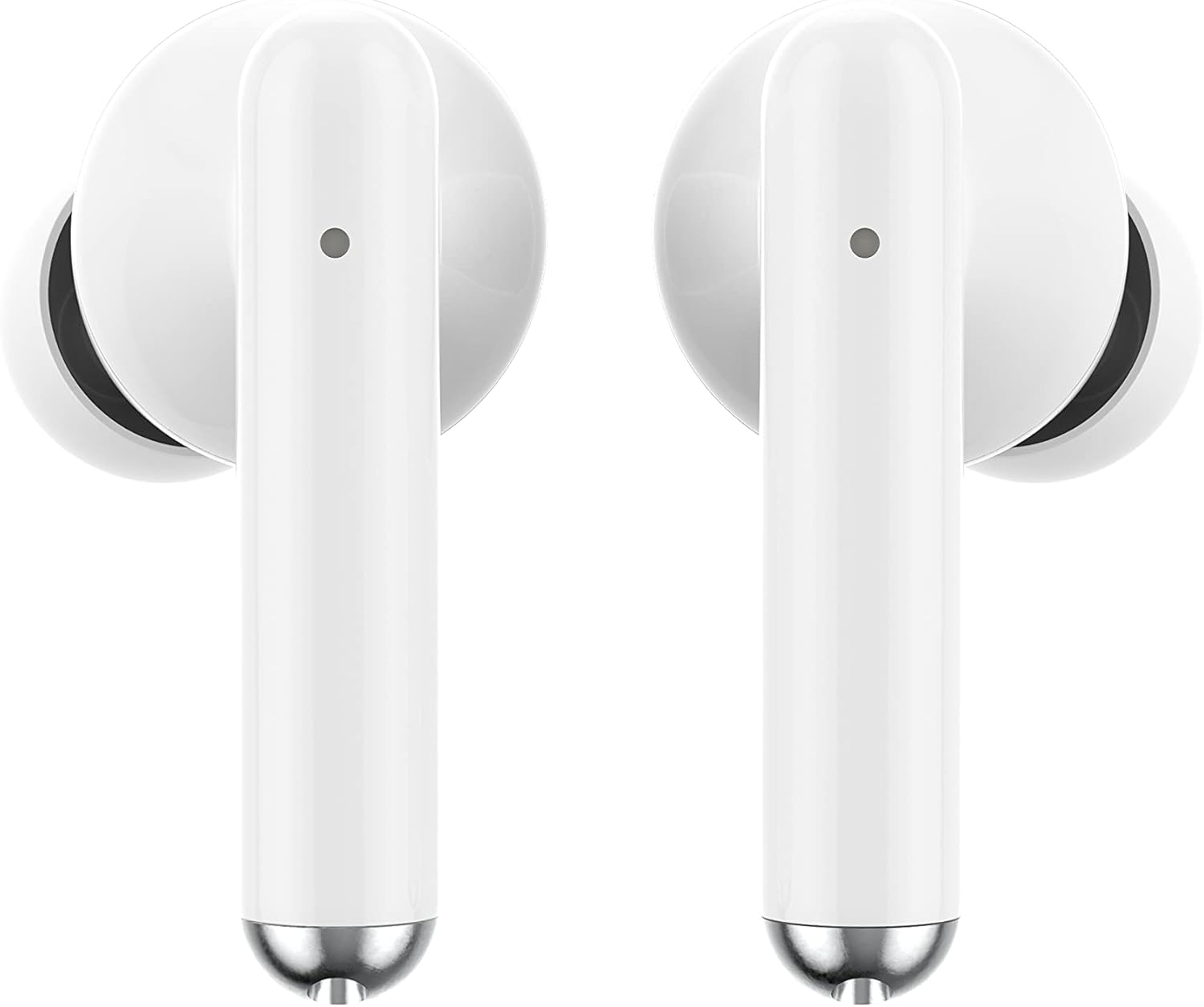
בילד: נאָענט-אַרויף view of the Ledwood Capella earphones. The white earbuds feature a sleek design with a small microphone hole visible on the stem.
3. אפערירן די אויערפאנען
The Ledwood Capella earphones feature sensitive touch controls for easy management of your audio and calls.
3.1 ריר קאָנטראָלס
The touch-sensitive area is located on the outer surface of each earphone stem. Refer to the diagram below for typical touch control functions:
- איין טאַפּ: שפּילן/פּויזע מוזיק, ענטפֿערן/ענדיגן רוף.
- Double Tap (Left Earphone): פֿריִערדיקע שפּור.
- Double Tap (Right Earphone): ווייַטער שפּור.
- Triple Tap (Left Earphone): פאַרמינערן באַנד.
- Triple Tap (Right Earphone): פאַרגרעסערן באַנד.
- לאנג דרוק (2 סעקונדעס): Activate Voice Assistant, Reject call.
3.2 ווויס אַססיסטאַנט
The Capella earphones are compatible with major voice assistants (e.g., Siri, Google Assistant). To activate your device's voice assistant, perform a long press (2 seconds) on either earphone's touch control area. You can then issue commands through the earphone's microphone.
3.3 Super Bass Technology
The earphones are equipped with Super Bass technology, utilizing highly flexible polymer membranes to reproduce deep and rich bass sounds for an enhanced audio experience.
4. וישאַלט
4.1 רייניקונג
צו האַלטן אָפּטימאַלע פאָרשטעלונג און היגיענע:
- רייניקט רעגולער די אויערפאָונז און די טשאַרדזשינג קעסטל מיט אַ ווייכן, טרוקענעם, לינט-פֿרייע שטאָף.
- ניצט נישט קיין שרײַבנדיקע רייניגער, אַלקאָהאָל, אדער כעמישע סאָלווענטן.
- אַראָפּנעמען פֿאָרזיכטיק יעדן אויערוואַקס אָדער שמוץ פֿון די אויער שפּיץ און רעדנער מעש מיט אַ קליינעם, ווייכן באַרשט אָדער וואַטע שטעכל.
- Ensure the charging contacts on both the earphones and case are clean and dry.
4.2 סטאָרידזש
ווען נישט אין באַנוץ, לייגט די אויערפאָונז אין זייער טשאַרדזשינג קעסטל צו באַשיצן זיי פון שטויב, שעדיקן, און צו האַלטן זיי אָנגעלאָדן.
5. טראָובלעשאָאָטינג
If you encounter issues with your Ledwood Capella earphones, try the following solutions:
- אויערפאָונז נישט פּערינג:
- זיכער מאַכן אַז ביידע אויערפאָונז זענען אויפגעלאָדן.
- אויסלעשן און אן די בלועטוט פון אייער דעווייס.
- Forget "Ledwood Capella" from your device's Bluetooth list and attempt to pair again.
- Place earphones back in the case, close it, wait a few seconds, then open it again to re-enter pairing mode.
- קיין קלאַנג אָדער נידעריקע באַנד:
- קאָנטראָלירט דעם וואָלומען לעוועל אויף ביידע אייער דעווייס און די אויערפאָונז.
- זייט זיכער אַז די אויערפאָונז זענען ריכטיק אַרײַנגעזעצט אין אייערע אויערן.
- Clean any debris from the earphone speaker mesh.
- טשאַרדזשינג ישוז:
- וועריפיצירט אז דער USB-C קאַבל איז זיכער פארבונדן סיי צום קעיס און סיי צום מאַכט מקור.
- פּרוּווט אַ אַנדערש וסב-C קאַבלע אָדער מאַכט אַדאַפּטער.
- זיכער מאַכן אַז די טשאַרדזשינג קאָנטאַקטן אויף די אויערפאָונז און קעסטל זענען ריין.
- Earphones disconnecting frequently:
- Ensure you are within the 10-meter Bluetooth range of your device.
- פֿאַרמײַדט שטערונגען צווישן די אויערפֿאָנען און אײַער אַפּאַראַט וואָס קענען שטערן דעם סיגנאַל.
- Ensure there are no other strong wireless signals nearby causing interference.
6. ספּעסאַפאַקיישאַנז
| שטריך | באַשרייַבונג |
|---|---|
| מאָדעל נאָמען | קאַפּעלאַ |
| מאָדעל נומער | לד-ט 06 |
| ווירעלעסס קאָמוניקאַציע | בלועטאָאָטה 5.2 |
| קייט | אַרויף צו 10 מעטער |
| באַטעריע לעבן (אויערפאָונז) | בעערעך. 3 שעה פּער אָפּצאָל |
| באַטעריע לעבן (מיט טשאַרדזשינג קעסטל) | Up to 9 hours (3 x 3 hours) |
| טשאַרדזשינג צייט | בעערעך. 1 שעה |
| טשאַרדזשינג טיפּ | וסב-C |
| קול קאָנטראָל | יא |
| סענסיטיוו ריר | יא |
| מאַטעריאַל | סיליקאָן (אויער שפּיץ) |
7. וואָראַנטי און שטיצן
7.1 וואָראַנטי אינפֿאָרמאַציע
Your Ledwood Capella earphones are covered by a manufacturer's warranty against defects in materials and workmanship. Please refer to the warranty card included in your package or contact your retailer for specific warranty terms and conditions.
7.2 קונה שטיצן
For further assistance, technical support, or inquiries regarding your Ledwood Capella earphones, please contact the retailer where you purchased the product or visit the official Ledwood webפּלאַץ פֿאַר שטיצן קאָנטאַקט אינפֿאָרמאַציע.


