
1. הקדמה
The Qilmy 1080P Wireless WiFi Home Security Camera is designed to provide reliable surveillance for your home. This device combines a high-definition camera with motion detection, night vision, and remote viewing capabilities, all integrated into a standard light bulb form factor for easy installation. This manual will guide you through the installation, setup, and operation of your new security camera.
2. שליסל פֿעיִקייטן
- Full HD 1080P האַכלאָטע: גיט קלאָר און דיטיילד ווידעא פאָאָtage.
- Wireless WiFi Connectivity: Easy connection to your home network for remote access.
- Motion Detection & Instant Alarm: Automatically detects movement and sends alerts to your connected device.
- קלאָרע נאַכט זעאונג: זיכערט זעאונג אין נידעריק-ליכט באדינגונגען.
- ווייַט Viewינג: Monitor your property from anywhere using a smartphone app.
- Integrated Flood Light: Features 3 built-in flood lights that can activate automatically upon motion detection.
- גרינג ינסטאַלירונג: Screws into a standard E27 light socket.
- מיקראָ סד קאָרט שפּעלטל: For local storage of recordings.

בילד: איבערview of the Qilmy Home Security Camera's key features, including 1080P resolution, video recording, 360 panoramic viewing, Wi-Fi connection, light function, motion detection, remote viewing, and Micro SD card slot.
3. וואָס איז אין דער קעסטל
- Qilmy 1080P Wireless WiFi Home Security Camera (Bulb-shaped)
- E27 Light Socket Adapter (for mounting)
- מאָנטירונג שרויפן און וואַנט אַנקערס
- שנעל אָנהייב גייד

Image: Contents of the Qilmy Home Security Camera package, showing the camera, an E27 socket adapter, mounting hardware, and a quick start guide.
4. סעטאַפּ
4.1 גשמיות ינסטאַלירונג
- קלייַבן אַ אָרט: Select a location with a standard E27 light socket that provides the desired viewing angle and is within range of your 2.4GHz Wi-Fi network.
- מאַכט אַוועק: Ensure the power to the light socket is turned off at the circuit breaker before installation.
- ינסטאַלירן אַפּאַראַט: Carefully screw the Qilmy security camera into the E27 light socket. If no existing socket is available, use the provided E27 adapter and mounting hardware to install it on a wall or ceiling.
- מאַכט אויף: Restore power to the light socket. The camera will power on and emit a voice prompt indicating it is ready for configuration.

Image: A person's hands installing the Qilmy Home Security Camera into a ceiling light fixture, demonstrating its easy and quick installation process.
4.2 Wi-Fi פֿאַרבינדונג און אַפּ סעטאַפּ
- אראפקאפיע אַפּ: Download the recommended mobile application (e.g., "iCSee" or similar as indicated in the Quick Start Guide) from your smartphone's app store.
- רעגיסטרירן אַקאַונט: Open the app and register a new user account if you don't already have one.
- לייג דיווייס: Follow the in-app instructions to add a new device. This typically involves scanning a QR code on the camera or selecting the device type and following prompts.
- פאַרבינדן צו Wi-Fi: Connect the camera to your 2.4GHz Wi-Fi network. Ensure your smartphone is also connected to the same 2.4GHz network during the setup process.
- קאַנפיגיעריישאַן: The camera will confirm successful connection with a voice prompt. Once connected, you can access live video and adjust settings through the app.

Image: A smartphone displaying the live feed from the Qilmy Home Security Camera, illustrating Wi-Fi connection and remote viewing capabilities from anywhere, anytime.
5. אַפּערייטינג ינסטרוקטיאָנס
5.1 לעבן Viewרעקאָרדינג און רעקאָרדינג
- Open the mobile app to view דער לייוו פיד פון אייער קאַמעראַ.
- Use the app interface to manually record video or capture screenshots.
- אַקסעס רעקאָרדעד פאָאָtage stored on the Micro SD card or cloud storage (if subscribed).
5.2 באַוועגונג דעטעקציע און וואָרענונגען
- געבן באַוועגונג דיטעקשאַן אין די אַפּ סעטטינגס.
- אַדזשאַסטירן סענסיטיוויטי לעוועלס צו מינימיזירן פאַלשע אַלאַרמס.
- באַקומען רעגע פּוש נאָוטאַפאַקיישאַנז אויף דיין סמאַרטפאָון ווען באַוועגונג איז דעטעקטעד.
- The camera can automatically activate its floodlights and siren alarm upon detecting motion, deterring intruders.
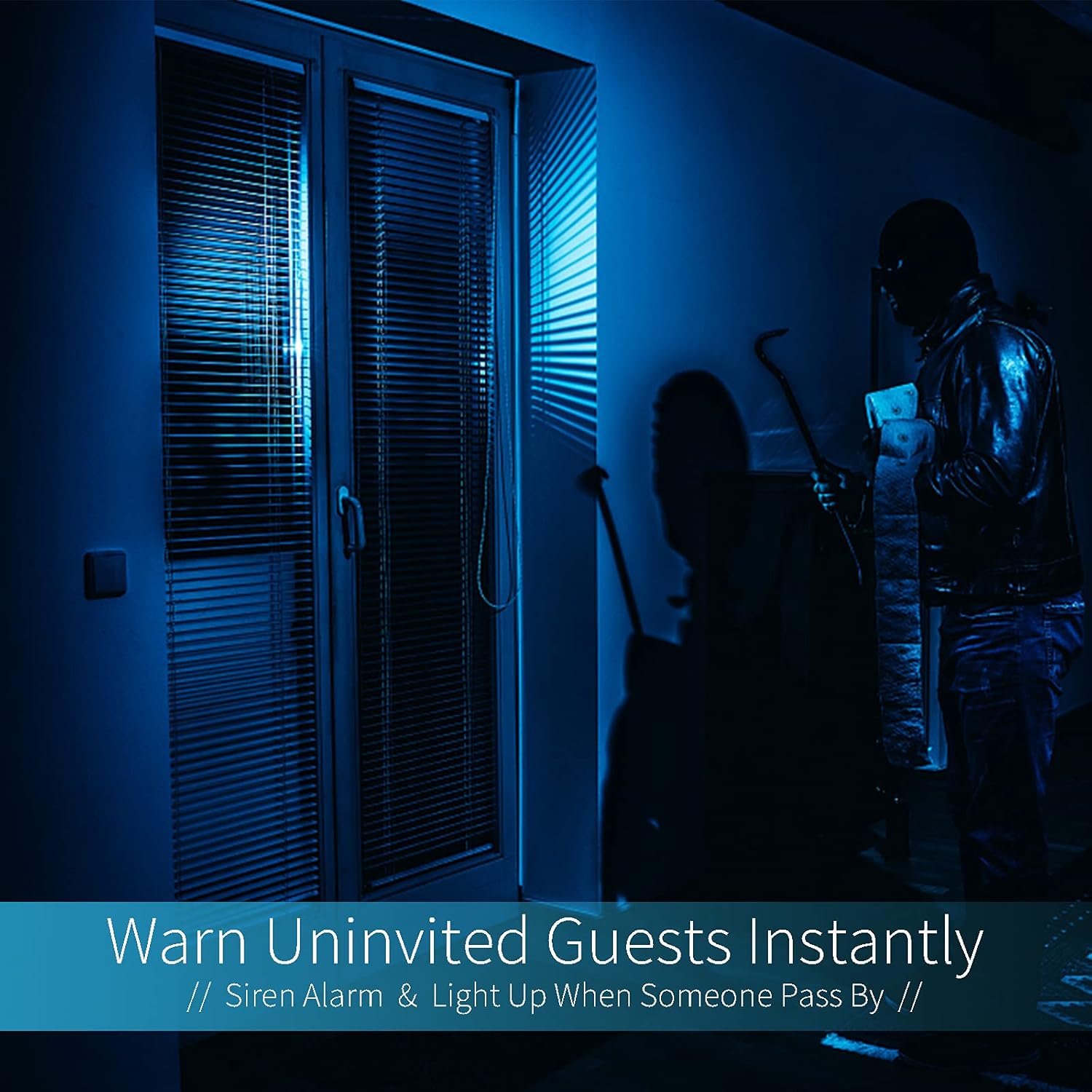
Image: A dark room with a security camera's light illuminating a figure, depicting the camera's ability to warn uninvited guests instantly with a siren alarm and light activation upon motion detection.
5.3 ליכט פֿונקציע
- The camera features built-in floodlights.
- Control the floodlights manually through the app.
- Configure the floodlights to turn on automatically when motion is detected, especially during nighttime.

Image: A comparison of a standard light bulb and the Qilmy Home Security Camera, highlighting its dual function as both a light bulb and a security camera with 3W consumption.
6. וישאַלט
- רייניקונג: ווישט אָפּ די קאַמעראַ לינז און קערפּער מיט אַ ווייכן, טרוקענעם שטאָף. ניצט נישט קיין שטרענגע כעמיקאַלן אָדער שרײַבנדיקע רייניקונגסמיטלען.
- Firmware דערהייַנטיקונגען: Regularly check the mobile app for available firmware updates to ensure optimal performance and security.
- סד קאַרד מאַנאַגעמענט: אויב איר ניצט אַ מיקראָ SD קאַרטל, ריפּיטידליview און אויסמעקן די אלטע פוtage to free up space, or enable loop recording if supported by the app.
- נעץ פעסטקייַט: Ensure your Wi-Fi network is stable and strong for uninterrupted camera operation.
7. טראָובלעשאָאָטינג
| פּראָבלעם | מעגלעך סיבה | לייזונג |
|---|---|---|
| קאַמעראַ גייט נישט אָן. | No power to the light socket; camera not screwed in properly. | Check the circuit breaker. Ensure the camera is securely screwed into the E27 socket. |
| ניט געקענט צו פאַרבינדן צו ווי-פי. | Incorrect Wi-Fi password; camera too far from router; 5GHz Wi-Fi network used. | Verify Wi-Fi password. Move camera closer to router. Ensure you are connecting to a 2.4GHz Wi-Fi network. |
| קיין באַוועגונג דעטעקשאַן אַלערץ. | באַוועגונג דעטעקציע דיסייבאַלד; סענסיטיוויטי צו נידעריק; אַפּ נאָוטאַפאַקיישאַנז בלאָקירט. | Enable motion detection in the app. Increase sensitivity. Check app notification settings on your phone. |
| נעבעך ווידעא קוואַליטעט. | שוואַכער Wi-Fi סיגנאַל; שמוציקע לינז. | פֿאַרבעסערן די Wi-Fi סיגנאַל שטאַרקייט. רייניקן די קאַמעראַ אָביעקטיוו מיט אַ ווייכן שטאָף. |
| ווייַט viewעס ארבעט נישט. | Internet connection issue on camera or phone; app not updated. | Check internet connectivity for both camera and phone. Update the app to the latest version. |
8. ספּעסאַפאַקיישאַנז
- מאָדעל נומער: ZXL2023011
- ווידעא כאַפּן האַכלאָטע: 1080 פּ גאַנץ הד
- קאַנעקטיוויטי טעכנאָלאָגיע: ווירעלעסס (ווי-פי)
- ווירעלעסס קאָמוניקאַציע טעכנאָלאָגיע: Wi-Fi (נאָר 2.4GHz)
- מאַכט מקור: AC/DC (E27 light socket)
- וואָסtage: 3 וואטס
- ספּעציעלע פֿעיִקייטן: Motion Sensor, Night Vision, Integrated Flood Light
- פאָרם פאַקטאָר: Dome (Bulb-shaped)
- מאַונטינג טיפּ: Wall Mount (via E27 adapter)
- נומער דימענשאַנז (L x W x H): 6.45 X 4.1 X 3.54 אינטשעס
- נומער וואָג: 7.8 אונסעס (222 גראַם)
- אינטערנאציאנאלע שוץ רייטינג: IP67
- קאַמפּאַטאַבאַל דעוויסעס: סמאַרטפאָנע
- UPC: 605660998393
9. וואָראַנטי און שטיצן
Specific warranty information and detailed support contact details are typically provided with the product packaging or on the manufacturer's official website. Please refer to the documentation included with your purchase for the most accurate and up-to-date warranty terms and customer support options.