
1. הקדמה
Thank you for choosing the MEBUS Model 11908 Weather Station. This device provides accurate indoor and outdoor temperature and humidity readings, a weather forecast, moon phase display, and an alarm clock function. Please read this manual carefully to ensure proper setup and operation.
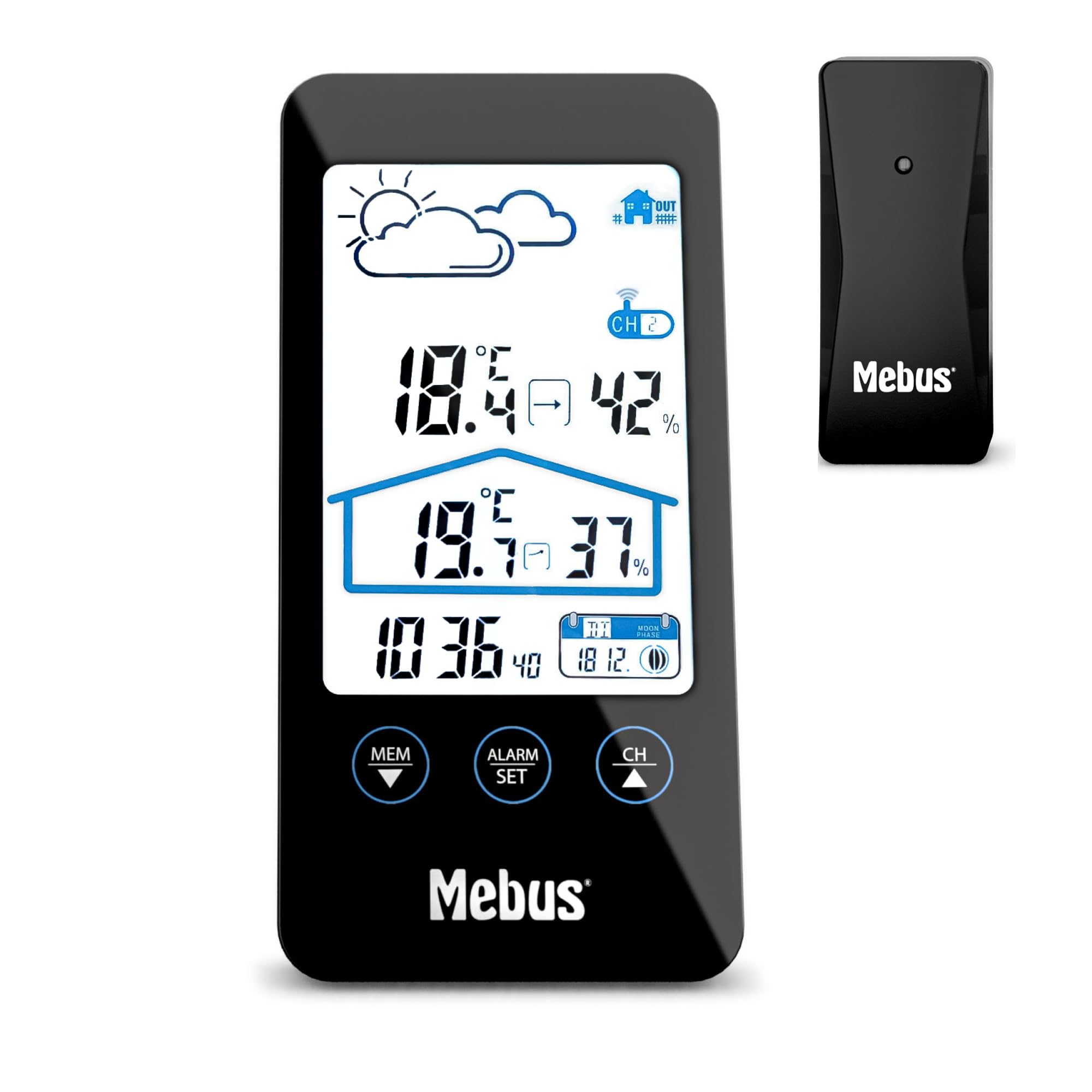
Image 1.1: The MEBUS Model 11908 Weather Station main unit and its wireless outdoor sensor.
2. פּעקל אינהאַלט
- MEBUS Model 11908 Weather Station (Main Unit)
- ווירעלעסס דרויסנדיק סענסאָר
- 4 x AAA Batteries (for both units)
- באַניצער מאַנואַל (דעם דאָקומענט)
3. סעטאַפּ
3.1 באַטאַרייע ייַנמאָנטירונג
Both the main unit and the outdoor sensor require batteries for operation. Use the provided 4x AAA batteries.
- עפֿנט דעם דעקל פֿון דער באַטעריע־אָפּטיילונג אויף דער הינטערשטער זײַט פֿון דער הויפּט־איינהייט.
- אַרײַנשטעלן 2 AAA באַטעריעס, אָבסערווירנדיק די ריכטיקע פּאָלאַריטעט (+/-).
- נאָענט די דעקן פון די באַטאַרייע אָפּטייל.
- עפֿנט דעם דעקל פֿון דער באַטעריע־אָפּטיילונג אויף דער הינטערשטער זײַט פֿון דעם דרויסנדיקן סענסאָר.
- אַרײַנשטעלן 2 AAA באַטעריעס, אָבסערווירנדיק די ריכטיקע פּאָלאַריטעט (+/-).
- נאָענט די דעקן פון די באַטאַרייע אָפּטייל.

בילד 3.1: דערציען view of the main unit and outdoor sensor, indicating battery compartment locations.
3.2 סענסאָר פּלייסמאַנט
For accurate outdoor readings, place the wireless sensor in a sheltered location away from direct sunlight and rain. Ensure it is within the effective transmission range of the main unit (typically up to 30 meters in open air).
3.3 ערשטע סינקראָניזאַציע
After inserting batteries, the main unit will automatically search for the outdoor sensor and the DCF77 radio signal for time synchronization. This process may take a few minutes. Ensure both units are close to each other during initial setup.
- If the outdoor temperature/humidity does not appear, press the "CH" button on the main unit to cycle through channels or initiate a new search.
- The radio-controlled time signal (DCF77) will automatically set the time. If reception is poor, manual time setting is possible (see Section 4.2).
4. אַפּערייטינג ינסטרוקטיאָנס
4.1 ווייַז איבערview
די LCD דיספּלעי ווײַזט פֿאַרשידענע אינפֿאָרמאַציע:
- אויבן לינקס: Weather forecast icons (sunny, cloudy, rainy).
- אויבן רעכט: דרויסנדיק טעמפּעראַטור און הומידיטי.
- מיטל: אינעווייניקסטע טעמפּעראַטור און הומידיטי.
- לינקס אונטן: איצטיקע צייט.
- אונטן רעכטס: Date and Moon phase.

בילד 4.1: דעטאַלירט view of the weather station's LCD display.
4.2 באַשטעטיקן צייט און דאַטע
The time is automatically set via the DCF77 radio signal. If manual adjustment is needed:
- דריקן און האַלטן די "ALARM SET" button (or similar, referring to the image of buttons) for a few seconds to enter time setting mode.
- ניצן די "MEM ▼" און "CH ▲" קנעפּלעך צו סטרויערן וואַלועס.
- דרוק "ALARM SET" again to confirm and move to the next setting (e.g., hour, minute, year, month, day).
- דרוק "ALARM SET" repeatedly to exit setting mode.
צו בייטן צווישן 12-שעה און 24-שעה פֿאָרמאַט, דריק די "ALARM SET" button briefly in normal display mode.
4.3 שרעק פֿונקציע
The weather station includes an alarm clock with a snooze function.
- דרוק די "ALARM SET" קנעפּל איין מאל צו ווייזן די אַלאַרם צייט.
- דריקן און האַלטן "ALARM SET" צו אַרייַן שרעק באַשטעטיקן מאָדע.
- ניצן "MEM ▼" און "CH ▲" to set the desired alarm hour and minute.
- דרוק "ALARM SET" צו באַשטעטיקן יעדער באַשטעטיקן.
- צו אַקטיווירן/דעאַקטיווירן דעם אַלאַרם, דריק די "ALARM SET" button briefly when the alarm time is displayed. An alarm icon will appear/disappear.
- When the alarm sounds, press the top button (often labeled "SNOOZE" or similar, or the main unit's top surface) to activate the snooze function. The alarm will sound again after approximately 5 minutes.
- To stop the alarm completely, press any other button.

Image 4.2: Control buttons on the MEBUS weather station for settings and alarm.
4.4 טעמפּעראַטור איינהייט אויסוואַל (°C/°F)
צו בייטן צווישן צעלזיוס (°C) און פאַהרענהייט (°F), דריק די "MEM ▼" button briefly in normal display mode.
4.5 ווייַז באַקלייט
The display features a backlight for improved readability in low light conditions. Press the top button (often the snooze button) to activate the backlight temporarily.
4.6 וועטער פאָרעקאַסט
The weather station provides a forecast based on atmospheric pressure changes. The icons (sunny, cloudy, rainy) indicate the predicted weather for the next 12-24 hours. This is an estimation and may not always be perfectly accurate.
4.7 לבנה פאַזע אַרויסווייַזונג
The bottom right of the display shows the current moon phase, which changes automatically with the date.
5. וישאַלט
5.1 באַטערי פאַרבייַט
When the battery indicator appears on the display, replace the batteries in the respective unit (main unit or sensor). Always replace all batteries at the same time with new ones of the same type (AAA).
5.2 רייניקונג
Clean the weather station and sensor with a soft, damp cloth. Do not use abrasive cleaners or solvents. Avoid getting moisture into the battery compartments or other openings.
5.3 סטאָרידזש
If the device will not be used for an extended period, remove the batteries from both units to prevent leakage and damage.
6. טראָובלעשאָאָטינג
| פּראָבלעם | מעגלעך סיבה | לייזונג |
|---|---|---|
| קיין דרויסנדיקע טעמפּעראַטור/פֿײַכטקייט מעסטונג. |
|
|
| אומרעכטע צייט געוויזן. |
|
|
| דער עקראַן איז טונקל אָדער ליידיק. |
|
|
7. ספּעסאַפאַקיישאַנז
| שטריך | דעטאַל |
|---|---|
| מאָדעל נומער | 11908 |
| סאָרט | מעבוס |
| דימענשאַנז (הויפּט אַפּאַראַט) | Approx. 8 cm (Depth) x 2.5 cm (Width) x 16 cm (Height) |
| וואָג | 290 גראַמז |
| מאַכט מקור | 4 x AAA batteries (2 for main unit, 2 for sensor) |
| ווייַז טיפּ | לקד |
| קאַנעקטיוויטי טעכנאָלאָגיע | ראַדיאָ פרעקווענסי (RF) |
| ספּעציעלע פֿעיִקייטן | Alarm, Thermometer, Radio Clock, Hygrometer, Moon Phase Calendar, Display Backlight |
| Temperature Range (Upper) | 40.3°C |
| אַרייַנגערעכנט קאַמפּאָונאַנץ | Weather station, outdoor sensor, batteries |
| מאַטעריאַל | פּלאַסטיק |
| נומער פון טשאַנאַלז | 3 (for outdoor sensors, though only one is included) |
8. וואָראַנטי און שטיצן
8.1 וואָראַנטי אינפֿאָרמאַציע
This MEBUS product comes with a 2 יאָר וואָראַנטי from the date of purchase. This warranty covers manufacturing defects and material faults. It does not cover damage caused by improper use, accidents, unauthorized repairs, or normal wear and tear.
8.2 קונה שטיצן
For technical assistance, warranty claims, or further inquiries, please contact your retailer or the MEBUS customer service department. Refer to the packaging or the official MEBUS webפּלאַץ פֿאַר קאָנטאַקט דעטאַילס.