
הקדמה
This manual provides detailed instructions for the LOFREE Wireless Mechanical Bluetooth Keyboard. It covers setup, operation, maintenance, troubleshooting, and product specifications to ensure optimal use of your device.
This video demonstrates the LOFREE Retro Keyboard in various usage scenarios, highlighting its design and functionality.
סעטאַפּ
טשאַרדזשינג די קלאַוויאַטור
The keyboard is equipped with a rechargeable battery. Connect the provided USB cable to the Micro USB port on the keyboard and the other end to a power source (e.g., computer USB port, USB wall adapter).

זייַט view of the LOFREE keyboard, highlighting the Micro USB charging port and mode switches.
ערשטע פּאָרינג (בלוטוט)
To pair the keyboard via Bluetooth, ensure the keyboard is charged.
- Locate the Bluetooth switch on the side of the keyboard and slide it to the "ON" position.
- אויף אייער דעווייס (קאמפיוטער, טאַבלעט, סמאַרטפאָון), אַקטיווירט בלועטוט און זוכט פֿאַר פֿאַראַן דעווייסעס.
- Select "LOFREE Keyboard" from the list of devices to complete the pairing process.
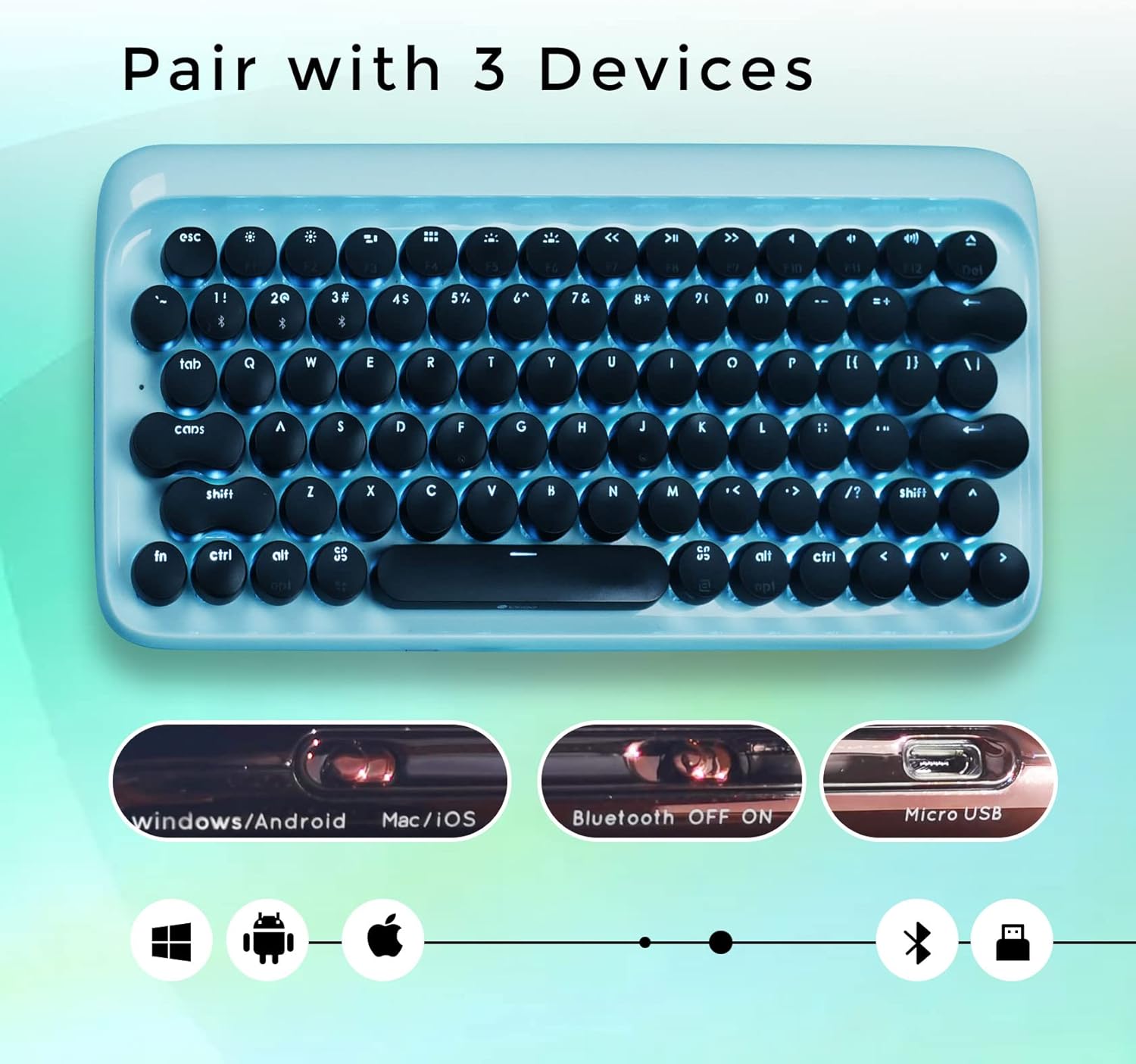
Top-down view of the LOFREE keyboard illustrating its ability to pair with up to three devices and showing the Bluetooth ON/OFF switch.
אַפּערייטינג ינסטראַקשאַנז
באַשטימען צווישן דיווייסאַז
The LOFREE keyboard can connect to up to 3 different devices simultaneously. Use the quick switch on the keyboard to toggle between connected devices.
ווייערד קאַנעקשאַן
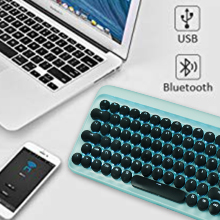
For a wired connection, connect the USB cable directly from the keyboard to your computer. The keyboard will automatically switch to USB mode.

An image showing the keyboard connected via USB and Bluetooth, indicating dual connectivity options.
באַקלייט אַדזשאַסטמאַנט
The keyboard features adjustable white LED backlighting with 4 brightness levels. To adjust the brightness or turn off the backlight, use the dedicated function keys. Refer to the key layout for specific controls.

נאָענט-אַרויף view of the LOFREE keyboard highlighting the four adjustable backlight brightness levels.
אַוטאָ-סליפּ מאָדע
To conserve battery life, the keyboard automatically enters sleep mode after 10 minutes of inactivity. Press any key to wake it up.
An illustration depicting the keyboard's auto-sleep mode feature for battery conservation.
אַפּערייטינג סיסטעם קאַמפּאַטאַבילאַטי
The keyboard is compatible with Windows, Android, Mac, and iOS operating systems. Use the OS switch on the side of the keyboard to select the appropriate mode.

An image illustrating the LOFREE keyboard's compatibility with Windows, Apple (Mac/iOS), and Android operating systems.
וישאַלט
רייניקונג
To clean the keyboard, power it off and disconnect any cables. Use a soft, dry cloth to wipe the surface. For stubborn dirt, a slightly damp cloth can be used, ensuring no moisture enters the key switches or internal components. Avoid using harsh chemicals or abrasive materials.
קייקאַפּ באַזייַטיקונג
The keycaps are designed to be removable for cleaning or replacement. Gently pull the keycap upwards to remove it. Exercise caution to avoid damaging the switch mechanism.
טראָובלעשאָאָטינג
קלאַוויאַטור פֿאַרבינדט זיך נישט
בלועטאָאָטה קאַנעקשאַן ישוז
- Ensure Bluetooth is enabled on both the keyboard and your device.
- Check if the keyboard is in pairing mode.
- פּרוּווט אָפּצופּאַרן און ווידער צופּאַרן די קלאַוויאַטור מיט אייער דעווייס.
- Verify the keyboard battery level.
Wired Connection Issues
- זייט זיכער אַז דער USB קאַבל איז זיכער פארבונדן צו ביידע די קלאַוויאַטור און דיין קאָמפּיוטער.
- פּרוּווט אַ אַנדערש וסב פּאָרט אָדער קאַבלע.
באַקלייט נישט ארבעטן
- Check the battery level. Low battery can affect backlight functionality.
- Ensure the backlight is not turned off or set to the lowest brightness level.
שליסלען ניט ריספּאַנדינג
- ריטשאַרדזש די קלאַוויאַטור.
- If using Bluetooth, try switching to wired mode to rule out connection issues.
- If a specific key is not responding, gently remove the keycap and check for any obstructions.
ספּעסאַפאַקיישאַנז
אַלגעמיינע
- סאָרט: לאָפֿריי
- מאָדעל: B093GR97N3
- קאַנעקטיוויטי: בלועטאָאָטה, וסב
- שליסל סוויטשיז: בלויע מעכאנישע סוויטשעס
- שליסל קאַפּס: רעטראָ קייַלעכיק שליסל קאַפּס
- באַקלייט: Adjustable White LED
- קאַמפּאַטאַבילאַטי: ווינדאָוס, אַנדרויד, מעק, יאָס
- באַטערי: 2 ליטהיום יאָן באַטעריז (אַרייַנגערעכנט)
- נומער וואָג: 2.74 פונט
- פּעקל דימענשאַנז: 14.37 X 6.61 X 1.85 אינטשעס

The LOFREE Wireless Mechanical Bluetooth Keyboard, showcasing its retro design and round keycaps.
שליסל סוויטטשעס
The keyboard features Gateron Blue Mechanical Switches, known for their tactile bump and audible click, providing a satisfying typing experience reminiscent of vintage typewriters.

א דיטיילד view of the Gateron Blue Mechanical Switches, known for their tactile and clicky feedback.
וואָראַנטי און שטיצן
וואָראַנטי אינפֿאָרמאַציע
All LOFREE products come with a 12-month warranty from the date of purchase.
קונה שטיצן
For any questions, technical assistance, or support needs, please feel free to contact LOFREE customer service via email. We aim to respond to all inquiries within 24 hours.
For more information and additional products, visit the LOFREE Store.


