
1. פּראָדוקט איבערview
The WISCENT WTB-795 is a versatile portable cassette player recorder boombox designed for both classic audio playback and modern connectivity. It features a cassette player/recorder, AM/FM radio, Bluetooth streaming, USB playback and recording, and a built-in microphone for recording. This manual provides instructions for its safe and efficient operation.

פיגורע 1: פראָנט view of the WISCENT WTB-795 Portable Cassette Player Recorder Boombox.
2. פּעקל אינהאַלט
באַשטעטיקן אַז אַלע זאכן זענען פאַראַן אין פּעקל:
- 1x WISCENT WTB-795 Cassette Player Boombox
- 1 קס אַק מאַכט שנור
- 1x באַניצער מאַנואַל
3. סעטאַפּ
3.1 מאַכט די מיטל
The WTB-795 can be powered by either AC power or batteries.
- AC מאַכט: Connect the included AC power cord to the AC input jack on the back of the unit and plug it into a standard 110V-50Hz wall outlet.
- באַטאַרייע מאַכט: For portable use, insert 4 x C-size batteries (not included) into the battery compartment on the back of the unit. Ensure correct polarity.
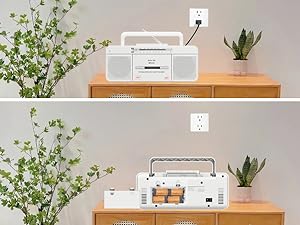
Figure 2: The boombox can be powered by AC cord or 4 C-size batteries.
3.2 Antenna Adjustment for Radio Reception
For optimal AM/FM radio reception, extend the telescopic antenna fully. Adjust its position and direction to achieve the clearest signal.
4. אַפּערייטינג ינסטרוקטיאָנס
4.1 קאַסעטע שפּילער אָפּעראַציע
- Set the FUNCTION switch to "TAPE/OFF".
- דרוק די PAUSE/STOP/EJECT קנעפּל צו עפענען די קאַסעט אָפּטייל.
- אַרײַנשטעלן אַ קאַסעטע טייפּ מיטן אָפֿענעם ברעג אַרויף.
- Close the cassette compartment firmly.
- דרוק די שפּיל קנעפּל צו אָנהייבן פּלייבאַק.
- ניצן FFWD (שנעל פאָרווערטס) אדער פֿ.רעו (Fast Rewind) to navigate the tape.
- דרוק פּויזע to temporarily stop playback. Press again to resume.
- דרוק האַלטן / אַרויסוואַרפן to stop playback and open the compartment.
Video 1: Demonstrates how to use the Tape, Bluetooth, and USB functions on the WTB-795. Cassette player operation is shown from 0:18.
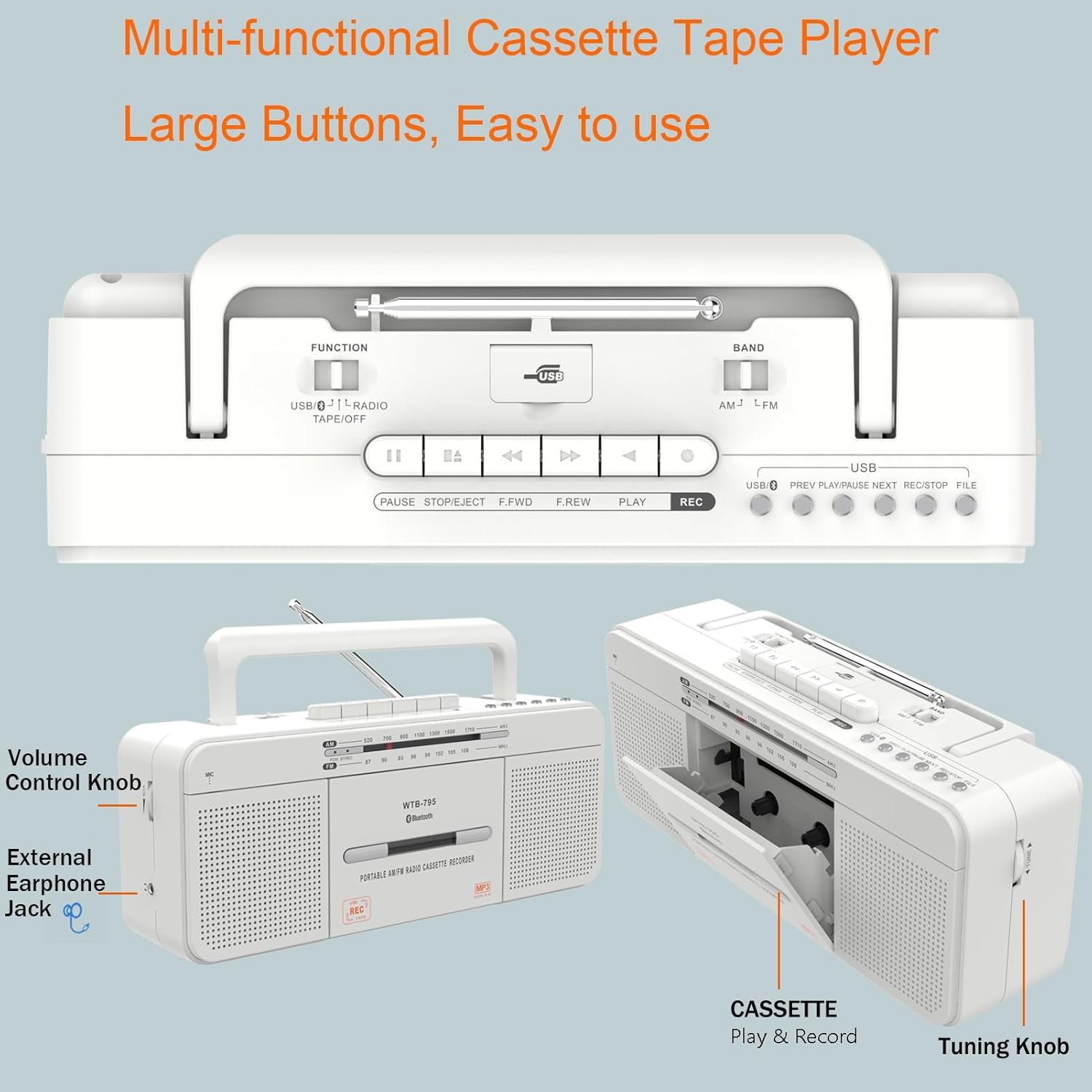
פיגורע 3: דעטאַילעד view of the control buttons and cassette compartment.
4.2 בלועטאָאָטה קאַנעקשאַן
- Set the FUNCTION switch to "USB/BT/RADIO".
- Set the BAND switch to "BT". The unit will enter Bluetooth pairing mode, indicated by a flashing blue light.
- On your mobile device, enable Bluetooth and search for "WTB-795".
- Select "WTB-795" to pair. Once connected, the blue light will stop flashing.
- You can now stream audio from your device to the boombox.
Video 2: Demonstrates Bluetooth connection on the WTB-795. Bluetooth pairing is shown from 0:29.
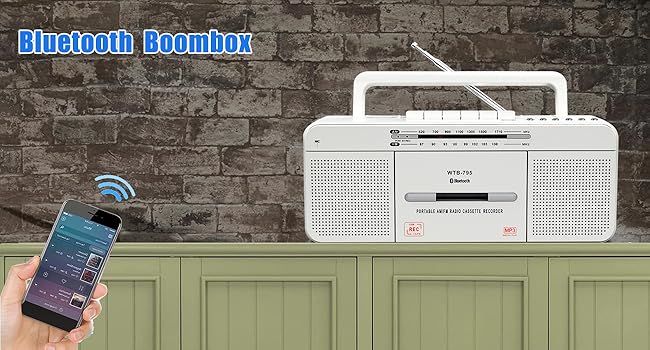
Figure 4: The boombox connected via Bluetooth to a smartphone.
4.3 יו-עס-בי פּלייבּעק
- Set the FUNCTION switch to "USB/BT/RADIO".
- Insert a USB flash drive (FAT32 format recommended) into the USB port.
- די אַפּאַראַט וועט אויטאָמאַטיש דעטעקטירן און אָנהייבן שפּילן MP3 fileס פון די USB דרייוו.
- ניצן די PREV, שפּיל / פּויזע, און NEXT קנעפּלעך פֿאַר קאָנטראָל.
Video 3: Demonstrates USB playback on the WTB-795. USB playback is shown from 0:41.
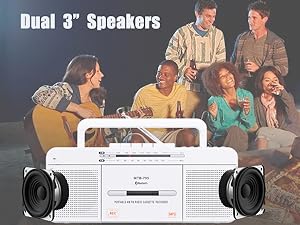
Figure 5: The USB port for playing MP3 files.
4.4 AM/FM ראַדיאָ אָפּעראַציע
- Set the FUNCTION switch to "USB/BT/RADIO".
- Set the BAND switch to "AM" or "FM" for the desired radio band.
- פֿאַרלענגערט די טעלעסקאָפּישע אַנטענע פֿאַר אַ בעסערן אָפּנאַם.
- דרייען די טונינג knob to search for radio stations.
- סטרויערן די באַנד קנופּ צו אייער בילכער הערן לעוועל.

Figure 6: The boombox features an AM/FM radio with an extendable antenna.
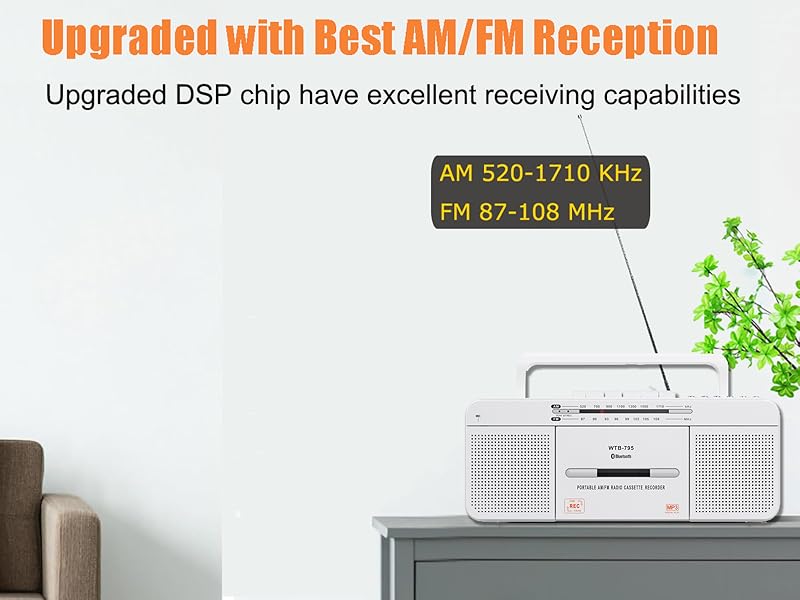
Figure 7: The telescopic antenna for improved radio reception.
4.5 רעקאָרדינג פונקציעס
The WTB-795 supports multiple recording methods:
- External Voice Recording to Tape: Use the built-in microphone to record external audio directly to a blank cassette tape.
- External Voice Recording to USB: Record external audio via the built-in microphone directly to a USB flash drive.
- Radio Recording to Tape: Record live AM/FM radio broadcasts to a blank cassette tape.
- Radio Recording to USB: Record live AM/FM radio broadcasts directly to a USB flash drive.
- Tape to MP3 (USB) Conversion: Convert existing cassette tapes into MP3 fileס אויף אַ וסב בליץ פאָר.
4.5.1 Recording from Tape to USB (MP3 Conversion)
- Set the FUNCTION switch to "TAPE/OFF".
- Insert the cassette tape you wish to record.
- דרוק די שפּיל button on the cassette player.
- Insert a USB flash drive (FAT32 format) into the USB port.
- דריקן און האַלטן די REC button on the USB control area until the red light illuminates. This indicates recording has started.
- צו האַלטן רעקאָרדינג, דריקן די האַלטן / אַרויסוואַרפן button on the cassette player. The USB recording will also stop.
- To record the other side of the tape, flip the tape and repeat the process.
- To check the recorded file, switch the FUNCTION to "USB/BT/RADIO" and the BAND to "USB". Use the PREV/NEXT קנעפּלעך צו נאַוויגירן.
Video 4: Detailed instructions on how to record cassette tapes to USB with the WTB-795.
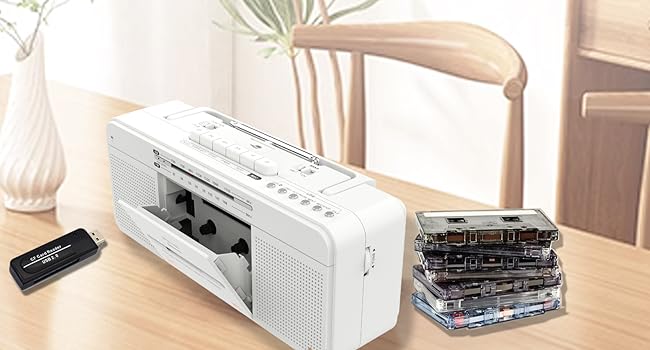
Figure 8: Visual representation of the tape to USB MP3 conversion process.
4.5.2 Recording via Built-in Microphone
- To record to tape: Set FUNCTION to "TAPE/OFF". Insert a blank cassette. Press REC on the cassette controls.
- To record to USB: Set FUNCTION to "USB/BT/RADIO". Insert a USB flash drive. Press and hold REC on the USB control area until the red light illuminates.
- Speak clearly into the built-in microphone (labeled "MIC").
- דרוק האַלטן / אַרויסוואַרפן (for tape) or release REC (for USB) to end recording.

Figure 9: The built-in microphone allows for direct voice recording.
4.6 נוצן פון כעדפאָונז
Connect 3.5mm headphones to the headphone jack on the side of the unit for private listening. The internal speakers will be muted automatically.
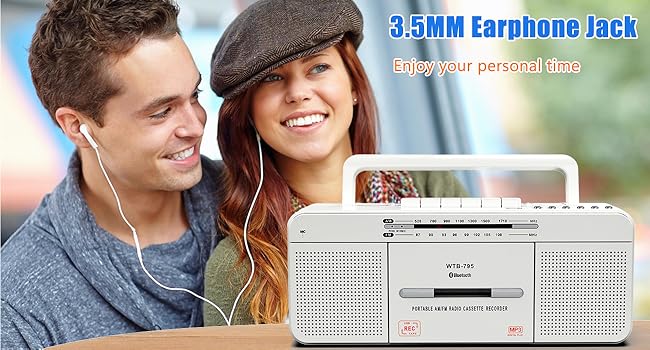
Figure 10: The 3.5mm headphone jack for personal audio experience.
5. וישאַלט
To ensure the longevity and optimal performance of your WISCENT WTB-795, follow these maintenance guidelines:
- רייניקונג: Use a soft, dry cloth to clean the exterior of the unit. Do not use abrasive cleaners or solvents. For the cassette head and pinch roller, use a specialized tape head cleaning kit periodically.
- סטאָרידזש: When not in use for extended periods, store the unit in a cool, dry place away from direct sunlight and extreme temperatures. Remove batteries if storing for a long time to prevent leakage.
- קאַסעטע זאָרג: Avoid exposing cassette tapes to direct sunlight, heat, or strong magnetic fields. Store tapes in their cases to prevent dust accumulation.
6. טראָובלעשאָאָטינג
If you encounter issues with your WTB-795, refer to the following common problems and solutions:
| פּראָבלעם | מעגלעך סיבה | לייזונג |
|---|---|---|
| קיין מאַכט | AC cord not connected, batteries depleted/incorrectly inserted. | Check AC connection, replace batteries, ensure correct polarity. |
| נעבעך ראַדיאָ אָפּטראָג | Antenna not extended/adjusted, weak signal area. | Extend and adjust the telescopic antenna. Try moving the unit to a different location. |
| Cassette tape not playing/poor sound | Tape incorrectly inserted, tape damaged, dirty tape head. | Ensure tape is inserted correctly. Try a different tape. Clean the tape head and pinch roller. |
| בלועטאָאָטה איז נישט קאַנעקטינג | Unit not in pairing mode, device too far, incorrect pairing. | Ensure unit is in BT mode and flashing. Keep devices close. Re-pair the device. |
| וסב פּלייבאַק טוט נישט אַרבעטן | USB drive not FAT32, no MP3 files, USB drive damaged. | Ensure USB is FAT32 format. Verify MP3 files are present. Try a different USB drive. |
| רעקאָרדירונג אַרבעט נישט | No blank tape/USB, REC button not held long enough (for USB). | Ensure a blank tape or formatted USB is inserted. Hold the REC button until the indicator light comes on. |
7. ספּעסאַפאַקיישאַנז
| שטריך | דעטאַל |
|---|---|
| סאָרט | וויסענט |
| מאָדעל נומער | WTB-795W |
| פּראָדוקט דימענשאַנז (L x W x H) | 11.4 X 3.35 X 4.53 אינטשעס (290 X 85 X 115 מם) |
| פּונקט וואָג | 2.53 פונט (1.15 קג) |
| קאַנעקטיוויטי טעכנאָלאָגיע | בלועטאָאָטה, וסב |
| רעדנער טיפּ | Stereo (Dual 3W speakers) |
| ראַדיאָ באַנדס | AM 520-1710 KHz, FM 87-108 MHz |
| מאַכט מקור | AC 110V-50Hz or 4 x C-size batteries (not included) |
| רעקאָרדינג מעטהאָדס | 5-way recording (Mic to Tape/USB, Radio to Tape/USB, Tape to USB) |
8. וואָראַנטי און שטיצן
For warranty information and customer support, please refer to the documentation included with your purchase or contact WISCENT customer service directly. Keep your purchase receipt as proof of purchase for warranty claims.