
1. פּראָדוקט איבערview
The Amazon Fire TV 4-Series is a 4K UHD smart television designed for streaming content and integrating with the Fire TV ecosystem. This manual provides instructions for its setup, operation, and maintenance.

פיגורע 1.1: פראָנט view of the Amazon Fire TV 4-Series 55-inch smart TV.
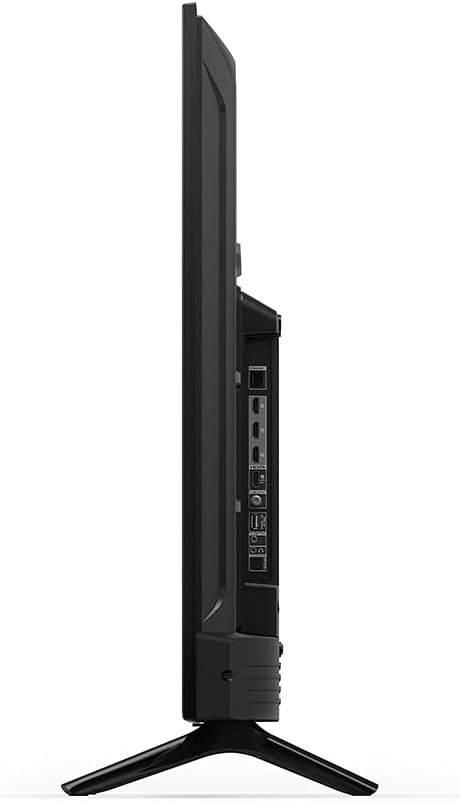
פיגורע 1.2: זייַט view of the Amazon Fire TV 4-Series smart TV, illustrating its slim profile.
2. סעטאַפּ
2.1 אויספּאַקן און אַרייַנגערעכנטע קאָמפּאָנענטן
נעמט פֿאָרזיכטיק אַרויס אַלע קאָמפּאָנענטן פֿון דער פּאַקעט. באַשטעטיקט אַז אַלע זאַכן וואָס זענען אויסגערעכנט אונטן זענען פֿאַראַן:
- Fire TV 4-Series 55-inch Television
- Fire TV Alexa Voice Remote
- מאַכט שנור
- 2 אַאַאַ באַטעריז
- 4 Screws for TV Stand
- טעלעוויזיע שטאַנד (2 פֿיס)
- שנעל אָנהייב גייד

Figure 2.1: Included components for the Fire TV 4-Series.
2.2 אנשטעלן דעם טעלעוויזיע שטאנד
- לייגט דעם טעלעוויזיע מיטן עקראַן אַראָפּ אויף אַ ווייכער, ריינער ייבערפלאַך צו פאַרמייַדן קראַצן.
- Align each TV leg with the corresponding screw holes on the bottom of the TV.
- Secure each leg using the provided screws.
2.3 וואַנט מאָונטינג (אָפּציאָנאַל)
The TV supports VESA Wall Mount Standard 300 mm x 300 mm. Consult a professional for wall mounting to ensure proper installation and safety.

פיגורע 2.2: דערציען view of the Fire TV, indicating VESA mounting points.
2.4 קאַנעקטינג דעוויסעס
Connect external devices such as cable boxes, gaming consoles, or sound systems to the appropriate ports on the TV.

פיגורע 2.3: דעטאַילעד view פון די טעלעוויזיע'ס אינפוט און אויטפוט פּאָרץ.
- HDMI פּאָרץ: The TV features 3 HDMI 2.0 ports and 1 HDMI 2.1 port with eARC for high-definition audio and video connections.
- עטהערנעט: פֿאַרבינדט אַן עטערנעט קאַבל פֿאַר אַ דראָטיקער אינטערנעט פֿאַרבינדונג.
- וסב: Use the USB port for connecting compatible devices.
- דיגיטאַל אָפּטיש אַודיאָ רעזולטאַט: פֿאַרבינדן זיך צו אַן עקסטערנעם אַודיאָ ופֿנעמער אָדער סאַונדבאַר.
- קאַבל/אַנט: פֿאַרבינדט אַן אַנטענע אָדער קאַבל טעלעוויזיע אַרייַנגאַנג.
2.5 אײַנצושאַלטן און ערשטע סעטאַפּ
- אַרײַנשטעלן די 2 AAA באַטעריעס אין די Fire TV Alexa Voice Remote.
- פֿאַרבינדט דעם עלעקטרישן שנור צום טעלעוויזיע און דערנאָך צו אַן עלעקטרישן ווענטיל.
- דריק דעם מאַכט קנעפּל אויף דער ווייַטקאָנטראָל אָדער טעלעוויזיע.
- Follow the on-screen instructions to complete the initial setup, including network connection (Wi-Fi or Ethernet) and Amazon account login.
3. אַפּערייטינג ינסטרוקטיאָנס
3.1 Using the Fire TV Alexa Voice Remote
The included remote allows navigation, content selection, and voice control.
- נאַוויגאַציע: Use the directional pad and select button to move through menus and make selections.
- קול קאָנטראָל: Press and hold the Alexa button to issue voice commands for finding content, launching apps, controlling playback, or checking information like weather.
- IR מיטל קאָנטראָל: The remote can control power and volume on compatible IR-enabled devices such as soundbars and A/V receivers.
3.2 צוטריט צו אינהאַלט
The Fire TV OS provides access to a wide range of streaming services and applications.
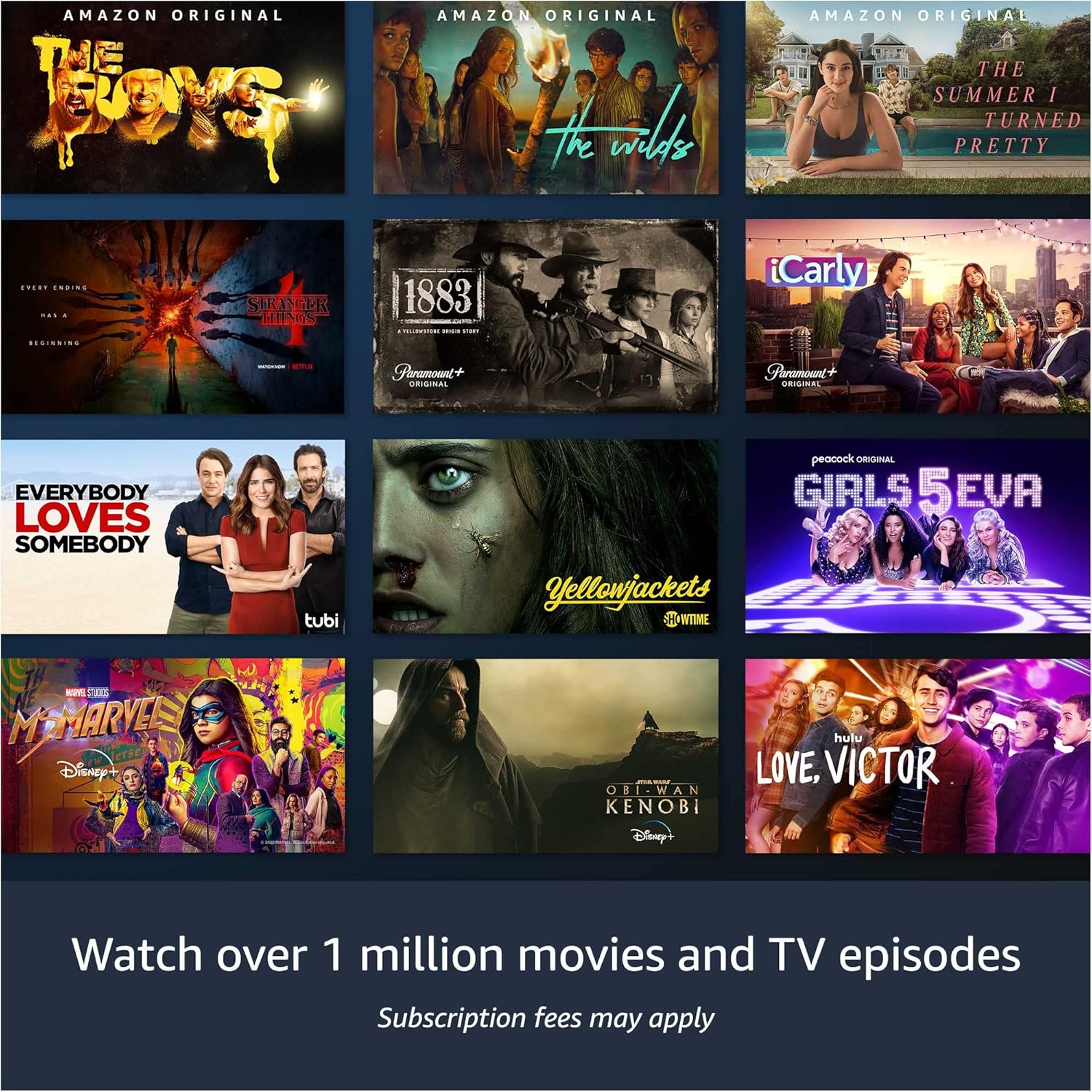
פיגורע 3.1: עקסample of content available through the Fire TV interface.
- סטרימינג באַדינונגס: Access over 1 million movies and TV episodes through subscriptions to services like Netflix, Prime Video, and Disney+.
- Live and Free TV: Watch live television and free content.
- Gaming and Music: Play video games and stream music directly from the TV.
3.3 צוטריטלעכקייט פֿעיִטשערז
The Fire TV includes several accessibility features:
- קולView סקרין לייענער: גיט אַודיאָ פֿידבעק פֿאַר נאַוויגאַציע און אויף-סקרין עלעמענטן.
- סקרין פֿאַרגרעסערער: Allows users to zoom in and pan across the screen.
- טעקסט באַנער: פֿאַראייניקט טעקסט אויף דעם עקראַן אין אַ קאַסטאַמייזאַבאַל באַנער.
- פֿאַרמאַכט קאַפּיטיאָן: Displays captions for compatible videos and TV shows.
- אַודיאָ באַשרייַבונג: Provides verbal descriptions of on-screen actions and scenes for compatible content.
- בלועטוט אודיאָ סטרימינג: Supports audio streaming to select compatible Bluetooth hearing aids and devices, as well as Bluetooth headphones.
4. וישאַלט
4.1 רייניקן דעם טעלעוויזאר
- Disconnect the TV from the power outlet before cleaning.
- Use a soft, dry cloth to wipe the screen and TV body.
- פֿאַר שווערע פֿלעקן, לײַכט דריקןampשווענק דעם שטאָף מיט וואַסער. פֿאַרמייַדט ניצן שטרענגע כעמיקאַלן אָדער אַברייסיוו רייניגער.
4.2 ווייכווארג דערהייַנטיקונגען
The Fire TV OS regularly receives software security updates and feature enhancements. Ensure your TV is connected to the internet to receive these updates automatically. For more information, visit the 'Manage Your Content and Devices' section on the Amazon webפּלאַץ.
5. טראָובלעשאָאָטינג
If you encounter issues with your Fire TV, consider the following general troubleshooting steps:
- קיין מאַכט: זייט זיכער אז דער עלעקטרישער שנור איז זיכער פארבונדן סיי צום טעלעוויזיע און סיי צו א ארבעטנדיקן עלעקטרישן ווענטיל.
- קיין בילד/קלאַנג: Verify that all HDMI and audio cables are correctly connected. Check the input source on the TV.
- ווייַט ניט ריספּאַנדינג: טוישט די AAA באַטעריעס אין דער ווײַטקאָנטראָל. מאַכט זיכער אַז עס זענען נישטאָ קיין שטערונגען צווישן דער ווײַטקאָנטראָל און דעם טעלעוויזאָר.
- נעץ קאָנעקטיוויטי פּראָבלעמען: Check your Wi-Fi router and internet connection. If using Ethernet, ensure the cable is properly connected.
- ווייכווארג גליטשיז: ריסטאַרט דעם טעלעוויזיע דורך עס אַרויסצוציען פֿון דער עלעקטרישער אַוטלעט פֿאַר 30 סעקונדעס און דערנאָך עס צוריק אַרײַנשטעקן.
For persistent issues or specific error messages, refer to the online support resources or contact Amazon customer support.
6. ספּעסאַפאַקיישאַנז
| שטריך | באַשרייַבונג |
|---|---|
| מאָדעל נומער | 4K55N400A |
| פאַרשטעלן גרייס | 55 אינטשעס (54.6 אינטשעס viewקענען) |
| ווייַז האַכלאָטע | 3840 רענטגענ 2160 (4K UHD) |
| הויך דינאַמיק ראַנגע (HDR) | HDR 10, HLG |
| טיפּ באַקלייט | דירעקט געפירט |
| דערפרישן קורס | 60 הז |
| HDMI פּאָרץ | 3 HDMI 2.0 + 1 HDMI 2.1 מיט eARC |
| עטהערנעט פּאָרט | 1 |
| וסב פּאָרט | 1 |
| דיגיטאַל אָפּטיש אַודיאָ רעזולטאַט | 1 |
| אַודיאָ סופּפּאָרט | דאָלבי דידזשאַטאַל פּלוס מיט דורכפֿירן פֿון דאָלבי-ענקאָודירטן אַודיאָ |
| אַודיאָ מאַכט | 8 וו + 8 וו |
| אָפּערייטינג סיסטעם | פייער טעלעוויזיע אפערירן סיסטעם |
| פּראָדוקט גרייס (אָן שטאַנד) | 48.7 "רענטגענ 28.3" X 3.5" |
| וואָג (אָן שטיין) | 25 לב |
| וועסאַ וואַנט מאָונט סטאַנדאַרט | 300 מם רענטגענ 300 מם |
| קאַנעקטיוויטי | Wi-Fi אָדער עטהערנעט |
7. וואָראַנטי אינפֿאָרמאַציע
The Amazon Fire TV 4-Series 55-inch includes a 1-year limited warranty and service. This device, being a Like-New Amazon device, receives the same limited warranty as a new device. For detailed terms and conditions, please refer to the warranty documentation provided with your product or visit the Amazon webפּלאַץ.
8. שטיצן און רעסאָורסעס
For additional support, information, or to view the full user manual, please visit the Amazon Fire TV support pages online. You can also manage your content and devices for information specific to your Fire TV.
Software security updates are provided to ensure the continued performance and security of your device. Information regarding these updates can be found on the Amazon webפּלאַץ.