
Cecotec EnergySilence 3000 Pro (05933)
Cecotec EnergySilence 3000 Pro Industrial Fan User Manual
Model: EnergySilence 3000 Pro (05933)
הקדמה
This manual provides essential information for the safe and efficient use of your Cecotec EnergySilence 3000 Pro Industrial Fan. Please read these instructions carefully before operating the appliance and retain them for future reference.
שליסל פֿעיִקייטן
- Professional-grade fan with maximum power for high airflow.
- AirFlow3 Pro system with 3 metal blades (40 cm / 16 inches diameter) for efficient fresh air distribution.
- EnergySilence Technology for immediate fresh air with maximum quietness and comfort.
- CopperEngine: High-efficiency 100% copper motor for reliability and durability, including ThermoSafe safety system.
- 3Speed Function: Select from low, medium, or high operating speeds.
- TotalControl: Adjustable tilt for customized airflow direction.
- Comprehensive SecuritySystem: Safety grille preventing access to blades and a highly stable base.
- High-quality metallic finishes suitable for industrial, commercial, and outdoor environments.

פיגורע 1: פראָנט view of the Cecotec EnergySilence 3000 Pro Industrial Fan.
This image shows the Cecotec EnergySilence 3000 Pro Industrial Fan from the front, highlighting its robust metal construction and three large blades. The central Cecotec logo is visible on the fan's hub.
וויכטיק סאַפעטי אינסטרוקציעס
כדי צו רעדוצירן דעם ריזיקע פון פייער, עלעקטרישן שאק, אדער שאדן, פאלגט שטענדיג די גרונטלעכע זיכערהייט מיטלען:
- לייענען אַלע ינסטראַקשאַנז איידער איר נוצן די פאָכער.
- פאַרזיכערן די וואָלtage indicated on the fan's rating label matches your local power supply.
- Do not operate the fan with a damaged cord or plug. If damaged, contact qualified service personnel.
- Keep fingers, pencils, or any other objects out of the fan grille when it is operating.
- נעמט ארויס דעם ווענטילאַטאָר פֿון דער ווענטילאַטאָר ווען ער איז נישט אין באַנוץ, ווען איר רוקט אים פֿון איין אָרט צום אַנדערן, און פֿאַר'ן רייניקן.
- Do not use the fan near a window, as rain may create an electrical hazard.
- דו זאלסט נישט ייַנטונקען די פאָכער אין וואַסער אָדער קיין אנדערע פליסיק.
- דער אַפּפּליאַנסע איז נישט בדעה פֿאַר נוצן דורך מענטשן (אַרייַנגערעכנט קינדער) מיט רידוסט גשמיות, סענסערי אָדער גייַסטיק קייפּאַבילאַטיז, אָדער פעלן פון דערפאַרונג און וויסן, סייַדן זיי האָבן באקומען השגחה אָדער לימעד וועגן די נוצן פון דעם אַפּפּליאַנסע דורך אַ מענטש פאַראַנטוואָרטלעך פֿאַר זייער זיכערקייַט.
- קינדער זאָל זיין סופּערווייזד צו ענשור אַז זיי טאָן ניט שפּילן מיט די אַפּפּליאַנסע.
- The fan complies with current safety and environmental protection regulations.

Figure 2: Fan in a typical living room environment.
The fan is positioned on the floor in a modern living room, demonstrating its compact size and how it blends into a home environment. A person is seated on a sofa in the background.
פּראָדוקט קאַמפּאָונאַנץ
The Cecotec EnergySilence 3000 Pro Industrial Fan typically includes the following main components:
- Fan Body (with motor and blades)
- Front Safety Grille
- Rear Safety Grille
- Control Dial (for speed selection)
- Stable Base/Stand
- מאַכט שנור
- באַניצער מאַנואַל

Figure 3: Close-up of fan motor and blades.
This detailed shot focuses on the fan's internal components, showing the robust motor housing and the metal blades behind the protective grille, emphasizing the CopperEngine technology.
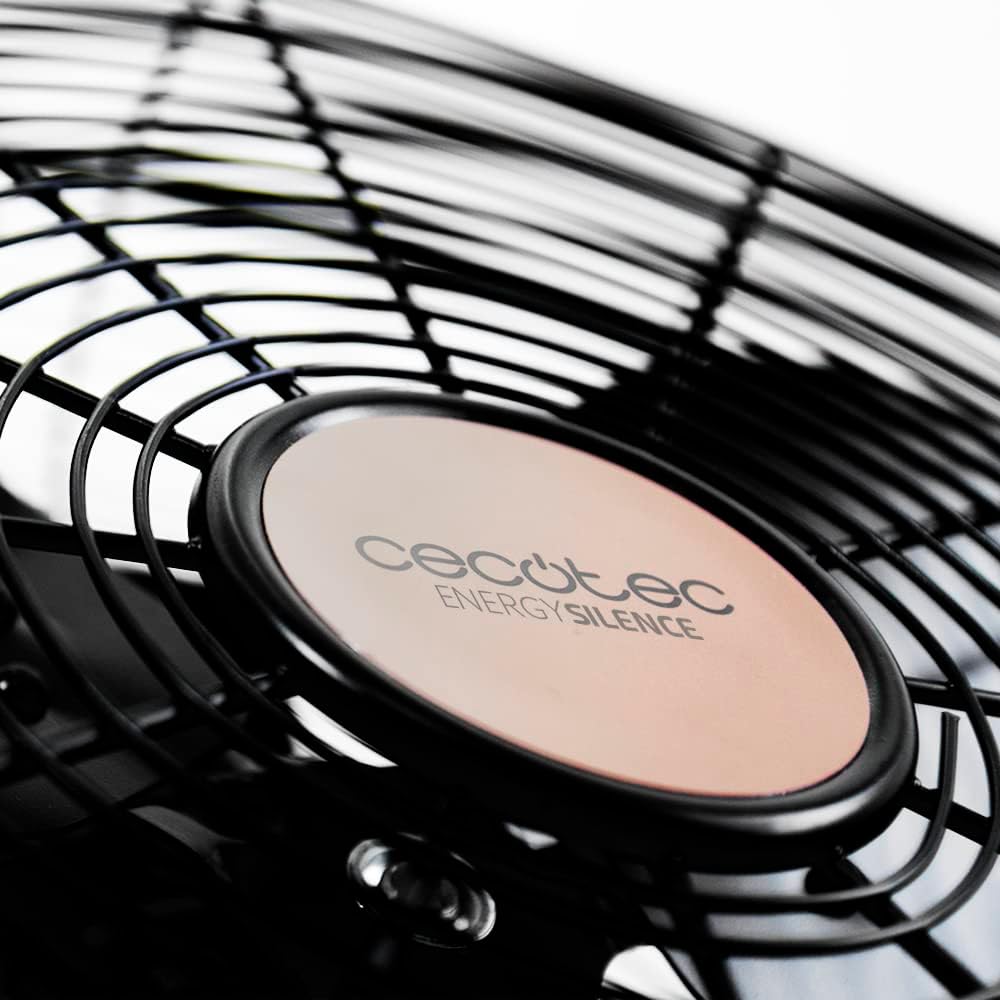
Figure 4: Cecotec EnergySilence logo on the fan hub.
אַ נאָענט-אַרויף view of the fan's central hub, featuring the "Cecotec EnergySilence" branding, highlighting the product's design and brand identity.
סעטאַפּ און אַסעמבלי
The Cecotec EnergySilence 3000 Pro Industrial Fan comes largely pre-assembled. Follow these steps for initial setup:
- אויספּאַקן: Carefully remove the fan from its packaging. Retain packaging materials for future storage or transport.
- אָרט: Place the fan on a flat, stable, and dry surface. Ensure there is adequate space around the fan for proper air circulation and to prevent obstruction of the grilles.
- מאַכט קשר: Plug the power cord into a suitable electrical outlet. Ensure the outlet voltage matches the fan's requirements.
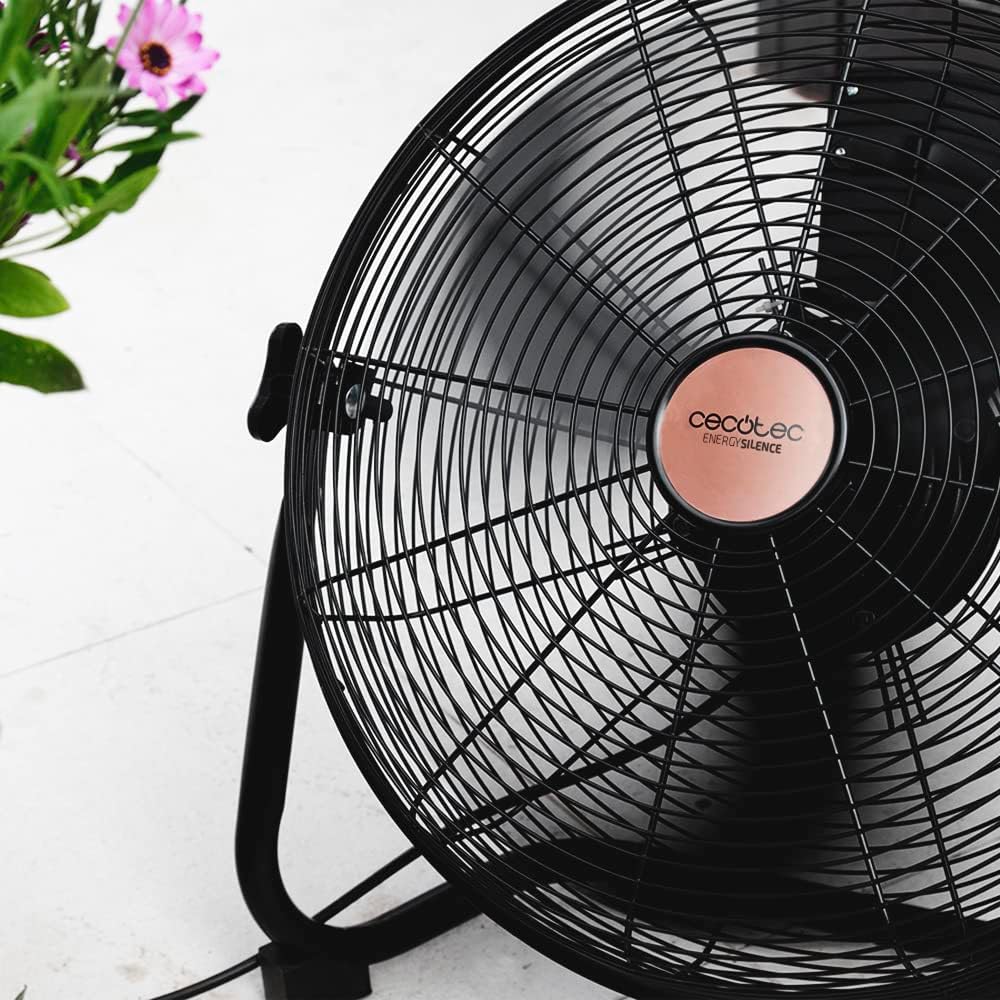
Figure 5: Fan showing its stable base.
דאָס בילד גיט אַ view of the fan from a low angle, emphasizing the sturdy and stable design of its base, which ensures secure placement during operation.
אַפּערייטינג ינסטראַקשאַנז
מאַכט אויף / אַוועק
To turn the fan on, rotate the control dial located on the fan body from the "0" (Off) position to your desired speed setting. To turn the fan off, rotate the dial back to "0".
ספּיד קאָנטראָל
The fan features 3 speed settings:
- V1 (Low): פֿאַר אַ מילדע לופֿט צירקולאַציע.
- V2 (Medium): פֿאַר אַ מיטלמעסיקן לופֿטשטראָם
- V3 (High): פֿאַר מאַקסימאַל לופט צירקולאַציע.
Rotate the control dial to select the appropriate speed for your needs.

Figure 6: Adjusting the fan speed.
This image shows a hand turning the rotary dial on the fan, illustrating how to select between the different speed settings (V1, V2, V3) and the off position (0).
אַדזשאַסטינג טילט
The fan's head can be tilted to direct airflow. Gently push or pull the fan head to adjust its angle. Ensure the fan is stable after adjustment.

Figure 7: Fan on a wooden desk.
The fan is shown on a wooden desk, demonstrating its suitability for various environments, including home offices, and its ability to be placed on elevated surfaces.
וישאַלט און זאָרג
Regular cleaning and proper care will ensure the longevity and optimal performance of your fan.
רייניקונג
- שטענדיק אויסשטעקן דעם ווענטילאַטאָר פֿון דער עלעקטרישער אַוטלעט איידער רייניקונג.
- ניצן אַ ווייך, דamp א שטאָף צו ווישן די אויסערלעכע ייבערפלאַכן פון דעם ווענטילאַטאָר. ניצט נישט קיין שרײַבנדיקע רייניגער אָדער סאָלווענטן.
- For dust accumulation on the grilles or blades, use a vacuum cleaner with a brush attachment or compressed air. Do not attempt to remove the grilles or blades unless specifically instructed by the manufacturer.
- זיכער מאַכן אַז אַלע טיילן זענען גאָר טרוקן איידער איר שטעקט צוריק אריין דעם ווענטילאַטאָר.
סטאָרידזש
ווען נישט אין באַנוץ פֿאַר לענגערע פּעריאָדן, זאָל מען האַלטן דעם ווענטילאַטאָר אין אַ קיל, טרוקן אָרט, בעסער אין זיין אָריגינעלער פּאַקאַדזשינג, צו באַשיצן אים פֿון שטויב און שאָדן.
טראָובלעשאָאָטינג
If you encounter any issues with your Cecotec EnergySilence 3000 Pro Industrial Fan, refer to the table below for common problems and their solutions.
| פּראָבלעם | מעגלעך סיבה | לייזונג |
|---|---|---|
| דער ווענטילאַטאָר צינדט זיך נישט אָן. | Not plugged in; Power outlet not working; Speed dial set to "0". | Ensure fan is securely plugged in; Test outlet with another device; Rotate speed dial to V1, V2, or V3. |
| שוואַך לופט לויפן. | Fan speed too low; Grilles or blades are dirty. | Increase fan speed; Clean grilles and blades as per maintenance instructions. |
| ומגעוויינטלעך ראַש. | Fan not on a stable surface; Obstruction in blades/grille. | Place fan on a firm, level surface; Unplug and check for obstructions, remove if safe. |
| דער ווענטילאַטאָר שטעלט זיך אָפּ אומגעריכט. | Overheating (ThermoSafe system activated); Power interruption. | Unplug and let cool down for 30 minutes; Check power supply. |
טעכניש ספּעסאַפאַקיישאַנז
| שטריך | באַשרייַבונג |
|---|---|
| מאָדעל | EnergySilence 3000 Pro (05933) |
| מאַכט | 90 וו |
| בלייד דיאַמעטער | 40 סענטימעטער / 16 אינטשעס |
| נומער פון בלאַדעס | 3 (Metal) |
| מאָטאָר טיפּ | 100% Copper Engine |
| גיכקייַט סעטטינגס | 3 (נידעריק, מיטל, הויך) |
| פּראָדוקט דימענשאַנז | 47.3 X 19.5 X 47.5 סענטימעטער |
| פּראָדוקט וואָג | 1 קילאָ |
| ענדיקן | מעטאַלליק |
| ראַש מדרגה | 1 דב |
וואָראַנטי און שטיצן
Your Cecotec EnergySilence 3000 Pro Industrial Fan comes with a manufacturer's warranty. Please refer to the warranty card included in your product packaging for specific terms and conditions.
פֿאַר טעכנישע שטיצע, רעזערוו טיילן, אָדער וואָראַנטי קליימז, ביטע קאָנטאַקטירן Cecotec קונה סערוויס דורך זייער באַאַמטער webזייטל אדער די קאָנטאַקט אינפֿאָרמאַציע וואָס איז צוגעשטעלט אין אייער פּראָדוקט דאָקומענטאַציע.
You can also visit the official Cecotec store on Amazon for more information: Cecotec Amazon Store.
Ask a question about this manual
Ask about setup, troubleshooting, compatibility, parts, safety, or missing instructions. Manuals+ will review the question and use this page’s manual context to help answer it.