
וויכטיק סאַפעטי אינסטרוקציעס
ביטע ליינט און פארשטייט אלע זיכערהייט אינסטרוקציעס איידער איר ניצט דעם פראדוקט. נישט נאכפאלגן די אינסטרוקציעס קען רעזולטירן אין עלעקטרישע שאק, פייער, אדער ערנסטע שאדן.
- בלויז דרינענדיק נוצן: די טשאַרדזשער איז דיזיינד פֿאַר נוצן אינעווייניק. שטעלט עס נישט אויס צו רעגן, נעץ, אדער עקסטרעמע טעמפּעראַטורן.
- האַלטן טרוקן: Ensure the charger and your hands are dry before plugging in or unplugging.
- געהעריק ווענטאַליישאַן: Do not cover the charger during operation. Ensure adequate ventilation to prevent overheating.
- דיסקאַנעקט ווען ניט אין נוצן: Always unplug the charger from the power outlet when not in use or before cleaning.
- ויסמיידן שעדיקן: Do not use the charger if the cord, plug, or casing is damaged. Contact customer support for assistance.
- ריכטיק Voltage: Only connect the charger to a power outlet with the specified voltagE קייט (100-240 וו אַק).
- קינד זיכערקייַט: האַלטן די טשאַרדזשער אויס פון דערגרייכן פון קינדער.
- בדעה באנוץ: Use this charger only for its intended purpose, which is charging compatible Li-ion batteries requiring 25.2V 1A output.
פּראָדוקט איבערview
קאַמפּאָונאַנץ
- Charger Unit with US Plug
- Integrated Output Cable with DC Connector

Image: The Dilwe Li-ion Battery Charger, showing its compact black casing, integrated US plug, and output cable with a DC connector.
שליסל פֿעיִקייטן
- דוראַבאַל קאַנסטראַקשאַן: Made with PC high-temperature fireproof shell material for enhanced safety.
- ינטעליגענט שוץ: Features intelligent overvoltage, overload, and short circuit protection to prevent damage to the battery and charger.
- Wide Input Voltage: Operates stably with an input voltage range of 100-240V AC (50/60Hz), suitable for various regions.
- רעזולטאַט: Provides a stable 25.2V 1A output for efficient charging.
- ינדיקאַטאָר ליכט: Equipped with an indicator light to show charging status.

Image: The charger unit with a background suggesting intelligent protection, emphasizing its safety features.
סעטאַפּ
Follow these steps to set up your Dilwe Li-ion Battery Charger:
- דורכקוקן די טשאַרדזשער: Before each use, visually inspect the charger, cable, and plug for any signs of damage. Do not use if damaged.
- פאַרבינדן צו מיטל: Plug the DC output connector of the charger into the charging port of your compatible Li-ion battery device. Ensure a secure connection.
- פאַרבינדן צו מאַכט: Insert the US plug of the charger into a standard 100-240V AC wall outlet.
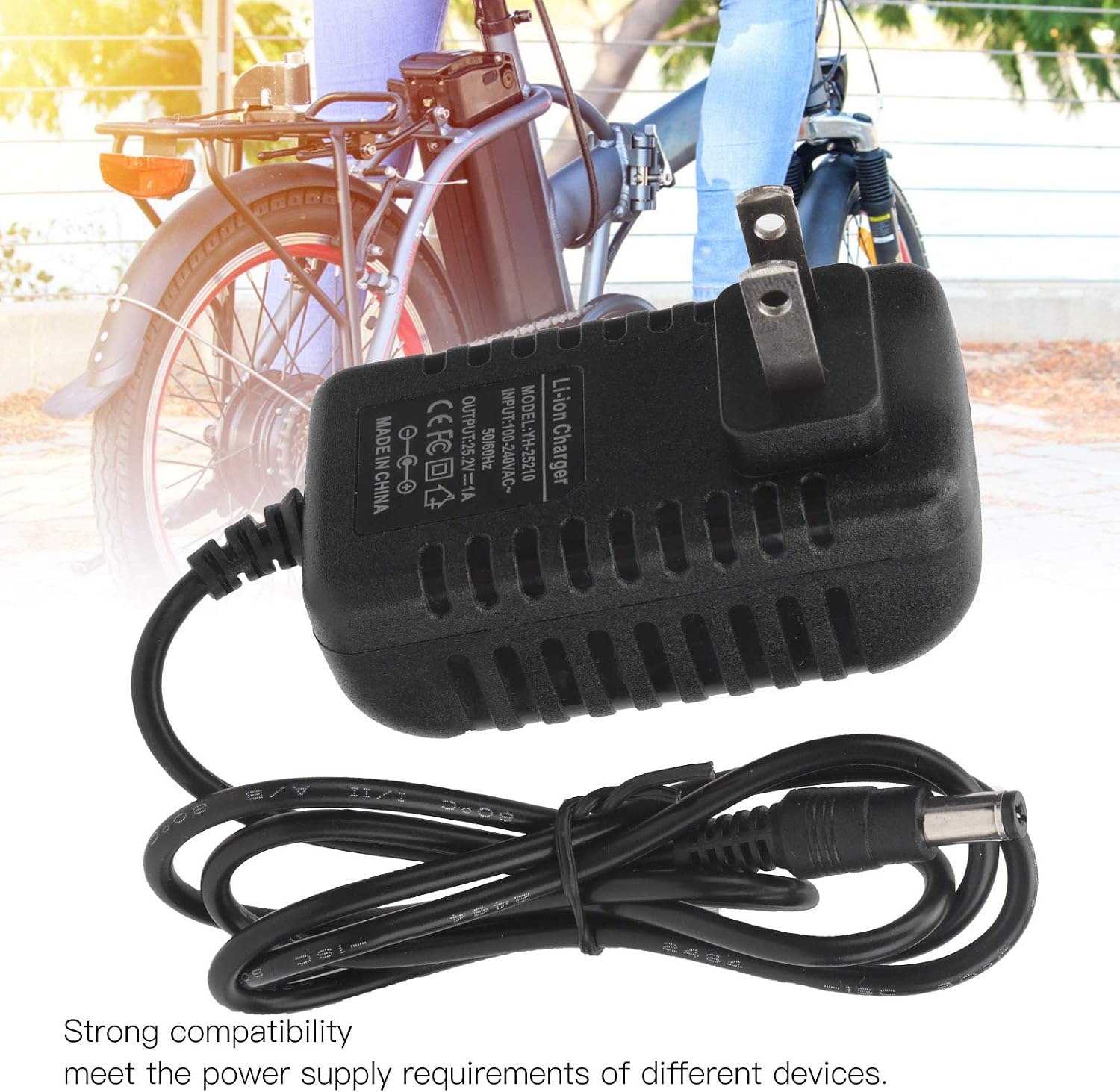
Image: The charger with its DC connector plugged into a device, illustrating the connection process.
אַפּערייטינג ינסטראַקשאַנז
Once properly connected, the charger will begin the charging process. Observe the indicator light for status:
- טשאַרדזשינג ינדיקאַטאָר: The indicator light will illuminate (typically red) to show that the battery is currently charging.
- פולע אָפּצאָל אינדיקאַטאָר: The indicator light will change color (typically green) when the battery is fully charged.
Once the battery is fully charged, disconnect the charger from the power outlet first, then disconnect it from your device.
וישאַלט
געהעריקע אויפהאלטונג גאראנטירט די לאנגעוויטי און זיכערע אפעראציע פון אייער טשאַרדזשער.
- רייניקונג: Disconnect the charger from all power sources before cleaning. Use a soft, dry cloth to wipe the exterior. Do not use liquid cleaners or solvents.
- סטאָרידזש: Store the charger in a cool, dry place away from direct sunlight and moisture when not in use. Avoid wrapping the cable too tightly.
- רעגולער דורכקוק: Periodically check the charger, cable, and connectors for any signs of wear, cuts, or damage.
טראָובלעשאָאָטינג
If you encounter issues with your charger, refer to the following table:
| פּראָבלעם | מעגלעך סיבה | לייזונג |
|---|---|---|
| Charger indicator light does not turn on. | No power from outlet; charger not properly plugged in; damaged charger. | Check power outlet with another device; ensure charger is fully plugged in; inspect charger for damage. |
| די באַטאַרייע איז נישט טשאַרדזשינג. | Incorrect connection to device; device battery issue; charger malfunction. | Ensure DC connector is securely plugged into the device; verify device battery is compatible and functional; try another compatible charger if available. |
| דער טשאַרדזשער פילט זיך צו הייס. | Poor ventilation; overloaded circuit; internal fault. | Ensure charger has adequate airflow; unplug immediately and discontinue use if overheating persists. Contact support. |
ספּעסאַפאַקיישאַנז
| מאָדעל | YH-25210 |
| אַרייַנשרייַב | 100-240 וו אַק, 50/60 הז |
| רעזולטאַט | 25.2 וו 1 אַ |
| מאַטעריאַל | PC High Temperature Fireproof Shell |
| צאַפּן טיפּ | יו. עס. צאַפּן |
| פּראָדוקט דימענשאַנז | 0.39 X 0.39 X 0.39 אינטשעס (1 X 1 X 1 סענטימעטער) |
| פּונקט וואָג | בעערעך 3.2 אונסעס (90.7 גראַמז) |
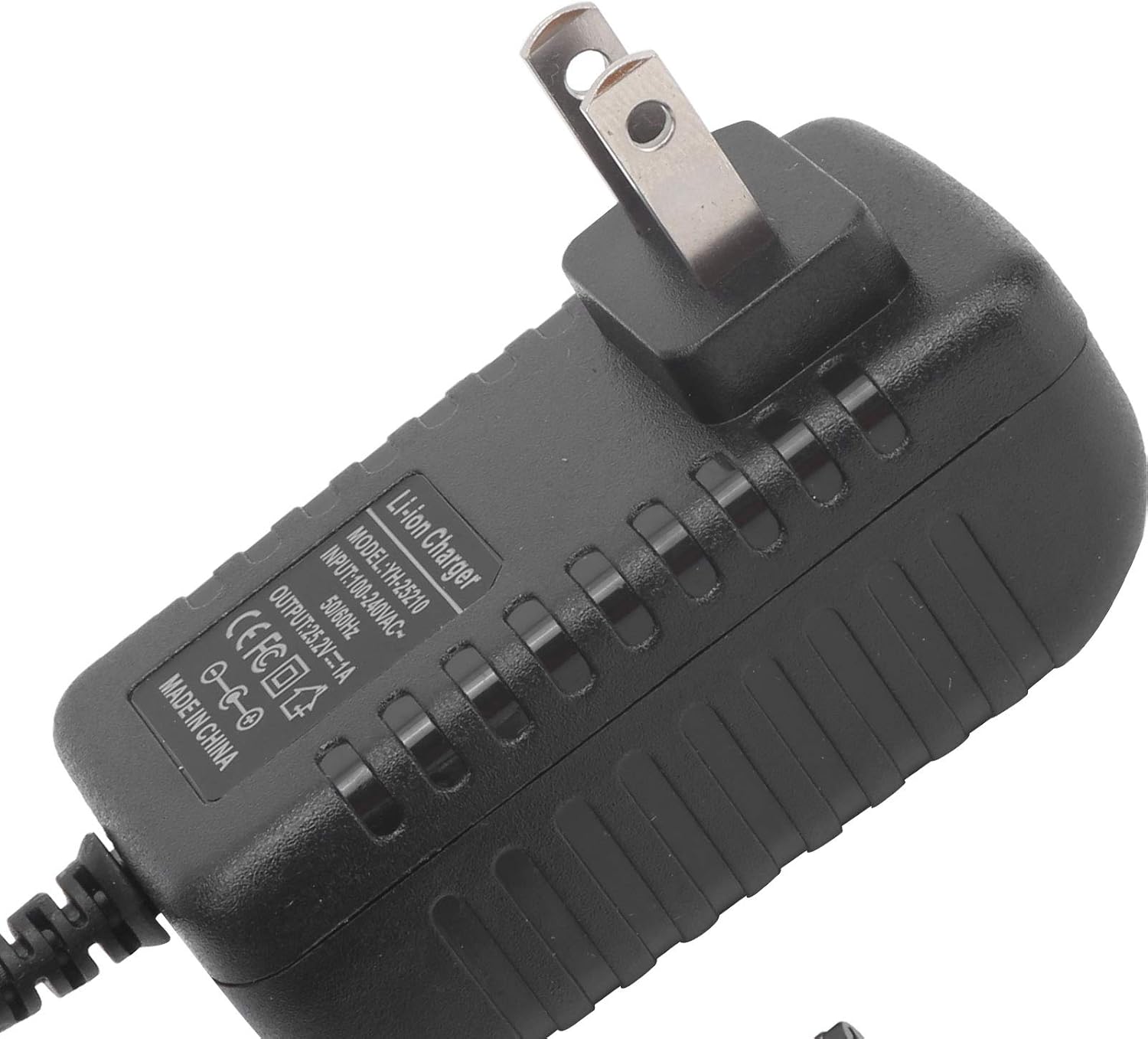
בילד: א נאָענטע בילד view of the charger's label, detailing its model number (YH-25210), input voltage, and output specifications.
וואָראַנטי און שטיצן
For warranty information or technical support, please refer to the documentation provided with your purchase or contact Dilwe customer service directly. Keep your purchase receipt as proof of purchase.
For further assistance, you may visit the official Dilwe store or contact their support channels.