
GAN 356 i Carry 2
GAN 356 i Carry 2 Smart Speed Cube User Manual
Brand: GAN | Model: 356 i Carry 2
1. הקדמה
The GAN 356 i Carry 2 is a smart 3x3 speed cube designed to enhance your cubing experience. It features magnetic positioning, intelligent movement tracking, and connects seamlessly with the CubeStation app for interactive learning, online competition, and performance analysis. This manual provides essential instructions for setting up, operating, and maintaining your GAN 356 i Carry 2 Smart Speed Cube.

Image 1.1: The GAN 356 i Carry 2 Smart Speed Cube connected to the CubeStation app.
2. וואָס איז אין דער קעסטל
באַשטעטיקט אַז אַלע די פאלגענדע זאכן זענען אַרייַנגערעכנט אין דיין פּראָדוקט פּאַקאַדזשינג:
- GAN 356 i Carry 2 Smart Cube
- Identity Card
- AI Tutorial Card
- באַניצער מאַנואַל (דעם דאָקומענט)
- GAN Box
- סטאָרידזש באַג
- אַדזשאַסטמאַנט טול
- Beginner & CFOP Tutorial

Image 2.1: Packaging and included accessories for the GAN 356 i Carry 2.
3. סעטאַפּ
3.1 באַטאַרייע ייַנמאָנטירונג
The GAN 356 i Carry 2 cube comes with a pre-installed Lithium Metal button cell battery. If replacement is needed, please refer to the 'Maintenance' section of this manual.
3.2 אַפּ אראפקאפיע
אָפּלאָדירן די באַאַמטער CubeStation app from your device's app store:
- For Android devices: Search 'CubeStation' on Google פּלייַ סטאָר.
- For iOS devices: Search 'CubeStation' on עפּל אַפּ סטאָר.
3.3 Pairing Your Cube
- זיכער מאַכן אַז בלועטוט איז ענייבאַלד אויף דיין סמאַרטפאָון אָדער טאַבלעט.
- Open the CubeStation app.
- The cube will automatically activate when moved. Follow the on-screen instructions within the app to detect and pair your GAN 356 i Carry 2 cube.
- If prompted, create an account to access all app features.

Image 3.1: The GAN 356 i Carry 2's smart chip and connectivity with the CubeStation app.
4. אַפּערייטינג ינסטרוקטיאָנס
4.1 Basic Cube Operation
The GAN 356 i Carry 2 functions as a high-performance speed cube, offering smooth turns and precise magnetic feedback. Practice various algorithms and solving methods as you would with any standard speed cube.
4.2 CubeStation App Features
The CubeStation app unlocks the full potential of your smart cube:
- פאַקטיש-צייט טראַקינג: The app tracks your cube's movements, providing detailed data on turns per second (TPS), move counts, and solve times for performance analysis.
- טוטאָריאַלז: Access animated video guides, step-by-step instructions, and AI-escorted solving assistance to learn various algorithms and solving methods (e.g., CFOP).
- Online Competition: Participate in real-time battles, leagues, tournaments, and global leaderboards with other cubers worldwide.
- פּראַקטיק מאָדעס: Utilize various practice modes to improve specific aspects of your cubing, such as F2L, OLL, and PLL.

Image 4.1: AI Tutorial features within the CubeStation app.
4.3 Tension Adjustment
The GAN 356 i Carry 2 features 12 levels of customizable tension. Use the included adjustment tool to modify the tension to your preference. This allows you to fine-tune the cube's feel for optimal speed and stability.
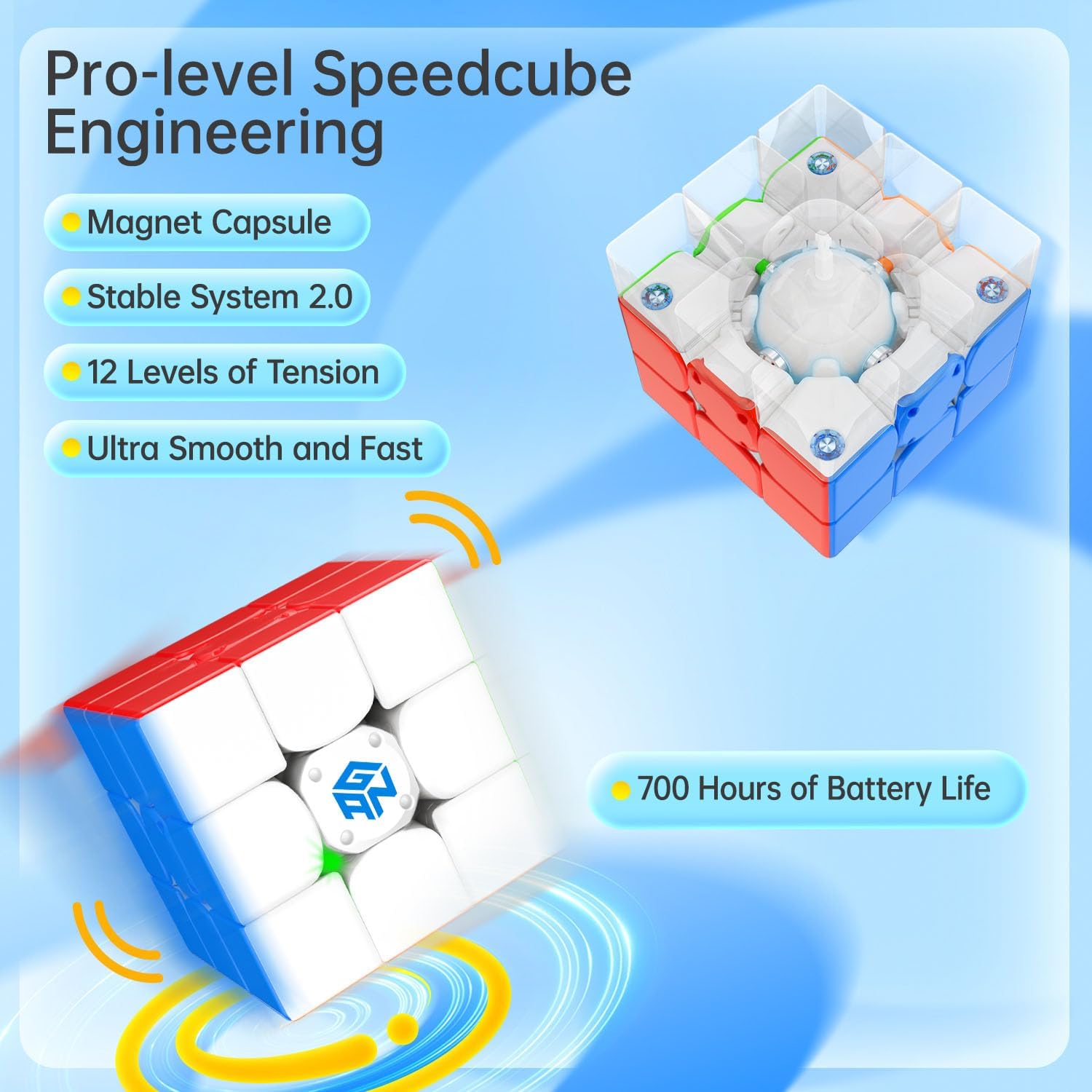
Image 4.2: Internal engineering highlighting tension adjustment and magnetic system.
5. וישאַלט
5.1 באַטערי פאַרבייַט
The GAN 356 i Carry 2 uses a replaceable button cell battery (Lithium Metal, type CR1632). The battery life is approximately 700 hours.
- Locate the battery compartment on the cube.
- Carefully open the compartment using a small screwdriver or the edge of the adjustment tool.
- אַראָפּנעמען די אַלט באַטאַרייע.
- אַרײַנשטעלן אַ נײַע CR1632 באַטעריע, און זיכער מאַכן אַז די פּאָלאַריטעט איז ריכטיק (+ זײַט אַרויף).
- פאַרמאַכן די אָפּטייל סיקיורלי.
5.2 רייניקונג
Wipe the cube with a soft, dry cloth to remove dust and fingerprints. Avoid using harsh chemicals, solvents, or abrasive materials, as these can damage the cube's surface and internal components.
6. טראָובלעשאָאָטינג
If you encounter issues with your GAN 356 i Carry 2, refer to the following common solutions:
- קאַנעקטיוויטי ישוז:
- Ensure Bluetooth is active on your smartphone or tablet.
- Make sure the CubeStation app is updated to the latest version.
- Restart the CubeStation app and your device.
- Check if the cube's battery needs replacement.
- אַפּ פאַנגקשאַנאַליטי:
- If the app crashes or experiences errors, try clearing the app cache or reinstalling the app.
- Ensure a stable internet connection for online features and updates.
- Cube Performance:
- If the cube feels too loose or too tight, adjust the tension using the provided tool.
- If movements are not tracking correctly, ensure the cube is clean and free from debris.
7. ספּעסאַפאַקיישאַנז
| פּראָדוקט דימענשאַנז | 2.2 X 2.2 X 0.1 אינטשעס |
| פּונקט וואָג | 7.8 אונסעס |
| מאָדעל נומער | 356 i Carry 2 |
| באַטערי טיפּ | 1 Lithium Metal battery (CR1632), included and replaceable |
| באַטערי לעבן | בעערעך 700 שעה |
| קאַנעקטיוויטי | בלועטאָאָטה |
| רעקאַמענדיד עלטער | 6 יאר און העכער |
| פאַבריקאַנט | GAN |
8. זיכערקייַט אינפֿאָרמאַציע
ווארענונג:
- Not suitable for children under 72 months (6 years) due to small parts which may present a choking hazard.
- This product contains small magnets. Ingested magnets can stick across intestines causing serious injury. Seek immediate medical attention if magnets are swallowed.
9. וואָראַנטי און שטיצן
For detailed warranty information, product support, or to contact customer service, please visit the official GAN website or reach out through the CubeStation app. Please retain your purchase receipt as proof of purchase for any warranty claims.
Official GAN Store: GAN Store on Amazon
Ask a question about this manual
Ask about setup, troubleshooting, compatibility, parts, safety, or missing instructions. Manuals+ will review the question and use this page’s manual context to help answer it.