
1. פּראָדוקט איבערview
The TEKMAGIC W60-OUS-WT is a robust digital watch designed for various activities, including swimming, snorkeling, and scuba diving, with a water resistance rating of 10 ATM (up to 100 meters). It features a clear digital display and multiple functions to assist with daily timekeeping and sports activities.
Key features include precise time, date, and day display, a chronograph (stopwatch), countdown timer, dual time zone functionality, alarm clock, hourly chime, and an electro luminescent backlight for visibility in low light conditions. The watch is also shock resistant and comes with a comfortable TPU band.

בילד 1.1: פראָנט view of the TEKMAGIC W60-OUS-WT digital watch, showcasing its robust design and digital display with water splashes, indicating its water-resistant nature.
2. קנעפּל פאַנגקשאַנז
Familiarize yourself with the watch buttons to operate its various functions:
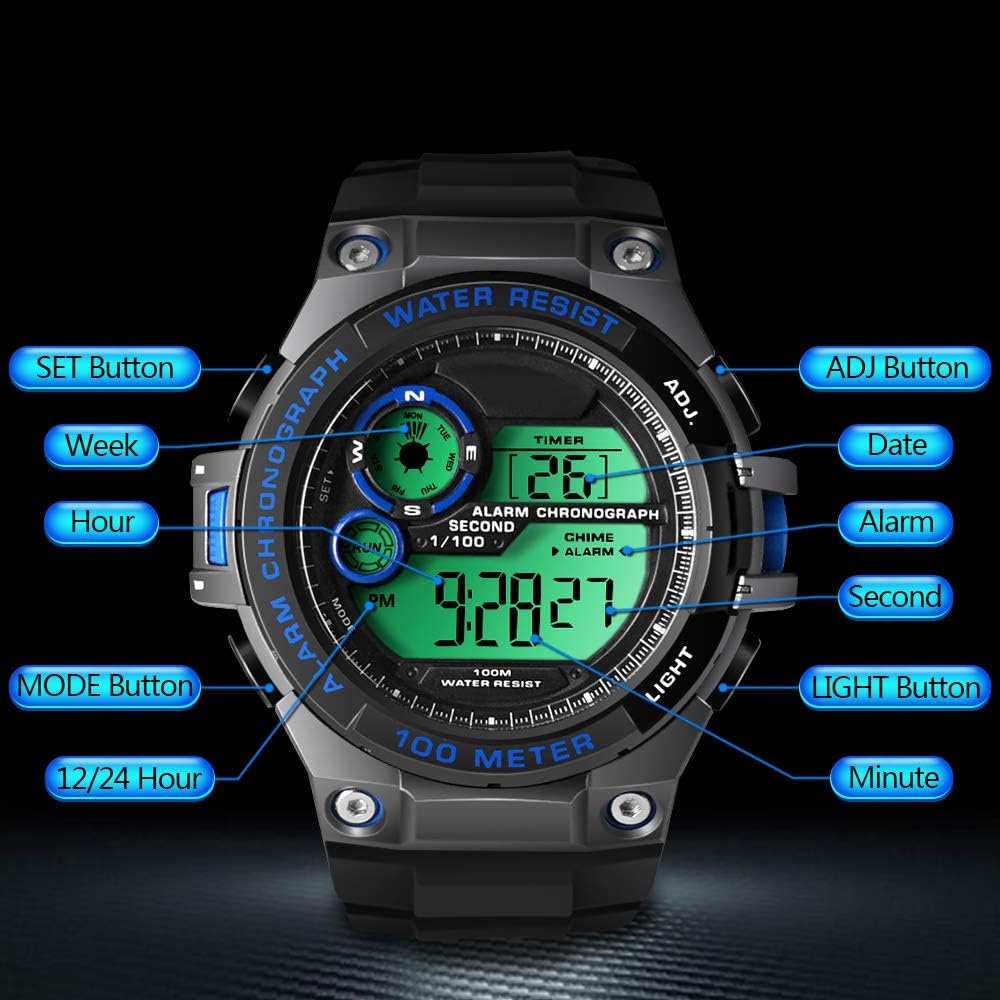
Image 2.1: Diagram illustrating the button layout and their respective functions on the TEKMAGIC W60-OUS-WT watch. Buttons include SET, MODE, 12/24 Hour, ADJ, Date, Alarm, Second, Light, and Minute.
- SET קנעפּל: Used to enter setting modes and confirm selections.
- ADJ קנעפּל: געניצט צו סטרויערן ווערטן בעת סעטטינג מאָדעס.
- מאָדע קנעפּל: Cycles through different operational modes (Time, Chronograph, Countdown, Alarm, Dual Time).
- LIGHT קנעפּל: Activates the electro luminescent backlight.
- 12/24 Hour Button: Toggles between 12-hour and 24-hour time formats.
3. ערשט סעטאַפּ
3.1 באַשטעטיקן צייט און דאַטע
- אין צייט-מעכטן מאָדע, דריק און האַלט די שטעלן button until the seconds begin to flash. This indicates you are in setting mode.
- דרוק די מאָדע button to cycle through the setting options: Seconds → Hours → Minutes → Year → Month → Day.
- ניצן די ADJ button to increase the flashing value. For seconds, pressing ADJ will reset them to 00.
- אַמאָל אַלע סעטטינגס זענען אַדזשאַסטיד, דריקן די שטעלן קנעפּל ווידער צו אַרויסגאַנג די באַשטעטיקן מאָדע.
3.2 12/24 שעה פֿאָרמאַט
אין צייט-מעכטן מאָדע, דריק די 12/24 שעה קנעפּל צו טוישן צווישן 12-שעה (מיט AM/PM אינדיקאַטאָר) און 24-שעה פֿאָרמאַטן.
4. אפערירנדיקע פונקציעס
4.1 צייט-מעכטן מאָדע
This is the default mode, displaying the current time (hour, minute, second), date, and day of the week.
4.2 כראָנאָגראַף (סטאָפּוואַטש) מאָדע
צו ניצן די סטאָפּוואַטש פונקציע:
- דרוק די מאָדע button repeatedly until 'CHRONO' or 'STW' appears on the display.
- דרוק די ADJ קנעפּל צו אָנהייבן די סטאָפּוואַטש.
- דרוק די ADJ button again to pause/resume.
- To reset the stopwatch, ensure it is paused, then press the שטעלן קנעפּל.

Image 4.1: The TEKMAGIC watch displaying the stopwatch function, with a runner in the background, illustrating its use for timing sports activities.
4.3 קאַונטדאַון טייַמער מאָדע
To set and use the countdown timer:
- דרוק די מאָדע button repeatedly until 'TIMER' or 'CD' appears.
- דריקן און האַלטן די שטעלן קנעפּל ביז די שעה אָנהייבן צו בליץ.
- ניצן די מאָדע button to select hours, minutes, or seconds, and the ADJ קנעפּל צו סטרויערן די וואַלועס.
- דרוק שטעלן צו באַשטעטיקן די צייל-אויס צייט.
- דרוק ADJ to start or pause the countdown.
- ווען דער צייל-אפ דערגרייכט נול, וועט אן אלארם קלינגען.
4.4 Alarm Clock and Hourly טשימע
צו שטעלן די שרעק:
- דרוק די מאָדע דריקט דעם קנעפּל עטלעכע מאָל ביז 'ALARM' דערשיינט.
- דריקן און האַלטן די שטעלן קנעפּל ביז די שעה ציפערן בליצן.
- ניצן די ADJ קנעפּל צו שטעלן די שעה, און דריקן מאָדע to select minutes and use ADJ to set them.
- דרוק שטעלן צו באַשטעטיקן די אַלאַרם צייט.
- דרוק די ADJ button in Alarm Mode to toggle the alarm ON/OFF. An alarm icon will appear when activated.
צו אַקטיווירן/דעאַקטיווירן די האָurly קלאַנג, דריק די שטעלן button in Alarm Mode. A chime icon will appear when activated.

Image 4.2: The TEKMAGIC watch displaying its alarm and calendar functions, with visual cues for waking up and checking dates.
4.5 צווייפֿאַכיגע צייט־זאָנע
The watch allows you to set a second time zone:
- דרוק די מאָדע button repeatedly until 'DUAL TIME' or 'DT' appears.
- דריקן און האַלטן די שטעלן קנעפּל ביז די שעה ציפערן בליצן.
- ניצן די ADJ קנעפּל צו שטעלן די שעה, און דריקן מאָדע to select minutes and use ADJ to set them.
- דרוק שטעלן to confirm the dual time zone setting.
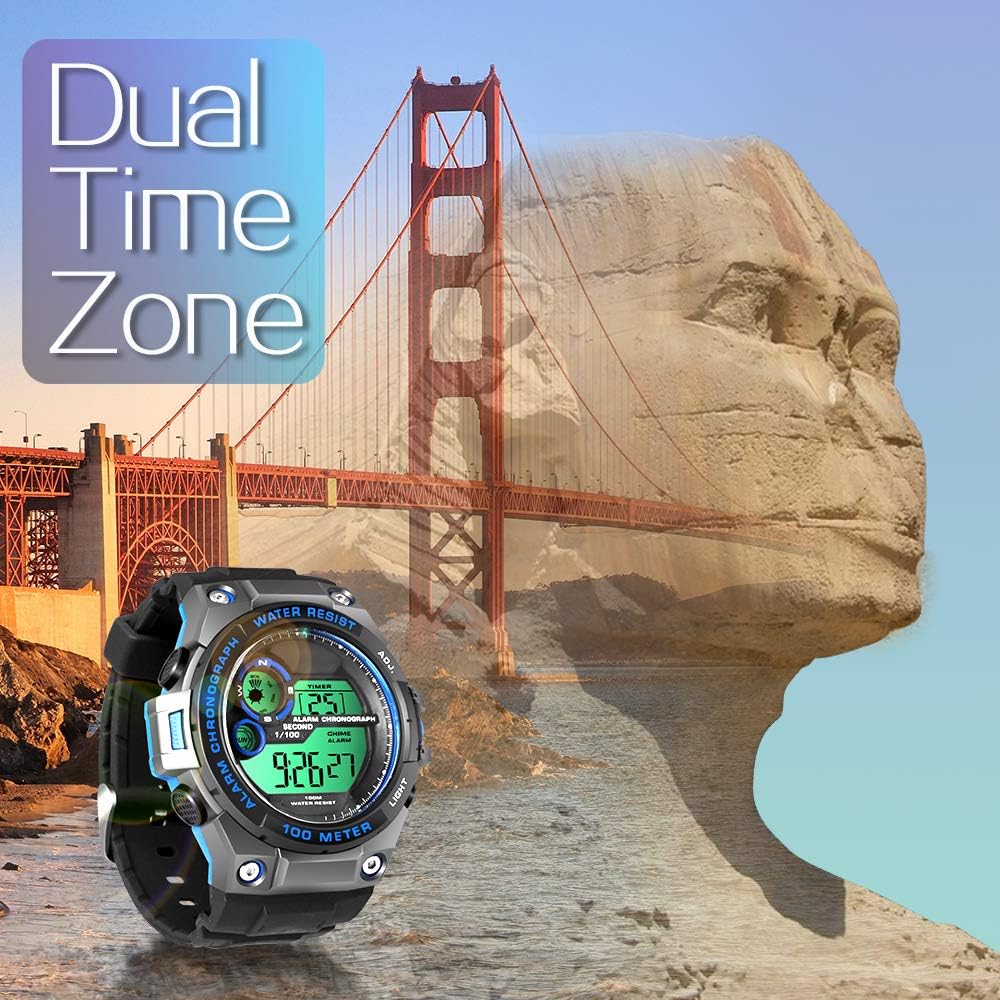
Image 4.3: The TEKMAGIC watch displaying its dual time zone feature, superimposed over an image of a bridge and a rock formation, suggesting travel and global timekeeping.
4.6 באַקלייט
דרוק די ליכט button to illuminate the display for a few seconds, enhancing visibility in dark environments.

Image 4.4: The TEKMAGIC watch with its backlight activated, shown in a dimly lit setting, highlighting its visibility feature.
4.7 Water Resistance (100m / 10 ATM)
This watch is designed to withstand water pressure up to 100 meters (10 ATM), making it suitable for swimming, snorkeling, and recreational scuba diving. It is important to note the following:
- דו זאלסט נישט אַרבעטן די קנעפּלעך אונטער וואַסער. Operating buttons while submerged can compromise the watch's water resistance.
- Avoid exposing the watch to hot water, steam, or extreme temperature changes, as this can damage the seals.
- Rinse the watch with fresh water after exposure to saltwater to prevent corrosion.

Image 4.5: The TEKMAGIC watch displayed in an underwater scuba diving scene, emphasizing its suitability for deep-water activities.
Video 4.1: A demonstration of the TEKMAGIC watch being submerged in water, showcasing its water resistance capabilities. The watch remains functional and readable while wet.
5. וישאַלט
5.1 רייניקונג
ווישט די זייגער רעגולער מיט א ווייכן, טרוקענעם שטאָףamp cloth. For stubborn dirt, use a mild soap solution and rinse thoroughly with fresh water. Ensure the watch is completely dry before storage.
5.2 באַטערי פאַרבייַט
The watch uses a CR2025 battery, which typically lasts 1.5 to 2 years. When the display becomes dim or functions become erratic, it may be time to replace the battery. Battery replacement should ideally be performed by a qualified watch technician to ensure proper sealing and maintain water resistance.
5.3 סטאָרידזש
Store the watch in a cool, dry place away from direct sunlight and extreme temperatures. Avoid exposing it to strong magnetic fields.
6. טראָובלעשאָאָטינג
- דיספּליי איז ליידיק אָדער טונקל: Check the battery. If the battery is low, replace it.
- די קנעפּלעך זענען נישט ריספּאַנדינג: Ensure the watch is not in a locked mode (if applicable, though this model does not specify one). Try a soft reset by allowing the battery to drain completely and then replacing it, or consult a technician.
- וואַסער אינעווייניק פון דער זייגער: Immediately take the watch to a professional for inspection and repair to prevent further damage. Do not attempt to dry it yourself.
- אומרעכטע צייט/דאטום: Re-enter the time and date settings as described in Section 3.1.
7. ספּעסאַפאַקיישאַנז

Image 7.1: Visual representation of the TEKMAGIC watch's dimensions, including case diameter (55mm), case thickness (18mm), band width (22mm), total length (258mm), and wrist circumference range (160mm-215mm).
| שטריך | באַשרייַבונג |
|---|---|
| מאָדעל נומער | W60-OUS-WT |
| וואַסער קעגנשטעל טיפקייט | 100 מעטער (10 באַנקאָמאַט) |
| באַוועגונג | דיגיטאַל |
| צייט אַקקוראַסי | ± 30 סעקונדעס פּער חודש |
| באַטאַרייע קאָד | CR2025 |
| אַפּערייטינג באַטאַרייע לעבן | 1.5 צו 2 יאָר |
| רעדל פֿענצטער מאַטעריאַל | High Transparency Resin |
| זייגער קעסטל מאַטעריאַל | אַבס פּלאַסטיק |
| רעדל קאָליר | Black + Gray + Blue |
| קאַסע דיאַמעטער | 55 מם |
| קאַסע גרעב | 18 מם |
| Watchband Material | TPU Band |
| באַנד קאָליר | שוואַרץ |
| קלעפּיק טיפּ | שפּילקע באַקל |
| באַנד ברייט | 22 מם |
| Maximum Wrist Circumference | 215 מם |
| Minimum Wrist Circumference | 160 מם |
| פּראָדוקט וואָג | 62ג |
8. וואָראַנטי און שטיצן
For warranty information, technical support, or service inquiries, please refer to the documentation included with your purchase or contact TEKMAGIC customer service directly. Keep your proof of purchase for warranty claims.