
הקדמה
This manual provides comprehensive instructions for the setup, operation, and maintenance of your AlkiVision C1 Wireless Rechargeable Battery Powered 1080P WiFi Home Surveillance Camera. Designed for outdoor use, this camera features waterproof construction, night vision, motion detection, and two-way audio for enhanced home security.

Figure 1: AlkiVision C1 Wireless Security Camera
The AlkiVision C1 camera is a compact, white, bullet-style security camera with a black front housing the lens and sensors. It is designed for easy outdoor installation.
וואָס איז אַרייַנגערעכנט
Upon unboxing your AlkiVision C1 camera, please verify that all components are present:
- AlkiVision C1 Battery IP Camera
- דרויסנדיק וואנט בארג
- וסב קאַבלע (פֿאַר טשאַרדזשינג)
- Screws Set (for mounting)
- Quick User Guide (this manual)
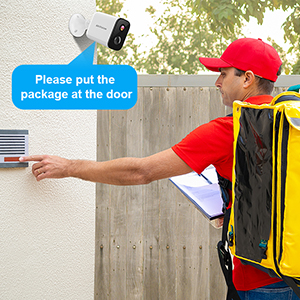
Figure 2: Contents of the AlkiVision C1 package, including the camera, wall mount, USB cable, screws, and quick user guide.
סעטאַפּ
1. ערשטע אויפלאָדונג
Before first use, fully charge the camera using the provided USB cable and a DC5V 1A/2A power adapter (not included). Full charge typically takes about 5-6 hours.

Figure 3: The camera features a rechargeable battery designed for extended use.
2. אַפּ ינסטאַללאַטיאָן
Download the "Adorcam" app from your mobile device's app store (available for Android). זוכן פֿאַר "Adorcam" or scan the QR code provided in the quick user guide.
3. אַפּאַראַט פּערינג
- Ensure your camera's indicator light is flashing red, indicating it's awaiting Wi-Fi setup. If not, short press the power button twice to reset.
- Open the Adorcam app and select "Add Device" for a battery camera.
- Select your 2.4GHz Wi-Fi network (5GHz networks are not supported) and enter the correct password.
- Remove any protective film from the camera lens.
- The app will generate a QR code. Aim the camera lens directly at the QR code on your phone screen from a distance of 5-8 inches.
- A tone will be heard from the camera when successfully scanned, indicating successful pairing.

Figure 4: The camera setup process involves scanning a QR code from the Adorcam app on your smartphone.
אַפּערייטינג ינסטראַקשאַנז
לעבן View
Access real-time video streaming from your camera through the Adorcam app. This allows you to monitor your property from anywhere with an internet connection.
באַוועגונג דעטעקשאַן & אַלערץ
The camera is equipped with PIR smart detection to identify unusual motion. When motion is detected, the camera will send instant alerts to your smartphone, allowing you to respond quickly to potential security threats.

Figure 5: The camera's motion detection feature sends real-time alerts to your phone, showing detected activity.
צוויי-וועג אַודיאָ
Utilize the built-in microphone and speaker for real-time, two-way audio communication. This feature allows you to speak to visitors or deter intruders directly through the camera.
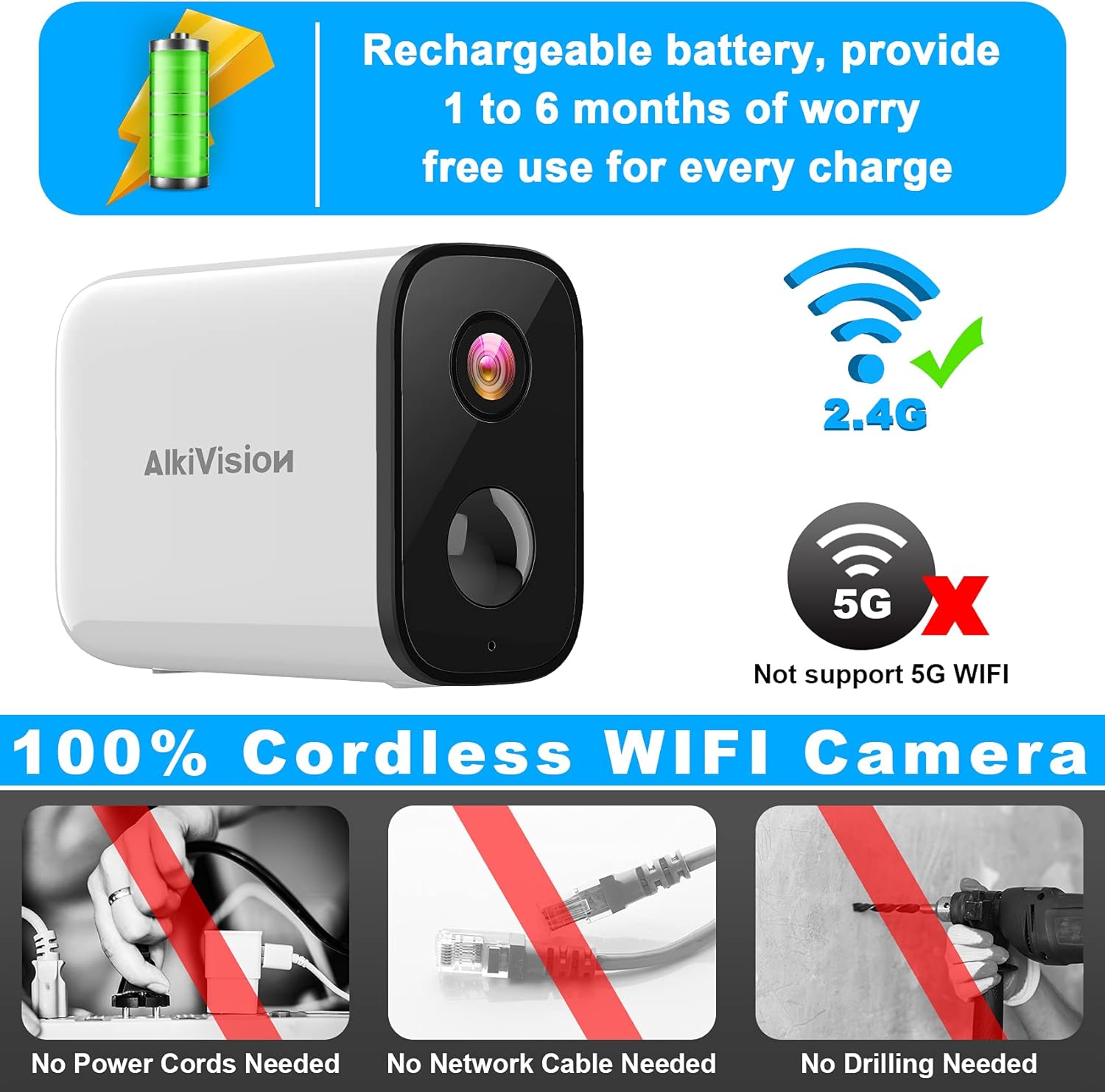
Figure 6: The camera supports two-way audio, enabling communication with individuals near the camera.
נאַכט זעאונג
The AlkiVision C1 provides clear surveillance even in low-light conditions or complete darkness, with a night vision range of up to 32 feet.

Figure 7: Visual comparison of video quality in 720P, 1080P, and the camera's night vision mode.
סד קאָרט סטאָרידזש
The camera supports local storage via an SD card (not included) for recording and saving footage. This allows for continuous recording or event-triggered recordings without a subscription.
ייַנמאָנטירונג און מאַונטינג
The AlkiVision C1 camera is designed for easy, wire-free installation, requiring no power cords, network cables, or drilling (for certain mounting options).

Figure 8: The camera is IP65 weatherproof, ensuring reliable operation in various weather conditions.
מאָונטינג עצות:
- Use the outdoor mount if you intend to place the camera outdoors.
- Before final installation, take your camera and phone to the desired mounting location. Use the app to check the Wi-Fi signal strength; ensure it is "Great" for optimal performance.
- Mount the camera 7-10 feet high for a wide field of view and effective motion detection.
- Avoid placing the camera under direct sunlight to prevent glare and overheating.
- Avoid placing the camera lens near walls or glass to prevent reflections into the IR LED, which can affect night vision clarity.
וישאַלט
באַטאַרייע לעבן & טשאַרדזשינג
The camera's rechargeable battery provides 1 to 6 months of use per charge, depending on activity and settings. When the battery is low, recharge it using the provided USB cable.
רייניקונג
רעגולער רייניקט די קאַמעראַ לינז און הויזינג מיט אַ ווייכן, דamp cloth to ensure clear image quality and proper sensor function. Avoid abrasive cleaners.
טראָובלעשאָאָטינג
קאַנעקטיוויטי ישוז:
- "Unable to play live video" / Disconnection:
- Check your mobile phone's Wi-Fi signal strength.
- Ensure the camera's Wi-Fi signal strength is adequate at its location. If too weak, move the camera closer to the wireless router.
- If connection fails repeatedly, try resetting the camera by short pressing the power button twice.
- Wi-Fi קאַמפּאַטאַבילאַטי: Ensure you are connecting to a 2.4GHz Wi-Fi network. The camera does not support 5GHz Wi-Fi.
ספּעסאַפאַקיישאַנז
| שטריך | דעטאַל |
|---|---|
| מאָדעל נומער | C1 |
| ווידעא קאַפּטורע רעסאָלוטיאָן | 1080 פּ |
| מאַכט מקור | באַטאַרייע פּאַוערד |
| קאַנעקטיוויטי פּראָטאָקאָל | Wi-Fi (נאָר 2.4GHz) |
| דרינענדיק / דרויסנדיק באַניץ | דרויסנדיק |
| ספּעציעלע פֿעיִקייטן | Night Vision, Motion Sensor, 2-Way Audio |
| אינטערנאַציאָנאַלע פּראַטעקשאַן שאַץ | IP65 (וועטערפּרוף) |
| נאַכט וויזשאַן ראַנגע | 32 פֿיס |
| נומער דימענשאַנז (L X W X H) | 3.4 X 1.4 X 2.3 אינטשעס |
| פּונקט וואָג | 10.2 אונסעס |
וואָראַנטי און שטיצן
For warranty information and technical support, please refer to the contact details provided with your product packaging or visit the official AlkiVision webפּלאַץ. האַלטן דיין קויפן קאַבאָלע פֿאַר וואָראַנטי קליימז.