
הקדמה
The VOX VFS3 is a dedicated 3-button footswitch designed to enhance the functionality and control of your VOX Mini Go series amplifier. This footswitch allows for hands-free operation of various amplifier features, such as program switching, effect on/off, or looper control, depending on your specific Mini Go amplifier model. This manual provides essential information for the proper setup, operation, and maintenance of your VFS3 footswitch.
זיכערקייַט אינפֿאָרמאַציע
- דו זאלסט נישט ויסשטעלן די אַפּאַראַט צו רעגן אָדער נעץ.
- ויסמיידן פּלייסינג די אַפּאַראַט לעבן היץ קוואלן אָדער אין דירעקט זונשייַן.
- פרובירט נישט צו צענעמען אדער מאדיפיצירן דעם איינהייט. לאָזט איבער אלע סערוויסעס צו קוואַליפֿיצירטע פּערסאָנעל.
- Use only with compatible VOX Mini Go ampליפערז.
- האַלטן אויס פון דערגרייכן פון קינדער.
פּעקל אינהאַלט
- VOX VFS3 3-Button Footswitch (with integrated cable)
- באַניצער מאַנואַל (דעם דאָקומענט)
פּראָדוקט איבערview
The VFS3 footswitch features three robust buttons, each with an associated LED indicator, and an integrated cable for connection to your ampליפער.
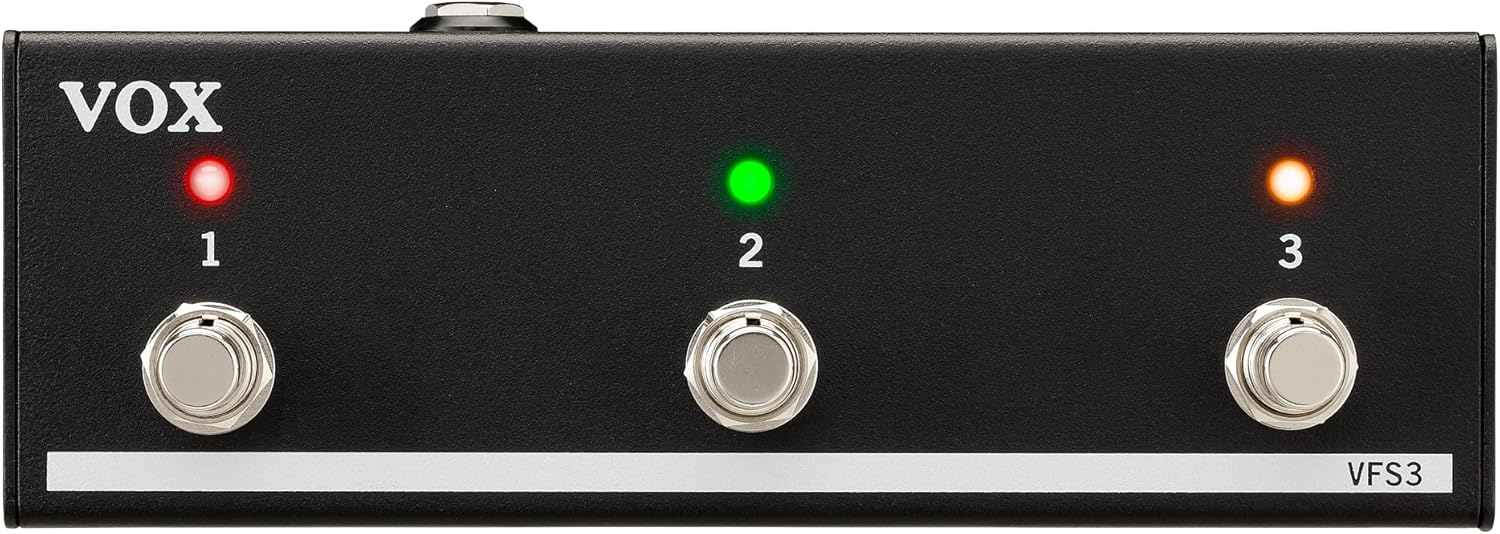
פראָנט view of the VOX VFS3 3-Button Footswitch. It features three silver footswitches labeled 1, 2, and 3, each with a corresponding LED indicator above it. The VOX logo is on the left, and 'VFS3' is on the bottom right.
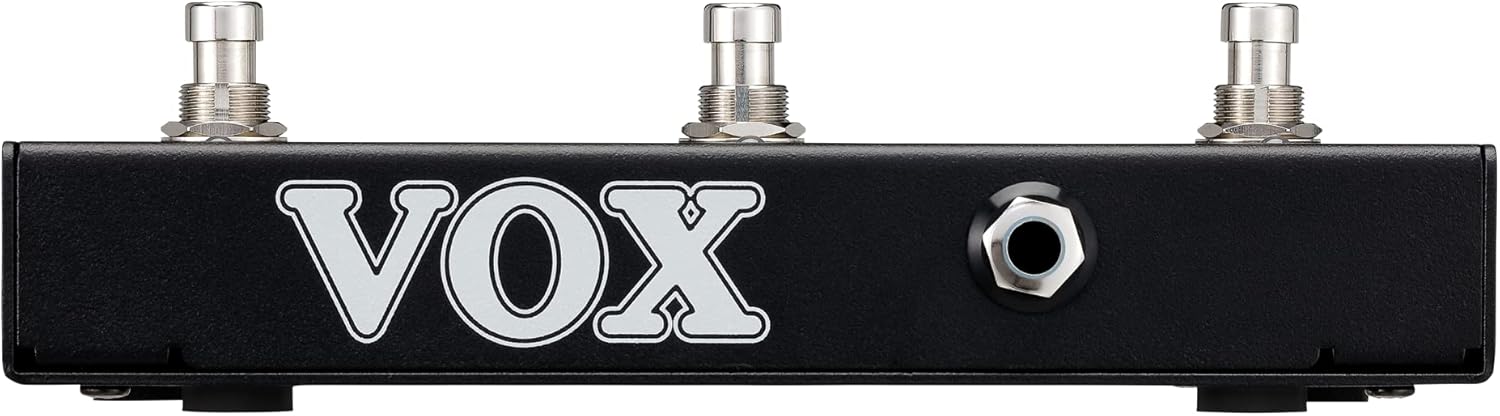
זייַט view of the VOX VFS3 footswitch, highlighting its compact and durable metal casing.

צוריק view of the VOX VFS3 footswitch, displaying the integrated cable that connects to the amplifier. The VOX logo is prominently featured.
סעטאַפּ
- Connect the Footswitch: Locate the footswitch input jack on your VOX Mini Go amplifier. This is typically a 3.5mm (1/8-inch) stereo jack.
- Insert the Cable: Firmly insert the integrated 3.5mm cable from the VFS3 footswitch into the footswitch input jack on your Mini Go ampליפער.
- מאַכט אויף: Turn on your VOX Mini Go amplifier. The footswitch is powered by the amplifier, so no external power supply is needed for the VFS3.
- באַשטעטיקן קשר: די amplifier should recognize the footswitch. Refer to your Mini Go amplifier's manual for specific indications or settings related to footswitch connection.

The VOX VFS3 footswitch connected to a VOX Mini Go amplifier, illustrating the proper connection of the cable to the amplifier's input jack.
אַפּערייטינג ינסטראַקשאַנז
The specific functions controlled by the VFS3 footswitch buttons (1, 2, and 3) are determined by the connected VOX Mini Go amplifier model and its current settings. Please consult the user manual for your specific VOX Mini Go amplifier for detailed information on footswitch assignments and configuration.
Common Functions (May Vary by Amplifier Model):
- Program/Preset Switching: Buttons may be assigned to switch between amplifier programs or presets (e.g., Clean, Overdrive, Distortion).
- עפֿעקט אויף/אויס: Control individual effects (e.g., Reverb, Delay, Chorus) by toggling them on or off.
- לופּער קאָנטראָל: For Mini Go models with a built-in looper, the buttons often control looper functions such as:
- קנעפּל 1: רעקאָרד / שפּיל
- קנעפּל 2: האַלטן
- קנעפּל 3: Clear/Undo
- צאַפּן טעמפּאָ: עטלעכע amplifiers may allow one of the buttons to be used for tap tempo functionality for time-based effects.
The LEDs above each button indicate the status of the assigned function (e.g., effect on/off, selected program). Refer to your amplifier's manual for the meaning of specific LED colors or states.
וישאַלט
- רייניקונג: ווישט אָפּ דעם אַפּאַראַט מיט אַ ווייכן, טרוקענעם שטאָף. ניצט נישט קיין שרײַבנדיקע רייניגער, וואַקסן אָדער סאָלווענטן.
- סטאָרידזש: When not in use for extended periods, store the footswitch in a clean, dry environment away from extreme temperatures.
- קאַבלע זאָרגן: Avoid sharp bends or kinks in the integrated cable to prevent damage.
טראָובלעשאָאָטינג
| פּראָבלעם | מעגלעך סיבה | לייזונג |
|---|---|---|
| Footswitch not responding | Cable not fully inserted; Amplifier not powered on; Incorrect ampליפיער סעטטינגס. | Ensure the 3.5mm cable is securely connected to the amplifier. Verify the amplifier is powered on. Check your Mini Go amplifier's settings to ensure footswitch control is enabled and configured correctly. |
| לעדס נישט לייטינג | No power from amplifier; Faulty connection. | באַשטעטיקן די amplifier is on and the cable is properly connected. The footswitch draws power from the ampליפער. |
| Buttons perform unexpected functions | Footswitch assignments are incorrect on the ampליפער. | Refer to your VOX Mini Go amplifier's manual to reconfigure the footswitch button assignments. |
ספּעסאַפאַקיישאַנז
- מאָדעל: VFS3
- קאַמפּאַטאַבאַל דעוויסעס: VOX Mini Go Ampליפערז
- קאַנעקטער טיפּ: 3.5mm Jack (integrated cable)
- מאַטעריאַל: מעטאַל שאַסי
- דימענשאַנז (L x W x H): 7.9 X 3 X 2.5 אינטשעס (20.1 X 7.6 X 6.4 סענטימעטער)
- וואָג: בעערעך 1.1 פונט (0.5 קג)
- מאַכט מקור: Powered by connected ampליפער
וואָראַנטי און שטיצן
For warranty information and technical support, please refer to the documentation provided with your VOX Mini Go amplifier or visit the official VOX webזייטל. האַלט אייער קויף קוויטל ווי אַ באַווייַז פון קויפן.