
1. איבערview
The XElectron C9 Miracast Airplay WiFi Projector is designed to deliver a high-quality visual experience with Full HD 1080p native resolution and support for 4K content. Featuring Miracast and Airplay capabilities, it allows for seamless screen mirroring from compatible devices. With 12600 lumens (550 ANSI) brightness and a 10000:1 dynamic contrast ratio, it projects clear and vibrant images up to 250 inches. This manual provides essential information for setting up, operating, maintaining, and troubleshooting your projector.
2. וואָס איז אין דער קעסטל
ביטע קאָנטראָלירט דעם אינהאַלט פֿון אייער פּעקל צו זיכער מאַכן אַז אַלע זאַכן זענען דאָרט:
- XElectron C9 Projector
- מאַכט שנור
- ווייַט קאָנטראָל
- באַניצער מאַנואַל
- HDMI קאַבלע

Image: Contents of the XElectron C9 Projector package.
3. Product Diagram & Components
Familiarize yourself with the main parts of your projector:
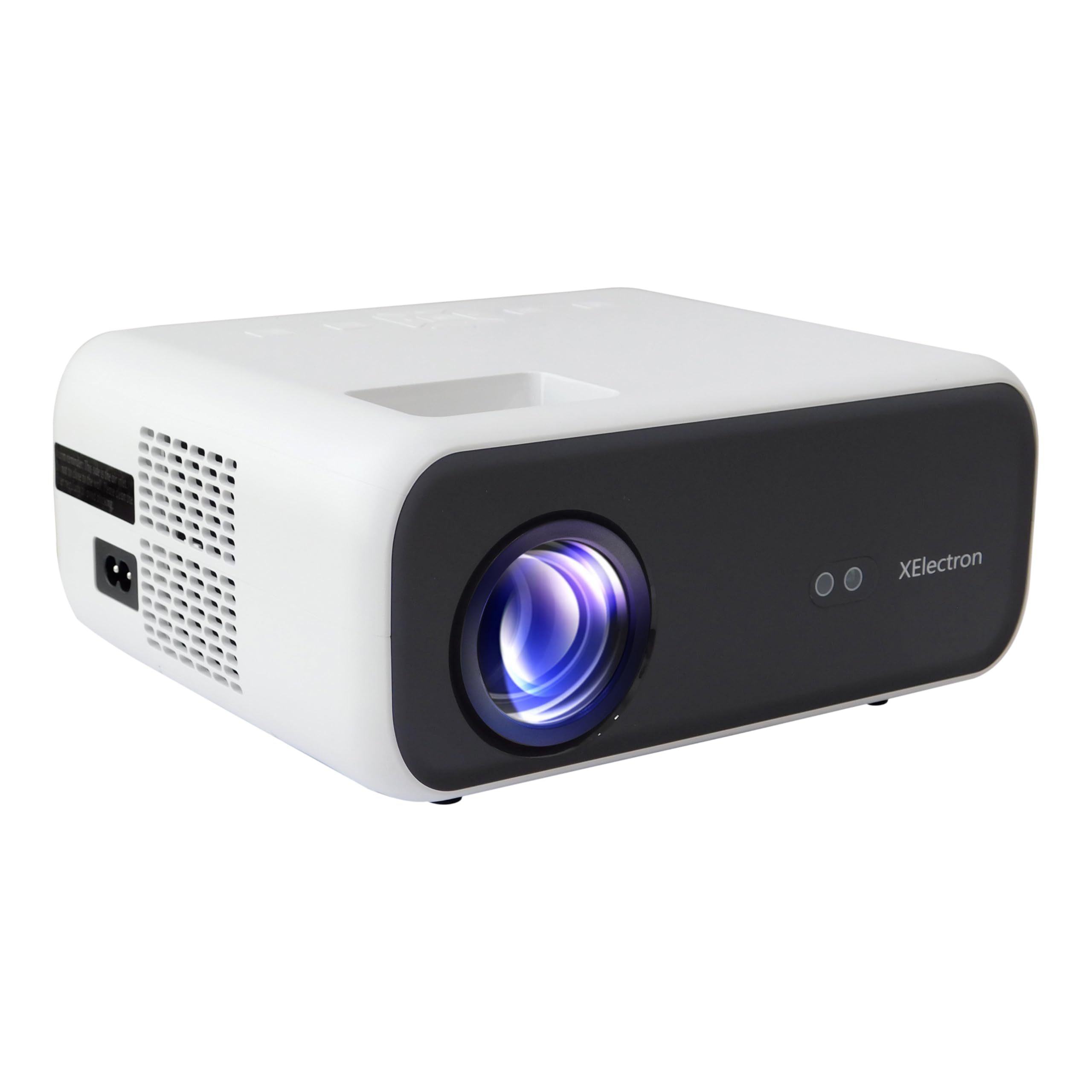
בילד: פראָנט view of the XElectron C9 Projector.

בילד: זייט view of the XElectron C9 Projector highlighting connectivity ports.
- פּרויעקציע לענס: שיקט דאָס בילד אויף דעם עקראַן.
- פאָקוס רינג: אַדזשאַסטירט בילד קלעריטי.
- קיסטאָון קערעקשאַן דיאַל: קאָריגירט טראַפּעזאָידאַל בילד דיסטאָרשאַן.
- קאָנטראָל פּאַנעל: קנעפּלעך פֿאַר גרונטלעכע נאַוויגאַציע און סעטטינגס.
- HDMI פּאָרץ: פֿאַר פֿאַרבינדן עקסטערנע ווידעאָ קוועלער.
- וסב פּאָרץ: פֿאַר פֿאַרבינדן USB סטאָרידזש דעוויסעס.
- אַודיאָ אָוט פּאָרט: פֿאַר פֿאַרבינדן עקסטערנע רעדנערס אָדער כעדפאָונז.
- מאַכט אַרייַנשרייַב: פֿאַר פֿאַרבינדן דעם עלעקטרישן שנור.
4. סעטאַפּ
4.1 פּלייסמאַנט
Position the projector on a stable, flat surface. Ensure there are no obstructions blocking the lens or ventilation openings. For optimal viewing, place the projector directly in front of the screen or wall.
- פּרויעקציע גרייס: The projector can display images from 50 inches up to a maximum of 250 inches.
- פּרויעקציע דיסטאַנסע: For a 250-inch display, a distance of approximately 17 feet is recommended.

Image: Recommended projection distances for different screen sizes.
4.2 מאַכט קאַנעקשאַן
Connect the provided power cord to the projector's power input port and then plug it into a power outlet.
4.3 ערשט מאַכט אויף
Press the power button on the projector or the remote control to turn on the device. The projector will boot up and display the main interface.
4.4 Focus & Keystone Correction
If the projected image appears blurry or distorted (trapezoidal), adjust the focus ring and keystone correction dial until the image is clear and rectangular. The C9 features vertical keystone correction for perfect screen alignment.
5. אַפּערייטינג ינסטרוקטיאָנס
5.1 ווייַז סעטטינגס
The XElectron C9 Projector offers a superior visual experience:
- געבוירן רעזאלוציע: Full HD 1080p (1920 x 1080 Pixels)
- 4K שטיצע: Compatible with 4K content for enhanced detail.
- ברייטקייט: 12600 Lumens (550 ANSI) for bright and clear images.
- דינאַמיש קאַנטראַסט פאַרהעלטעניש: 10000:1 פֿאַר טיף שוואַרץ און העל ווייַס.
- אַספּעקט פאַרהעלטעניש: Supports both 16:9 and 4:3.

Image: Visual comparison of XElectron C9's brightness and resolution.

Image: Demonstrating enhanced visual clarity and detail.
5.2 קאַנעקטיוויטי
דער פּראָיעקטאָר אָפפערט קייפל קאָנעקטיוויטי אָפּציעס:
- HDMI פּאָרטן (x2): Connect devices such as TV set-top boxes, Fire TV Sticks, PCs/Laptops, DVD players, and gaming consoles.
- USB פּאָרטן (x2): Connect hard drives, USB flash drives, and other USB devices for media playback.
- אַודיאָ אַרויס (3.5 מם דזשעק): פאַרבינדן פונדרויסנדיק ספּיקערז אָדער כעדפאָונז פֿאַר ימפּרוווד אַודיאָ.
- ווירעלעסס קאַנעקטיוויטי: Built-in 5G+2.4G WiFi and Bluetooth 5.1 for seamless wireless connections.

Image: Various devices compatible with the projector's connectivity options.
5.3 געזונט
Experience clear audio with the projector's integrated sound system:
- געבויט-אין רעדנער: Features a 10 Watt stereo speaker.
- בלועטאָאָטה 5.1: Connect wireless speakers or headphones for a personalized audio experience.

Image: Demonstrating Bluetooth connectivity for external audio devices.

Image: Illustrating immersive sound experience with the projector.
5.4 סקרין שפּיגלונג (Miracast און Airplay)
Wirelessly project content from your smartphone or tablet using Miracast for Android devices or Airplay for iOS devices. The dual-band 5G+2.4G WiFi ensures faster, smoother streaming with lower latency.

Image: Screen mirroring from a smartphone to the projector via 5G+2.4G WiFi.

Image: Seamless screen mirroring functionality.
5.5 דיגיטאַל פארגרעסער
Adjust the display size without moving the projector using the digital zoom function, accessible via the remote control.
6. וישאַלט
געהעריגע אויפהאלטונג גאראנטירט די לאנגעוויטי און אפטימאלע פערפארמאנס פון אייער פראיעקטאר:
- לענס רייניקונג: Use a soft, lint-free cloth and lens cleaning solution to gently wipe the projection lens. Avoid abrasive materials.
- ווענטילאַטיאָן: Ensure the projector's ventilation openings are clear of dust and debris to prevent overheating. Do not block the vents during operation.
- Lamp לעבן: די פּראַדזשעקטער לamp has an estimated life of 50,000 hours.
- סטאָרידזש: ווען נישט אין באַנוץ, האַלט דעם פּראָיעקטאָר אין אַ קיל, טרוקן אָרט, אַוועק פון דירעקט זונשייַן און עקסטרעמע טעמפּעראַטורן.
7. טראָובלעשאָאָטינג
אויב איר טרעפט פּראָבלעמען מיט אייער פּראָיעקטאָר, זעט די פאלגענדע געוויינטלעכע פּראָבלעמען און לייזונגען:
| פּראָבלעם | מעגלעך סיבה | לייזונג |
|---|---|---|
| קיין בילד געוויזן | שטראָם נישט פארבונדן, אומרעכטע אינפוט מקור, לינז דעקל אויף. | קאָנטראָלירט די מאַכט פֿאַרבינדונג, אויסקלייבן די ריכטיקע אַרייַנגאַנג מקור (HDMI, USB), אַראָפּנעמען די לענס דעקל. |
| די בילד איז בלערי | נישט אין פאָקוס, פאַלשע פּראָיעקציע דיסטאַנץ. | Adjust the focus ring. Ensure the projector is within the recommended projection distance. |
| בילד איז טראַפּעזאָידאַל | Incorrect keystone setting. | Adjust the keystone correction dial until the image is rectangular. |
| קיין געזונט | Volume too low, external audio device not connected properly, incorrect audio output selected. | Increase volume. Check connections of external speakers/headphones. Ensure correct audio output is selected in settings. |
| פּראָבלעמען מיט שפּיגלונג פון דעם עקראַן | WiFi connection unstable, device incompatibility. | Ensure strong WiFi signal. Restart both projector and source device. Check device compatibility with Miracast/Airplay. |
8. ספּעסאַפאַקיישאַנז
Detailed technical specifications for the XElectron C9 Projector:
- סאָרט: XElectron
- מאָדעל נומער: C9W
- געבוירן רעזאלוציע: 1920 רענטגענ 1080 פּיקסעלס (פול הד)
- 4K שטיצע: יא
- ברייטקייט: 12600 לומענס (550 אַנסי)
- דינאַמיש קאַנטראַסט פאַרהעלטעניש: 10000:1
- אַספּעקט פאַרהעלטעניש: 16:9 און 4:3
- Lamp לעבן: 50,000 שעה
- קאַנעקטיוויטי טעכנאָלאָגיע: 3.5mm Jack, Bluetooth 5.1, HDMI (x2), USB (x2), Wi-Fi (5G+2.4G), Airplay, Miracast
- געבויט-אין רעדנער: 10 Watt Stereo Speaker
- פאָרם פאַקטאָר: פּאָרטאַטיוו
- פּראָדוקט דימענשאַנז: 12.9 X 21.6 X 30.7 סענטימעטער
- נומער וואָג: 1.35 קג
- מאַכט מקור: AC
- וואָסtage: 90 וו
- ספּעציעלע פֿעיִקייטן: Digital Zoom, Vertical Keystone, Built-In Media Player, 100% NTSE & PAL Decoding
9. וואָראַנטי און שטיצן
Your XElectron C9 Projector comes with a 1-יאָר מאַנופאַקטורער וואָראַנטי פון די דאַטע פון קויפן.
For any technical assistance, warranty claims, or support, please contact XElectron Customer Care:
- טעלעפֿאָן: 0120-4134583 , 8527312304
- Manufacturer/Packer/Importer Address: Xelectron Technologies Pvt. Ltd. UG-SR1B, Ansal Plaza, Vaishali, Ghaziabad, India.