
Dynavin D9-7 Premium Flex
DYNAVIN D9-7 Premium Flex Android Car Radio GPS User Manual
Model: D9-7 Premium Flex | Brand: Dynavin
הקדמה
The DYNAVIN D9-7 Premium Flex is an advanced Android car radio and GPS system designed specifically for the Skoda Octavia III Mk3 (2013-2019). This unit features a 10.1-inch anti-glare capacitive touchscreen, integrated GPS navigation, wireless CarPlay, Android Auto, and a Head-up Display. It seamlessly integrates with your vehicle's existing systems, providing enhanced multimedia, navigation, and connectivity features.

Image: The DYNAVIN D9-7 Premium Flex unit seamlessly integrated into the dashboard of a Skoda Octavia III, displaying a modern user interface with various application icons.
סעטאַפּ און ינסטאַלירונג
דער אָפּטיילונג גיט אַן איבערבליקview of the installation process and initial setup for your DYNAVIN D9-7 Premium Flex unit. Professional installation is recommended.
קאַמפּאַטאַבילאַטי
- Designed for Skoda Octavia III Mk3 models (2013-2019).
- Retains original vehicle settings menu.
- Supports original Skoda rearview אַפּאַראַט.
קאָמפּאָנענט איבערview
Image: An illustrative diagram showing the main display unit, various cables, antennas (GPS, BT/Wi-Fi), microphone, and installation tools included with the DYNAVIN D9-7 Premium Flex system.
The package includes the main display unit, necessary wiring harnesses, GPS antenna, BT/Wi-Fi antenna, USB extension cables, and a compact digital dual microphone. Ensure all components are present before beginning installation.
Head-up Display (HUD) Installation
The Head-up Display provides key information directly in your line of sight. Install the HUD unit on your dashboard in a position that does not obstruct your view of the road. Connect it according to the provided wiring diagram.
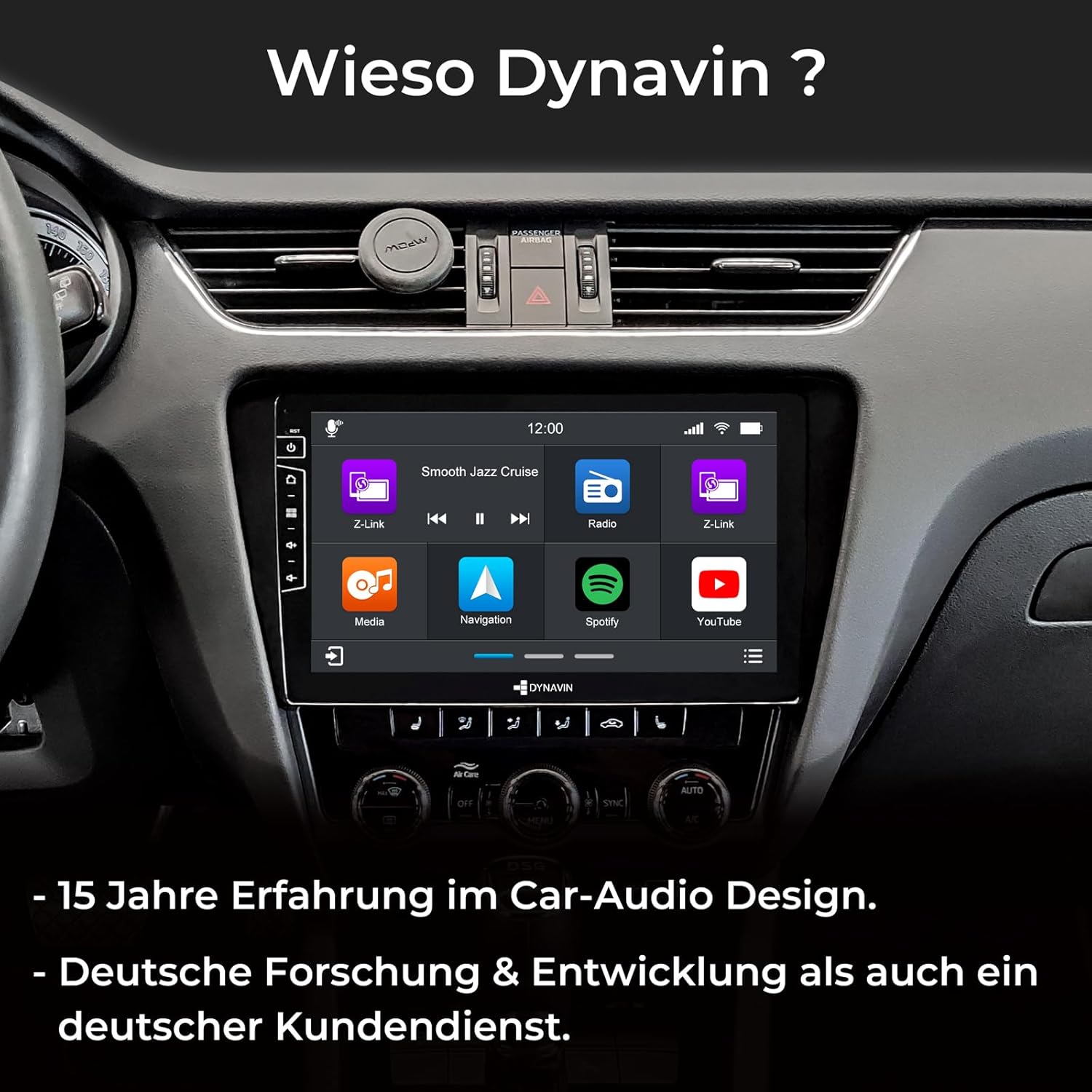
Image: A split image showing the Head-up Display (HUD) mounted on the dashboard, displaying navigation cues and time, enhancing driving convenience.
מיקראָפאָן ינסטאַללאַטיאָן
The compact digital dual microphone ensures clear voice quality during calls. Install it in a suitable location, typically near the driver's sun visor or steering column, ensuring it is not obstructed.

בילד: א נאָענטע בילד view of the innovative Dynavin Digital Dual-Microphone, discreetly installed near the steering wheel, designed for stable and excellent call quality.
אַפּערייטינג ינסטראַקשאַנז
This section details the various functions and operations of your DYNAVIN D9-7 Premium Flex unit.
באַניצער צובינד און ווייַז
The unit features a 10.1-inch high-resolution (1280x720) anti-glare capacitive touchscreen. Navigate through menus and applications by touching the screen. The Android 11 OS provides a familiar and intuitive interface.

Image: The main screen of the DYNAVIN unit displaying a grid of application icons, including Z-Link, Media, Navigation, Spotify, and YouTube, indicating its multimedia capabilities.
אַודיאָ פֿעיִקייטן
- Integrated Class D DSP Ampלייבער: Provides 4 * 60W RMS output with low distortion (THD+N <1%). Features adjustable crossover and speaker gain. Vehicle-specific sound configuration files can be downloaded from the Dynavin webפּלאַץ.
- FM RDS ראַדיאָ: High-sensitivity tuner with 15 station presets, optimized for clear reception across the EU.
- DAB+ ראַדיאָ: Supports digital audio broadcasting for enhanced sound quality and more stations.
- Optional VW Dynaudio System Support: Compatible with the D8-MO150-V accessory (ASIN B09Z6QZJFF).

Image: The DYNAVIN unit's display highlighting its powerful 100W x 4 Class-D High Power Amplifier, emphasizing its audio capabilities.
נאַוויגאַציע און קאָנעקטיוויטי
- אינטעגרירטע GPS נאַוויגאַציע: Pre-installed navigation software with Blitzer.de database. Features easy destination entry, turn-by-turn voice instructions, and selectable route guidance. A 31-day trial is included, with full access requiring the Dynapp-Pack activation.
- דראָטלאָז קאַרפּליי און אַנדרויד אויטאָ: Seamlessly integrate your smartphone for navigation, music, calls, and messaging. A 31-day trial is included, with full access requiring an activation code purchased online.
- סמאַרטפאָנע שפּיגל: Display your smartphone screen directly on the unit.
- Dynapp-Pack: This pack (31-day trial, activation code required) includes the Dynaway navigation app, Google Playstore access for third-party apps, and display of speed limits with Blitzer.de data on the Head-up Display.
- בלועטאָאָטה: פֿאַר הענט-פֿרײַ רופן און אַודיאָ סטרימינג.
- וסב קאַנעקטיוויטי: Two USB ports for multimedia playback and device charging.
פאָרמיטל ינטעגראַטיאָן
- קען-בוס אינטעגראַציע: Supports multifunction steering wheel controls and VW multifunction display (MFD/MFD+).
- Real-time Vehicle Data: Displays current fuel level, battery voltage, and external temperature on the Dynavin screen.
- Climate Control Support: Air conditioning status information is displayed as pop-ups on the unit (functionality may vary by vehicle model and year).
- Parking Sensors: Reads CAN data from factory-installed parking distance sensors, displaying front/rear radar segments on the OPS screen.
- Optional Lane Keeping Assist & Traffic Sign Recognition: Supported with the D8-CANMIB-H accessory (ASIN B09Z6RHT7V).
וישאַלט
Proper maintenance ensures the longevity and optimal performance of your DYNAVIN unit.
- רייניקונג: ניצט אַ ווייכע, טרוקענע שטאָף צו רייניקן דעם עקראַן און אַפּאַראַט. פֿאַרמייַדט אַברייסיוו רייניגער אָדער סאָלווענטן.
- ווייכווארג דערהייַנטיקונגען: Check the Dynavin website periodically for available software updates to ensure optimal performance and access to new features. Information on guaranteed software updates is not available.
- אַלגעמיינע זאָרגן: פֿאַרמײַדט אויסשטעלן דעם אַפּאַראַט צו עקסטרעמע טעמפּעראַטורן, דירעקטע זונשײַן פֿאַר פֿאַרלענגערטע פּעריאָדן, אָדער איבערגעטריבענע פֿײַכטקייט.
טראָובלעשאָאָטינג
This section addresses common issues you might encounter with your DYNAVIN D9-7 Premium Flex unit.
| פּראָבלעם | מעגלעך סיבה | לייזונג |
|---|---|---|
| Unit is slow to load or respond. | Too many applications running in the background; low system resources. | Close unused applications. Restart the unit. Ensure sufficient free storage space. |
| No sound from Android Auto/CarPlay applications. | Audio routing issue; cache interference. | Clear data and cache for Android Auto/CarPlay applications on your phone and/or the unit. Ensure correct audio output is selected on the unit. |
| CarPlay/Android Auto/Navigation features are not fully functional after trial period. | Trial period has expired. | Purchase and enter the activation code online for continued access to these features (e.g., Z-Link for CarPlay/Android Auto, Dynapp-Pack for navigation). |
| Steering wheel controls or phone commands not working. | CAN-BUS integration issue; incorrect settings. | Verify all wiring connections. Check the unit's settings for steering wheel control configuration. Ensure your vehicle model is fully compatible with the CAN-BUS integration. |
| די דזשי-פי-עס סיגנאַל איז שוואַך אָדער נישט פּינקטלעך. | GPS antenna placement; environmental interference. | Ensure the GPS antenna is placed in a location with a clear view of the sky (e.g., under the dashboard, away from metal obstructions). |
If you encounter issues not listed here, please refer to the official Dynavin support resources or contact their customer service.
ספּעסאַפאַקיישאַנז
| שטריך | דעטאַל |
|---|---|
| סאָרט | דינאַווין |
| מאָדעל נומער | D9-7 Premium Flex |
| פאַרשטעלן גרייס | 10.1 אינטשעס |
| פאַרשטעלן האַכלאָטע | 1280x720 |
| אָפּערייטינג סיסטעם | אַנדרויד 11 |
| קפּו | קוואַד-קאָר |
| באַראַן | 4 גיגאבייט |
| Ampליפער | Class D DSP, 4 * 60W RMS |
| קאַנעקטיוויטי | Bluetooth, Wi-Fi, 2x USB ports |
| ספּעציעלע פֿעיִקייטן | DAB+, Wireless CarPlay, Android Auto, Head-up Display, GPS Navigation, CAN-BUS Integration |
| קאַמפּאַטאַבאַל דעוויסעס | סמאַרטפאָנע |
| וואָג | 3 קילאָגראַמס |
וואָראַנטי און שטיצן
For warranty information, please refer to the documentation provided with your purchase or visit the official Dynavin website. Information regarding spare parts availability and guaranteed software updates is not available at this time.
For technical support or inquiries, please contact Dynavin customer service through their official channels.
Ask a question about this manual
Ask about setup, troubleshooting, compatibility, parts, safety, or missing instructions. Manuals+ will review the question and use this page’s manual context to help answer it.