
VENZ R4040-V2
VENZ אינעווייניקסטע קאַמעראַ R4040-V2 באַניצער מאַנואַל
Model: R4040-V2 | Brand: VENZ
פּראָדוקט איבערview
The VENZ Indoor Camera R4040-V2 is a 1080P HD home security camera designed for indoor use. It features 360° pan-tilt-zoom (PTZ) capabilities, two-way audio, motion detection, and night vision, making it suitable for monitoring babies, pets, or general home security.
שליסל פֿעיִקייטן
- 1080P הד האַכלאָטע: Provides clear and smooth video.
- 360° PTZ פונקציאָנאַליטעט: Offers 360° horizontal rotation and 104° vertical view פֿאַר אַ פולשטענדיקע קאַווערידזש.
- צוויי-וועג אַודיאָ: איינגעבויטער מיקראָפאָן און רעדנער פֿאַר קאָמוניקאַציע.
- Motion Detection & Tracking: Sends instant alerts and tracks detected movement.
- נאַכט זעאונג: IR LEDs provide clear vision up to 28 feet in low light.
- קייפל סטאָרידזש אָפּציעס: Supports cloud storage and up to 128GB Micro SD card (not included).
- קול קאָנטראָל קאַמפּאַטאַבילאַטי: Works with Echo Show/Spot/Fire TV and Google Nest Hub/Chromecast.
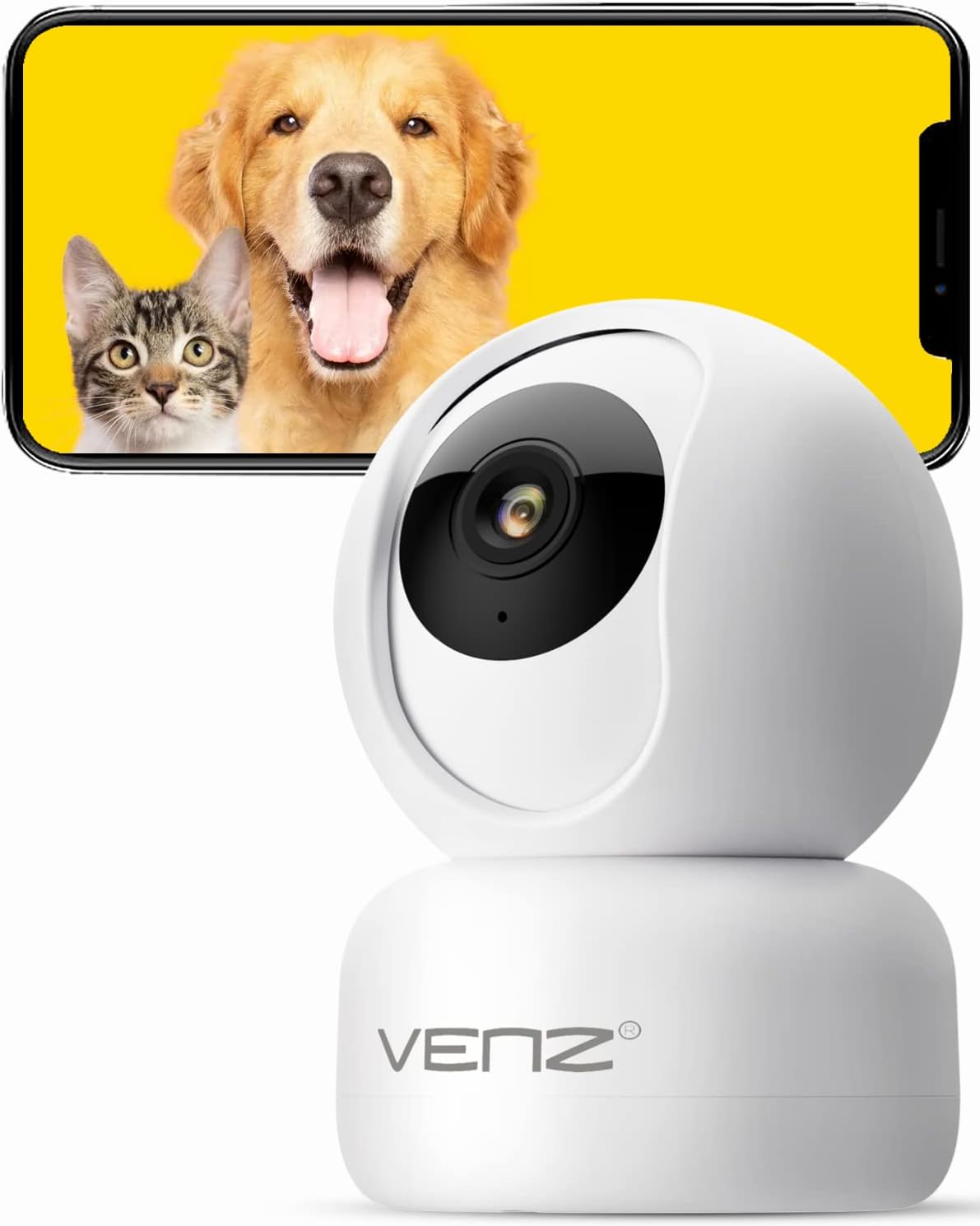
Image: The VENZ Indoor Camera R4040-V2, a white dome-shaped camera, shown next to a smartphone displaying live feed of a dog and a cat, illustrating its use for pet monitoring.
וואָס איז אין די קעסטל
באַשטעטיקן אַז אַלע קאָמפּאָנענטן זענען פאַראַן איידער איר גייט ווייטער מיט דער אינסטאַלאַציע.
- סמאַרט PTZ אַפּאַראַט X 1
- וסב קאַבלע רענטגענ 1
- באַניצער מאַנואַל x 1
- מאַונטינג קלאַמער X 1
- אַדאַפּטער רענטגענ 1
- שרויף זעקל רענטגענ 1
- פּאַנטשט סטיקער X 1
- באַשטעטיק שטיפט רענטגענ 1
סעטאַפּ גייד
1. פּאַוערינג אויף די קאַמעראַ
- Connect the provided USB cable to the camera's power port.
- Plug the USB cable into the adapter.
- Plug the adapter into a standard electrical outlet (DC 5V).
- Wait for the camera's indicator light to flash, indicating it is ready for setup.
2. אַפּ אינסטאַלאַציע און אַקאַונט שאַפונג
The VENZ Indoor Camera operates via the Woox Home App.
- Download the "Woox Home" app from the Google פּלייַ סטאָר or עפּל אַפּ סטאָר.
- Open the app and register for a new account if you don't have one, or log in with existing credentials.

Image: The Woox Home App logo, indicating compatibility with Amazon Alexa and Google Assistant, and showing the app interface on a smartphone and a smart display.
3. צולייגן די קאַמעראַ צו דער אַפּ
- In the Woox Home app, tap the "+" icon to add a new device.
- Select "Camera" or "Security Camera" from the device list.
- פֿאָלגט די אינסטרוקציעס אויף דעם עקראַן צו פֿאַרבינדן די קאַמעראַ צו אייער 2.4GHz Wi-Fi נעץ. מאַכט זיכער אַז אייער Wi-Fi פּאַראָל איז ריכטיק.
- The app will display a QR code. Position your camera to scan this QR code from your phone screen. Hold the phone approximately 6-8 inches (15-20 cm) from the camera lens.
- Once the camera successfully scans the QR code, it will emit a confirmation sound. Tap "I heard a prompt" in the app.
- The camera will then connect to your Wi-Fi network. Once connected, you can name your camera and begin using it.

Image: A hand holding a smartphone displaying a QR code, with the VENZ Indoor Camera positioned to scan it, illustrating the quick setup process.
4. מאָנטירן די קאַמעראַ (אָפּציאָנעל)
The camera can be placed on a flat surface or mounted to a wall or ceiling using the included bracket.
- Choose a suitable location for mounting, ensuring it has a clear view and is within Wi-Fi range.
- Use the punched sticker to mark the drilling positions on the wall/ceiling.
- באָרט לעכער און אַרײַנשטעלט די וואַנט אַנקערס.
- באַפעסטיקט די מאָונטינג קלאַמער צו דער וואַנט/סופיט מיט די צוגעשטעלטע שרויפן.
- Secure the camera onto the mounting bracket by twisting it into place.
אַפּערייטינג די אַפּאַראַט
לעבן View און PTZ קאָנטראָל
- Open the Woox Home app and select your camera from the device list.
- דער לייוו ווידעא פיד וועט דערשייַנען.
- Use the on-screen joystick or directional arrows to pan (rotate horizontally 360°) and tilt (rotate vertically 104°) the camera lens.
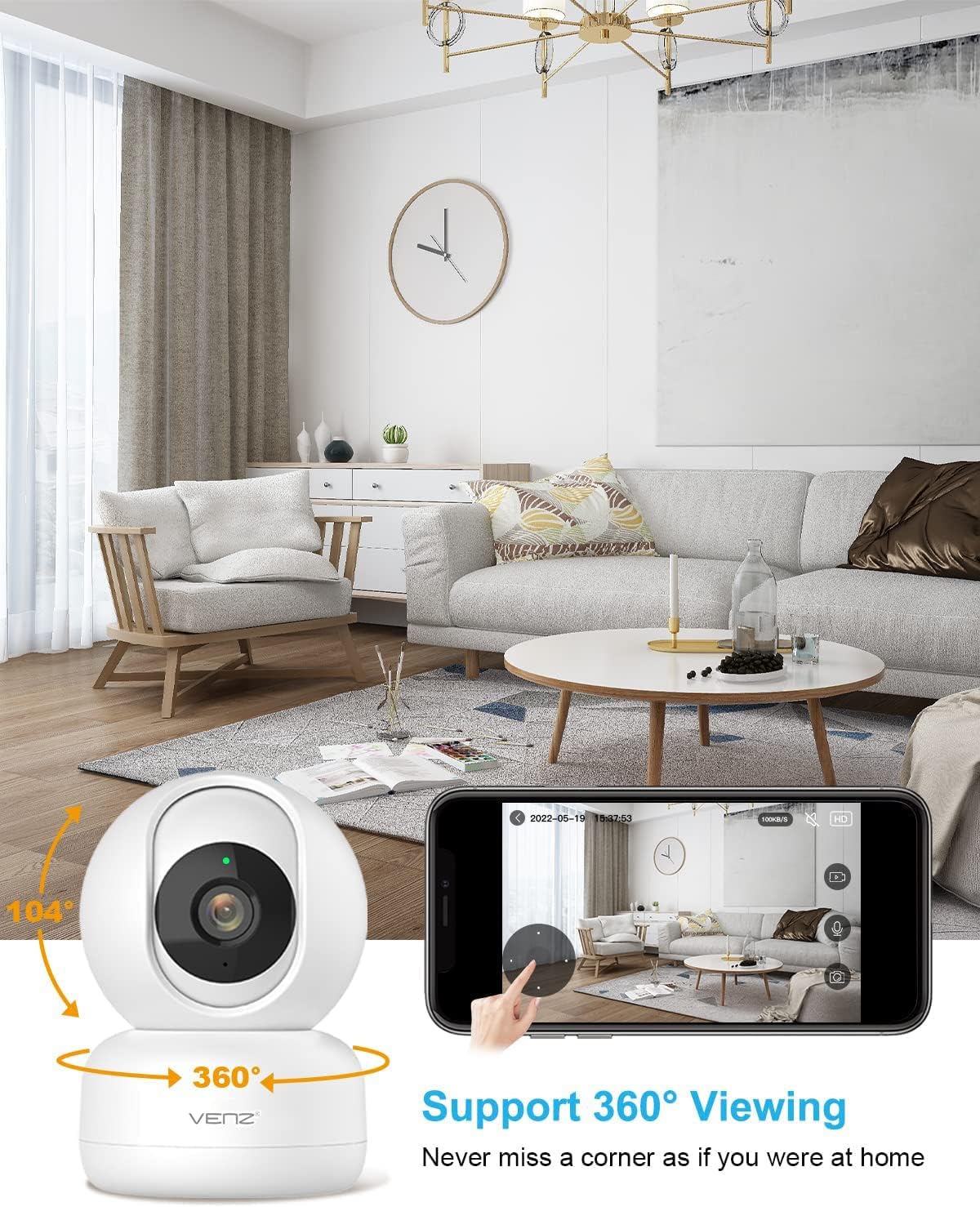
Image: The VENZ Indoor Camera with arrows indicating its 360-degree horizontal rotation and 104-degree vertical tilt capabilities, alongside a smartphone displaying the live view צובינד.
צוויי-וועג אַודיאָ
- בשעת אין לעבן view, tap the microphone icon in the app to speak through the camera.
- צאַפּן אויף דעם רעדנער בילדל צו הערן אַודיאָ פֿון דער קאַמעראַ'ס אַרומיקע געגנט.

Image: Illustrations showing a woman speaking into her phone and a child interacting with a dog near the camera, demonstrating the two-way audio communication feature.
באַוועגונג דעטעקשאַן און טראַקינג
- Navigate to the camera settings within the Woox Home app.
- Enable "Motion Detection" to receive instant alerts on your phone when movement is detected.
- Activate "Motion Tracking" for the camera to automatically follow and keep the detected subject within its field of view.
- Adjust sensitivity levels and set activity areas as needed.

Image: A child and an adult entering a room, with the camera's motion tracking feature highlighted by red boxes, and a smartphone displaying a "Motion Tracking Detection" notification from the Woox Home app.

Image: Two cats in a living room, with one jumping and the other sitting, demonstrating the camera's motion tracking capability by highlighting the subjects with yellow crosses, and a smartphone showing real-time motion detection notifications.
נאַכט זעאונג
- דער אַפּאַראַט סוויטשיז אויטאָמאַטיש צו נאַכט זעאונג מאָדע אין נידעריק-ליכט טנאָים.
- Infrared LEDs provide clear black-and-white video up to 28 feet (8.5 meters).
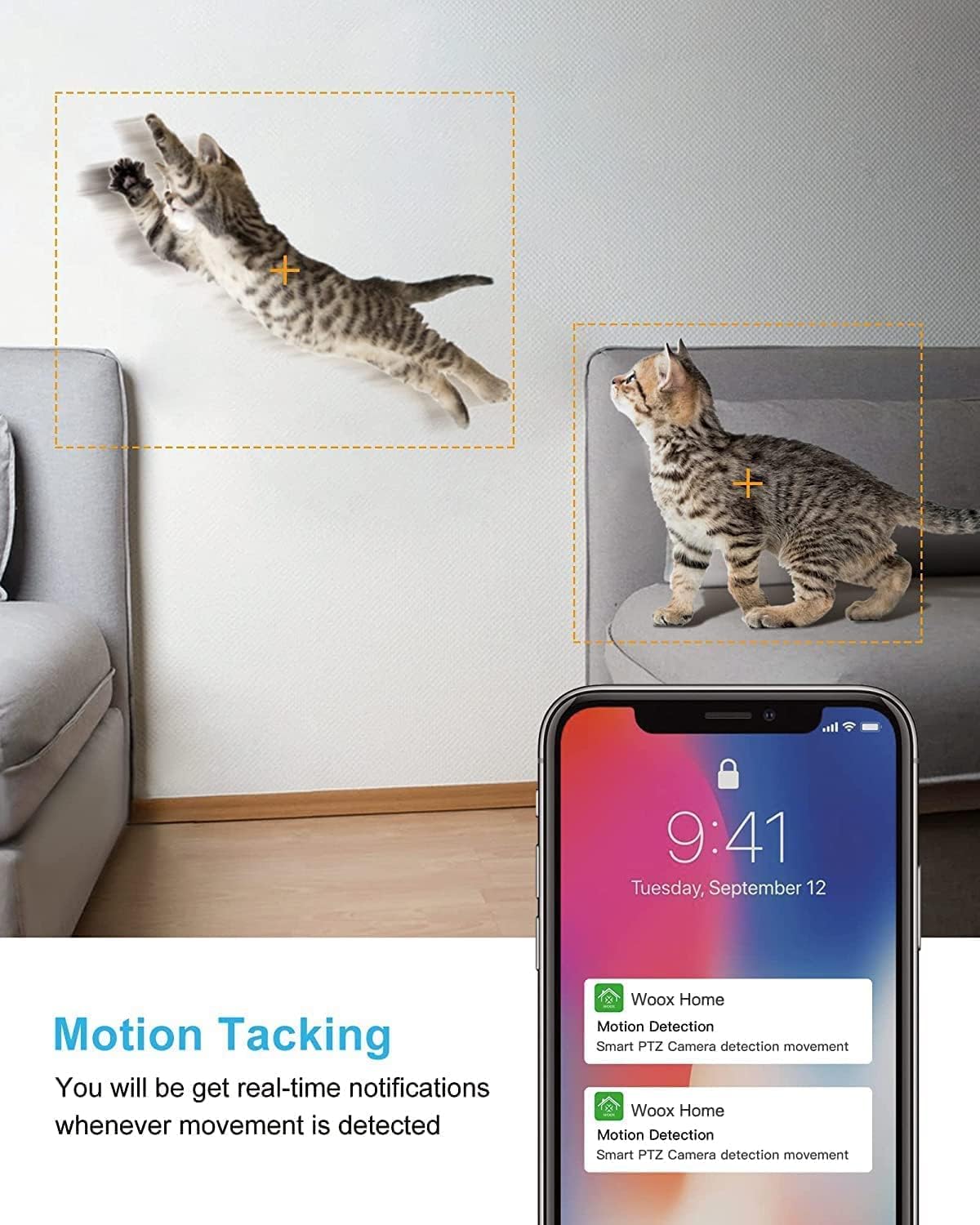
Image: A split image showing a baby sleeping in a crib in a dark room (top, black and white) and a woman viewing a clear image on her phone in bed (bottom), illustrating the camera's clear night vision capability.
סטאָרידזש און פּלייבאַק
- מיקראָ סד קאַרד: Insert a Micro SD card (up to 128GB, not included) into the camera's slot for local storage of recordings.
- וואָלקן סטאָרידזש: Subscribe to the optional cloud storage service via the Woox Home app for secure, encrypted data storage.
- אַקסעס רעקאָרדעד פאָאָtage through the "Playback" or "History" section in the app.

Image: The VENZ Indoor Camera with an arrow pointing to its Micro SD card slot and a cloud icon with a shield, illustrating both local (Micro SD) and cloud storage options for recording and playback.
Multi-User and Multi-Device Access
- Share camera access with family members through the Woox Home app.
- די אַפּ שטיצט viewing multiple Wi-Fi cameras simultaneously (up to 4 live videos on one screen).
וישאַלט
- רייניקונג: ניצט אַ ווייכע, טרוקענע שטאָף צו רייניקן די קאַמעראַ לינזע און קערפּער. פֿאַרמייַדט אַברייסיוו רייניגער אָדער סאָלווענטן.
- Firmware דערהייַנטיקונגען: Regularly check for and install firmware updates through the Woox Home app to ensure optimal performance and security.
- נעץ פעסטקייַט: Ensure your Wi-Fi network is stable and strong to prevent connection issues and maintain continuous monitoring.
- סד קאַרד מאַנאַגעמענט: If using a Micro SD card, periodically check its storage capacity and format it if necessary to prevent data corruption.
טראָובלעשאָאָטינג
| פּראָבלעם | מעגלעך סיבה | לייזונג |
|---|---|---|
| קאַמעראַ אָפפליין/קען נישט פאַרבינדן צו Wi-Fi |
|
|
| Poor video quality/Lagging feed |
|
|
| באַוועגונג דיטעקשאַן איז נישט ארבעטן |
|
|
| קיין אַודיאָ/שוואַך צוויי-וועג אַודיאָ |
|
|
| SD קאַרטל רעקאָרדירט נישט |
|
|
ספּעסאַפאַקיישאַנז
| שטריך | דעטאַל |
|---|---|
| מאָדעל נומער | R4040-V2 |
| דרינענדיק / דרויסנדיק באַניץ | דרינענדיק |
| ווידעא קאַפּטורע רעסאָלוטיאָן | 1080 פּ |
| פעלד פון View | 360 גראַד (פּאַן), 104 גראַד (טילט) |
| נאַכט וויזשאַן ראַנגע | 28 פֿיס (8.5 מעטער) |
| קאַנעקטיוויטי פּראָטאָקאָל | Wi-Fi (נאָר 2.4GHz) |
| מאַכט מקור | עלעקטריש מיט שנור (DC 5V) |
| קאָנטראָללער טיפּ | Google אַססיסטאַנט, Amazon Alexa |
| סטאָרידזש אָפּציעס | Cloud Storage, Micro SD Card (up to 128GB) |
| דימענסיעס (L X W X H) | 2.91 X 2.91 X 4.21 אינטשעס |
| פּונקט וואָג | 13.1 אונסעס |
| מאַטעריאַל | פּווק |
| UPC | 751004742501 |
וואָראַנטי און שטיצן
וואָראַנטי אינפֿאָרמאַציע
ספּעציפֿישע וואָראַנטי דעטאַלן ווערן טיפּיש צוגעשטעלט מיט אייער קויפן דאָקומענטאַציע אָדער אויף דער פאַבריקאַנט'ס באַאַמטער website. Please refer to the warranty card included in your product packaging for the most accurate and up-to-date information regarding coverage and duration.
קונה שטיצן
For technical assistance, troubleshooting, or any inquiries regarding your VENZ Indoor Camera, please visit the official VENZ website or contact their customer support team. You can often find contact information (email, phone, or support portal) on the product packaging or the brand's online presence.
Visit the official VENZ Store for more information and support: VENZ Store on Amazon
Ask a question about this manual
Ask about setup, troubleshooting, compatibility, parts, safety, or missing instructions. Manuals+ will review the question and use this page’s manual context to help answer it.