
הקדמה
This manual provides comprehensive instructions for the Docooler T-Wolf V11 Wired Gaming Mouse. It covers setup, operation, maintenance, and troubleshooting to ensure optimal performance and longevity of your device. The T-Wolf V11 is designed for both gaming and office use, featuring adjustable DPI, ergonomic design, and customizable RGB lighting.
פּראָדוקט פֿעיִקייטן
- 8-קנעפל דיזיין: Equipped with 8 programmable buttons suitable for various tasks in gaming and office applications.
- אַדזשאַסטאַבאַל דפּי: Offers 6 levels of DPI adjustment (1000/1600/2400/3200/4800/6400) for precise cursor control and sensitive operation.
- Ergonomic Arc Design: Engineered for a comfortable grip, fitting closely to your palm to reduce fatigue during extended use.
- Integrated Weights: Features independent weights within the mouse, allowing customization for improved stability and precision to suit individual preferences.
- RGB Colorful Backlight: Provides 6 types of colorful RGB streaming light effects, enhancing the visual experience.
- דוראַבאַל קאַנסטראַקשאַן: Includes a lightweight aluminum alloy anti-skid roller for comfortable and reliable use.
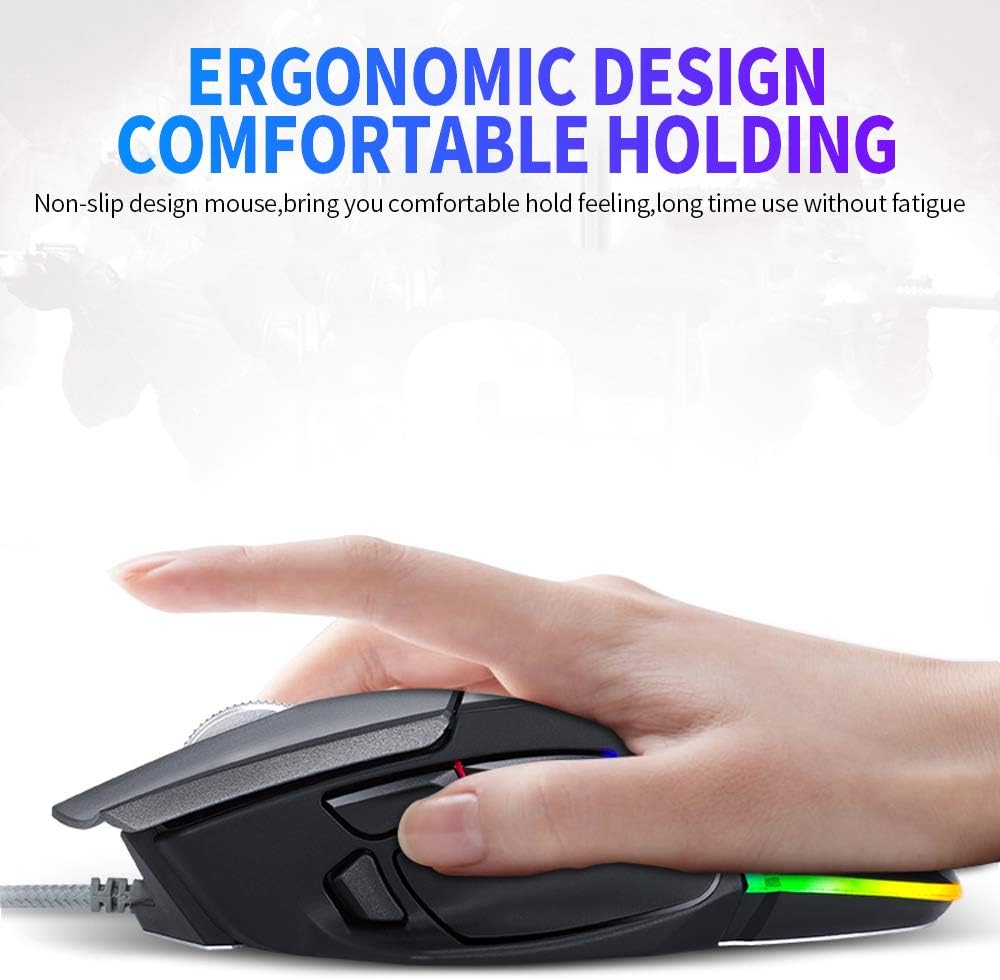
Image: The ergonomic design of the T-Wolf V11 mouse, demonstrating how it comfortably fits the hand to reduce strain during prolonged use.

Image: The T-Wolf V11 mouse illuminated with its dynamic RGB streaming light effects, showcasing the customizable lighting options.
סעטאַפּ אינסטרוקציעס
- אויספּאַקן די מויז: Carefully remove the T-Wolf V11 mouse from its packaging.
- פאַרבינדן צו קאָמפּיוטער: Plug the USB connector of the mouse's cable into an available USB port on your computer (desktop or laptop).
- דרייווער ינסטאַלירונג: The mouse is typically plug-and-play. Your operating system (Windows, macOS, Linux) should automatically detect and install the necessary drivers. No additional software installation is usually required for basic functionality.
- באַשטעטיקן פאַנגקשאַנאַליטי: Once connected, move the mouse to check cursor movement and click the left and right buttons to ensure they are responsive.

Image: The Docooler T-Wolf V11 gaming mouse connected to a laptop, illustrating a typical setup scenario.
אַפּערייטינג ינסטראַקשאַנז
קנעפּל פאַנגקשאַנז
- Left Click (Button 1): נאָרמאַלע ערשטיקע קליק פונקציע.
- Right Click (Button 2): נאָרמאַלע צווייטיקע קליק פונקציע.
- Scroll Wheel (Button 3): סקראָלט אינהאַלט אַרויף/אַראָפּ. קען אויך געדריקט ווערן פֿאַר מיטל-קליק פֿונקציאָנאַליטעט.
- DPI Cycle Button (Button 4): Located near the scroll wheel, press to cycle through DPI settings (1000/1600/2400/3200/4800/6400).
- Forward/Backward Buttons (Buttons 5 & 6): טיפּיש ליגן אויף דער זייט, געניצט פֿאַר נאַוויגאַציע אין web בראַוזערז אָדער file עקספּלאָרערס.
- Additional Programmable Buttons (Buttons 7 & 8): These buttons can often be customized using third-party software or operating system settings for specific functions or macros.
דפּי אַדזשאַסטמאַנט
Press the DPI cycle button (usually located behind the scroll wheel) to switch between the available DPI settings. Each press will change the sensitivity, allowing you to adapt to different tasks, from precise aiming in games to fast navigation in desktop environments. The RGB lighting may change color to indicate the current DPI level.
RGB ליגהטינג יפעקץ
The T-Wolf V11 features 6 types of colorful RGB streaming light effects. These effects are pre-programmed and cycle automatically, providing a dynamic visual experience. There is no specific button to change RGB modes on the mouse itself; the lighting patterns are typically fixed or cycle through automatically.

בילד: א דעטאַלירטע view of the T-Wolf V11 mouse, illustrating its DPI adjustment capabilities and RGB streamer marquee lighting.
וישאַלט
- רייניקונג: ניצט אַ ווייכע, טרוקענע שטאָף צו ווישן די ייבערפלאַך פון דער מויז. פֿאַר שווערע שמוץ, אַ ביסל ווייכער מאַכןampen the cloth with water or a mild, non-abrasive cleaner. Avoid using harsh chemicals or excessive moisture.
- סענסאָר רייניקונג: Periodically clean the optical sensor on the underside of the mouse with a cotton swab to ensure accurate tracking.
- קאַבלע זאָרגן: Avoid sharply bending or twisting the mouse cable to prevent internal damage. Store the cable neatly when not in use.
- סטאָרידזש: ווען נישט אין באַנוץ פֿאַר לענגערע פּעריאָדן, האַלט די מויז אין אַ ריינער, טרוקענער סביבה אַוועק פון דירעקטער זון און עקסטרעמע טעמפּעראַטורן.
טראָובלעשאָאָטינג
- מויז ענטפערט נישט:
- זייט זיכער אַז דער USB קאַבל איז זיכער אַרייַנגעשטעקט אין אַ אַרבעטנדיקן USB פּאָרט אויף אייער קאָמפּיוטער.
- פרובירט אריינצושטעקן די מויז אין אן אנדערן USB פארט.
- ריסטאַרט דיין קאָמפּיוטער.
- קורסאָר באַוועגונג איז אומשטענדלעך אָדער שפּרינגענדיק:
- רייניקט דעם אָפּטישן סענסאָר אויף דער אונטערשטער טייל פֿון דער מויז.
- זייט זיכער אַז איר ניצט די מויז אויף אַ ריינער, נישט-רעפלעקטיווער און גלייכער ייבערפלאַך (למשל, אַ מויז-פּאַד).
- DPI טוישט זיך נישט:
- Press the DPI cycle button firmly.
- Ensure the mouse is properly connected and recognized by your system.
- RGB לייץ נישט ארבעטן:
- קאָנטראָלירן די וסב קשר.
- The RGB lighting is typically automatic; if it's not illuminating, ensure the mouse is receiving power.
ספּעסאַפאַקיישאַנז
| סאָרט | דאָקאָאָלער |
| מאָדעל | V11 |
| קאָליר | שוואַרץ |
| קאַנעקטיוויטי טעכנאָלאָגיע | ווייערד |
| נומער פון קנעפּלעך | 8 |
| דפּי סעטטינגס | 1000/1600/2400/3200/4800/6400 (Adjustable) |
| טיפּ באַקלייט | RGB קאָלירפול |
| קאַבלע לענג | 1.9 מעטער |
| נומער גרייס | 13 X 8.5 X 4.5 סענטימעטער (5.1 X 3.3 X 1.8 אינטשעס) |
| פּונקט וואָג | 177 ג (6.24 אונסעס) |
| קאַמפּאַטאַבאַל דעוויסעס | לאַפּטאַפּ, פּיסי |
| ייַזנוואַרג פּלאַטפאָרמע | PC |
| מאַכט מקור | Cable Electric (USB) |
וואָראַנטי און שטיצן
For warranty information and technical support, please refer to the documentation provided with your purchase or contact Docooler customer service directly. Keep your proof of purchase for any warranty claims. Support contact details can typically be found on the manufacturer's official webפּלאַץ.