
1. הקדמה
This manual provides detailed instructions for the assembly, operation, and maintenance of your Antec NX410 ATX Mid-Tower Case. Please read this manual thoroughly before beginning installation to ensure proper setup and to maximize the performance and longevity of your system.

Figure 1.1: Antec NX410 ATX Mid-Tower Case (Black)
2. שליסל פֿעיִקייטן
- אַוואַנסירטע קאָאָלינג: Pre-installed with 2 x 140mm ARGB fans in the front and 1 x 120mm ARGB fan in the rear for efficient airflow.
- טעמפּערד גלאז זייט פּאַנעל: A full-side view tempered glass panel allows for showcasing internal components and RGB lighting.
- אָפּטימיזירטער לופטפלוס: Features a grid front panel design to enhance air intake and maintain optimal temperatures.
- מאָטהערבאָאַרד שטיצן: Compatible with ATX, Micro-ATX, and ITX motherboard form factors.
- Ample Expansion: Supports various storage configurations and large graphics cards (up to 335mm) and CPU coolers (up to 168mm).
3. סעטאַפּ און ייַנמאָנטירונג
3.1 צוגרייטן דעם פאַל
Before installing components, ensure the case is placed on a stable, flat surface. The tempered glass side panel can be easily opened via a magnetic latch for access to the interior.

Figure 3.1: Internal Component Layout and Compatibility
3.2 מאָטהערבאָאַרד ינסטאַללאַטיאָן
The NX410 supports ATX, Micro-ATX, and ITX motherboards. Install standoffs as required by your motherboard's form factor before mounting the motherboard.
3.3 ווענטילאַטאָר און ראַדיאַטאָר שטיצע
The case comes with pre-installed ARGB fans. Additional fans or radiators can be installed as follows:
- פראָנט: Up to 3 x 120mm or 3 x 140mm fans (up to 360mm radiator).
- אויבן: Up to 2 x 120mm or 2 x 140mm fans (up to 280mm radiator).
- הינטן: 1 x 120mm fan (up to 120mm radiator).
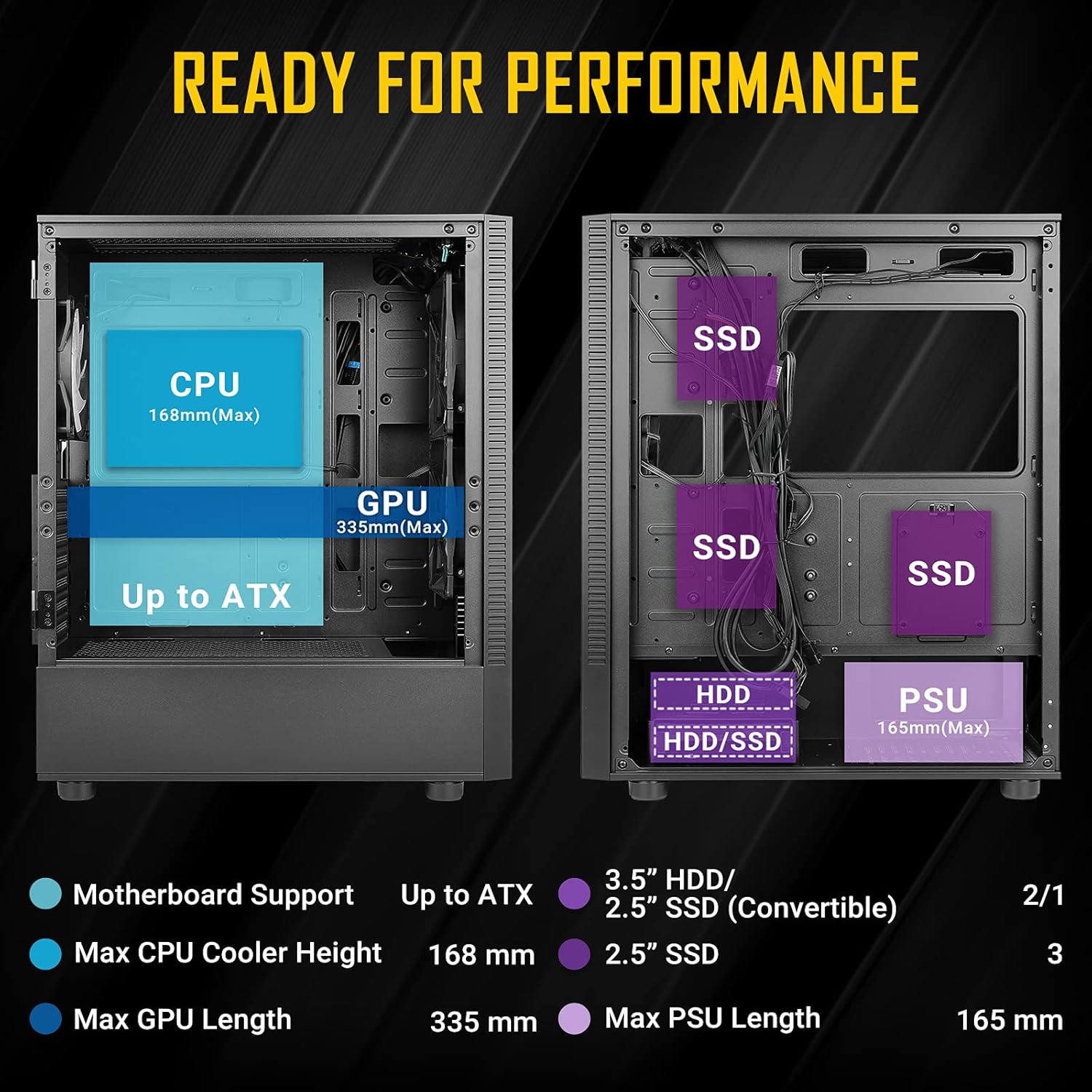
Figure 3.2: Fan and Radiator Configuration
Important Fan Connection Note:
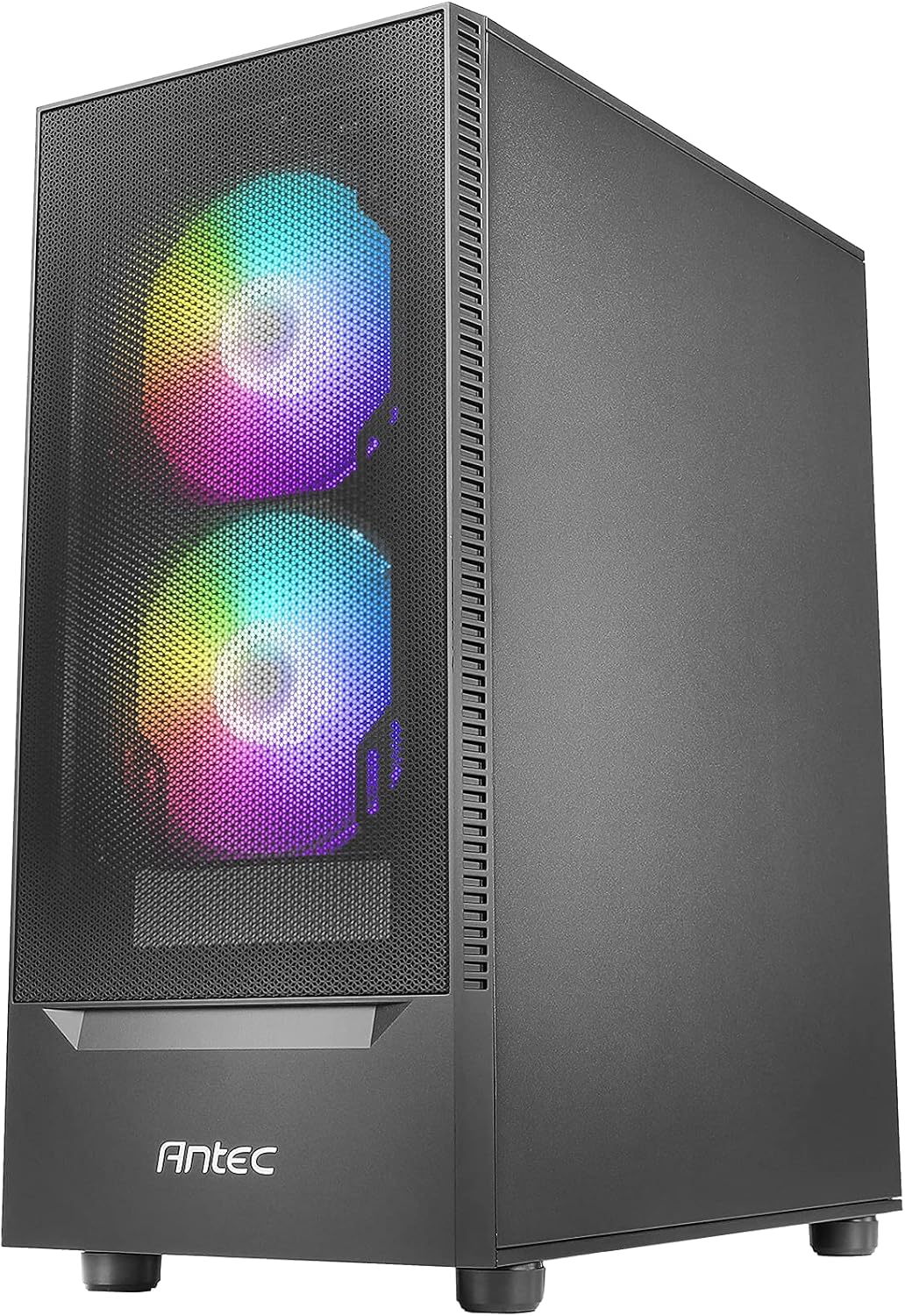
Figure 3.3: Fan Installation Warning
- If you connect the major fan and other fans but do not connect the major fan to the motherboard, other fans will not function.
- The fan kit does not work in sync with the motherboard ARGB function unless properly connected.
3.4 סטאָרידזש דרייוו אינסטאַלאַציע
The case provides bays for 3.5-inch HDDs and 2.5-inch SSDs. Refer to the internal layout diagram (Figure 3.1) for specific mounting locations.
3.5 מאַכט סופּפּלי יוניט (פּסו) ינסטאַלירונג
The PSU mounts at the rear bottom of the case. Ensure the PSU length does not exceed 165mm for optimal fit and cable management.
4. אפערירן די קעיס פֿעיִטשערז
4.1 Front Panel I/O Ports
The top front panel provides convenient access to essential ports and controls:
- מאַכט קנעפּל
- געפירט קאָנטראָל קנעפּל
- וסב 3.0 רענטגענ 1
- וסב 2.0 רענטגענ 2
- HD-AUDIO (Headphone and Microphone jacks)

Figure 4.1: Front Panel I/O Ports
4.2 ARGB לייטינג קאָנטראָל
Use the dedicated LED Control Button on the front panel to cycle through various ARGB lighting effects and colors for the pre-installed fans. This allows for customization of your system's aesthetic.

Figure 4.2: LED Control Button
5. וישאַלט
5.1 Cleaning Dust Filters
The Antec NX410 features a fine mesh front panel and a magnetic dust filter on the top panel to prevent dust buildup. Regularly remove and clean these filters to maintain optimal airflow and cooling performance.
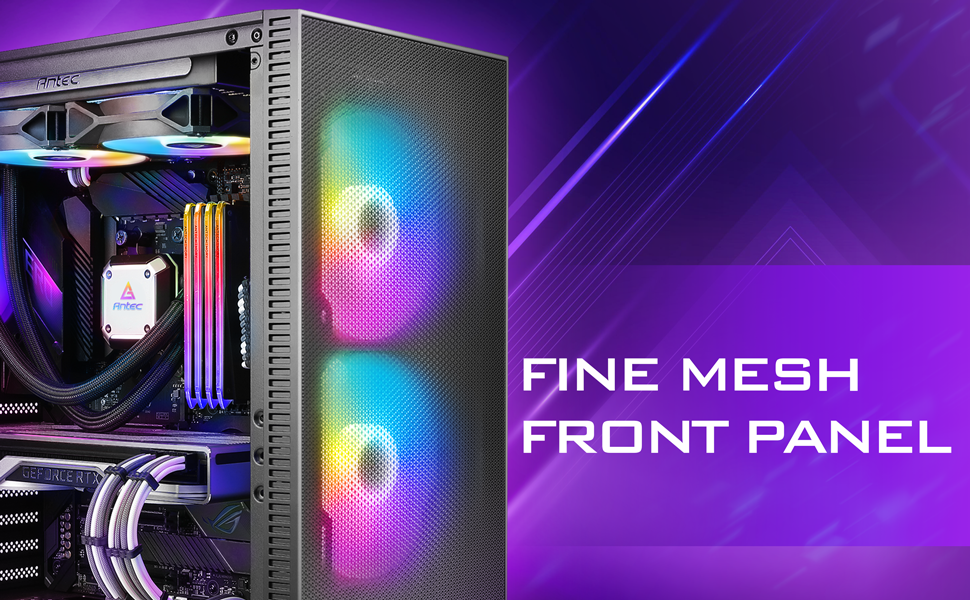
Figure 5.1: Fine Mesh Front Panel
5.2 Accessing Internal Components
The tempered glass side panel is secured with a magnetic latch, allowing for tool-less access to the internal components for upgrades, cleaning, or troubleshooting. Gently pull the handle to open the panel.
6. טראָובלעשאָאָטינג
- סיסטעם גייט נישט אן: Ensure all power cables (24-pin ATX, 8-pin CPU, GPU PCIe) are securely connected to the motherboard, graphics card, and power supply. Verify the power supply switch is in the 'ON' position.
- פעןס דרייען זיך נישט/RGB ארבעט נישט: Check fan connections to the motherboard or fan controller. Ensure the LED control button is pressed to cycle through modes. Refer to Figure 3.3 for proper fan wiring.
- אָוווערכיטינג ישוז: Confirm all case fans are installed correctly and spinning. Clean dust filters regularly. Ensure proper thermal paste application on the CPU cooler.
- USB פּאָרטן אַרבעטן נישט: Verify the USB headers from the front panel are correctly connected to the motherboard.
7. ספּעסאַפאַקיישאַנז
| שטריך | דעטאַל |
|---|---|
| סאָרט | Antec |
| מאָדעל נאָמען | נקסקסנומקס |
| טיפּ פון קאַסטן | מיד טאַוער |
| מאָטהערבאָאַרד קאַמפּאַטאַבילאַטי | אַטקס, מיקראָ-אַטקס, יטקס |
| דימענשאַנז (די רענטגענ וו x ה) | 15.35"ד רענטגענ 8.27"וו רענטגענ 19.09"ה |
| מאַטעריאַל | געהאַרצטע גלאָז, שטאָל |
| פאַר-אינסטאַלירן פאַנס | 2 x 140mm ARGB (Front), 1 x 120mm ARGB (Rear) |
| מאַקסימום קפּו קולער הייך | 168 מם |
| מאַקסימום גפּו לענג | 335 מם |
| מאַקסימום פּסו לענג | 165 מם |
| יקספּאַנשאַן סלאָץ | 7 |
| איך / אָ פּאָרץ | Power, LED Control Button, USB 3.0 x 1, USB 2.0 x 2, HD-AUDIO |
| שווער דיסק פאָרם פאַקטאָר | 3.5 אינטשעס |
| Internal Bays Quantity | 2 (3.5" HDD / 2.5" SSD Convertible), 3 (2.5" SSD) |
8. וואָראַנטי און שטיצן
The Antec NX410 ATX Mid-Tower Case comes with a 2 יאָר וואָראַנטי. For technical support, troubleshooting assistance, or warranty claims, please visit the official Antec webזייטל אדער קאנטאקט זייער קאסטומער סערוויס דעפארטמענט. האלט אייער באווייז פון קויפן פאר גאראנטיע וואַלידאציע.