
1. הקדמה
This instruction manual provides essential information for the setup and operation of your CHUNGHOP Universal Remote. This remote is designed as a replacement for various LG Smart TV Magic Remote models. Please note that this is an infrared (IR) remote control and does not support voice control, gyro, mouse, or pointer functions.
2. קאַמפּאַטאַבילאַטי
The CHUNGHOP Universal Remote is compatible with the following LG Smart TV Magic Remote Control models:
- AN-MR18BA, AN-MR19BA, AN-MR600G, AN-MR650, AN-MR650G, ANMR650A, ANMR600, AN-MR650B
- AKB75095307, AKB74475401, AKB74475433, AKB73975702, AKB75055701
- AKB73975711, AKB73715608, AKB74475401, AKB75375604, AGF76631064
- AKB74915324, AKB73715601, AKB75095308, AKB72915239

Image: The CHUNGHOP Universal Remote shown alongside a list of compatible LG Smart TV Magic Remote models.
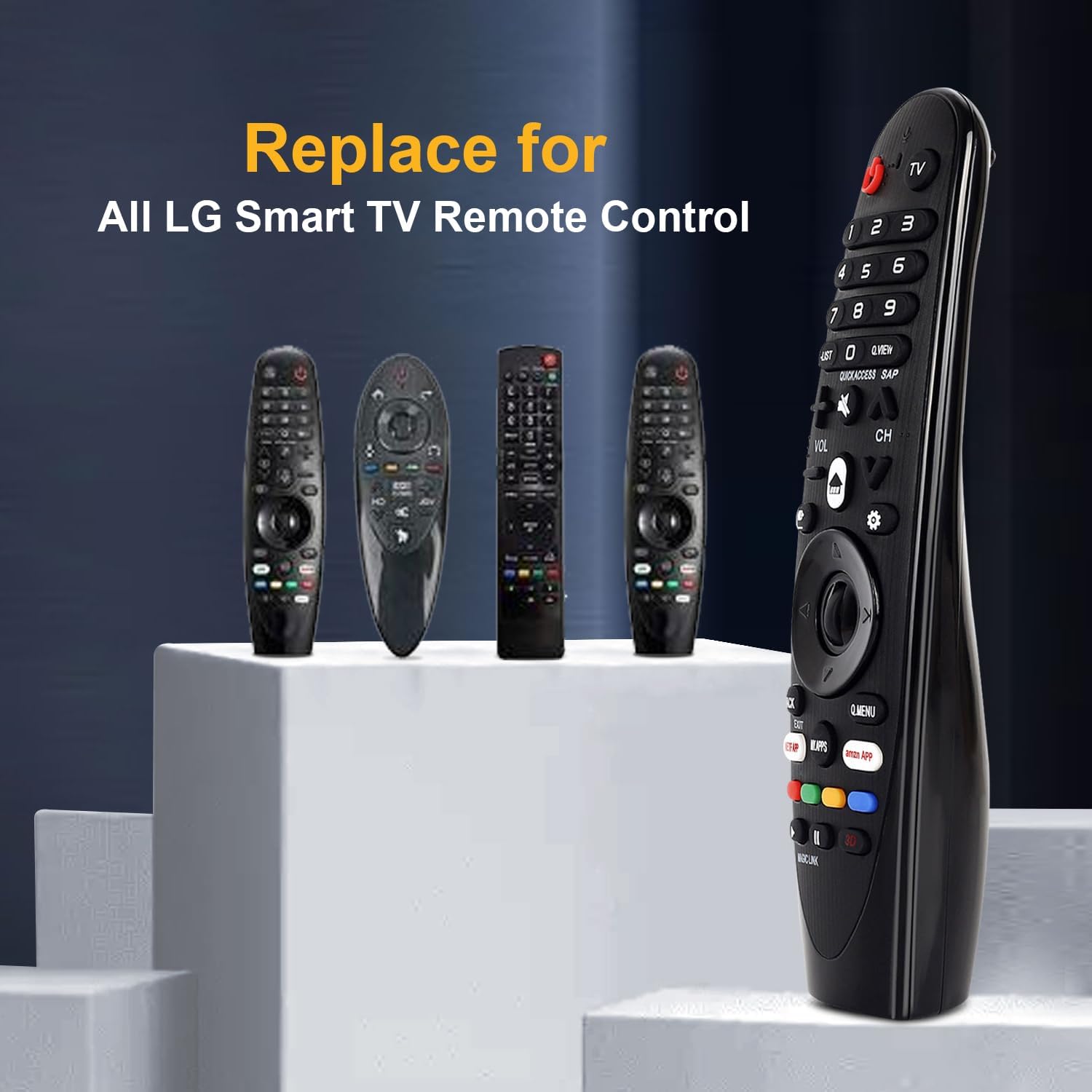
Image: The CHUNGHOP remote positioned as a replacement for several original LG Smart TV remotes.
3. פֿעיִקייטן
- דעדיקירטע הייסע שליסלען: Includes direct access buttons for 3D, Amazon, and Netflix for quick navigation to popular streaming services and features.
- ינפרערעד (IR) טעכנאָלאָגיע: Operates using stable infrared signals.
- לאנג דיסטאַנסע קאָנטראָל: Effective control distance of up to 33 feet (10 meters).
- ערגאָנאָמיק פּלאַן: Designed for comfortable handling and ease of use.

Image: A close-up of the remote control highlighting the dedicated hotkeys for Netflix, Amazon, and My Apps.

Image: A visual representation demonstrating the remote's effective long-distance control up to 33 feet.
4. סעטאַפּ
4.1 באַטאַרייע ייַנמאָנטירונג
This remote control requires 2 x 1.5V AA batteries (not included). No programming or additional setup is required after battery installation.
- עפֿנט דעם דעקל פֿון דער באַטעריע־אָפּטיילונג, וואָס געפֿינט זיך אויף דער הינטערשטער זײַט פֿון דער ווײַטקאָנטראָל.
- אַרײַנשטעלן צוויי AA באַטעריעס, און זיכער מאַכן אַז די פּאָלאַריטעט (+ און -) איז ריכטיק ווי אָנגעוויזן אין דעם אָפּטייל.
- פאַרמאַכן די באַטאַרייע אָפּטייל דעקן סיקיורלי.

Image: The remote's battery compartment is open, showing the correct placement for two AA batteries.
Video: A demonstration of installing batteries into the CHUNGHOP Universal Remote and a general overview of the remote's design and compatibility.
5. אַפּערייטינג ינסטרוקטיאָנס
Once batteries are installed, the remote is ready for use with your compatible LG Smart TV. Point the remote directly at your television for optimal performance.
5.1 יקערדיק פאַנגקשאַנז
- מאַכט קנעפּל: טורנס די טעלעוויזיע אויף אָדער אַוועק.
- נומער קנעפּלעך (0-9): פֿאַר דירעקט קאַנאַל סעלעקציע.
- באַנד אַרויף / אַראָפּ (VOL +/-): אַדזשאַסץ די טעלעוויזיע באַנד.
- קאַנאַל אַרויף/אַראָפּ (CH +/-): טוישט טעלעוויזיע קאַנאַלן.
- ריכטונג-פאד (ארויף/אראפ/לינקס/רעכטס) און OK קנעפל: נאַוויגירט מעניוז און באַשטעטיקט סעלעקשאַנז.
5.2 Hotkeys and Special Buttons
- נעטפליקס: דירעקטער צוטריט צו דער נעטפליקס אַפּליקאַציע.
- אַמאַזאָן: Direct access to the Amazon application.
- MY APPS: Accesses your installed applications.
- Q.MENU: Opens the Quick Menu for common settings.
- BACK/EXIT: Returns to the previous screen or exits a menu/application.
- 3 ד: Activates or deactivates 3D mode (if supported by your TV).
5.3 Important Note on Features
This remote control operates via infrared (IR) signals only. It טוט נישט include the following functions found on some original LG Magic Remotes:
- קול קאָנטראָל
- Gyroscope (motion sensing)
- מויז פֿונקציע
- טייַטל פֿונקציע
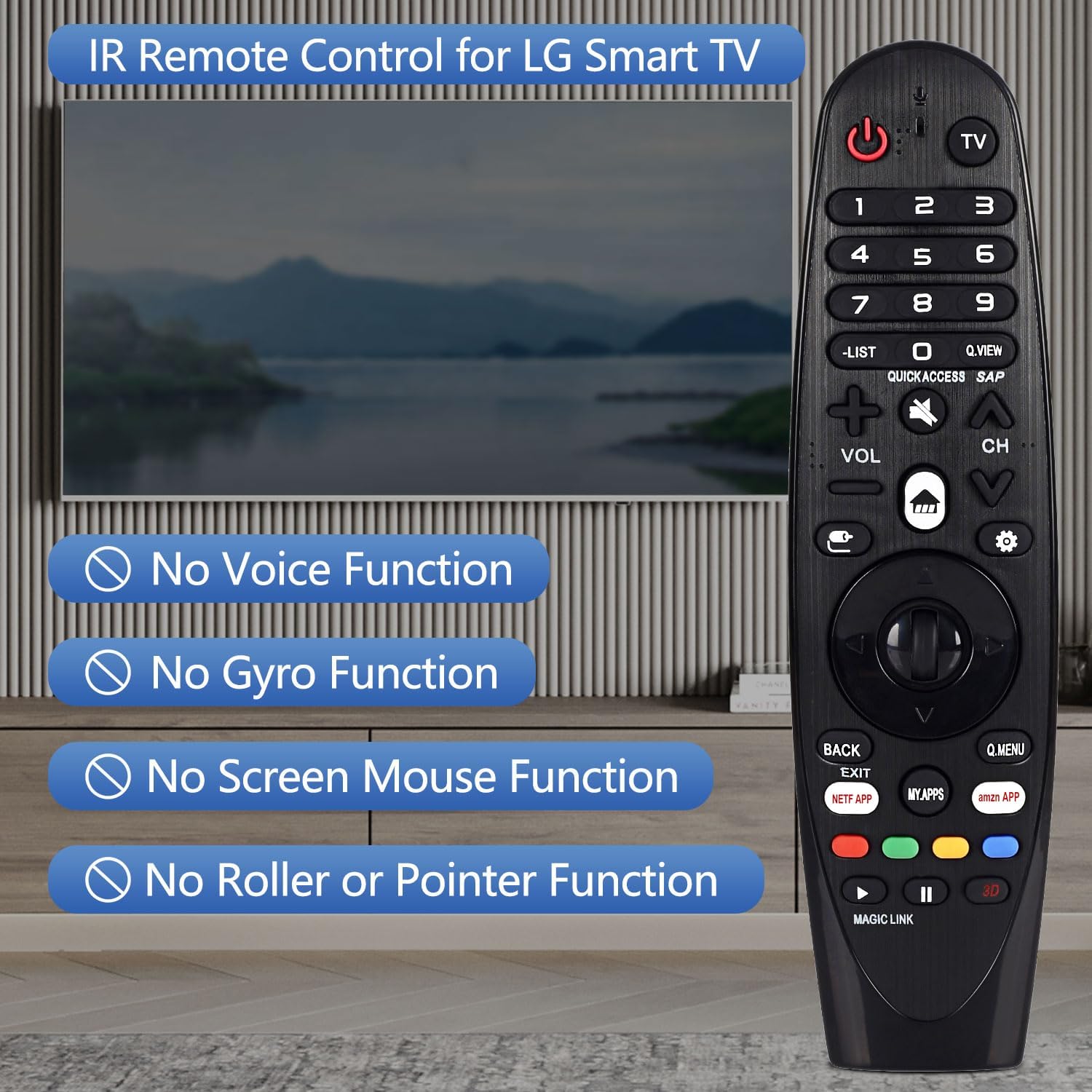
Image: The remote control displayed with text overlays explicitly stating the absence of voice, gyro, mouse, and pointer functions.

בילד: א דעטאַלירטע view of the remote control from both the front and side, highlighting its ergonomic shape and button arrangement.
6. ספּעסאַפאַקיישאַנז
| באַשרייַבונג | דעטאַל |
|---|---|
| סאָרט | טשונגהאָפּ |
| מאָדעל נאָמען | אַן-מר 19 באַ |
| קאַנעקטיוויטי טעכנאָלאָגיע | ינפרערעד (IR) |
| באַטערי טיפּ | 2 קס אַאַ (ניט אַרייַנגערעכנט) |
| מאַקסימום קייט | 10 מעטער (33 פֿיס) |
| קאָנטראָללער טיפּ | קנעפּל קאָנטראָל |
| קנעפּל קוואַנטיטעט | 18 |
| ספּעציעלע שטריך | ערגאָנאָמיק פּלאַן |
7. טראָובלעשאָאָטינג
- ווייַט ניט ריספּאַנדינג:
- ענשור אַז באַטעריז זענען ריכטיק אינסטאַלירן מיט געהעריק פּאָולעראַטי.
- פאַרבייַטן אַלטע באַטעריעס מיט נייַע AA באַטעריעס.
- Check for any obstructions between the remote control and the TV's IR receiver.
- Ensure you are within the maximum operating range of 33 feet (10 meters).
- Voice control, pointer, or mouse functions are not working:
- This CHUNGHOP Universal Remote is an infrared (IR) remote control and does not support voice, gyro, mouse, or pointer functions. These features are specific to certain original LG Magic Remote models and are not replicated by this replacement remote.
8. וואָראַנטי און שטיצן
For any questions, technical assistance, or warranty inquiries regarding your CHUNGHOP Universal Remote, please contact the manufacturer directly through their official support channels. Refer to the product packaging or the seller's information for specific contact details.