
1. הקדמה
Thank you for choosing the Greadio Retro Bluetooth Speaker and FM Radio. This device combines vintage design with modern audio technology, offering versatile playback options including Bluetooth, FM radio, TF card, and AUX input. This manual provides essential information for safe and optimal use of your speaker.
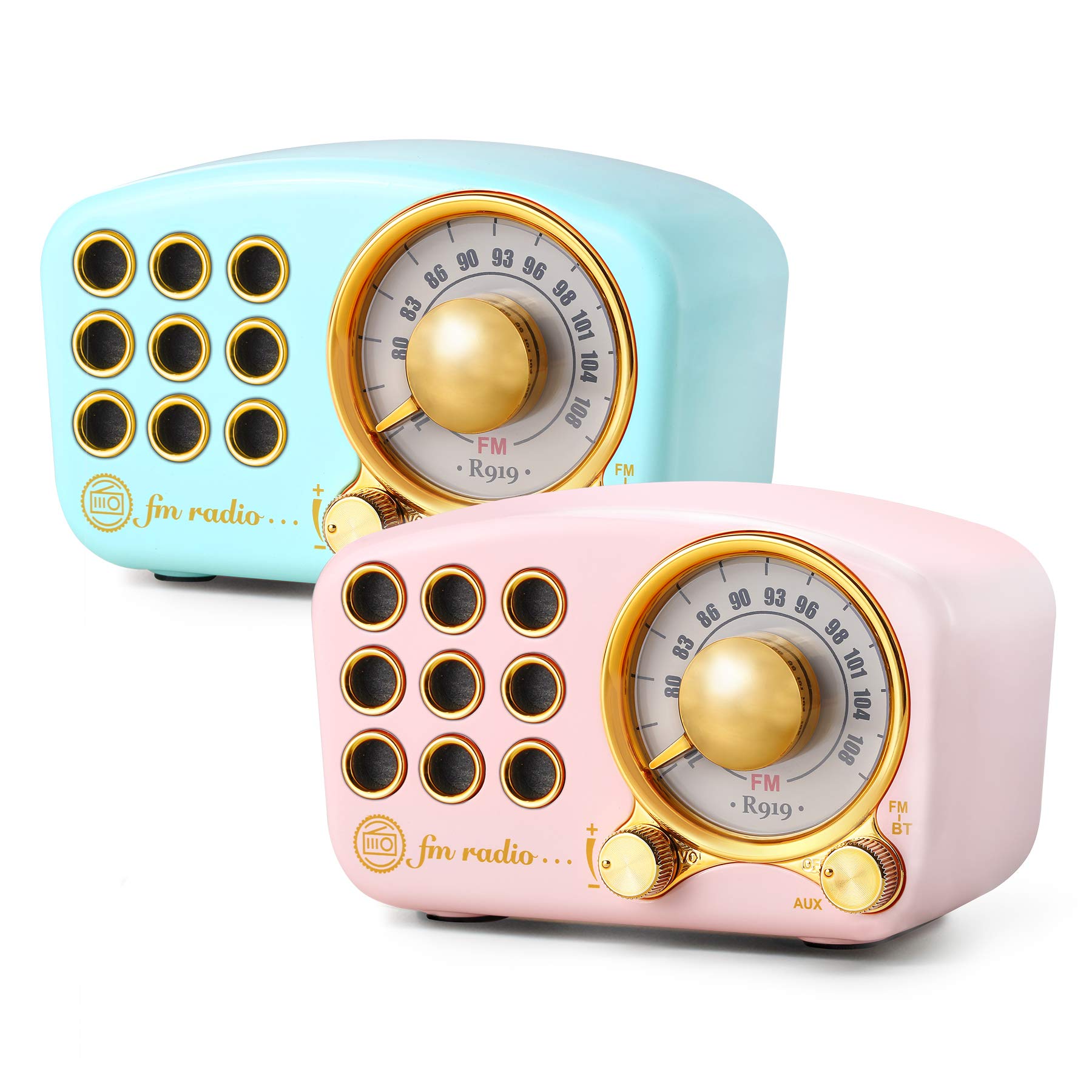
Image: The Greadio Retro Bluetooth Speaker, showcasing its compact size and retro design.
2. פּעקל אינהאַלט
ביטע טשעק די פּאַקעט פֿאַר די פאלגענדע זאכן:
- Greadio Retro Bluetooth Speaker (Main Unit)
- AUX שנור
- User Manual (This Document)
3. מיטל אויסלייג
Familiarize yourself with the buttons and ports on your speaker.

Image: Front panel of the speaker, highlighting the tuning dial, mode switch, and control buttons.
Note: Specific button functions are detailed in the "Operating Instructions" section.
4. סעטאַפּ
4.1 אויפלאָדן דעם רעדנער
The speaker is equipped with a built-in 1100mAh rechargeable battery. Before first use, fully charge the speaker.
- Connect the provided charging cable (not explicitly listed as included, but implied for rechargeable battery) to the speaker's charging port.
- פֿאַרבינדט דעם אַנדערן עק פֿונעם טשאַרדזשינג קאַבל צו אַ USB מאַכט אַדאַפּטער (נישט אַרייַנגערעכנט) אָדער אַ קאָמפּיוטער'ס USB פּאָרט.
- די טשאַרדזשינג אינדיקאַטאָר ליכט וועט זיך אָנצינדן. עס וועט זיך אויסלעשן אָדער טוישן קאָליר אַמאָל די טשאַרדזשינג איז פֿאַרטיק.
A full charge typically provides up to 9 hours of playback time, depending on volume and usage.
4.2 פּאַוערינג אויף / אַוועק
- To power on: Rotate the volume knob clockwise or press and hold the power button (refer to device layout for exact control).
- To power off: Rotate the volume knob counter-clockwise until it clicks, or press and hold the power button.
5. אַפּערייטינג ינסטרוקטיאָנס
5.1 בלועטאָאָטה מאָדע
דער רעדנער ניצט בלועטוט 4.2 פֿאַר אַן וויירלעס פֿאַרבינדונג.
- צינדט אן דעם רעדנער. עס וועט אויטאמאטיש אריינגיין אין בלוטוט פארבינדונג מאָדוס, אנגעצייכנט דורך א בלינקנדיקע LED ליכט.
- אויף אייער מאָבילער מיטל (סמאַרטפאָן, טאַבלעט, אאז"וו), אַקטיווירט בלועטוט און זוכט פֿאַר פֿאַראַן דעוויסעס.
- Select "Greadio Speaker" (or similar name) from the list of devices.
- Once connected, the LED indicator will stop flashing and remain solid. You can now play audio from your device through the speaker.

Image: Speaker connected via Bluetooth to a smartphone, demonstrating wireless audio playback.
5.2 עפעם ראַדיאָ מאָדע
Enjoy FM radio broadcasts with the built-in tuner.
- מאַכט די רעדנער.
- Switch the mode selector to "FM" (or press the Mode button until FM is selected).
- Use the tuning dial to scan for radio stations. Rotate the dial slowly to find clear signals.
- סטרויערן די וואַליום ניצן די באַנד קנופּ.
Tip: For better FM reception, extend the antenna if available, or reposition the speaker.
5.3 TF קאַרטל פּלייבאַק
שפּיל mp3 אַודיאָ fileגלייך פֿון אַ TF (מיקראָSD) קאַרטל.
- Insert a TF card (up to 32GB, formatted to FAT32) with MP3 fileס אין די TF קאָרט שפּעלטל.
- Power on the speaker. The speaker should automatically switch to TF card mode or you may need to select it using the Mode button.
- Playback will begin automatically. Use the control buttons (e.g., Play/Pause, Next/Previous) to manage playback.
5.4 AUX אינפוט מאָדע
Connect external audio devices using the provided AUX cord.
- Connect one end of the AUX cord to the speaker's AUX input port.
- Connect the other end of the AUX cord to the headphone jack or audio output of your external device (e.g., MP3 player, computer).
- Switch the speaker's mode selector to "AUX" (or press the Mode button until AUX is selected).
- Play audio from your external device. Adjust volume on both the speaker and the external device.
6. וישאַלט
- רייניקונג: Use a soft, dry cloth to clean the speaker's surface. Do not use abrasive cleaners, alcohol, or solvents.
- סטאָרידזש: האַלט דעם רעדנער אין אַ קיל, טרוקן אָרט אַוועק פון דירעקט זונשייַן און עקסטרעמע טעמפּעראַטורן.
- באַטערי זאָרגן: כדי צו פארלענגערן די לעבן פון די באַטעריע, זאָלט איר נישט אָפט אויסלאָדן די באַטעריע. לאָדט דעם רעדנער רעגולער אויף, אפילו אויב עס ווערט נישט גענוצט פאר לענגערע צייטן.
- וואַסער ויסשטעלן: די רעדנער איז נישט וואַסערפּרוף. פֿאַרמייַדט אויסשטעלונג צו וואַסער אָדער הויך הומידיטי.
7. טראָובלעשאָאָטינג
| פּראָבלעם | מעגלעך סיבה | לייזונג |
|---|---|---|
| דער רעדנער גייט נישט אן. | באַטערי איז דיפּליטיד. | לאָדט דעם רעדנער גאָר אויף. |
| קיין געזונט. | Volume is too low; incorrect mode selected; device not connected properly. | Increase volume; ensure correct mode (Bluetooth, FM, TF, AUX) is selected; re-pair Bluetooth or re-connect AUX cable. |
| בלועטאָאָטה קשר פיילז. | Speaker is too far from device; speaker not in pairing mode; interference. | Ensure speaker is within 10 meters of device; restart speaker and device; try pairing again. |
| שלעכטע FM ראַדיאָ אָפּנאַם. | שוואַך סיגנאַל; סביבה־אינטערפערענץ. | Reposition the speaker; extend the antenna if applicable. |
8. ספּעסאַפאַקיישאַנז
- מאָדעל נומער: 5acc8bb8-96b8-41bc-9445-b84cbdcaadb7
- סאָרט: גראָדיאָ
- דימענשאַנז (L x W x H): 4.4" x 2.7" x 2"
- קאַנעקטיוויטי: Bluetooth 4.2, Auxiliary (AUX)
- ספּעציעלע שטריך: קריקאָנלאָדלעך
- טונער טעכנאָלאָגיע: FM
- מאַכט מקור: באַטעריע געטריבן (איינגעבויטע 1100mAh ריטשאַרדזשאַבאַל באַטעריע)
- שטיצט ראַדיאָ באַנדס: FM
- אַודיאָ רעזולטאַט: 5 וואט ampליפער
- שפּיל צייט: Up to 9 hours (varies with volume and usage)
- אַרייַנגערעכנט קאַמפּאָונאַנץ: AUX שנור
9. וואָראַנטי און שטיצן
The Greadio Retro Bluetooth Speaker comes with a 1-year money-back warranty. Greadio also provides lifetime customer service for this product (excluding wear and tear).
For technical support, warranty claims, or any inquiries, please contact Greadio customer service through the retailer's platform or the official Greadio webפּלאַץ.