
ProForm Pro 2000
פּראָפאָרם פּראָ 2000 סמאַרט טרעדמיל ינסטרוקציע מאַנואַל
מאָדעל: פּראָ 2000
הקדמה
Welcome to the ProForm Pro 2000 Smart Treadmill. This manual provides essential information to help you assemble, operate, and maintain your new fitness equipment. The ProForm Pro 2000 is designed to offer a comprehensive and interactive workout experience, featuring a 10-inch HD interactive touchscreen, digital incline and speed controls, and seamless integration with iFIT workouts. Its SpaceSaver design allows for convenient storage, making it an ideal choice for home use.

Figure 1: ProForm Pro 2000 Smart Treadmill
זיכערקייַט אינפֿאָרמאַציע
Before operating the ProForm Pro 2000 Treadmill, please read all instructions carefully. Adhere to all warnings and precautions to ensure safe operation and prevent injury.
- שטענדיק באַראַטן זיך מיט אַ דאָקטער איידער איר אָנהייבן קיין געניטונג פּראָגראַם.
- האַלטן קינדער און פּעץ אַוועק פון די טרעדמיל בעשאַס אָפּעראַציע.
- Place the treadmill on a level surface with adequate clearance around it (at least 6 feet behind and 2 feet on each side).
- טראָגט פּאַסיקע אַטלעטישע שיך און קליידער.
- Use the safety key clip at all times. In case of an emergency, pulling the safety key will immediately stop the treadmill.
- ניצט נישט דעם טרעדמיל אויב עס האט א צעבראכענעם שנור אדער פּלאָג, אדער אויב עס איז געפאלן אדער צעבראכן געוואָרן.
- Ensure the treadmill is properly grounded.
פּראָדוקט איבערview
The ProForm Pro 2000 Treadmill is equipped with advanced features for an optimal workout. Familiarize yourself with its main components:
- Console with 10" HD Touchscreen: Displays workout metrics, iFIT content, and allows control of settings.
- Running Deck: Features Rebound Pro Deck Cushioning for reduced impact.
- SpaceSaver Design: Allows the running deck to fold vertically for compact storage.
- Digital Incline/Decline Controls: Adjusts the deck from -3% to 12% incline.
- Digital QuickSpeed Controls: Adjusts speed from 0 to 12 MPH.
- CoolAire Workout Fan: Integrated fan for comfort during workouts.

Figure 2: Treadmill Console

פיגורע 3: זייַט View

Figure 4: ReBound Pro Deck Cushioning and SpaceSaver Design
סעטאַפּ
The ProForm Pro 2000 Treadmill requires assembly. Please refer to the separate Assembly Guide included with your product for detailed, step-by-step instructions. Ensure all parts are present and undamaged before beginning assembly. It is recommended to have two people for assembly due to the size and weight of the components.

Figure 5: Treadmill Dimensions

Figure 6: Folded Dimensions for Storage
אַפּערייטינג ינסטראַקשאַנז
Follow these steps to operate your ProForm Pro 2000 Treadmill:
- מאַכט אויף: Plug the power cord into a grounded outlet. Insert the safety key into the console.
- אָנהייב וואָרקאָוט: Press the 'Start' button on the console. The running belt will begin to move at a low speed.
- סטרויערן גיכקייַט: Use the 'Speed' buttons or the QuickSpeed controls (numbered buttons) on the console to increase or decrease the belt speed (0-12 MPH).
- אַדזשאַסטירן די שפּיצן: Use the 'Incline' buttons or the QuickIncline controls on the console to adjust the incline/decline of the running deck (-3% to 12%).
- iFIT Integration: The 10" HD touchscreen allows you to stream live and on-demand iFIT workouts. With an iFIT Family Membership (30-day trial included), elite trainers can auto-adjust your treadmill's speed and incline during guided workouts.
- Emergency Stop: In case of an emergency, pull the safety key from the console or press the 'Stop' button.
- סוף וואָרקאָוט: Press the 'Stop' button to gradually bring the treadmill to a halt. Remove the safety key when finished.
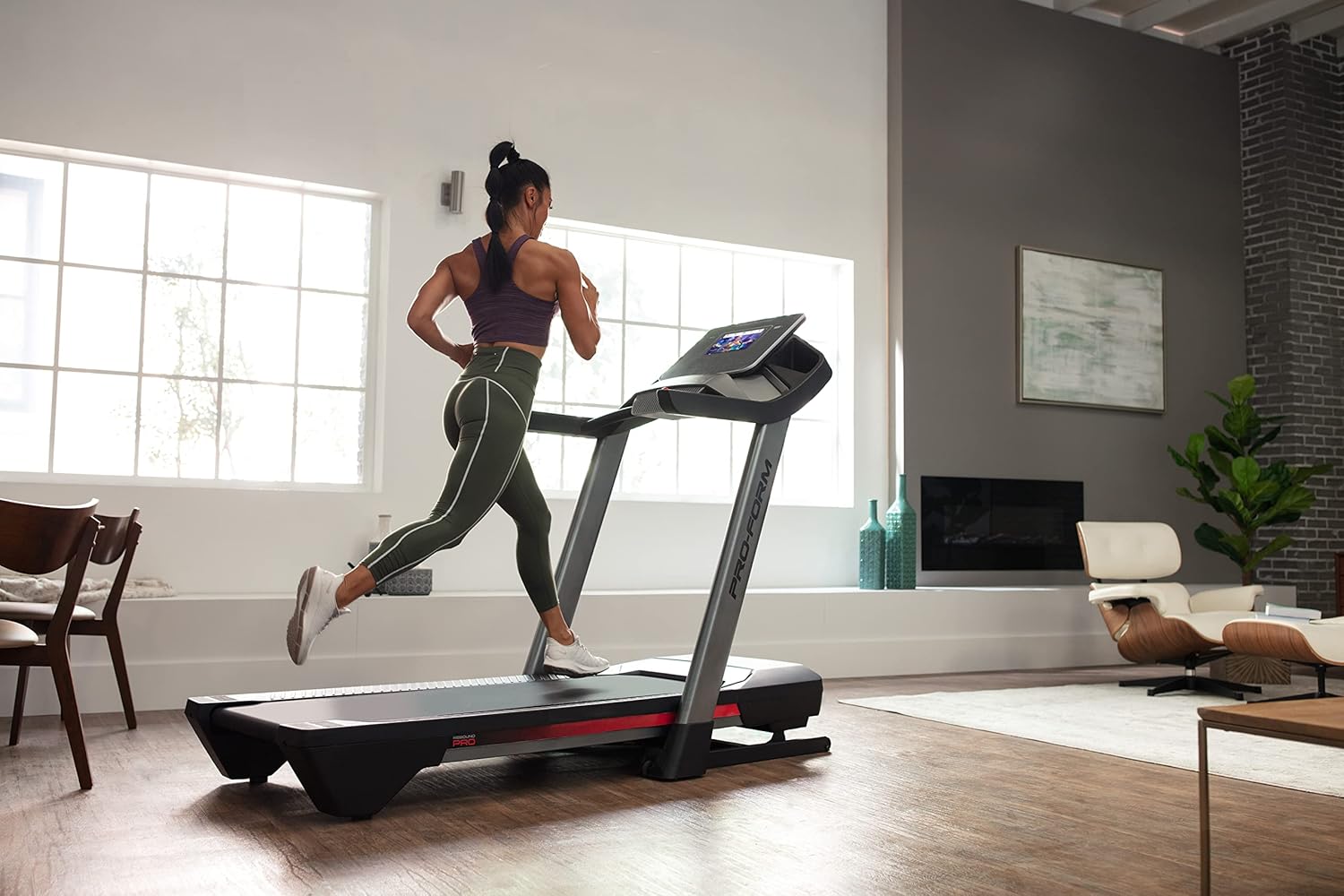
Figure 7: User in motion on the treadmill

Figure 8: iFIT Trainer Control

Figure 9: iFIT Pro Features
וישאַלט
Regular maintenance ensures the longevity and optimal performance of your treadmill:
- רייניקונג: ווישט אַראָפּ די טרעדמיל ייבערפלאַכן מיט אַדamp טוך נאך יעדן באַניץ. פֿאַרמייַדן שרײַבנדיקע רייניגער.
- גאַרטל לובריקיישאַן: The running belt may require lubrication periodically. Refer to the Assembly Guide for specific instructions and recommended lubricants.
- גאַרטל שפּאַנונג און אַליינמאַנט: Check the running belt tension and alignment regularly. If the belt slips or drifts to one side, adjust it according to the instructions in the Assembly Guide.
- מאָטאָר דעקל: Periodically remove the motor cover and vacuum any dust or debris from the motor area. Ensure the treadmill is unplugged before doing so.
טראָובלעשאָאָטינג
דאָ זענען לייזונגען צו געוויינטלעכע פּראָבלעמען וואָס איר קענט באַגעגענען:
| פּראָבלעם | מעגלעך סיבה | לייזונג |
|---|---|---|
| טרעדמיל גייט נישט אן. | עלעקטרישע שנור נישט אריינגעשטעקט; קרייז צוימער האט אויסגעלאזט; זיכערהייט שליסל נישט אריינגעשטעלט. | Ensure power cord is securely plugged in. Check household circuit breaker. Insert safety key fully. |
| דער לויף גאַרטל גליטשט אָדער האַלט זיך אָן. | Belt tension too loose; belt needs lubrication. | Adjust belt tension as per Assembly Guide. Lubricate the belt if necessary. |
| די קאנסאל דיספלעי איז ליידיג אדער רעאגירט נישט. | Loose cable connection; software issue. | Check all cable connections to the console. Try restarting the treadmill by unplugging it for 60 seconds and plugging it back in. |
| ומגעוויינטלעך ראַש בעשאַס אָפּעראַציע. | Loose components; motor issue; belt friction. | Inspect for any loose bolts or screws and tighten them. Ensure the belt is properly lubricated. If noise persists, contact customer support. |
ספּעסאַפאַקיישאַנז
| שטריך | דעטאַל |
|---|---|
| סאָרט | פּראָפאָרם |
| מאָדעל נאָמען | ProForm Pro 2000 |
| פּראָדוקט דימענסיעס (אַסעמבאַלד) | 77.3"ד רענטגענ 35.3"וו רענטגענ 59.6"ה |
| פּראָדוקט דימענשאַנז (פאָולדיד) | 45"ד רענטגענ 35.5"וו רענטגענ 69.5"ה |
| פּונקט וואָג | 260 פונט |
| מאַקסימום באַניצער וואָג | 300 פונט |
| טרעד גאַרטל גרייס | 20" x 60" |
| מאַקסימום גיכקייַט | 12 מייל פּער שעה |
| שיפּוע קייט | -3% to 12% Digital Incline |
| ווייַז טיפּ | 10" HD אינטעראַקטיווער טאָוטשסקרין |
| מאָטאָר | Self-cooling Mach Z motor |
| קושאַנינג | Rebound Pro Deck Cushioning |
| ספּעציעלע פֿעיִקייטן | SpaceSaver Design, iFIT Enabled, CoolAire Workout Fan |
| אַסעמבלי פארלאנגט | יא |
| UPC | 043619363807 |
וואָראַנטי און שטיצן
Your ProForm Pro 2000 Smart Treadmill is backed by a comprehensive warranty:
- ראַם: 10-year warranty from the initial date of purchase.
- טיילן: 2-year warranty from the initial date of purchase.
- אַרבעט: 1-year warranty from the initial date of purchase.
For warranty claims, technical assistance, or any other support needs, please contact ProForm Customer Service. Keep your proof of purchase and model number readily available when contacting support.
ProForm Customer Support: Please refer to the contact information provided in your product packaging or visit the official ProForm webזייטל פֿאַר די מערסט אַקטועלע שטיצע דעטאַלן.
Ask a question about this manual
Ask about setup, troubleshooting, compatibility, parts, safety, or missing instructions. Manuals+ will review the question and use this page’s manual context to help answer it.