
Codnida COD-CD320
Codnida Security Camera Outdoor User Manual
Model: COD-CD320
1. הקדמה
This manual provides detailed instructions for the installation, operation, and maintenance of your Codnida 2K PTZ Outdoor Security Camera. Designed for comprehensive surveillance, this camera offers 360° pan and tilt capabilities, 2K (3MP) video resolution, motion detection with smart siren, two-way audio, and color night vision, ensuring robust security for your property.
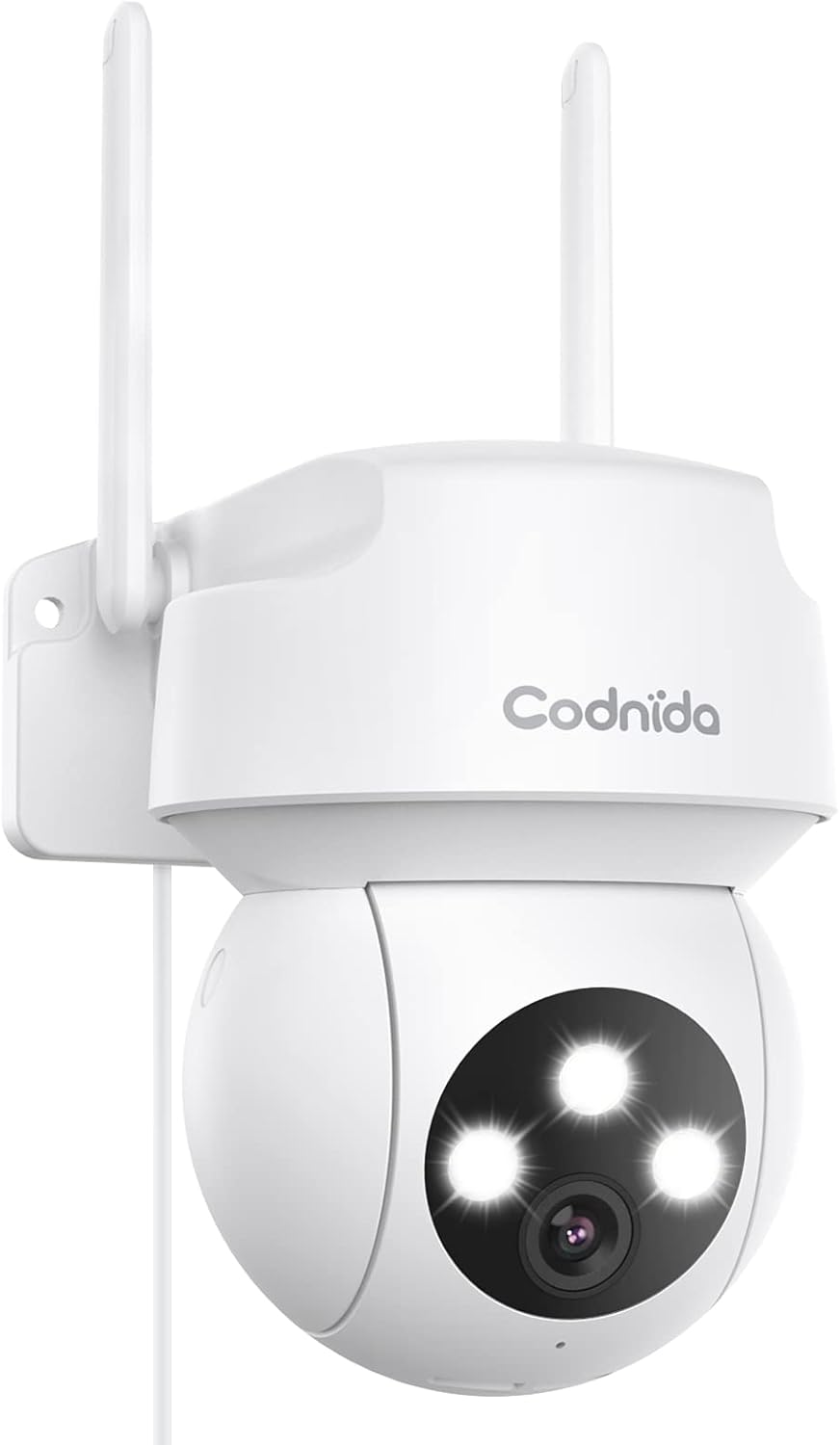
Figure 1.1: Codnida 2K PTZ Outdoor Security Camera, showcasing its sleek white design with dual antennas and three prominent LED lights on the camera head.
2. פּעקל אינהאַלט
באַשטעטיקט אַז אַלע זאכן וואָס זענען אויסגערעכנט אונטן זענען אַרייַנגערעכנט אין אייער פּעקל:
- 1 x Security Camera with cable (approx. 10ft)
- 1 x מאַכט אַדאַפּטער
- 1 x שטעלע סטיקער
- 1 רענטגענ שרויף פּעקל
- 1 x באַניצער מאַנואַל

Figure 2.1: Diagram illustrating the camera's components including antennas, indicator light, LED lights, camera lens, microphone, power cable, reset button, and TF card slot.
3. שליסל פֿעיִקייטן
- 360° View PTZ: Pan 340° and tilt 110° for comprehensive coverage without blind spots.
- 2K (3MP) Video & Image: Captures 2304x1296 resolution for clear, sharp visuals.
- Smart Siren Alarm: Automatic activation of floodlight and siren upon motion detection at night.
- באַוועגונג דעטעקציע און אויטאָ טראַקינג: Real-time alarm pushes to your phone and automatic tracking of human activity.
- קלאָרע נאַכט זעאונג: Features infrared and full-color night vision modes.
- ווייַט אַקסעס: View live video and control the camera via the "CloudEdge" app (iOS & Android).
- צוויי-וועג אַודיאָ: איינגעבויטער מיקראָפאָן און רעדנער פֿאַר רעאַל-צייט קאָמוניקאַציע.
- IP66 וועטערפּרוף: Designed to withstand harsh weather conditions (-4℉ to +140℉).
- Storage Support: Supports SD card (up to 128GB, not included) and cloud service for recording storage.
4. סעטאַפּ גייד
4.1 מאַכט אויף
Connect the camera to the provided power adapter and plug it into a standard electrical outlet. The camera will perform a self-test, indicated by LED lights and a voice prompt.
4.2 אַפּ דאַונלאָודינג און אַקאַונט שאַפונג
Download the "CloudEdge" app from your device's app store (available for iOS and Android). Follow the in-app instructions to create a new account or log in if you already have one.
4.3 ווי-פי קאַנעקשאַן
The Codnida camera connects only to 2.4GHz Wi-Fi networks. Ensure your router is broadcasting a 2.4GHz signal. If you have a dual-band router, you may need to separate the 2.4GHz and 5GHz networks or ensure your device is connected to the 2.4GHz band during setup.
Within the CloudEdge app, select 'Add Device' and follow the prompts to connect your camera to your Wi-Fi network. This typically involves scanning a QR code displayed on your phone with the camera lens.
Video 4.1: Instructions on how to change your Xfinity router settings to enable a 2.4GHz Wi-Fi network, which is required for the camera's connection.
4.4 מאָונטינג די אַפּאַראַט
Choose a suitable outdoor location for mounting, ensuring a clear view and proximity to a power source. Use the included position sticker to mark drill holes, then secure the camera using the provided screws. The camera's IP66 weatherproof rating ensures durability against rain and snow.

פיגורע 4.1: אַן עקסample of the camera mounted outdoors on a wall, demonstrating its placement for optimal surveillance.

Figure 4.2: Visual representation of the camera's IP66 weatherproof capability, showing it enduring rain, snow, and sunshine.
5. אָפּעראַציע
5.1 לעבן View און PTZ קאָנטראָל
עפֿנט די CloudEdge אַפּ און סעלעקטירט אייער קאַמעראַ צו צוקומען צום לייוו view. Use the on-screen joystick or swipe gestures to control the camera's pan (340°) and tilt (110°) movements, allowing you to adjust the viewינג ווינקל רימאָוטלי.

Figure 5.1: A smartphone screen displaying the live camera feed with an overlay of PTZ control arrows, indicating the ability to remotely adjust the camera's pan and tilt.

Figure 5.2: An outdoor scene with a house and garage, showing the camera mounted on the wall with arrows indicating its 340° pan and 110° tilt capabilities for a 360° view.
5.2 באַוועגונג דעטעקציע און וואָרענונגען
Enable motion detection in the app settings. When motion is detected, the camera will automatically push real-time alarm information to your phone. The auto-tracking feature allows the camera to follow detected human activity, ensuring important moments are recorded.

Figure 5.3: An illustration depicting the camera's human motion tracking feature, showing a person walking and the camera's field of view adjusting to follow them.

Figure 5.4: A night scene showing the camera's spotlight illuminating an intruder and a siren icon, with a phone displaying an alarm message, demonstrating the smart siren and spotlight function.
5.3 צוויי-וועג אַודיאָ
Utilize the built-in microphone and speaker for two-way communication. Tap the microphone icon in the live view to speak through the camera, and listen to audio from the camera's surroundings.

Figure 5.5: A person interacting with the camera via a smartphone app, showing a microphone icon for speaking and text bubbles indicating a two-way conversation, such as with a delivery person.
5.4 נאַכט זעאונג מאָדעס
The camera offers two night vision modes: infrared night vision for clear black-and-white images in low light, and full-color night vision which uses the integrated floodlight to provide color images at night.

Figure 5.6: Comparison of color night vision (top) showing a brightly lit house and infrared night vision (bottom) showing a black and white view, both captured by the camera at night.
5.5 רעקאָרדינג און פּלייבאַק
The camera supports 24/7 recording. Recordings can be stored on a local SD card (not included, up to 128GB) or via cloud service (subscription may be required). Access recorded footage and playback through the CloudEdge app.

Figure 5.7: A visual comparison demonstrating the superior clarity of 2K (3MP) video resolution compared to 1080p, highlighting the enhanced detail captured by the camera.
6. וישאַלט
6.1 רייניקן די קאַמעראַ
רייניקן פּעריִאָדיש די קאַמעראַ אָביעקטיוו און די קעסטל מיט אַ ווייכן, דamp שטאָף צו באַזייַטיקן שטויב און שמוץ. ניצט נישט שטרענגע כעמיקאַלן אָדער אַברייסיוו רייניגער.
6.2 פירמוואַרע דערהייַנטיקונגען
Check the CloudEdge app regularly for available firmware updates. Keeping your camera's firmware up-to-date ensures optimal performance, security, and access to new features.
6.3 קאָנטראָלירונג קאַנעקשאַנז
Ensure the power cable and any network cables (if used) are securely connected and free from damage. Verify Wi-Fi signal strength in the app to maintain a stable connection.
7. ספּעסאַפאַקיישאַנז
| שטריך | דעטאַל |
|---|---|
| סאָרט | קאָדנידאַ |
| מאָדעל נומער | COD-CD320 |
| קאַנעקטיוויטי טעכנאָלאָגיע | ווירעלעסס (ווי-פי) |
| ווי-פי אָפטקייַט | 2.4 GHz (Does not support 5G Wi-Fi) |
| ווידעא קאַפּטורע רעסאָלוטיאָן | 2K (3MP, 2304x1296p) |
| פּאַן ראַנגע | 340° |
| טילט ראַנגע | 110° |
| נאַכט וויזשאַן ראַנגע | 33 פֿיס |
| נאַכט זעאונג מאָדעס | Infrared, Full Color |
| אַודיאָ | 2-Way Audio (Built-in microphone and speaker) |
| וועטער קעגנשטעל | IP66 וואָטערפּרוף |
| אַפּערייטינג טעמפּעראַטור | -4℉ to +140℉ (-20℃ to +60℃) |
| סטאָרידזש אָפּציעס | SD Card (up to 128GB), Cloud Service |
| מאַכט מקור | עלעקטריש מיט שנור (5 וואלט, 12 וואט) |
| דימענסיעס (L X W X H) | 1 X 1 X 1 אינטשעס |
| פּונקט וואָג | 1.08 פונט |
| אַרייַנגערעכנט קאַמפּאָונאַנץ | Camera, Power Adapter, Position Sticker, Screw Package, User Manual |
8. טראָובלעשאָאָטינג
8.1 קאַמעראַ פֿאַרבינדט זיך נישט צו Wi-Fi
- זיכער מאַכן אַז אייער Wi-Fi נעץ איז 2.4GHz. די קאַמעראַ שטיצט נישט 5GHz Wi-Fi.
- קאָנטראָלירט אייער Wi-Fi פּאַראָל פֿאַר אַקיעראַסי.
- ריקט די קאַמעראַ נענטער צו אייער Wi-Fi ראַוטער צו פֿאַרבעסערן סיגנאַל שטאַרקייט.
- If using a dual-band router, temporarily disable the 5GHz band during setup or ensure your phone is connected to the 2.4GHz band.
- Reset the camera by holding the reset button (located near the TF card slot) for 6-10 seconds until you hear a prompt. Then, attempt to reconnect.
8.2 Blurry or Pixelated Images
- פאַרזיכערן אַז די אַפּאַראַט אָביעקטיוו איז ריין און פריי פון שמוץ אָדער שמוץ.
- Check your internet connection speed. A slow connection can result in lower quality streaming.
- Verify the camera's resolution setting in the CloudEdge app is set to 2K (3MP) or FHD.
8.3 Motion Detection Not Working or Too Sensitive
- Adjust the motion detection sensitivity settings within the CloudEdge app.
- דעפינירן ספּעציפֿישע דעטעקציע זאָנעס צו רעדוצירן פאַלשע אַלאַרמס פֿון נישט-רעלעוואַנט געביטן.
- זיכער מאַכן אַז עס זענען נישטאָ קיין שטערונגען וואָס בלאָקירן די קאַמעראַ'ס view אין די דיטעקשאַן געגנט.
9. וואָראַנטי און שטיצן
For any issues with your order or product, please contact customer support. You can typically find support by logging into your account, choosing 'your order', finding the order ID, and clicking 'contact seller'.
For the most up-to-date warranty information, please refer to the product listing or contact Codnida customer service directly.
Ask a question about this manual
Ask about setup, troubleshooting, compatibility, parts, safety, or missing instructions. Manuals+ will review the question and use this page’s manual context to help answer it.