
1. הקדמה
This manual provides comprehensive instructions for the installation, setup, operation, and maintenance of your Amazon Basics Traditional Electronic Keypad Deadbolt with Handle Set. This product offers secure keyless entry with a keypad function and a motorized deadbolt for convenient one-touch locking. It meets ANSI grade 3 standards for security and strength. Please read this manual thoroughly before installation and use to ensure proper function and safety.
2. זיכערקייַט אינפֿאָרמאַציע
- Prevent Unauthorized Access: To prevent unauthorized access, it is crucial to complete the setup process by changing the default programming code, creating your own unique user codes, and deleting the default user code immediately after installation.
- בלויז דרינענדיק נוצן: This product is designed for indoor use only. Do not install it on exterior gates or doors exposed directly to harsh weather conditions.
- Accidental Lockouts: Always keep the door open and the lockset unlocked while programming new codes to prevent accidental lockouts.
- באַטערי זיכערקייַט: Use only the specified battery type (4 AA batteries). Do not mix old and new batteries, or different types of batteries. Dispose of used batteries responsibly.
3. פּעקל אינהאַלט
באַשטעטיקן אַז אַלע קאָמפּאָנענטן זענען פאַראַן איידער איר הייבט אָן די אינסטאַלאַציע:
- Exterior Keypad Deadbolt Assembly
- Interior Assembly (with battery cover)
- Exterior Handle Lever
- Interior Handle Lever
- דעדבאָלט לאַטש
- שעפּן לאַטש
- Strike Plates (for deadbolt and handle)
- מאָנטירונג האַרדווער (שרויף, באָלץ)
- Cylinder and Keys
- ינסטאַללאַטיאָן מוסטער

פיגור 3.1: אלע קאמפאנענטן אריינגערעכנט אין פעקל.
4. פּראָדוקט איבערview
The Amazon Basics Electronic Keypad Deadbolt with Handle Set combines a secure electronic deadbolt with a traditional passage lever for complete door security and access control.

פיגור 4.1: אויסערלעכער view of the electronic keypad deadbolt and handle set.

Figure 4.2: Close-up of the electronic keypad.
5. Door Compatibility Guide
זיכער מאַכן אַז אייער טיר טרעפט די פאלגענדע ספּעסיפיקאַציעס פֿאַר ריכטיקער ינסטאַלירונג:
- טיר גרעב: Accommodates door thickness of 1-3/8 to 1-3/4 inches (35.1 mm to 50.8 mm).
- Door Holes: Suitable for standard 2-1/8 inch (54mm) door holes.
- באַקקסעט: The 6-way adjustable latch fits any 2-3/8 inch (60mm) or 2-3/4 inch (70mm) backset.
וויכטיק: Measure your door's backset, cross bore, and thickness to ensure compatibility before installation.

Figure 5.1: Door compatibility dimensions.
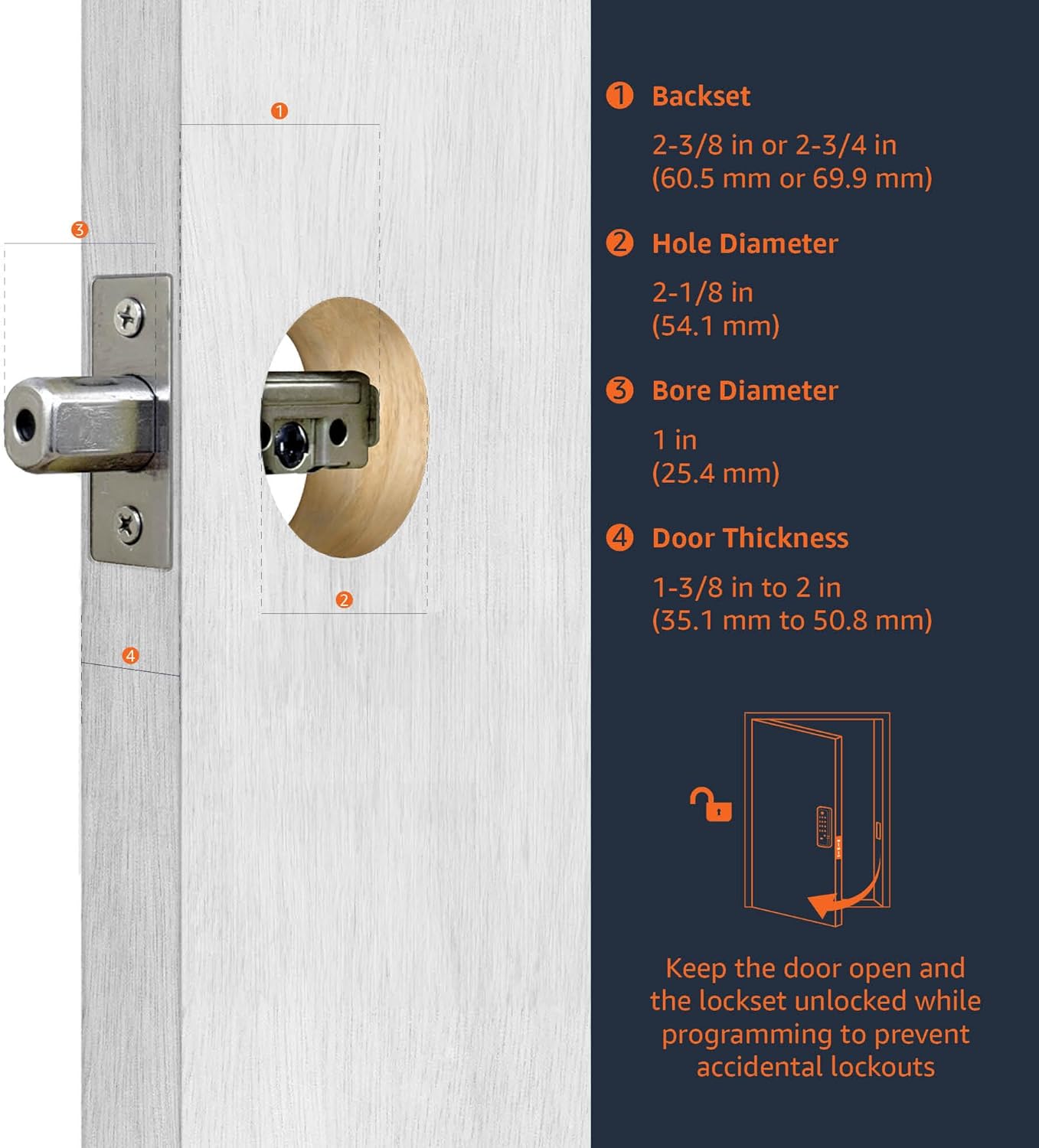
Figure 5.2: Guide for measuring door dimensions.
6. ינסטאַלירונג
Installation is straightforward and typically requires only a screwdriver. All necessary hardware components are included in the package. For detailed, step-by-step visual instructions, please refer to the official אינסטאַלאַציע מאַנואַל (PDF).
אַלגעמיינע ינסטאַללאַטיאָן סטעפּס:
- צוגרייטן די טיר: Ensure your door meets the compatibility requirements. Use the provided template if drilling new holes.
- אינסטאַלירן די לאַטשעס: Insert the deadbolt latch and handle latch into the door edge. Adjust the backset if necessary.
- Install Exterior Keypad: Mount the exterior keypad assembly, ensuring the spindle passes through the deadbolt latch.
- אינסטאַלירן אינעווייניקסטע מאַונטינג פּלאַטע: באַפֿעסטיקן די אינעווייניקסטע מאָונטינג פּלאַטע צו דער אויסווייניקסטער פֿאַרזאַמלונג מיט די צוגעשטעלטע שרויפֿן.
- ינסטאַלירן ינלענדיש אַסעמבלי: Connect the cable from the exterior assembly to the interior assembly. Mount the interior assembly to the mounting plate.
- Install Handle Set: Attach the exterior and interior handle levers, ensuring they operate smoothly.
- אינסטאַלירן סטרייק פּלאַטעס: Secure the strike plates to the door frame.
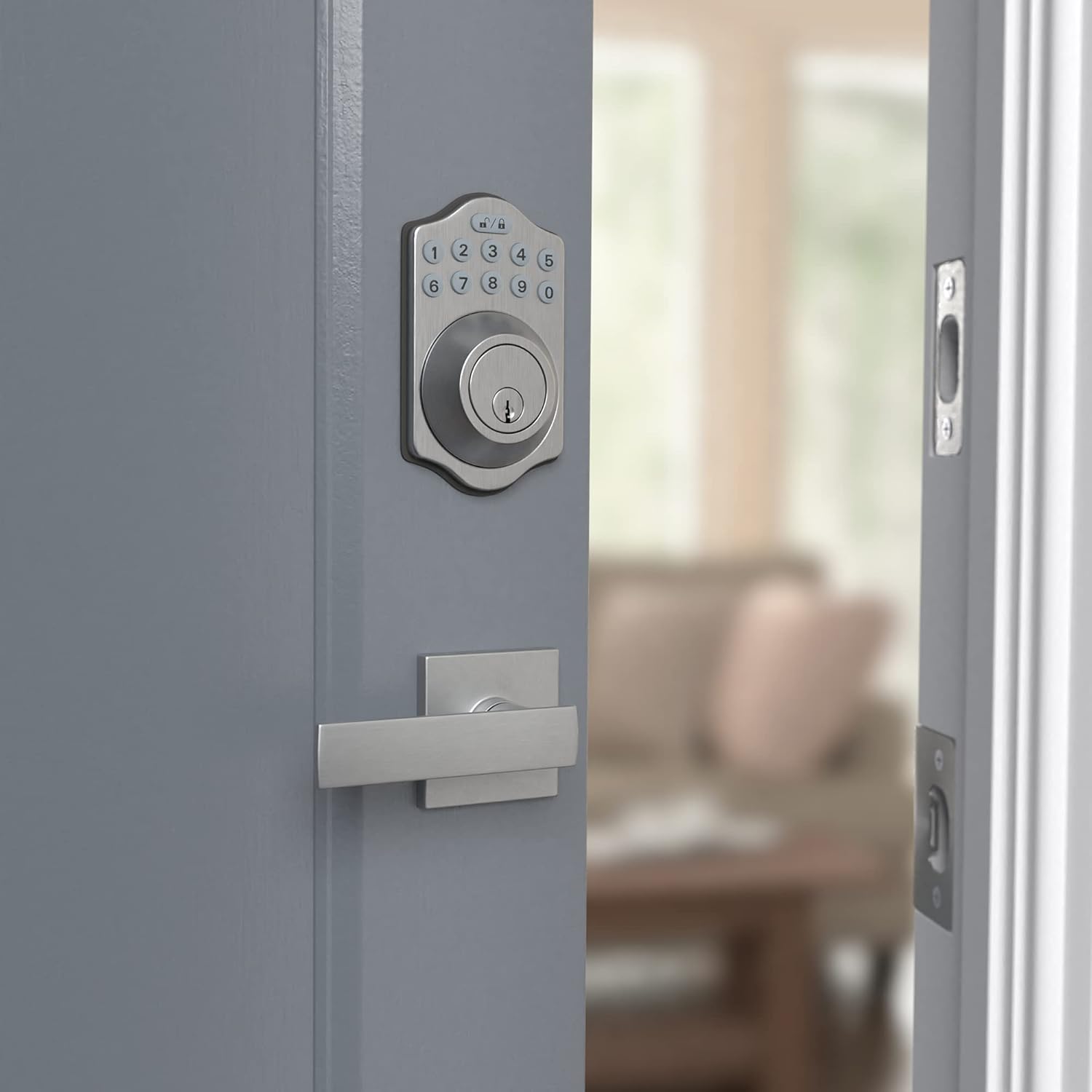
פיגור 6.1: אויסערלעכער view of the installed lock.
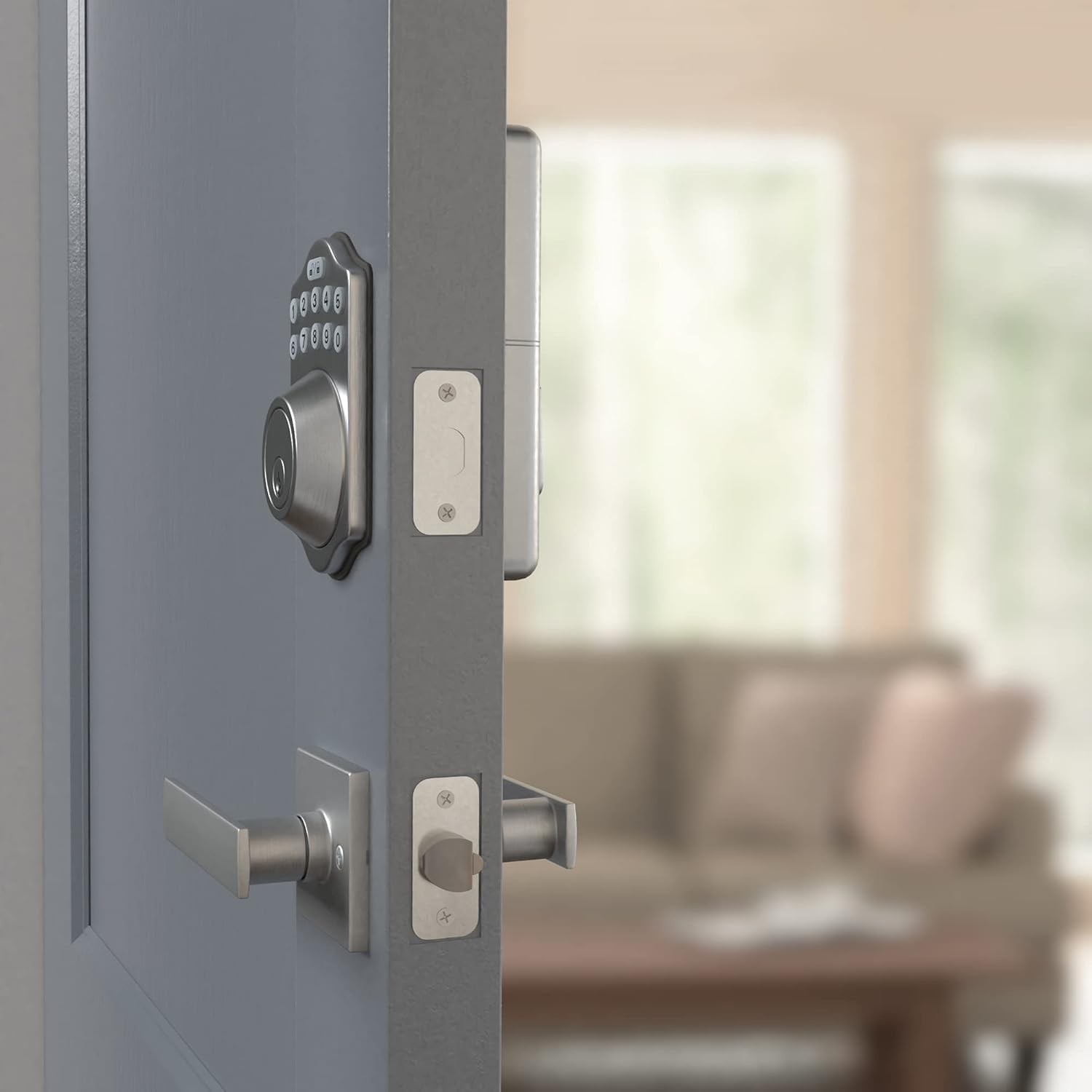
פיגורע 6.2: ינלענדיש view of the installed lock.
7. סעטאַפּ
After physical installation, you must program the lock for secure operation.
7.1 ערשטע פּראָגראַמירן
- ינסטאַלירן באַטעריז: אַרײַנשטעלן 4 AA באַטעריעס אין די אינעווייניקסטע פֿאַרזאַמלונג.
- Change Default Programming Code: The lock comes with a default programming code. For security, change this immediately. Refer to the full User Manual for specific steps.
- Create User Codes: Program your desired user codes (4-10 digits). Multiple user codes can be stored.
- Delete Default User Code: Ensure the default user code is deleted after creating your own.
7.2 אויטאָ-שלאָס פֿונקציע
This lock can be programmed to automatically lock after a set period of time once the door is closed. Consult the full User Manual for instructions on enabling and configuring this feature.
8. אפערירן דעם שלאָס
8.1 לאַקינג די טיר
- איין-ריר לאַקינג: Press the lock button on the keypad. The deadbolt will extend, securing the door.
- אַוטאָ-שלאָס: If enabled, the deadbolt will automatically extend after a programmed delay once the door is closed.
8.2 אַנלאַקינג די טיר
- קלאַוויאַטור פּאָזיציע: Enter your valid user code on the keypad. The deadbolt will retract, allowing entry.
- שליסל אָווועררייד: In case of battery failure or forgotten code, use the physical key provided to unlock the deadbolt.
9. וישאַלט
9.1 באַטערי פאַרבייַט
The lock requires 4 AA batteries. When batteries are low, the lock may provide an audible or visual indicator. Replace all four batteries simultaneously with new, high-quality alkaline AA batteries. To replace, remove the battery cover on the interior assembly, remove old batteries, insert new ones according to polarity, and replace the cover.
9.2 רייניקונג
Clean the keypad and handle surfaces with a soft, damp שטאָף. פֿאַרמײַדט אַברייסיוו רייניגער אָדער סאָלווענטן וואָס קענען שאַטן די ענדיקונג אָדער עלעקטראָנישע קאָמפּאָנענטן.
10. טראָובלעשאָאָטינג
- שלאָס ענטפֿערט נישט: Check battery levels. Replace all 4 AA batteries if necessary. Ensure the battery pack is correctly seated.
- קלאַוויאַטור אַרבעט נישט: Verify that the lock is receiving power. If batteries are new and correctly installed, try resetting the lock (refer to the full User Manual for reset procedures).
- Battery Cover Loose: Ensure the battery cover is properly aligned and snapped into place. If it consistently comes loose, contact customer support.
- Accidental Lockouts: If you are locked out due to programming errors, use the physical key to gain entry. Always program with the door open.
- Lock Does Not Engage/Disengage Smoothly: Check for any obstructions in the door frame or strike plate. Ensure the latch and deadbolt are properly aligned with the strike plates. Re-check installation steps for proper alignment.
11. ספּעסאַפאַקיישאַנז
| שטריך | דעטאַל |
|---|---|
| סאָרט | אַמאַזאָן באַסיקס |
| מאָדעל נומער | PL1TMS0S18 |
| UPC | 193598103755 |
| לאַק טיפּ | קיפּאַד דעאַדבאָלט |
| ספּעציעלע שטריך | Keyless Entry |
| קאָנטראָל מעטאָד | ריר |
| מאַטעריאַל | Alloy Steel, Nickel, Zinc |
| קאָליר | אַטלעס ניקאַל |
| נומער דימענשאַנז (L X W X H) | 5.08 X 3.08 X 0.1 אינטשעס |
| פּונקט וואָג | 4.3 פונט |
| מאַכט מקור | 4 אַאַ באַטעריז (ניט אַרייַנגערעכנט) |
| רעקאַמענדיד נוצן | זיכערהייַט |
| נומער פון פּיעסעס | 2 (Deadbolt and Handle Set) |
12. וואָראַנטי און שטיצן
This Amazon Basics Traditional Electronic Keypad Deadbolt with Handle Set is backed by an Amazon Basics 1-year limited warranty. For warranty claims or technical support, please refer to the official documentation or contact Amazon Basics customer service.