
הקדמה
Welcome and thank you for choosing the Umax Webcam W5. This manual provides essential information for setting up, operating, maintaining, and troubleshooting your webcam. Please read it carefully before use to ensure proper functionality and longevity of your device.
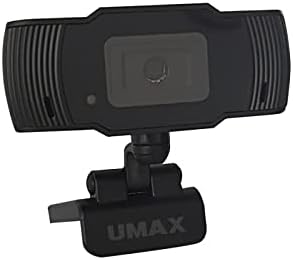
בילד: פראָנט view of the Umax W5 Webcam. This image displays the main unit of the webcam, highlighting its lens and overall design.
1. סעטאַפּ
1.1 פּעקל אינהאַלט
- Umax W5 Webקאַם
- שפּיגל
1.2 סיסטעם רעקווירעמענץ
די Umax W5 Webcam is compatible with most operating systems that support standard USB webcams, including Windows, macOS, and Linux distributions.
1.3 קאַנעקטינג די Webקאַם
- ופשליסן די webcam's integrated clip/stand.
- שטעלן די webcam securely on top of your monitor, laptop screen, or a flat surface.
- פֿאַרבינדט דעם USB קאַבל פֿון דער webקאַם צו אַן בנימצא וסב פּאָרט אויף דיין קאָמפּיוטער.
- די webcam should be automatically recognized by your operating system. No additional drivers are typically required for basic functionality.
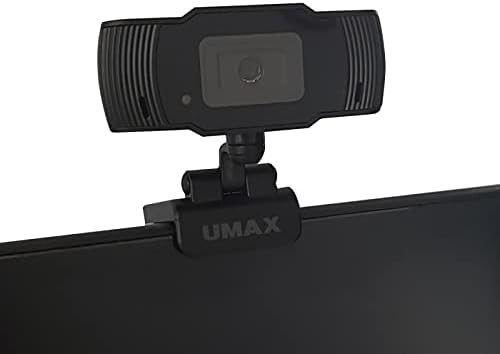
Image: Umax W5 Webcam mounted on top of a computer monitor. This image shows the webcam securely positioned on the upper edge of a computer monitor, demonstrating its typical mounting configuration.
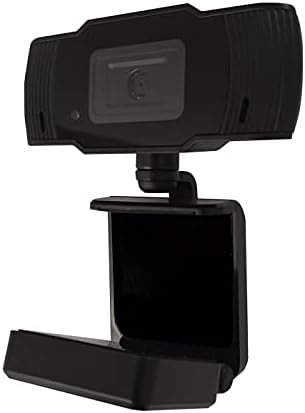
Image: Umax W5 Webcam with its adjustable clip/stand unfolded. This image displays the webcam with its integrated clip fully extended, illustrating how it can be adjusted to fit various monitor thicknesses or stand independently on a flat surface.
2. אַפּערייטינג די Webקאַם
2.1 יקערדיק פאַנגקשאַנאַליטי
Once connected, the Umax W5 Webcam is ready for use with various video conferencing applications, streaming software, and other programs that utilize a webקאַם.
2.2 ניצן מיט אַפּליקאַציעס
- Open your desired application (e.g., Zoom, Skype, OBS Studio).
- Navigate to the application's settings or preferences menu.
- Select "Umax W5 Webcam" as your primary video input device.
- Adjust video settings such as resolution or frame rate within the application if these options are available.
2.3 מאַנועלע פאָקוס
די Umax W5 Webcam features manual focus. To adjust the focus, gently rotate the lens ring located around the camera lens until the image displayed on your screen appears clear and sharp.
3. וישאַלט
3.1 רייניקן די לינז
To ensure optimal image quality, periodically clean the webקאַם אָביעקטיוו.
- ניצט אַ ווייכן, לינט-פֿרייע שטאָף ספּעציעל דיזיינד פֿאַר אָפּטישע ייבערפֿלאַכן.
- Avoid abrasive materials or harsh chemical cleaners, as these can damage the lens coating.
- דזשענטלי ווישן די אָביעקטיוו אין אַ קייַלעכיק באַוועגונג צו באַזייַטיקן שטויב אָדער סמאַדזשאַז.
3.2 סטאָרידזש
ווען ניט אין נוצן, קראָם די webcam in a clean, dry place away from extreme temperatures, high humidity, and direct sunlight to prevent damage.
4. טראָובלעשאָאָטינג
4.1 Webקאַם נישט דעטעקטירט
- זיכער מאַכן אַז דער USB קאַבל איז זיכער פֿאַרבונדן צו ביידע webcam and an active USB port on your computer.
- פרובירט צו פארבינדן די webקאַמעראַ צו אַן אַנדער USB פּאָרט אויף דיין קאָמפּיוטער.
- ריסטאַרט דיין קאָמפּיוטער.
- Check your operating system's Device Manager (Windows) or System Information (macOS) to see if the webקאַם איז ליסטעד.
4.2 שלעכטע בילד קוואַליטעט
- Adjust the manual focus ring on the webcam until the image is clear.
- Ensure adequate lighting in your environment. Poor lighting can significantly affect image quality.
- ריין די webcam lens as described in the Maintenance section.
- Check the video settings within your application (e.g., resolution, frame rate) to ensure they are set appropriately.
5. ספּעסאַפאַקיישאַנז
| שטריך | דעטאַל |
|---|---|
| סאָרט | Umax |
| מאָדעל נאָמען | W5 |
| נומער מאָדעל נומער | W5 |
| קאָליר | שוואַרץ |
| פּעקל דימענשאַנז | 6.18 X 3.43 X 1.89 אינטשעס |
| פּונקט וואָג | 5.6 אונסעס |
| לענס טיפּ | פארגרעסער |
| פאָקוס טיפּ | מאַנואַל פאָקוס |
| בילד סטאַביליזאַטיאָן | ניין |
| באַטעריז | 2 אַאַ באַטעריז פארלאנגט. (אַרייַנגערעכנט) |
| אַרייַנגערעכנט קאַמפּאָונאַנץ | שפּיגל |
| ערשטער דאַטע בנימצא | 14 סעפטעמבער 2020 |
| פאַבריקאַנט | Umax |
6. וואָראַנטי און שטיצן
For warranty information and technical support, please refer to the official Umax webזייטל אדער קאנטאקט זייער קאסטומער סערוויס גלייך. עס איז רעקאמענדירט צו האלטן אייער קויף קוויטל אלס באווייז פון קויפן פאר יעדע גאראנטיע טענות.
פאַבריקאַנט: Umax
ערשטער דאַטע בנימצא: 14 סעפטעמבער 2020