
1. הקדמה
This manual provides instructions for the EBTOOLS Ultra Slim Bluetooth Keyboard with Touchpad. This device is designed for portability and compatibility with various operating systems, enhancing productivity across multiple devices.
2. פּראָדוקט איבערview
2.1 פּעקל אינהאַלט
- EBTOOLS Ultra Slim Bluetooth Keyboard with Touchpad
- וסב טשאַרדזשינג קאַבלע
- באַניצער מאַנואַל (דעם דאָקומענט)
2.2 שליסל פֿעיִקייטן
- הינטער שלאַנק פּלאַן: Measures 6.2mm (0.24 inches) thick for enhanced portability.
- אינטעגרירטע טאָוטשפּאַד: Provides mouse functionality for navigation.
- ברייט קאַמפּאַטאַבילאַטי: Supports Android, iOS, and Windows operating systems.
- לאנג באַטאַרייע לעבן: Built-in 280mAh rechargeable Li-polymer battery offers up to 90 hours of continuous working time on a full charge.
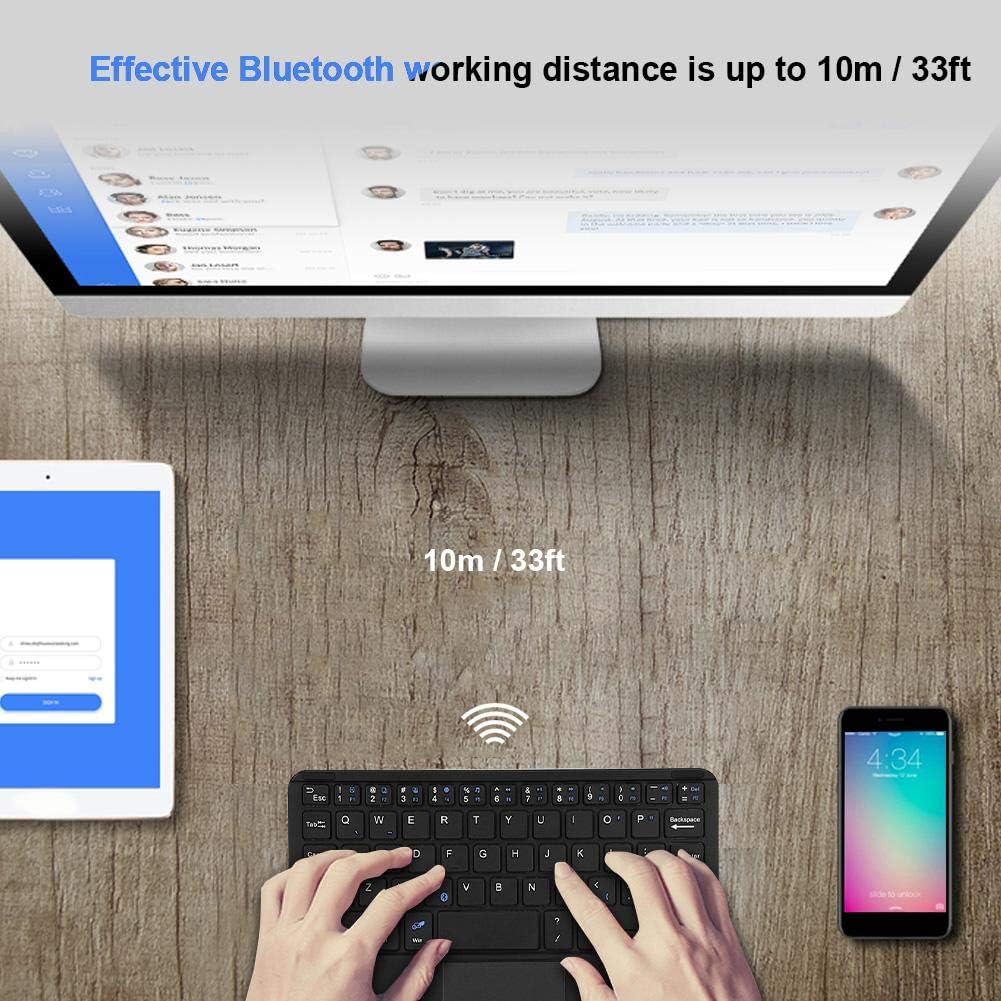
- עפעקטיוו קייט: Operates wirelessly up to 10 meters (33 feet) via Bluetooth 3.0.
- "X" Scissor Switch Mechanism: Designed for quiet and comfortable typing with responsive keys.
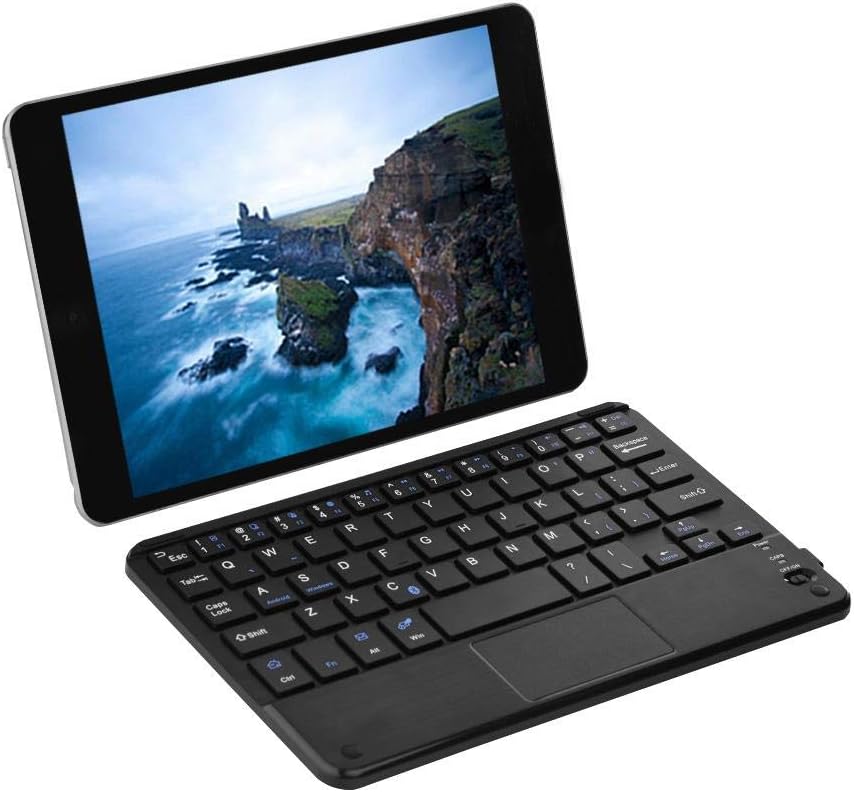
Figure 1: EBTOOLS Ultra Slim Bluetooth Keyboard paired with a tablet.
פיגור 2: פון אויבן אַראָפּ view of the EBTOOLS Bluetooth keyboard, highlighting the layout and integrated touchpad.

פיגורע 3: זייַט view of the EBTOOLS Bluetooth keyboard showing its ultra-thin 6.2mm profile.
3. סעטאַפּ
3.1 אויפלאָדן די קלאַוויאַטור
- געפינט דעם מיקראָ USB טשאַרדזשינג פּאָרט אויף דער קלאַוויאַטור.
- Connect the provided USB charging cable to the keyboard and a USB power source (e.g., computer USB port, USB wall adapter).
- The charging indicator light will illuminate. Once fully charged, the light will typically change color or turn off.
- א פולע אָפּצאָל גיט בערך 90 שעה פון קעסיידערדיק נוצן.
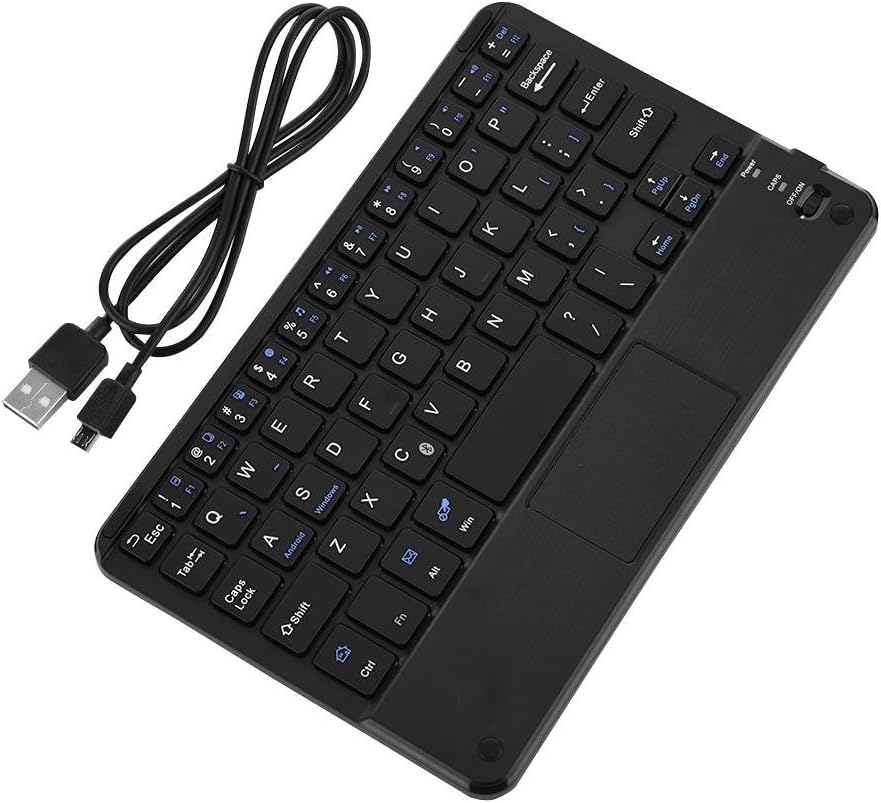
Figure 4: Keyboard battery and charging indication.
3.2 בלועטאָאָטה פּערינג
Follow these steps to pair your EBTOOLS Bluetooth Keyboard with your device:
- מאַכט אויף: Slide the power switch on the keyboard to the 'ON' position. The power indicator light will turn on briefly.
- אַרייַן די פּערינג מאָדע: דרוק די Fn + C keys simultaneously. The Bluetooth indicator light will start blinking, indicating the keyboard is in pairing mode.
- אַקטיווירן בלועטוט אויף דיין מיטל: On your PC, tablet, or smartphone, go to the Bluetooth settings and ensure Bluetooth is enabled.
- זוכן פֿאַר מכשירים: Your device will scan for available Bluetooth devices. Look for 'Bluetooth Keyboard' or a similar name in the list.
- פאַרבינדן: Select the keyboard from the list. Your device may prompt you to enter a pairing code displayed on your screen. Type this code on the EBTOOLS keyboard and press אַרייַן.
- באַשטעטיקונג: Once successfully paired, the Bluetooth indicator light on the keyboard will stop blinking and turn off, and your device will show the keyboard as connected.

Figure 5: Keyboard in use, demonstrating effective Bluetooth range.
4. אַפּערייטינג ינסטרוקטיאָנס
4.1 גרונטלעכע טייפּינג
The keyboard functions like a standard QWERTY keyboard. Simply type as you would on any other keyboard.
4.2 באַניץ פון טאָוטשפּאַד
The integrated touchpad allows for cursor control. Use standard gestures for navigation:
- איין פינגער טאַפּ: לינקס-גיט.
- צוויי פינגער טאַפּ: Right-click (functionality may vary by operating system).
- צוויי פינגער סקראל: מעגילע אַרויף אָדער אַראָפּ.
4.3 פונקטיאָן קיז
The keyboard includes function keys (F1-F12) and multimedia keys. To activate the secondary functions printed in blue on the keys, press and hold the Fn key, then press the desired function key.
4.4 System Switching
The keyboard supports multiple operating systems. To optimize key functions for your specific OS, use the following combinations:
- Fn + Android: For Android devices.
- Fn + Windows: For Windows devices.
- Fn + iOS: For iOS devices (iPad, iPhone).

פיגור 6: קאָמפּאַטאַביליטי מיט פֿאַרשידענע אָפּערייטינג סיסטעמען און דעוויסעס.
5. ספּעסאַפאַקיישאַנז
| שטריך | באַשרייַבונג |
|---|---|
| מאָדעל נומער | EBTOOLSrua15pxtdg |
| קאַנעקטיוויטי טעכנאָלאָגיע | בלועטאָאָטה 3.0 |
| אַפּערייטינג דיסטאַנסע | אַרויף צו 10 מעטער (33 פֿיס) |
| באַטערי טיפּ | קריקאָנלאָדלעך לי-פּאָלימער |
| באַטאַרייע קאַפּאַציטעט | 280 מאַה |
| קעסיידערדיק אַרבעט צייט | בעערעך 90 שעה |
| קאַמפּאַטאַבאַל סיסטעמען | אַנדרויד, יאָס, ווינדאָוז |
| פּראָדוקט דימענשאַנז | 7.87 X 4.96 X 0.24 אינטשעס (20 X 12.6 X 0.62 סענטימעטער) |
| פּונקט וואָג | 6.6 אונסעס (187 גראַמז) |
| מאַטעריאַל | פּלאַסטיק |
6. טראָובלעשאָאָטינג
6.1 קלאַוויאַטור פֿאַרבינדט זיך נישט
- טשעק מאַכט: זייט זיכער אז די קלאַוויאַטור איז אנגעצינדן און האט גענוג באַטאַרייע אָפּצאָל.
- ווידער אריינגיין אין פּערינג מאָדע: Turn off the keyboard, then turn it on and press Fn + C צו שייַעך-אַרייַן פּערינג מאָדע.
- מיטל בלועטוט: באַשטעטיקן אַז בלועטוט איז ענייבאַלד אויף דיין מיטל און אַז עס איז דעטעקטאַבאַל.
- פאַרגעסן מיטל: If previously paired, try 'forgetting' or 'unpairing' the keyboard from your device's Bluetooth settings and then re-pair.
- דיסטאַנסע: Ensure the keyboard is within the 10-meter operating range of your device.
6.2 קנעפּלעך רעאַגירן נישט
- באַטערי מדרגה: The battery might be low. Charge the keyboard fully.
- ריפארבינדונג: דיסקאַנעקט און ריקאַנעקט די בלועטאָאָטה פֿאַרבינדונג.
- סיסטעם מאָדע: Ensure the correct system mode (Android, Windows, iOS) is selected using Fn + OS key.
6.3 טאָוטשפּאַד אַרבעט נישט
- סיסטעם קאַמפּאַטאַבילאַטי: Touchpad functionality can sometimes be limited or behave differently on certain operating systems or applications.
- רעבאָאָט: Try restarting both the keyboard and the connected device.
7. וישאַלט
- רייניקונג: Use a soft, dry cloth to clean the keyboard surface. For stubborn dirt, slightly dampווייקט דעם שטאָף מיט וואַסער אָדער אַ מילדער רייניקונג לייזונג. פֿאַרמייַדט איבעריקע פֿײַכטקייט.
- סטאָרידזש: האַלט די קלאַוויאַטור אין אַ קיל, טרוקן אָרט אַוועק פון דירעקט זונשייַן און עקסטרעמע טעמפּעראַטורן.
- ויסמיידן ליקווידס: Do not expose the keyboard to liquids, as this can cause damage.
- שעפּן מיט זאָרג: פֿאַרמײַדט צו לאָזן פאַלן אָדער אויסשטעלן די קלאַוויאַטור צו שטאַרקע קלאַפּן.
8. וואָראַנטי און שטיצן
EBTOOLS products are designed for reliability and performance. For any questions, technical support, or warranty inquiries, please refer to the contact information provided with your purchase or visit the official EBTOOLS webזייטל. ביטע באַהאַלטן אייער קויפן באַווייַז פֿאַר וואָראַנטי קליימז.