
הקדמה
This manual provides essential information for the proper use and maintenance of your Amazon Basics LCD 8-Digit Desktop Calculator. Please read this manual thoroughly before using the product to ensure optimal performance and longevity.
The Amazon Basics LCD 8-Digit Desktop Calculator is designed for portability and ease of use, featuring an 8-digit LCD display for clear output and user-friendly buttons. It supports basic arithmetic operations, percentages, and square roots, making it suitable for various daily calculation needs.
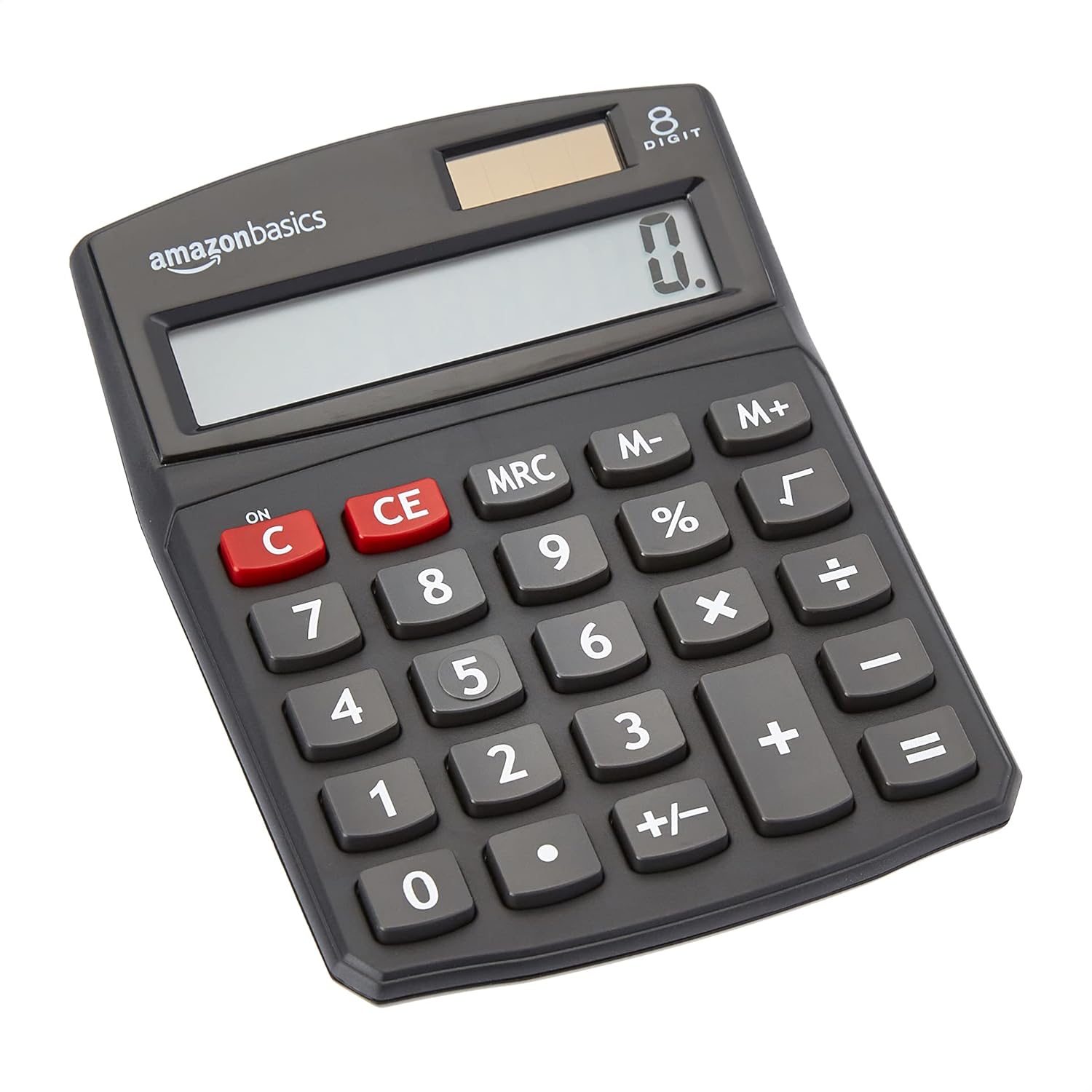
פראָנט view of the Amazon Basics 8-Digit Desktop Calculator, showcasinג זײַן קאָמפּאַקטן דיזײַן און קלאָרן אַרויסווייַז.
סעטאַפּ
Your Amazon Basics calculator is ready for use right out of the box. It operates on both solar power and a backup battery, ensuring continuous functionality in various lighting conditions.
מאַכט מקור:
- סאָלאַר מאַכט: The calculator primarily uses solar energy. Ensure the solar panel, located above the display, is exposed to sufficient light for operation.
- באַטאַרייע באַקאַפּ: An internal battery provides power when light is insufficient or for extended use. No user intervention is required for battery installation or replacement under normal conditions.

נאָענט-אַרויף view of the calculator's LCD display and the integrated solar panel, highlighting the dual power source.
אַפּערייטינג ינסטראַקשאַנז
The calculator features a standard layout for intuitive operation. Familiarize yourself with the key functions:

דעטאַילעד view of the calculator's keypad, showing the layout of numerical and function buttons.
יקערדיק אָפּעראַציע:
- ON/C (Clear): Press to turn on the calculator or clear the current entry.
- CE (קלאָר פּאָזיציע): Clears the last entered number without affecting previous calculations.
- נומער שליסלען (0-9): געניצט צו אַרייַנגעבן נומערישע ווערטן.
- דעצימאַל פּונקט (.): Used for decimal numbers.
- אַריטמעטישע אָפּעראַטאָרן (+, -, ×, ÷): Perform addition, subtraction, multiplication, and division.
- גלייכן (=): Displays the result of the calculation.
אַוואַנסירטע פאַנגקשאַנז:
- % (פּראָצענטtage): קאַלקיאַלייץ פּראָצענטtages. פֿאַר עקסample, to find 10% of 200, enter 200 × 10 %.
- √ (קוואַדראַט וואָרצל): קאַלקיאַלייץ די קוואַדראַט וואָרצל פון די געוויזן נומער.
- M+, M-, MRC (Memory Functions):
- מ+: Adds the displayed number to memory.
- מ-: Subtracts the displayed number from memory.
- MRC: Recalls the memory content. Pressing twice clears the memory.
- +/- (צייכן טוישן): ענדערט דאָס סימן פֿון דער אָנגעוויזענער נומער (פּאָזיטיוו צו נעגאַטיוו, אָדער נעגאַטיוו צו פּאָזיטיוו).

The 8-digit LCD display showing a full numerical entry, demonstrating its capacity.
וישאַלט
To ensure the longevity and proper functioning of your calculator, follow these simple maintenance guidelines:
- רייניקונג: Wipe the calculator with a soft, dry cloth. Do not use liquid cleaners, abrasive pads, or chemical solvents, as these may damage the surface or internal components.
- סטאָרידזש: האַלט דעם קאַלקולאַטאָר אין אַ קיל, טרוקן אָרט אַוועק פון דירעקט זונשייַן און עקסטרעמע טעמפּעראַטורן.
- ויסמיידן פּראַל: Protect the calculator from drops and impacts, which can damage the display or internal circuitry.
- סאָלאַר פּאַנעל זאָרגן: Keep the solar panel clean and unobstructed to ensure efficient power generation.
טראָובלעשאָאָטינג
אויב איר טרעפט פּראָבלעמען מיט אייער קאַלקולאַטאָר, זעט די פאלגענדע געוויינטלעכע פּראָבלעמען און לייזונגען:
| פּראָבלעם | מעגלעך סיבה | לייזונג |
|---|---|---|
| דער עקראַן איז ליידיק אָדער טונקל. | נישט גענוג ליכט פאר זונ - פּאַנעל, אדער נידעריקע באַטעריע. | Move the calculator to a brighter area. If the problem persists, the internal battery may be depleted. |
| די קנעפּלעך רעאַגירן נישט. | שטויב אדער שמוץ אונטער די שליסלען, אדער אינערליכע פראבלעם. | Gently clean around the keys. Press the ON/C button to reset. If unresponsive, contact support. |
| פאַלשע רעכענונג רעזולטאַטן. | Incorrect input sequence, or display overflow. | Press ON/C to clear and re-enter the calculation carefully. Ensure numbers do not exceed 8 digits. |
ספּעסאַפאַקיישאַנז
- פּראָדוקט דימענשאַנז: 5 X 3.72 X 0.1 אינטשעס
- נומער וואָג: 2.72 אונסעס
- מאָדעל נומער: KC-760-8
- סאָרט: אַמאַזאָן באַסיקס
- קאָליר: שוואַרץ
- קאַלקולאַטאָר טיפּ: נאָרמאַל פונקציע
- מאַכט מקור: זונ און באַטערי
- ווייַז: 8-ציפֿער לקד

Visual representation of the calculator's dimensions.
וואָראַנטי & שטיצן
For detailed warranty information and customer support, please refer to the official documents provided with your product or visit the Amazon Basics support page.