
1. הקדמה
Thank you for choosing the NETVUE Indoor Camera NI-3421. This manual provides essential information for setting up, operating, and maintaining your camera. Please read it thoroughly before use and retain it for future reference.

Image 1: NETVUE Indoor Camera NI-3421, a compact white and black security camera.
2. פּראָדוקט איבערview
The NETVUE Indoor Camera NI-3421 is a versatile 1080P FHD security camera designed for indoor use, offering features such as 2.4GHz Wi-Fi connectivity, two-way audio, night vision, and AI human detection. It is suitable for monitoring pets, babies, or general home security.
שליסל פֿעיִקייטן:
- 1080P פול HD ווידעא: Provides clear and sharp video footage.
- 2.4GHz Wi-Fi קאַנעקטיוויטי: זיכערט אַ סטאַבילע וויירלעסע פֿאַרבינדונג.
- פּאַן און טילט פאַנגקשאַנאַליטי: Offers 360° horizontal and 100° vertical rotation for comprehensive coverage.
- צוויי-וועג אַודיאָ: ערמעגליכט רעאל-צייט קאמוניקאציע דורך די קאמערא.
- אַוואַנסירטע נאַכט זעאונג: גיט קלאָרע מאָניטאָרינג אין נידעריק-ליכט באדינגונגען ביז 32 פֿיס.
- AI מענטש דיטעקשאַן: Intelligently identifies human motion to reduce false alarms.
- קייפל סטאָרידזש אָפּציעס: Supports AWS Cloud storage (up to 30 days) and local MicroSD card storage (up to 128GB, not included).
- Alexa ינאַגריישאַן: Compatible with Amazon Alexa for voice control and live view on compatible devices.

Image 2: The NETVUE Indoor Camera demonstrating its 360-degree pan and tilt capabilities, showing a wide view of a living room.
3. פּעקל אינהאַלט
ביטע טשעק די אינהאַלט פון די פּאַקעט ווען איר עפֿנט עס אויס:
- NETVUE Indoor Camera NI-3421
- מאַכט אַדאַפּטער
- וסב קאַבלע
- מאַונטינג בראַקאַץ & סקרוז
- באַניצער מאַנואַל (דעם דאָקומענט)
4. סעטאַפּ
4.1 פיזישע אויפשטעל
- אויספּאַקן די קאַמעראַ און אַלע אַקסעסאָריעס.
- Place the camera on a flat surface or mount it to a wall/ceiling using the provided mounting kit. Ensure it is within range of your 2.4GHz Wi-Fi network.
- Connect the camera to a power source using the provided USB cable and power adapter. The camera will power on automatically.
4.2 אַפּ אינסטאַלאַציע און פֿאַרבינדונג
- Download the NETVUE app from the App Store (iOS) or Google Play Store (Android).
- רעגיסטרירט זיך פֿאַר אַ נײַעם אַקאַונט אָדער לאָגט זיך אײַן אויב איר האָט שוין אײנס.
- Follow the in-app instructions to add your new camera. This typically involves scanning a QR code on the camera or in the manual.
- זיכער מאַכן אַז אייער מאָביל מיטל איז פארבונדן צו אַ 2.4GHz Wi-Fi נעץ בעת דעם סעטאַפּ פּראָצעס.
4.3 ווי-פי קאַנעקשאַן
The camera supports 2.4GHz Wi-Fi networks only. During app setup, the app will generate a QR code. Present this QR code to the camera lens (10-30cm distance) for the camera to scan and connect to your Wi-Fi network. If connection fails, ensure your Wi-Fi password is entered correctly and try resetting the camera using the reset pin (usually located near the SD card slot).
5. אַפּערייטינג ינסטרוקטיאָנס
5.1 לעבן View
Once connected, open the NETVUE app and select your camera to view the live video feed. You can switch between different cameras if you have multiple devices.
5.2 Pan & Tilt
Use the directional controls within the app to remotely pan (horizontal) and tilt (vertical) the camera lens, allowing you to monitor different areas of your room.
5.3 צוויי-וועג אַודיאָ
Tap the microphone icon in the app to speak through the camera's built-in speaker. This feature is useful for communicating with pets, family members, or deterring intruders.

Image 3: A visual representation of the two-way audio feature, where a child is seen interacting with a dog via the camera's speaker and microphone.
5.4 Advanced Night Vision
The camera automatically switches between day and night vision modes. Infrared LEDs provide clear black-and-white video in complete darkness up to 32 feet.

Image 4: A split image illustrating the camera's automatic day/night vision switching, highlighting its 32ft infrared night vision capability.
5.5 Motion Detection & AI Human Detection
The camera features motion detection and advanced AI human detection. You will receive instant notifications on your mobile device when motion or a human figure is detected. Sensitivity levels can be adjusted in the app settings.

Image 5: A graphic demonstrating the camera's human and motion detection capabilities, with a smartphone displaying a motion alert notification.
5.6 סטאָרידזש אָפּציעס
Choose between two storage methods for your video recordings:
- וואָלקן סטאָרידזש: AWS Cloud provides up to 30 days of storage. Subscription services are available for AI detection and continuous/event video recording.
- מיקראָסד קאָרט: Supports local storage up to 128GB (card not included). Both options allow replaying 14 days of videos.
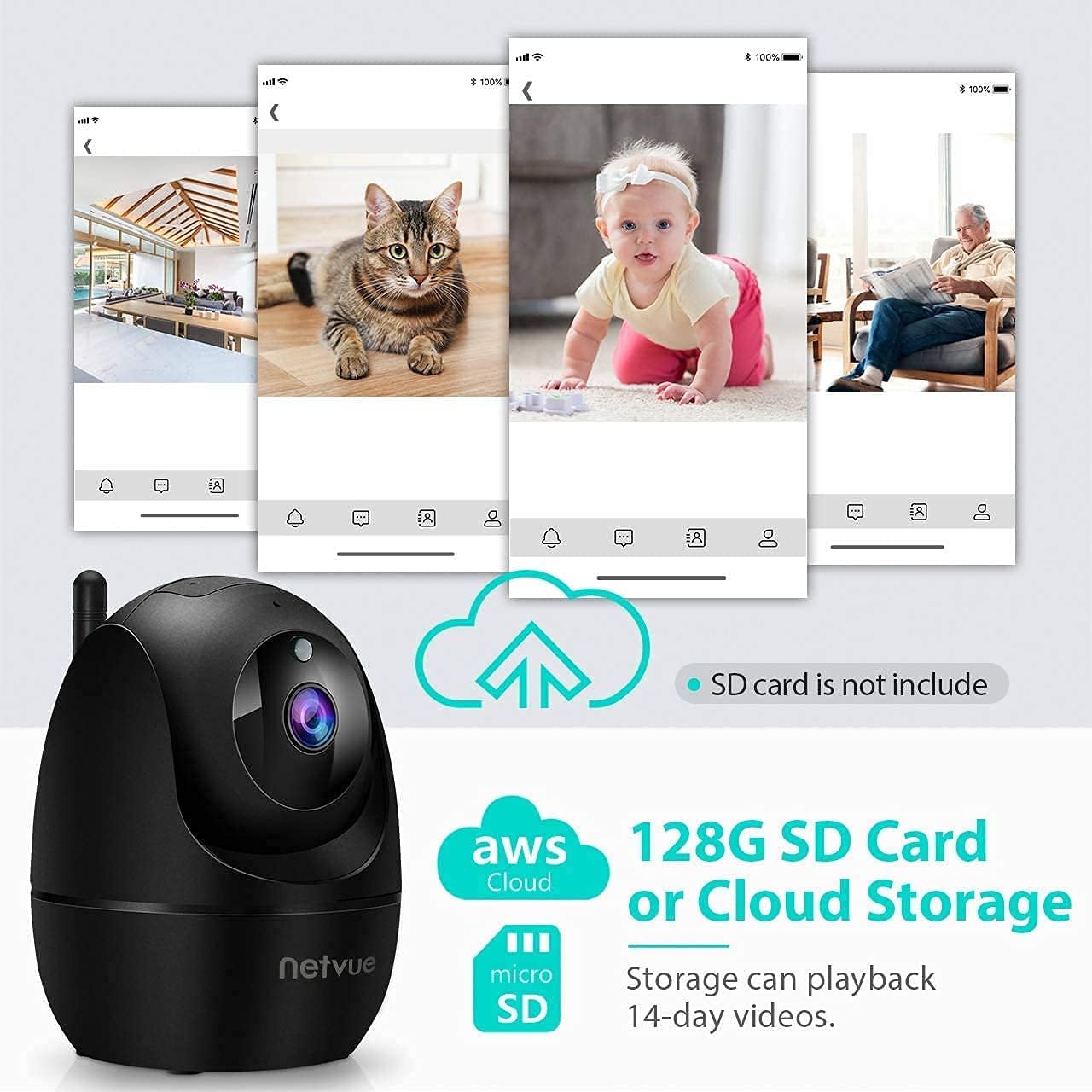
Image 6: The NETVUE Indoor Camera highlighting its compatibility with both AWS Cloud storage and MicroSD card storage for video recordings.
5.7 אַלעקסאַ אינטעגראַציע
The NETVUE camera can be integrated with Amazon Alexa for convenient voice control. You can ask Alexa to show live video feeds on compatible devices like the Echo Show.
Video 1: This video demonstrates the NETVUE camera's integration with Amazon Alexa, showing how to use voice commands to view camera feeds on an Echo Show device.
6. וישאַלט
- רייניקונג: Use a soft, dry cloth to clean the camera lens and body. Avoid harsh chemicals.
- Firmware דערהייַנטיקונגען: Regularly check the NETVUE app for firmware updates to ensure optimal performance and security.
- אָרט: זיכער מאַכן אַז די קאַמעראַ איז געשטעלט אין אַ סטאַבילן אָרט, אַוועק פון דירעקטער זון, היץ קוועלער און נעץ.
7. טראָובלעשאָאָטינג
- קשר ישוז: Ensure your Wi-Fi network is 2.4GHz. Verify the Wi-Fi password. Try resetting the camera and re-pairing it with the app.
- אָפפלינע סטאַטוס: Check power supply and Wi-Fi signal strength. Reboot your router and the camera.
- Echoing Audio: This can occur if the camera's speaker output is picked up by its microphone. Adjust volume or distance between the camera and any audio output devices.
- באַוועגונג דעטעקשאַן ניט ארבעטן: Check app settings for motion detection sensitivity and ensure it's enabled. Verify camera's field of view.
8. ספּעסאַפאַקיישאַנז
| שטריך | באַשרייַבונג |
|---|---|
| ווידעא האַכלאָטע | 1080 פּ FHD |
| קאַנעקטיוויטי | 2.4 גהז ווי-פי |
| נאַכט וויזשאַן ראַנגע | 32 פֿיס (אינפֿראַרויט) |
| פעלד פון View | 100 Degrees (Digital Zoom) |
| פּאַן / טילט | 360 ° האָריזאָנטאַל, 100 ° ווערטיקאַל |
| סטאָרידזש אָפּציעס | AWS Cloud (up to 30 days), MicroSD Card (up to 128GB) |
| אַודיאָ | 2-וועג אַודיאָ |
| דעטעקשאַן | AI Human Detection, Motion Sensor |
| מאַכט מקור | עלעקטריש מיט שנור (4.5V AC, 6W) |
| דימענשאַנז | 3 X 3 X 3 אינטשעס |
| פּונקט וואָג | 11.7 אונסעס |
9. וואָראַנטי און שטיצן
NETVUE products typically come with a limited warranty. Please refer to the warranty card included in your package or visit the official NETVUE website for detailed warranty information and terms. For technical support, FAQs, or to contact customer service, please visit the NETVUE support page or use the support features within the NETVUE app.

Image 7: A graphic illustrating NETVUE's 24/7 online customer support, showing a customer service representative with a headset.
דאַטן פּריוואַטקייט און זיכערהייט:
NETVUE ensures the highest protection of data and privacy via bank-level AES 256-bit encryption and TLS Encryption Protocol.

Image 8: A graphic emphasizing NETVUE's commitment to privacy and security, featuring a house protected by a shield icon.