
1. הקדמה
א דאנק פארן קויפןasing the Monitor Audio Bronze W10 6G Series Subwoofer. This manual provides essential information for the safe and optimal operation of your new subwoofer. Please read these instructions thoroughly before installation and use, and retain them for future reference.
2. זיכערקייַט אינפֿאָרמאַציע
שטענדיק אָבסערווירן די פאלגענדע זיכערהייט מיטלען צו פאַרמייַדן עלעקטרישע קלאַפּ, פייַער אָדער שעדיקן צו די אַפּאַראַט:
- דו זאלסט נישט ויסשטעלן די אַפּאַראַט צו רעגן אָדער נעץ.
- נישט עפענען דעם סיasinז. איבערגעבן אלע סערוויסינג צו קוואַליפֿיצירטע פּערסאָנעל.
- זיכער מאַכן אַז די ווענטילאַציע איז ריכטיק. נישט פאַרשפּאַרן די ווענטילאַציע עפענונגען.
- טרענט אפ דעם עלעקטרישן שנור פון דער וואנט-אויסגאבע אויב דער איינהייט וועט נישט ווערן גענוצט פאר א לאנגע צייט.
- Use only the power cord supplied or specified by the manufacturer.
- ויסמיידן פּלייסינג די אַפּאַראַט לעבן היץ קוואלן אָדער אין דירעקט זונשייַן.
3. פּעקל אינהאַלט
באַשטעטיקן אַז אַלע זאכן זענען פאַראַן אין דער פּאַקאַדזשינג:
- Monitor Audio Bronze W10 6G Series Subwoofer
- מאַכט שנור
- באַניצער מאַנואַל (דעם דאָקומענט)
4. פּראָדוקט איבערview
4.1 שליסל פֿעיִקייטן
- Long-throw 10" driver featuring 'dished' C-CAM cone for powerful bass.
- 10" flat panel Auxiliary Bass Radiator (ABR) positioned underneath the unit for enhanced low-frequency extension.
- קלאַס די amplifier with high current Switch Mode Power Supply (SMPSU) for efficient power delivery.
- Amplifier Output: 220 Watts RMS.
- Power Consumption: Maximum 300 W, Standby <0.5 W (ErP compliance).
4.2 Subwoofer Components
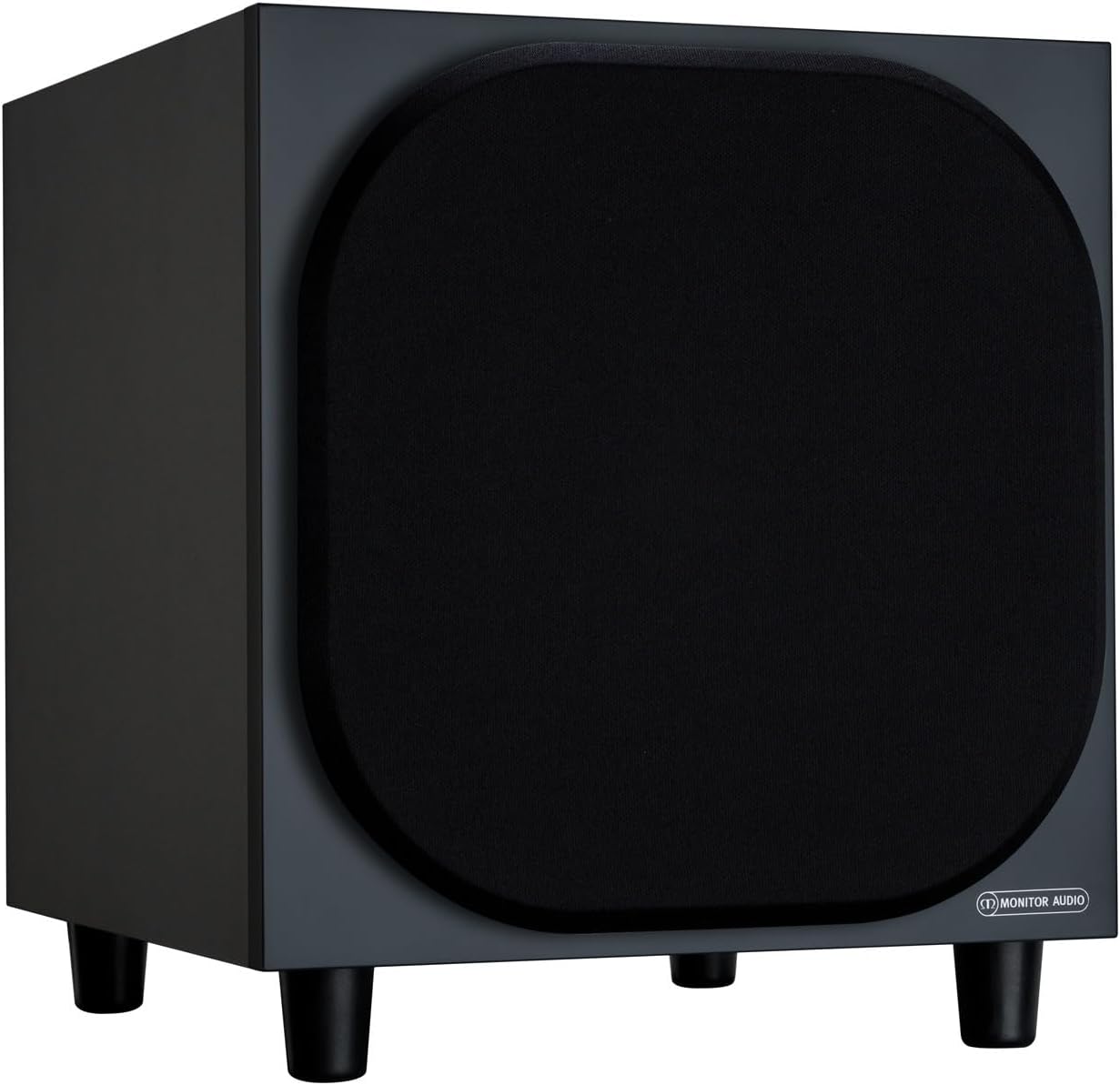
פיגורע 4.2.1: פראָנט View of the Monitor Audio Bronze W10 Subwoofer. This image displays the front of the subwoofer with its protective grille, showcasing the compact and elegant design.

פיגור 4.2.2: ווינקלדיק View of the Monitor Audio Bronze W10 Subwoofer. This image provides an angled perspective, highlighting the overall form factor and the four sturdy feet.

Figure 4.2.3: Rear Panel of the Monitor Audio Bronze W10 Subwoofer. This image details the rear panel, showing all input/output connections, control knobs for frequency, volume, and phase, and the power switch.
5. סעטאַפּ
5.1 פּלייסמאַנט
Optimal placement of the subwoofer is crucial for sound quality. Experiment with different positions in your listening room. Generally, placing the subwoofer in a corner can enhance bass output, while placing it along a wall can provide a more balanced response. Avoid placing it directly against a wall if possible, as this can lead to boomy bass.
5.2 קאַנעקשאַנז
- אַודיאָ אַרייַנשרייַב: קאָננעקט די סובוואָאָפער צו דיין AV ופנעמער אָדער amplifier's LFE (Low-Frequency Effects) or Subwoofer output using an RCA cable. The Bronze W10 features both LFE and stereo RCA inputs.
- מאַכט קשר: Ensure the subwoofer's power switch is in the 'Off' position. Connect the supplied power cord to the subwoofer's AC inlet and then to a suitable wall outlet. The unit supports AC 110-120V or 220-240V, selectable via a switch on the rear panel.
- 12V טריגער (אפציאנאל): If your AV receiver or amplifier has a 12V trigger output, connect it to the subwoofer's 12V Trigger input. This allows the subwoofer to power on/off automatically with your main system.
5.3 ערשט מאַכט-אַרויף
After making all connections, switch the subwoofer's power to 'On'. The power indicator light should illuminate. If using the 12V trigger, ensure your main system is powered on.
6. אַפּערייטינג ינסטרוקטיאָנס
6.1 קאָנטראָלס
The rear panel of the Bronze W10 features several controls for fine-tuning its performance:
- באַנד: Adjusts the overall output level of the subwoofer. Start with a low setting and gradually increase until it blends seamlessly with your main speakers.
- Frequency (Crossover): Sets the upper frequency limit for the subwoofer. This should typically be set to match the low-frequency extension of your main speakers. Common settings range from 80Hz to 120Hz.
- פאַסע: Allows you to adjust the phase of the subwoofer's output relative to your main speakers (0° or 180°). This helps ensure that the subwoofer's sound waves are in sync with the main speakers, preventing cancellation or reinforcement at the crossover point. Experiment with both settings to find the one that produces the most coherent bass.
- מאָדע: Selects the power mode (On, Auto, 12V Trigger). 'Auto' mode will put the subwoofer into standby when no audio signal is detected and power it on when a signal is present.
- באַס מאָדע: (Refer to Figure 4.2.3) This switch allows selection between different bass characteristics, such as 'Music' or 'Movie' modes, or a 'Bass Boost' setting, to optimize performance for various content.
6.2 Wireless Connectivity (Bluetooth)
The Bronze W10 features Bluetooth connectivity for wireless control or audio input (check specific model features for audio input capability). Refer to your source device's manual for pairing instructions. The Bluetooth range is approximately 10 meters.
7. וישאַלט
7.1 רייניקונג
To clean the subwoofer, use a soft, dry, lint-free cloth. Do not use abrasive cleaners, waxes, or solvents, as these can damage the finish. For stubborn marks, a slightly damp א שטאָף קען גענוצט ווערן, און דערנאך א טרוקענעם שטאָף.
7.2 קער
- Avoid exposing the subwoofer to extreme temperatures or humidity.
- דו זאלסט נישט שטעלן שווער אַבדזשעקץ אויף שפּיץ פון די אַפּאַראַט.
- זיכער מאַכן אַז לופט שטראָם אַרום דעם אַפּאַראַט איז גענוג צו פאַרמייַדן איבערהיצונג.
8. טראָובלעשאָאָטינג
| פּראָבלעם | מעגלעך סיבה | לייזונג |
|---|---|---|
| קיין געזונט |
|
|
| פאַרקרימט סאָונד |
|
|
| זומענדיקע גערויש |
|
|
9. ספּעסאַפאַקיישאַנז
| שטריך | דעטאַל |
|---|---|
| מאָדעל נאָמען | SB6GW10B |
| רעדנער טיפּ | סובוואָאָפער |
| סובוואָאָפער דיאַמעטער | 10 אינטשעס |
| Amplifier Output (RMS) | 220 וואטס |
| Speaker Maximum Output Power (Peak) | 600 וואטס |
| אָפטקייט רעאַקציע (נידעריקער גרענעץ) | 25 הז |
| מאַכט קאַנסאַמשאַן (מאַקסימום) | 300 וו |
| מאַכט קאַנסאַמשאַן (סטאַנדביי) | <0.5 W (ErP compliance) |
| קאַנעקטיוויטי טעכנאָלאָגיע | Auxiliary, RCA, Wireless (Bluetooth) |
| ווירעלעסס קאָמוניקאַציע טעכנאָלאָגיע | בלועטאָאָטה |
| בלועטאָאָטה קייט | 10 מעטער |
| קאָנטראָל מעטאָד | Manual Knobs, Remote (if applicable) |
| פּראָדוקט דימענשאַנז (ד רענטגענ וו רענטגענ ה) | 14.33"ד רענטגענ 12.64"וו רענטגענ 14.33"ה |
| פּונקט וואָג | 34.7 פונט (15.74 קג) |
| מאַונטינג טיפּ | טאַבלעטאָפּ בארג |
| קאָליר | שוואַרץ |
10. וואָראַנטי אינפֿאָרמאַציע
Monitor Audio products are designed and manufactured to the highest quality standards. This product is covered by a Limited Warranty. For specific warranty terms and conditions, please refer to the warranty card included with your product or visit the official Monitor Audio webזייטל. ביטע באַהאַלטן אייער קויפן באַווייַז פֿאַר וואָראַנטי קליימז.
11. שטיצן
For further assistance, technical support, or service inquiries, please contact your authorized Monitor Audio dealer or visit the official Monitor Audio webפּלאַץ:
Webפּלאַץ: www.monitoraudio.com
Address: Monitor Audio Ltd, 24 Brook Road, Rayleigh, Essex, SS6 7XJ, United Kingdom