
1. הקדמה
Thank you for choosing the AM alphamount Full Motion TV Wall Mount. This manual provides detailed instructions for safe installation, operation, and maintenance of your TV mount. Please read this manual thoroughly before installation and keep it for future reference.
This TV wall mount is designed to securely hold most 26 to 60 inch LED, LCD, OLED, and 4K TVs and monitors weighing up to 70lbs. It offers versatile viewing options with full motion capabilities, including swivel, tilt, and extension, making it ideal for various room setups and viewינג פּרעפֿערענצן.
2. פּראָדוקט איבערview & איינריכטונגען
The AM alphamount TV mount is engineered for durability and ease of use, providing a secure and flexible solution for your television. Key features include:
- וניווערסאַל קאַמפּאַטאַבילאַטי: Fits most 26-60 inch TVs and monitors up to 70lbs, with VESA patterns from 75x75mm to 400x400mm.
- Full Motion Capability: Smoothly tilt TV 5° up and 15° down to reduce glare, and swivel up to 90° left or right for optimal viewing from any seat.
- פּלאַץ שפּאָרן פּלאַן: Extends up to 19.3 inches from the wall for ultimate viewing flexibility and retracts to a slim 2.5 inches for a low-profile קוק.
- Single Stud Installation: Simplifies the mounting process, requiring only one wood stud for secure attachment.
- שווער-פליכט קאַנסטראַקשאַן: Built with high-qualified alloy steel for robust support and long-lasting durability.

Figure 2.1: Complete TV mount assembly with level and cable ties.

Figure 2.2: Illustrates the 180-degree swivel range of the TV mount.
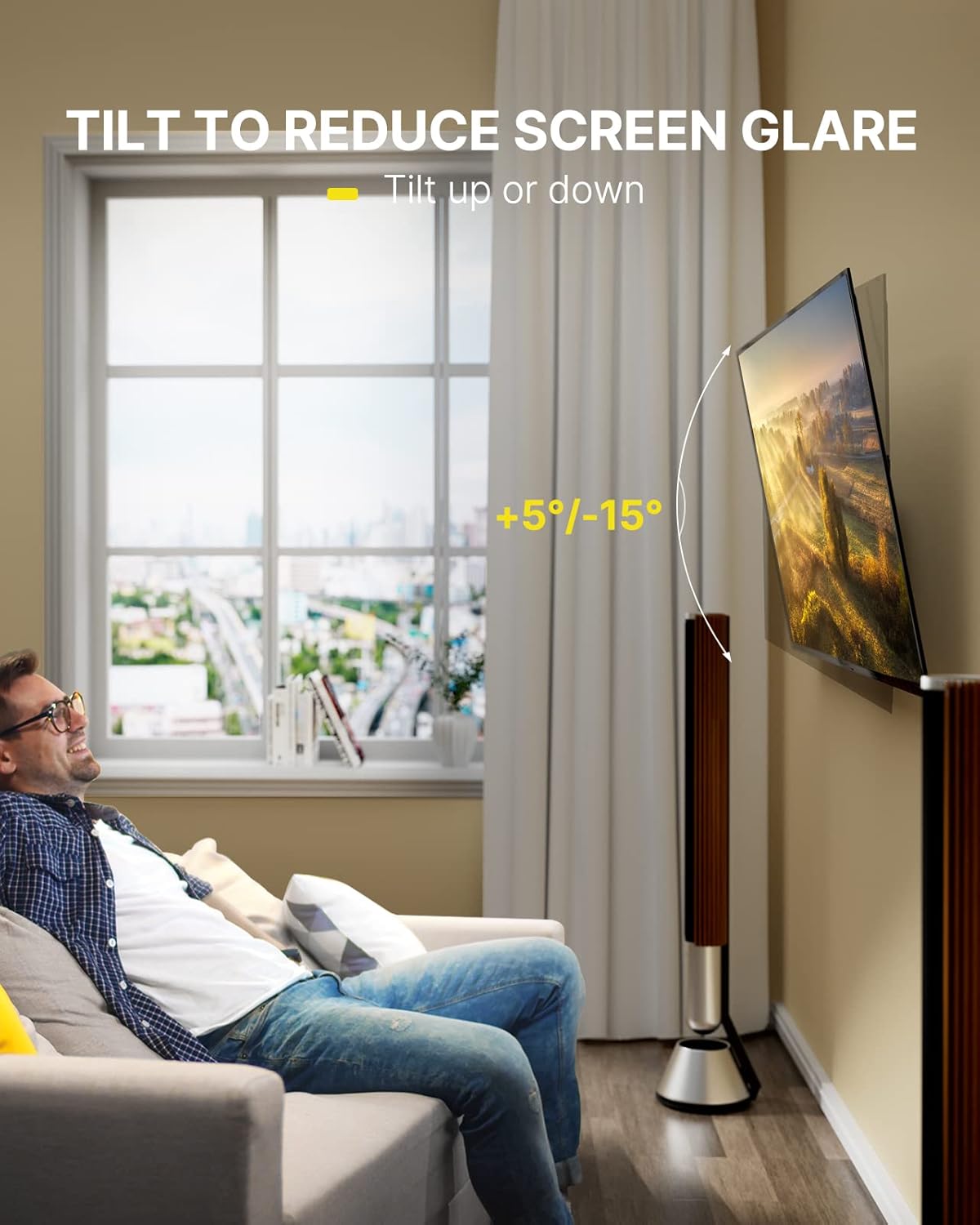
Figure 2.3: The mount allows for +5° to -15° tilt to reduce screen glare.

Figure 2.4: The mount extends from 2.5 inches to 19.3 inches from the wall.

Figure 2.5: The single wood-stud design simplifies installation.

Figure 2.6: The mount supports TVs from 26 to 60 inches and up to 70 lbs.
3. טעכניש ספּעסאַפאַקיישאַנז
| באַשרייַבונג | ווערט |
|---|---|
| מאָדעל נומער | APMFK2 |
| קאָמפּאַטיבלע טעלעוויזיע סיזעס | 26 - 60 אינטשעס |
| וואָג קאַפּאַסיטי | אַרויף צו 70 לבס |
| VESA קאַמפּאַטאַבילאַטי | 75x75mm - 400x400mm |
| טילט ווינקל | +5° צו -15° |
| סוויוואַל ווינקל | Up to 90° left or right (screen size dependent) |
| פארלענגערונג פון וואנט | 2.5 אינטשעס (צוריקגעצויגן) ביז 19.3 אינטשעס (פארלענגערט) |
| מאַטעריאַל | אַללוי סטיל |
| מאַונטינג טיפּ | Wall Mount (Single Stud) |
4. סעטאַפּ און ייַנמאָנטירונג
Please ensure you have all parts and tools before beginning. A stud finder is recommended for wood stud installation. For concrete/brick walls, a hammer drill may be required.
4.1. אינסטאַלאַציע ווידעא גייד
Video 4.1: Official installation guide for the AM alphamount Single Stud Full Motion TV Wall Mount (APMFK2).
4.2. שריט-ביי-שריט אינסטאַלאַציע
- אויספּאַקן און טיילן קאָנטראָל: Carefully unpack all components. Verify against the parts list in your manual. Ensure all screws and hardware are present and correctly labeled.
- Secure Extender Brackets to Faceplate (if needed): Depending on your TV's VESA pattern, you may need to attach the extender brackets to the faceplate. Refer to the included instruction manual for specific VESA patterns (75x75mm, 100x100mm, 200x100mm, 200x200mm, 300x300mm, 400x400mm).
- Install Faceplate to TV: Attach the faceplate (with extender brackets if applicable) to the back of your TV using the appropriate screws and spacers. Ensure screws are not too short (will not hold) or too long (may damage TV). Tighten securely but do not overtighten.
- Install Wall Plate to Wall:
- פֿאַר האָלץ שטאַפּל ווענט: Use a stud finder to locate the center of a wood stud. Mark the pilot holes. Drill pilot holes and secure the wall plate using the provided lag screws.
- פֿאַר בעטאָן/ציגל ווענט: Mark the pilot holes. Drill pilot holes using a hammer drill. Insert concrete anchors into the holes. Secure the wall plate using the provided lag screws.
- Secure TV onto Wall Plate: Carefully lift the TV and hook the faceplate onto the wall plate. Ensure it is properly seated. Secure the TV to the wall plate using the safety screws or locking mechanism provided.
- מדרגה אַדזשאַסטמאַנט: After installation, use the built-in leveling adjustment (±3°) to ensure your TV is perfectly horizontal.
- טילט אַדזשאַסטמאַנט: Adjust the tilt angle (5° up / 15° down) to achieve your desired viewינג ווינקל און מינימיזירן גלער.
5. אַפּערייטינג ינסטרוקטיאָנס
Once installed, your AM alphamount TV mount offers flexible viewאָפּציעס:
- סוויוול: Gently push or pull the TV screen to swivel it left or right. The mount allows for up to 90° swivel in either direction, depending on your TV's size and wall clearance.
- טילט: To adjust the vertical viewing angle, loosen the tilt knobs on the mount, adjust the screen to your preferred angle (5° up to 15° down), and then re-tighten the knobs to secure the position. This helps in reducing glare from lights or windows.
- פארלענגערן/צוריקציען: Pull the TV away from the wall to extend it up to 19.3 inches for maximum viewing flexibility. Push the TV back towards the wall to retract it to a compact 2.5 inches, saving space when not in use.
6. וישאַלט
To ensure the longevity and safe operation of your TV mount, regular maintenance is recommended:
- רייניקונג: Wipe the mount with a soft, dry cloth to remove dust. For stubborn dirt, use a slightly damp cloth and mild detergent, then dry thoroughly. Avoid abrasive cleaners or solvents.
- טשעק קאַנעקשאַנז: Periodically inspect all screws and bolts to ensure they are tight and secure. Re-tighten if necessary.
- שמירן: If the articulating arms or swivel points become stiff, apply a small amount of silicone-based lubricant to the moving parts.
- קאַבלע פאַרוואַלטונג: Ensure cables are not pinched or strained when adjusting the TV position. Use the provided cable ties to keep them tidy and secure.
7. טראָובלעשאָאָטינג
אויב איר טרעפט פראבלעמען מיט אייער טעלעוויזיע מאָונט, זעט די פאלגענדע געוויינטלעכע פראבלעמען און לייזונגען:
- טעלעוויזיע איז נישט גלייך: Use the built-in level adjustment feature to fine-tune the horizontal alignment. Ensure the wall plate was installed level initially.
- Mount feels loose on the wall: Re-check all lag screws securing the wall plate to the wall stud or concrete. Ensure they are fully tightened. If mounting to drywall, ensure you have hit a stud or used appropriate heavy-duty anchors (not included).
- טעלעוויזיע איז שווער צו רירן/צופּאַסן: Check for any pinched cables or obstructions. Ensure all adjustment knobs (for tilt, swivel) are sufficiently loosened before attempting to move the TV, and re-tighten once in position. Apply lubricant to moving joints if stiffness persists.
- טעלעוויזיע פּאַסט נישט צום מאָונט: Double-check your TV's size, weight, and VESA mounting pattern against the specifications in Section 3. Ensure you are using the correct screws and spacers for your TV model.
8. וואָראַנטי און שטיצן
AM alphamount stands behind the quality and durability of its products. For any questions, concerns, or assistance with your TV mount, please do not hesitate to contact our customer service team.
You may also refer to the official User Manual (PDF) available online for additional details and diagrams: באַניצער מאַנואַל (פּדף)
We are confident in the construction, strength, and durability of this wall bracket. Please feel free to contact us for customer service anytime, rain or shine.