
הקדמה
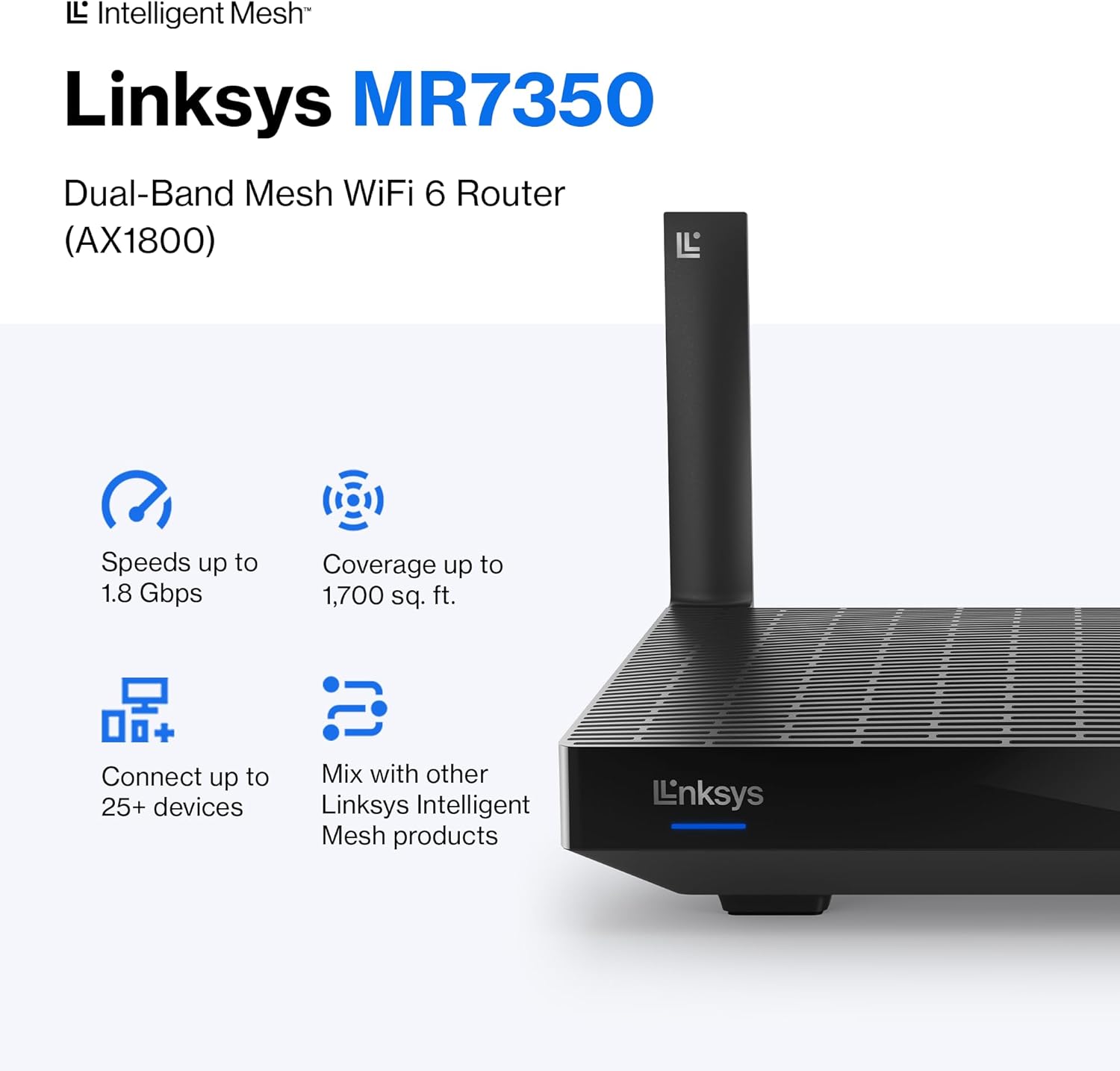
The Linksys MR7350 Dual-Band Mesh WiFi 6 Router is designed to provide robust and reliable wireless connectivity throughout your home. Featuring Intelligent Mesh Technology and WiFi 6 (802.11ax) standard, this router delivers high speeds and extended coverage for multiple devices simultaneously. It is ideal for streaming, gaming, and managing a connected smart home environment.

Figure 1: Linksys MR7350 Dual-Band Mesh WiFi 6 Router
וואָס איז אין די קעסטל
באַשטעטיקן אַז אַלע זאכן זענען פאַראַן אין פּעקל:
- Linksys Dual-Band Mesh WiFi 6 Router (MR7350)
- שנעל אָנהייב גייד
- עטהערנעט קאַבלע
- מאַכט אַדאַפּטער
- Warranty and Regulatory Documentation
סעטאַפּ
Setting up your Linksys MR7350 router is designed to be quick and straightforward using the Linksys App. Follow these steps for initial installation:
- פאַרבינדן די ראַוטער: Plug the power adapter into the router and an electrical outlet. Connect one end of the provided Ethernet cable to the yellow 'Internet' port on the back of the MR7350 router and the other end to your modem.
- מאַכט אויף: Turn on your modem and then the Linksys MR7350 router. Wait for the router's LED indicator to show a solid blue light, indicating it's ready for setup.
- דאַונלאָוד די לינקסיס אַפּ: Download and install the free Linksys App on your iOS or Android smartphone.
- לאָנטש סעטאַפּ: Open the Linksys App and follow the on-screen instructions to begin the setup process. The app will guide you through creating your Wi-Fi network name (SSID) and password.
- Add to Mesh Network (Optional): If you are expanding an existing Linksys Intelligent Mesh network, log in to the Linksys App, find "Set Up a New Product" from the menu, and select "Add Another Node."

Figure 2: Easy Setup via the Linksys App
אַפּערייטינג ינסטראַקשאַנז
Once your Linksys MR7350 router is set up, you can manage and optimize your network using the Linksys App or through a web בלעטערער צובינד.
Network Management via Linksys App
- View קאָננעקטעד דעוויסעס: See all devices connected to your network.
- פּרייאָראַטייזיישאַן פון מיטל: Prioritize specific devices for optimal performance during high-bandwidth activities like gaming or streaming.
- גאַסט צוטריט: Create a separate, password-protected Wi-Fi network for guests.
- פּאַרענטאַל קאָנטראָלס: Manage internet access for specific devices, set schedules, and block webזייטלעך.
- אויטאָמאַטישע פירמווער דערהייַנטיקונגען: Ensure your network is always secure and up-to-date with automatic updates.
גשמיות קאַנעקשאַנז
The back of the router features several ports for wired connections:
- אינטערנעט פּאָרט (געל): פֿאַרבינדט זיך צו דיין מאָדעם פֿאַר אינטערנעט אַקסעס.
- עטהערנעט פּאָרץ (1-4): Four Gigabit Ethernet ports for wired devices such as computers, gaming consoles, or smart TVs.
- וסב 3.0 פּאָרט: Connect a storage device to share fileס אַריבער דיין נעץ.
- WPS קנעפּל: For easy, secure connection of WPS-compatible devices.
- באַשטעטיק קנעפּל: געניצט צו צוריקשטעלן דעם ראַוטער צו די פֿאַבריק דיפאָלט סעטטינגס.
- מאַכט אויף / אַוועק סוויטש: To manually turn the router on or off.
פיגורע 3: דערציען view of the Linksys MR7350 with ports
פֿעיִקייטן
The Linksys MR7350 is packed with features to enhance your home network experience:
- אינטעליגענטע מעש טעכנאָלאָגיע: Dynamically maximizes speed and eliminates dead zones, adapting to your Wi-Fi needs for full-strength signal throughout your entire home.
- WiFi 6 (802.11ax) סטאַנדאַרט: Delivers faster speeds (up to 1.8 Gbps AX1800), increased capacity (25+ devices), and improved efficiency for a seamless experience.
- צוויי-באַנד קאַנעקטיוויטי: Operates on both 2.4 GHz and 5 GHz bands for optimal performance and device compatibility.
- קוואַד-קאָר קפּו: A powerful processor for extremely fast data transfer and multiple simultaneous data streams.
- שטראַל-פאָרמינג טעכנאָלאָגיע: Optimizes performance and reduces interference by focusing wireless signals directly to connected devices.
- אַוואַנסירטע זיכערהייט: Safeguards your network with wireless WPA3 encryption and an SPI firewall.
- יקספּאַנדאַבאַל סיסטעם: Easily expand your Wi-Fi coverage by adding any Linksys Mesh compatible products.

Figure 4: Full House Coverage with Intelligent Mesh Technology

Figure 5: WiFi Standards Evolution
ספּעסאַפאַקיישאַנז
| אַטריביוט | ווערט |
|---|---|
| סאָרט | לינקסיס |
| מאָדעל נומער | MR7350 |
| Wi-Fi דור | וויי-פיי 6 (802.11ax) |
| אָפטקייַט באַנד קלאַס | צוויי-באַנד (2.4 GHz, 5 GHz) |
| דאַטאַ אַריבערפירן קורס | ביז 1.8 גיגאַביטן פּער סעקונדע (AX1800) |
| קאַווערידזש | אַרויף צו 1700 קוואַדראַט פֿיס |
| נומער פון דעוויסעס געשטיצט | 25+ Devices |
| נומער פון עטהערנעט פּאָרטן | 5 (1 Internet, 4 LAN) |
| לאַן פּאָרט באַנדווידט | 1 גבפּס |
| וסב פּאָרט | וסב 3.0 |
| זיכערהייט פּראָטאָקאָל | WPA3-PSK |
| קאָנטראָל מעטאָד | Linksys אַפּ |
| אַנטענע טיפּ | Retractable (2 Antennas) |
| נומער דימענשאַנז (L X W X H) | 5.9"ל x 8.07"בר x 5.4"ה |
| פּונקט וואָג | 2 פונט |
| קאָליר | ווייַס |
וישאַלט
To ensure optimal performance and longevity of your Linksys MR7350 router, consider the following maintenance tips:
- אָפּטימאַל אָרט: Place the router in a central location in your home, away from obstructions and devices that may cause interference (e.g., microwaves, cordless phones).
- Firmware דערהייַנטיקונגען: Enable automatic firmware updates via the Linksys App to ensure your router has the latest security patches and performance enhancements.
- רעגולערע ריסטאַרטס: Periodically reboot your router (unplug from power for 10 seconds, then plug back in) to clear its memory and refresh the network connection.
- רייניקונג: Keep the router clean and free of dust to prevent overheating. Use a soft, dry cloth to wipe the exterior.
- נעץ מאָניטאָרינג: Use the Linksys App to monitor network activity and identify any unusual behavior or connected devices.
טראָובלעשאָאָטינג
If you encounter issues with your Linksys MR7350 router, try the following troubleshooting steps:
- קיין אינטערנעט פֿאַרבינדונג: Check the cable connections between your modem and router. Ensure the 'Internet' port LED on the router is solid blue. Reboot both your modem and router.
- סלאָו ספּידז: Ensure your devices are connected to the appropriate Wi-Fi band (5 GHz for faster speeds, 2.4 GHz for longer range). Check for interference from other electronic devices. Use the Linksys App to prioritize devices.
- פארלוירענע פארבינדונגען: Update device drivers for your wireless adapters. Ensure your router's firmware is up-to-date. Adjust antenna orientation for better signal.
- קען נישט צוקומען צו די ראָוטער סעטטינגס: Ensure your device is connected to the router's Wi-Fi network. Try accessing the Linksys App or the web interface (usually 192.168.1.1) after a router reboot.
- פאַבריק באַשטעטיק: If all else fails, press and hold the 'Reset' button on the back of the router for 10-15 seconds until the LED blinks. This will restore factory default settings, and you will need to re-run the setup process.
וואָראַנטי און שטיצן
The Linksys MR7350 Dual-Band Mesh WiFi 6 Router comes with an 18-Month Warranty. For technical assistance, product information, or warranty claims, please refer to the Warranty and Regulatory Documentation included in your package.
Linksys also offers 24/7 customer support. You can find contact information and additional resources on the official Linksys website or through the Linksys App.
פֿאַר ווייַטער הילף, באַזוכן די Linksys Store.