
Walfront TS-TP40-B
Walfront Digital Meat Thermometer TS-TP40 User Manual
Model: TS-TP40-B
הקדמה
א דאנק פארן קויפןasing the Walfront Digital Meat Thermometer TS-TP40. This advanced cooking thermometer is designed to help you achieve perfect cooking results every time, whether you're grilling, baking, or roasting. Featuring a large LCD display, four color-coded probes, and a wireless range of up to 100m, it provides precise temperature monitoring for multiple food items simultaneously. This manual provides detailed instructions for setup, operation, maintenance, and troubleshooting to ensure optimal performance and longevity of your device.
פּעקל אינהאַלט
ביטע קאָנטראָלירט די אינהאַלט פון דער פּאַקעט ווען איר נעמט עס אויס, כּדי צו זיכער מאַכן אַז אַלע קאָמפּאָנענטן זענען פאַראַן:
- 1 x Main Machine (Receiver)
- 1 x Auxiliary Machine (Transmitter)
- 4 x Temperature Probes (color-coded)
- 2 x פּראָבע קליפּס
- 1 x באַניצער מאַנואַל

Image: All components of the Walfront Digital Meat Thermometer TS-TP40, including the main receiver unit, the auxiliary transmitter unit, four distinct color-coded temperature probes, and two metal probe clips.
ספּעסאַפאַקיישאַנז
| סאָרט | וואַלפראָנט |
| מאָדעל נאָמען | TS-TP40 |
| נומער מאָדעל נומער | TS-TP40-B |
| טעמפּעראַטור דעטעקשאַן ראַנגע | -20 ℃ צו 300 ℃ (-4 ℉ צו 572 ℉) |
| ווירעלעסס דיסטאַנסע | אַרויף צו 100m / 328.1ft |
| ווייַז טיפּ | לקד |
| Power Supply (Main Machine) | 2 x AAA Battery (Not Included) |
| Power Supply (Auxiliary Machine) | 2 x AAA Battery (Not Included) |
| Main Machine Size | בעערעך. 124 X 71 X 25 מם / 4.9 X 2.8 X 1 אין |
| Auxiliary Machine Size | בעערעך. 90 X 72 X 25 מם / 3.5 X 2.8 X 1 אין |
| זאָנד לענג | אומגעפער 62 מ״מ / 2.4 אינטשעס |
| Total Line Length (with Probe) | אומגעפער 1170 מ״מ / 46.1 אינטשעס |
| וואָג | בעערעך. 382 ג / 13.5 אַז |
| מאַטעריאַל | אַבס + ומבאַפלעקט שטאָל |

Image: Detailed dimensions of both the main receiver unit and the auxiliary transmitter unit of the thermometer, showing height, width, and thickness.
סעטאַפּ
1. באַטאַרייע ייַנמאָנטירונג
Both the Main Machine (receiver) and Auxiliary Machine (transmitter) require 2 x AAA batteries each. Batteries are not included.
- Locate the battery compartment on the back of both units.
- עפענען די באַטאַרייע דעקן.
- Insert 2 x AAA batteries into each unit, ensuring correct polarity (+/-).
- פאַרמאַכן די באַטאַרייע דעקן סיקיורלי.

בילד: די הינטערשטע view of both the main and auxiliary thermometer units, highlighting the battery compartments and integrated kickstands for tabletop use.
2. פּראָבע פֿאַרבינדונג
Connect the temperature probes to the Auxiliary Machine (transmitter).
- The Auxiliary Machine has four ports for the probes.
- Insert each probe's jack firmly into an available port. The probes are color-coded for easy identification.
3. ערשטע איינשאַלטונג
דרוק די LIGHT/O button on the Auxiliary Machine to power it on. The Main Machine will automatically connect to the Auxiliary Machine.
אַפּערייטינג ינסטראַקשאַנז
1. Temperature Unit Switching (℃/℉)
To switch between Celsius (℃) and Fahrenheit (℉) temperature units:
- On the Main Machine, press the ℃ / ℉ קנעפּל.
- The display will toggle between the two units.

Image: The main display unit showing the temperature readings, demonstrating the ability to switch between Celsius and Fahrenheit units.
2. Setting Target Temperature and Food Type
The thermometer allows you to set specific target temperatures and select pre-programmed food types for each probe.
- דרוק די פלייש button to cycle through different meat types (e.g., Beef, Poultry, Fish).
- דרוק די TASTE/O button to select the desired doneness level (e.g., Well, Medium, Rare).
- Alternatively, you can manually set a target temperature using the מאָדע button to select a probe, then use the SEC/▼ און MIN/▲ buttons to adjust the target temperature.
3. Using the Timer/Countdown Function
The device includes a timer function for convenience.
- דרוק די מאָדע button until the timer icon appears on the display.
- ניצן די SEC/▼ און MIN/▲ קנעפּלעך צו שטעלן די געוואונטשענע צייל-אויס צייט.
- דרוק אָנהייב / האַלטן to begin or pause the countdown.
- דרוק קלאָר צו באַשטעטיק די טייַמער.

Image: The main display unit illustrating the timing and countdown features, showing how to set and monitor cooking durations.
4. באַקלייט אָפּעראַציע
The LCD display features a backlight for improved visibility in low-light conditions.
- דרוק די LIGHT/O button on the Main Machine to activate the blue backlight.
- The backlight will turn orange when the target temperature is reached or an alarm condition is met.

Image: The main display unit demonstrating the two backlight colors: a normal blue backlight for general viewing and an orange backlight that illuminates when an alarm condition (e.g., target temperature reached) is triggered.
5. פּלייסמאַנט אָפּציעס
Both units are designed for versatile placement.
- מאַגנעטיק צוריק: The units have magnets on the back, allowing them to be attached to metallic surfaces like refrigerators or oven doors.
- אינטעגרירטע שטאַנד: A foldable bracket on the back allows the units to stand upright on a countertop or table.
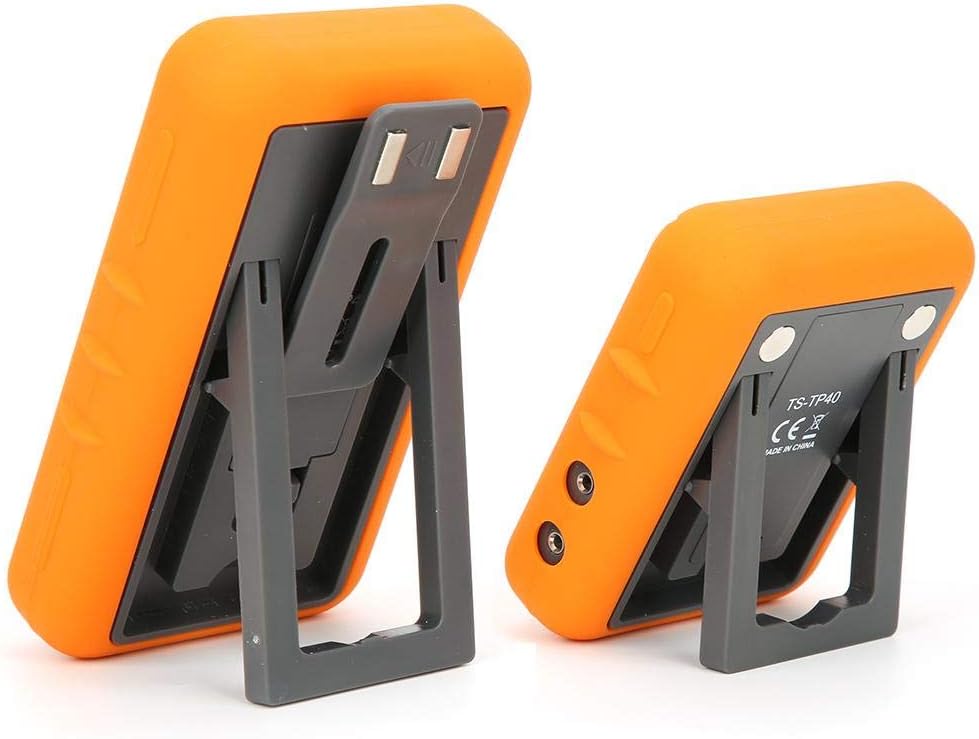
Image: The main and auxiliary thermometer units shown with their integrated kickstands extended, demonstrating their ability to stand independently on a flat surface.
וישאַלט
רייניקונג
- Wipe the thermometer units with a damp cloth. Do not immerse the units in water.
- The probes can be cleaned with warm soapy water. Ensure the probe connectors are dry before re-inserting them into the unit.
- Do not use abrasive cleaners or scouring pads, as this may damage the surface.
סטאָרידזש
- האַלט דעם טערמאָמעטער און פּראָבעס אין אַ ריינעם, טרוקענעם אָרט ווען זיי ווערן נישט גענוצט.
- אַרויסנעמען באַטעריעס אויב די דעוויס וועט נישט ווערן גענוצט פֿאַר אַ לענגערע צייט צו פאַרמייַדן ליקאַדזש.
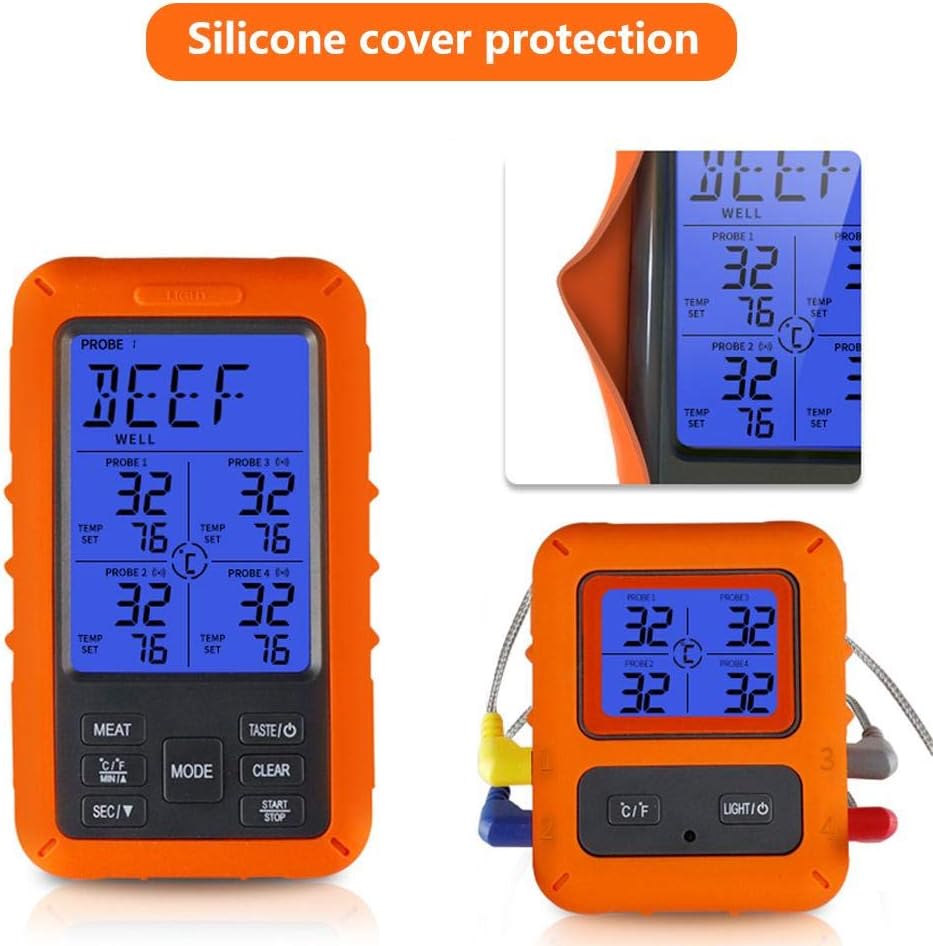
Image: The main display unit encased in its protective silicone cover, highlighting the durable design that aids in maintenance and longevity.
טראָובלעשאָאָטינג
| פּראָבלעם | מעגלעך סיבה | לייזונג |
|---|---|---|
| No display/Unit won't turn on. | באַטעריעס זענען טויט אָדער נישט ריכטיק אַרײַנגעשטעלט. | פאַרבייַטן באַטעריז מיט נייַ אָנעס, ינשורינג ריכטיק פּאָולעראַטי. |
| ומפּינקטלעך טעמפּעראַטור רידינגז. | Probe not fully inserted; probe damaged; probe tip not in the center of the thickest part of the meat. | Ensure probe is fully inserted. Check probe for visible damage. Re-insert probe into the correct part of the food. |
| No connection between Main and Auxiliary Unit. | Units are out of range; interference; low batteries. | Move units closer together. Avoid placing near strong electromagnetic sources. Replace batteries in both units. |
| דער שרעק קלינגט נישט. | Volume too low or muted; target temperature not set. | Check device settings for alarm volume. Ensure a target temperature is set for the active probe. |
וואָראַנטי און שטיצן
Walfront products are manufactured to high-quality standards. For warranty information or technical support, please refer to the contact details provided with your purchase or visit the official Walfront webזייטל. ביטע באַהאַלטן אייער קויפן באַווייַז פֿאַר וואָראַנטי קליימז.
For further assistance, you may contact Walfront customer service through their official channels.
Ask a question about this manual
Ask about setup, troubleshooting, compatibility, parts, safety, or missing instructions. Manuals+ will review the question and use this page’s manual context to help answer it.