
1. הקדמה
This manual provides detailed instructions for the safe and efficient operation of your Fenton AV360BT Stereo Amplifier. Please read this manual thoroughly before using the device and retain it for future reference. The AV360BT is a compact Hi-Fi mini amplifier featuring Bluetooth connectivity, an integrated MP3 player with USB/SD inputs, and an FM radio tuner, designed for versatile audio playback.
2. זיכערקייַט אינסטרוקציעס
- פאַרזיכערן די ampדער עלעקטרישער איז פארבונדן צו א שטראָם-צושטעל וואָס פּאַסט צו דעם וואָלומעןtagE ספּעסיפיעד אויף די מיטל.
- שטעלט נישט אויס דעם אַפּאַראַט צו רעגן אָדער פייכטקייט כּדי צו פאַרמייַדן עלעקטרישע קלאַפּן אָדער פייער.
- ויסמיידן פּלייסינג די אַפּאַראַט לעבן היץ קוואלן אָדער אין דירעקט זונשייַן.
- נישט עפענען דעם סיasinז. איבערגעבן אלע סערוויסינג צו קוואַליפֿיצירטע פּערסאָנעל.
- האַלטן די אַפּאַראַט אַוועק פון קינדער.
- Disconnect the power plug during thunderstorms or when unused for long periods.
3. פּעקל אינהאַלט
באַשטעטיקן אַז אַלע זאכן זענען פאַראַן ביים אויספּאַקן:
- פענטאָן AV360BT סטערעאָ Ampליפער
- ווייַט קאָנטראָל
- באַניצער מאַנואַל (דעם דאָקומענט)
4. פּראָדוקט פֿעיִקייטן
- 2 x 40W סטערעאָ Ampליפער
- Integrated Bluetooth for wireless audio streaming
- MP3 player with USB port and SD/MMC card slot
- Built-in FM radio tuner (87.5 - 108.5 MHz)
- Line input (AUX) for connecting external audio sources
- Bass, Treble, and Master Volume controls
- Output protection circuitry
- Includes remote control for MP3 player functions
5. קאָנטראָלס און קאַנעקשאַנז
5.1 פראָנט פּאַנעל
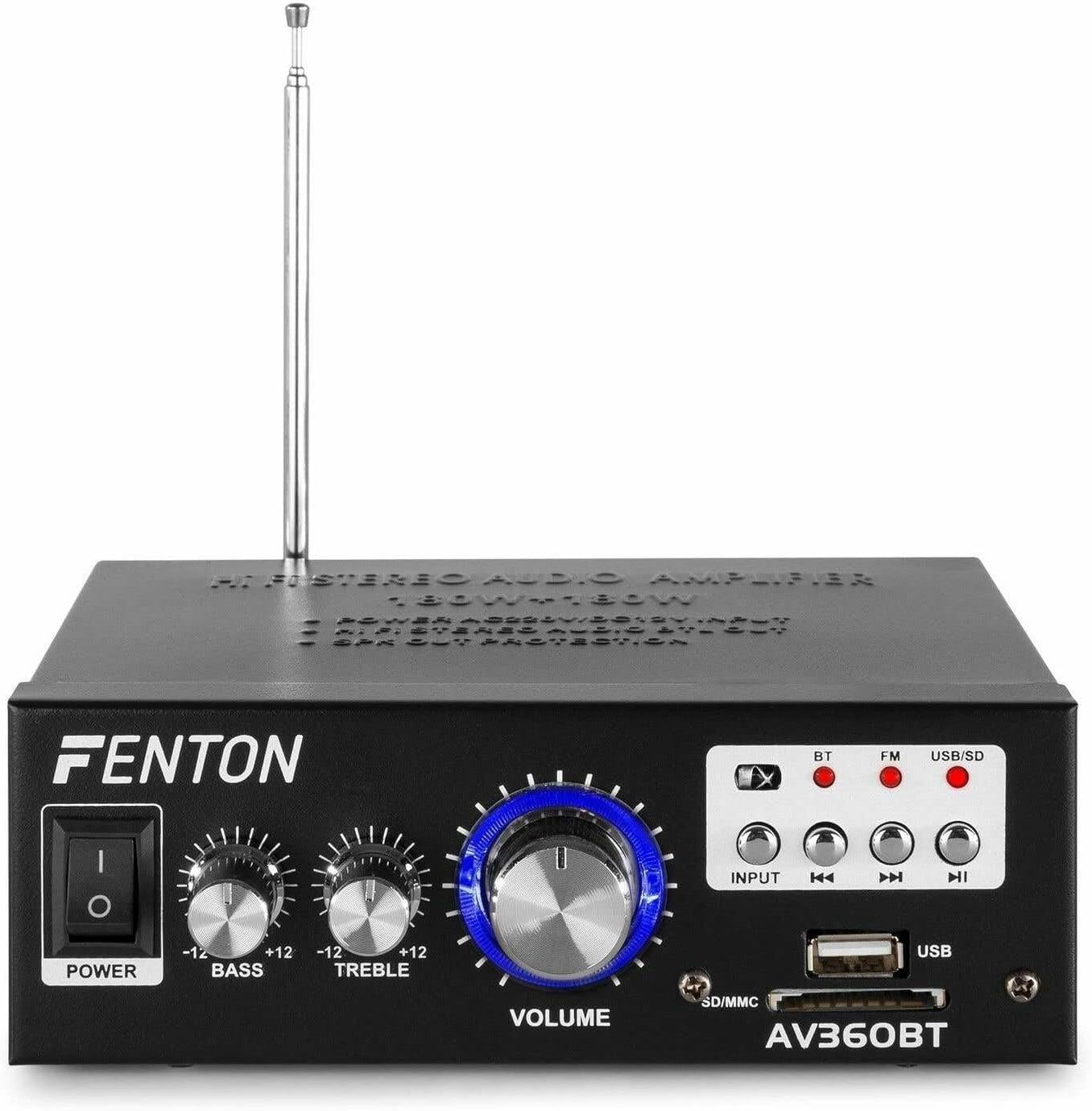
בילד: פראָנט view פון די פענטאן AV360BT amplifier, showing the power switch, bass, treble, and volume knobs, input selection buttons, playback controls, USB port, and SD/MMC card slot.
- מאַכט באַשטימען: טורנס די ampליפער אויף אָדער אַוועק.
- באַס קאָנטראָל: Adjusts the low-frequency audio output.
- טרעבל קאָנטראָל: Adjusts the high-frequency audio output.
- VOLUME קאָנטראָל: אַדזשאַסטירט די אַלגעמיינע אַרויסגאַנג באַנד.
- INPUT קנעפּל: Selects the audio source (Bluetooth, FM, USB/SD).
- Playback Controls (Previous, Play/Pause, Next): Used for MP3 playback and FM radio tuning.
- וסב פּאָרט: Connect USB flash drives for MP3 playback.
- SD/MMC קאַרטל שפּאַלט: Insert SD or MMC cards for MP3 playback.
5.2 דערציען פּאַנעל

בילד: הינטערשטע view פון די פענטאן AV360BT amplifier, displaying the audio input (RCA), speaker connectors, FM antenna, and power input.
- AUDIO INPUT (RCA): Connect external audio devices (e.g., CD player, TV) using RCA cables.
- רעדנער קאַנעקטערז: Connect passive speakers (8-16 ohms impedance). Ensure correct polarity (+ to + and - to -).
- ANTENNA: פֿאַרלענגערן פֿאַר אָפּטימאַלער FM ראַדיאָ אָפּנאַם.
- DC 12V/5A Input: For external 12V DC power supply (if applicable).
- אַק מאַכט אַרייַנשרייַב: Connect the supplied AC power cord.
5.3 רימאָוט קאָנטראָל

Image: The remote control for the Fenton AV360BT, showing buttons for power, mode, mute, playback, EQ, volume, repeat, and numeric selection.
The remote control allows for convenient operation of the MP3 player and other functions from a distance. Refer to the button labels for specific functions such as power, mode selection, mute, playback controls, equalizer, volume adjustment, repeat, and direct track selection.
6. סעטאַפּ
- אָרט: שטעלן די ampשטעל דעם ליפט אויף א סטאַבילער, גלאַטער ייבערפלאַך, און זאָרגט פֿאַר גענוג ווענטילאַציע אַרום דעם אַפּאַראַט.
- רעדנער קשר: Connect your passive speakers to the SPEAKER CONNECTORS on the rear panel. Ensure the positive (+) terminal of the amplifier connects to the positive (+) terminal of the speaker, and the negative (-) to the negative (-). Incorrect polarity can affect sound quality.
- עקסטערנע אַודיאָ מקור (אפציאָנעל): If connecting an external device via RCA, use appropriate cables to connect its audio output to the AUDIO INPUT (RCA) on the ampליפיער'ס הינטערשטע פּאַנעל.
- מאַכט קשר: Connect the AC power cord to the AC Power Input on the rear panel, then plug it into a suitable wall outlet.
- אַנטענע: Extend the FM antenna for better radio reception.
7. אַפּערייטינג ינסטרוקטיאָנס
7.1 מאַכט אויף / אַוועק
דרוק די מאַכט switch on the front panel to turn the ampליפער אויף אָדער אַוועק.
7.2 Volume, Bass, and Treble Adjustment
ניצן די באַנד, באַס, און טרעבל knobs on the front panel to adjust the sound output to your preference.
7.3 בלועטאָאָטה אָפּעראַציע
- קער אויף די ampליפער.
- דרוק די אַרייַנשרייַב button until the Bluetooth (BT) indicator light is illuminated.
- אַקטיווירן בלועטוט אויף דיין סמאַרטפאָון, טאַבלעט אָדער קאָמפּיוטער.
- זוכן פֿאַר available devices and select "AV360BT" from the list.
- אַמאָל געפּאָרט, קענט איר סטרימען אַודיאָ וויירלעס צו די ampליפער.
7.4 USB/SD MP3 Playback
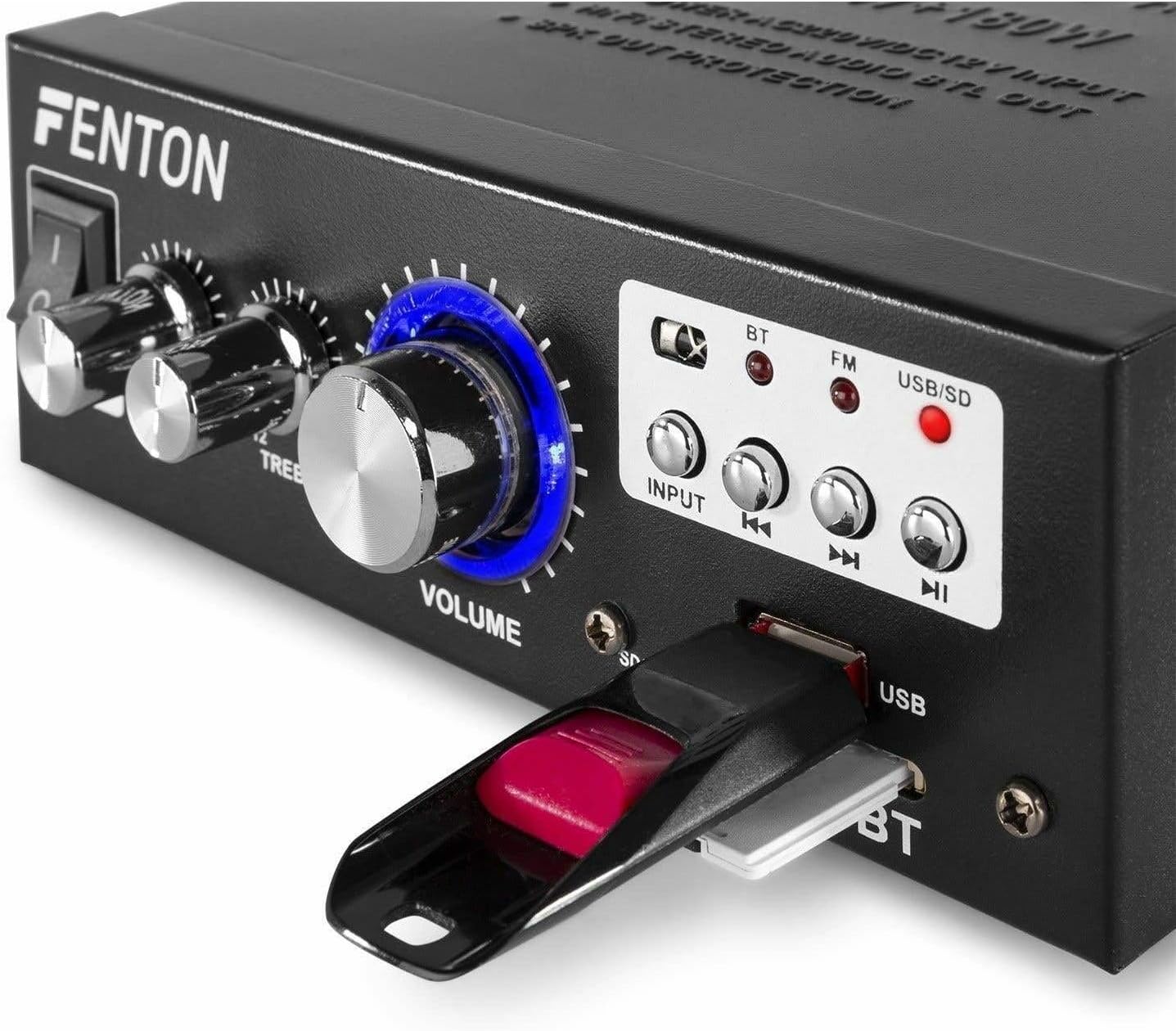
בילד: נאָענט-אַרויף view of the Fenton AV360BT's front panel, showing a USB flash drive inserted into the USB port and an SD card in the SD/MMC slot.
- אַרייַנלייגן אַ וסב בליץ פאָר אין די וסב פּאָרט or an SD/MMC card into the סד / ממק קאָרט שפּעלטל.
- דרוק די אַרייַנשרייַב button until the USB/SD indicator light is illuminated. The amplifier will automatically detect and begin playing MP3 files.
- ניצן די פּלייבאַק קאָנטראָלס (Previous, Play/Pause, Next) on the front panel or remote control to manage playback.
7.5 FM ראַדיאָ אָפּעראַציע
- דרוק די אַרייַנשרייַב button until the FM indicator light is illuminated.
- ניצן די פֿריִערדיקע און ווייַטער קנעפּלעך צו סקענען ראַדיאָ סטאַנציעס.
- Ensure the antenna is fully extended for optimal reception.
7.6 AUX אַרייַנשרייַב
When an external device is connected to the RCA AUDIO INPUT, select the AUX input mode using the אַרייַנשרייַב קנעפּל. די amplifier will play audio from the connected device.
8. וישאַלט
- רייניקונג: ניצן אַ ווייך, טרוקן שטאָף צו ריין די יקסטיריער פון די ampניצט נישט קיין שרײַבנדיקע רייניגערס אדער סאָלווענטן.
- סטאָרידזש: האַלט די אַפּאַראַט אין אַ קיל, טרוקן אָרט ווען נישט אין באַנוץ פֿאַר לענגערע פּיריאַדז.
- ווענטילאַטיאָן: ענשור אַז ווענטאַליישאַן אָופּאַנינגז זענען נישט אפגעשטעלט צו פאַרמייַדן אָוווערכיטינג.
9. טראָובלעשאָאָטינג
| פּראָבלעם | מעגלעך סיבה | לייזונג |
|---|---|---|
| קיין געזונט רעזולטאַט | Power off; incorrect input selected; speaker connections loose; volume too low. | Ensure power is on; select correct input; check speaker wiring; increase volume. |
| בלועטאָאָטה איז נישט קאַנעקטינג | Amplifier not in Bluetooth mode; device too far; device already paired with another unit. | Select Bluetooth input; move device closer; disconnect from other devices and try again. |
| נעבעך עפעם ראַדיאָ אָפּטראָג | אַנטענע נישט אויסגעשטרעקט; שוואַך סיגנאַל. | פֿולשטענדיק אויסציען די FM אַנטענע; פּרוּווט איבערפּאַזיציאָנירן דעם אַפּאַראַט פֿאַר אַ בעסערן סיגנאַל. |
| USB/SD ווידערשפּיל פּראָבלעמען | ניט געשטיצט file פֿאָרמאַט; פֿאַרדאָרבן files; incorrect input selected. | פאַרזיכערן files are MP3 format; try different USB/SD media; select USB/SD input. |
10. ספּעסאַפאַקיישאַנז
| שטריך | באַשרייַבונג |
|---|---|
| רעזולטאַט מאַכט | 2 x 40 W (80 W total) |
| ימפּידאַנס | 8 ~ 16 אָום |
| Input Sensitivity (Line) | 0 ~ 2 V / 47 kohm |
| קשר Voltage | 220-240Vac/50Hz // 12Vdc-5A |
| עפעם ראַדיאָ פרעקווענסי | 87.5 - 108.5 מעגהערץ |
| דימענסיעס (L X W X H) | 145 X 160 X 55 מם |
| וואָג | בעערעך. 950 ג |
| קאַנעקשאַנז | RCA, Bluetooth, USB, SD |
| קאַמפּאַטאַבאַל דעוויסעס | ספּיקערז |
| מאַכט מקור (ווייט) | 1 non-standard battery (included) |
| פאַבריקאַנט | Tronios BV |
| לאַנד פון אָריגין | כינע |
11. וואָראַנטי און שטיצן
For warranty information or technical support, please refer to the documentation provided with your purchase or contact your retailer. Keep your proof of purchase for any warranty claims.