
1. הקדמה
This manual provides detailed instructions for the installation, operation, and maintenance of your JOOAN 3MP Wireless Security Camera System, Model 703. This system is designed to provide reliable surveillance with features such as 3MP resolution, AI human detection, audio recording, and remote access.

בילד 1.1: איבערview of the JOOAN Wireless Security Camera System components.
2. סיסטעם קאַמפּאָונאַנץ
The JOOAN 3MP Wireless Security Camera System typically includes the following components:
- NVR (Network Video Recorder) with pre-installed 1TB HDD
- Wireless IP Cameras (4 units)
- Power Adapters for NVR and cameras
- וסב מאַוס
- עטהערנעט קאַבלע
- מאַונטינג סקרוז און אַנגקערז
- באַניצער מאַנואַל (דעם דאָקומענט)

Image 2.1: The 1TB Hard Disk Drive included with the NVR for video storage.
3. סעטאַפּ גייד
3.1 ערשטע אויפשטאַרקונג און פֿאַרבינדונג
- פֿאַרבינדט דעם NVR צו אַ מאָניטאָר מיט אַן HDMI אָדער VGA קאַבל.
- Connect the USB mouse to the NVR.
- Connect the NVR to power using its adapter.
- Connect each camera to its respective power adapter.
- The cameras will automatically pair with the NVR upon power-up.

Image 3.1: Illustration of the 'Auto Pair, Plug N Play' setup process for the camera system.
The system is designed for 'Plug N Play' functionality, meaning cameras should automatically connect to the NVR once powered. For optimal wireless signal, consider the NVR's built-in router capabilities.

Image 3.2: The NVR features a built-in router, providing up to 200ft range with one wall obstruction and up to 1640ft in open spaces.
3.2 Remote Access Setup (Eseecloud App)
צו view your cameras remotely on mobile devices or PC, download the Eseecloud application.
- Download the Eseecloud app from your mobile app store (iOS/Android) or the Eseecloud software for PC.
- רעגיסטרירן אַ חשבון און קלאָץ אין.
- On the NVR interface, navigate to Network Setup to find the Cloud ID (QR code).
- In the Eseecloud app, scan the Cloud ID QR code or manually enter the ID to add your device.
- Ensure your NVR is connected to the internet for remote viewing.

בילד 3.3: ווײַטקאָנטראָל viewing setup showing the Eseecloud app on mobile and PC for multi-device access.
Video 3.1: Demonstrates how to get a local image within one minute, showcasing the quick setup process.
ווידעא 3.2: אן איבערview of the Jooan 3MP Super HD Wireless System, highlighting its features and ease of use.
4. אַפּערייטינג ינסטרוקטיאָנס
4.1 לעבן View און פּלייַבאַקק
אַמאָל די סיסטעם איז אינסטאַלירט, קענט איר view לעבן פאָאָtage on your connected monitor or through the Eseecloud app. Recorded footage can be accessed via the NVR interface or the app for playback.
4.2 באַוועגונג דעטעקציע און וואָרענונגען
The system features advanced AI Human Detection to minimize false alarms. When motion or a human shape is detected, the system can trigger various alerts:
- NVR Buzzer
- בליצפּאָסט אַלערט
- APP Notification (Push Alert)

Image 4.1: Demonstrates motion detection and the corresponding app push alerts and email notifications.
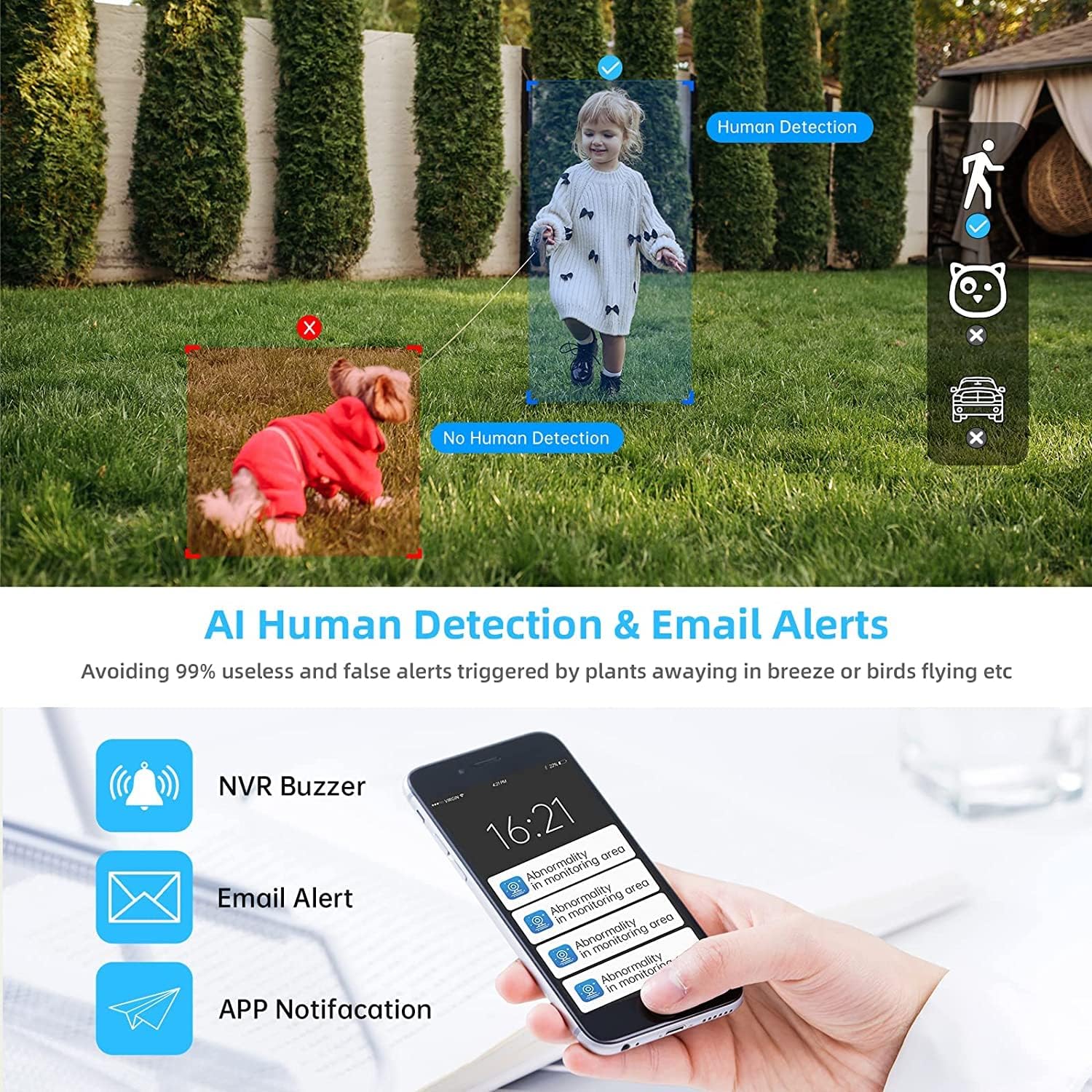
Image 4.2: AI Human Detection feature, distinguishing human shapes from other movements to reduce false alarms.
4.3 Audio Recording (One-Way Audio)
Each camera is equipped with a microphone, allowing for one-way audio recording. You can hear the sound from the monitoring scene during live viewינג און פּלייבאַק.
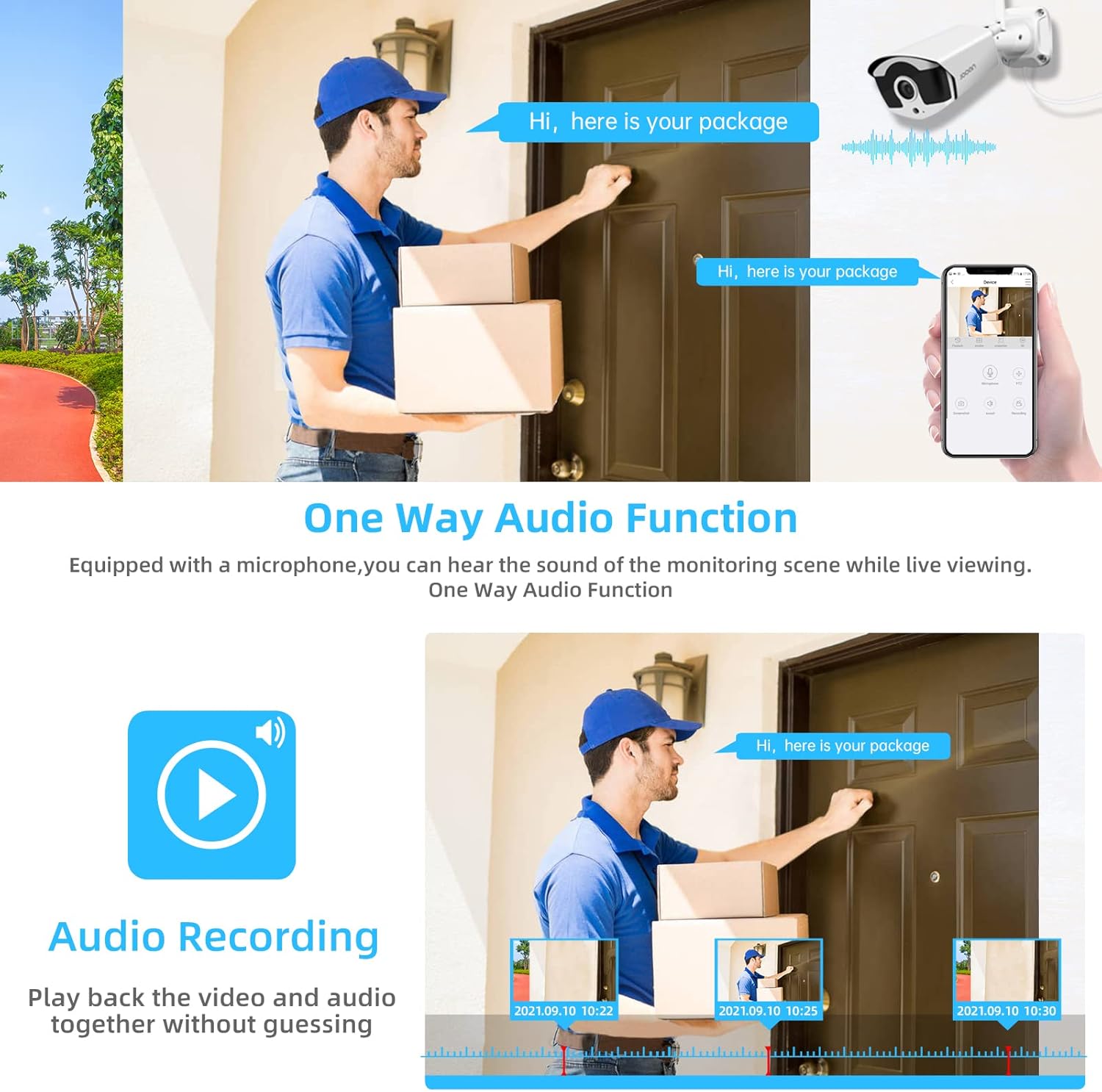
Image 4.3: Illustration of the one-way audio function, showing a delivery person speaking and the audio being recorded.
4.4 נאַכט זעאונג
The cameras provide clear night vision, ensuring continuous surveillance even in low-light conditions.

Image 4.4: Depiction of the camera's night vision feature, providing clear images in darkness.
Video 4.1: A short clip demonstrating the night time monitoring capabilities of the camera system.
4.5 H.265+ ווידעא קאמפרעשאן
The system utilizes advanced H.265+ video compression technology, which significantly reduces storage space requirements while maintaining high video quality. This allows for longer recording times on the 1TB HDD.

Image 4.5: Comparison showing how H.265+ compression saves storage space compared to H.264 and H.265.
5. וישאַלט
רעגולערע אויפהאלטונג גאראנטירט די לאנגעוויטי און אפטימאלע פאָרשטעלונג פון אייער זיכערהייט סיסטעם.
- אַפּאַראַט לענס רייניקונג: רייניקן קאַמעראַ לענסעס פּעריִאָדיש מיט אַ ווייכן, דamp cloth to remove dust and smudges. Avoid abrasive cleaners.
- קאַבלע פאַרוואַלטונג: זיכער מאַכן אַז אַלע קייבלס זענען זיכער פארבונדן און פּראָטעקטעד פון ענווייראָנמענטאַלע שעדיקן.
- ווייכווארג דערהייַנטיקונגען: קוק די פאַבריקאַנט ס website or the Eseecloud app for firmware updates for the NVR and cameras to ensure the latest features and security patches.
- ענוויראָנמענטאַל שוץ: While cameras are IP67 waterproof, extreme weather conditions can still affect performance. Ensure cameras are mounted securely and protected where possible.

Image 5.1: The IP67 waterproof rating ensures the camera's durability against various weather conditions, including rain, snow, and dust.
6. טראָובלעשאָאָטינג
If you encounter issues with your JOOAN Security Camera System, refer to the following common troubleshooting steps:
6.1 קיין ווידעא דיספּלעי
- טשעק מאַכט: זיכער מאַכן אַז די NVR און אַלע קאַמעראַס זענען ריכטיק אנגעצונדן.
- מאָניטאָר קאַנעקשאַן: וועריפיצירט די HDMI/VGA קאַבל פֿאַרבינדונג צווישן די NVR און דעם מאָניטאָר.
- קאַמעראַ פּערינג: If a specific camera has no video, check its power and ensure it's within range of the NVR for wireless connection. Re-pair if necessary (refer to NVR manual for specific re-pairing steps).
6.2 פראבלעמען מיט ווייטערן צוטריט
- אינטערנעט קשר: Ensure the NVR is connected to the internet via an Ethernet cable.
- אַפּ לאָגין: Verify your Eseecloud app login credentials.
- וואָלקן שייַן: Double-check that the correct Cloud ID is entered in the app.
- נעץ סעטטינגס: Ensure your router settings are not blocking the NVR's internet access.
6.3 פּראָבלעמען מיטן רעקאָרדירן
- האַרד דיסק סטאַטוס: Check the NVR's settings to ensure the 1TB HDD is detected and functioning correctly.
- רעקאָרדינג פּלאַן: Verify that the recording schedule is properly configured.
- באַוועגונג דעטעקשאַן סעטטינגס: If using motion-triggered recording, ensure motion detection is enabled and sensitivity is adjusted appropriately.
7. ספּעסאַפאַקיישאַנז
| שטריך | באַשרייַבונג |
|---|---|
| סאָרט | JOOAN |
| מאָדעל נומער | 703 |
| ווידעא קאַפּטורע רעסאָלוטיאָן | 3MP (Clearer than 1080p) |
| נומער פון טשאַנאַלז | 8 |
| נאַכט זעאונג | Night color (up to 100ft) |
| רעקאָרדינג מאָדע | קאָנטינויִערלעך, באַוועגונג דעטעקציע, געשעעניש |
| ייַזנוואַרג צובינד | 802.11 ac/b/g/n (Wireless) |
| ווידעא אַרייַנשרייַב | ווגאַ, הדמי |
| אָפּטיש סענסאָר טעכנאָלאָגיע | קמאָס |
| וואָטערפּרוף רייטינג | IP67 |
| HDD Included | 1TB |
8. וואָראַנטי און שטיצן
פֿאַר וואָראַנטי אינפֿאָרמאַציע און טעכנישע שטיצע, ביטע זען די באַאַמטער JOOAN webזייטל אדער קאנטאקט זייער קאסטומער סערוויס גלייך. האלט אייער קויף קוויטל אלס באווייז פון קויפן פאר גאראנטיע קליימס.
איר קענט אויך געפֿינען נאָך רעסורסן און אָפֿט געשטעלטע פֿראַגעס אויף דער JOOAN Store on Amazon.