
1. הקדמה
This manual provides essential instructions for the safe and effective use of your Stack-On PDS-1800-E Small Drawer Safe. Please read all instructions carefully before operating the safe. Keep this manual for future reference.
2. זיכערקייַט אינפֿאָרמאַציע
- Do not store backup keys inside the safe. Always keep backup keys in a secure location away from the safe.
- זיכער מאַכן אַז דער זיכערער אָרט איז זיכער אינסטאַלירט צו פאַרמייַדן אַן אומאָטעריזירטע אַראָפּנעמונג.
- Keep the electronic keypad dry and clean.
- This safe is designed for security against theft, not fire or water damage, as it is not fire or water resistant.
3. פּעקל אינהאַלט
- Stack-On PDS-1800-E Small Drawer Safe
- Backup keys (2)
- מאַונטינג ייַזנוואַרג (שרויף)
- ינסטראַקשאַנז מאַנואַל
4. סעטאַפּ
4.1. באַטאַרייע ייַנמאָנטירונג
The electronic lock requires batteries for operation. Locate the battery compartment, typically on the inside of the safe door. Insert the required number of AA batteries, ensuring correct polarity. Close the compartment cover securely.
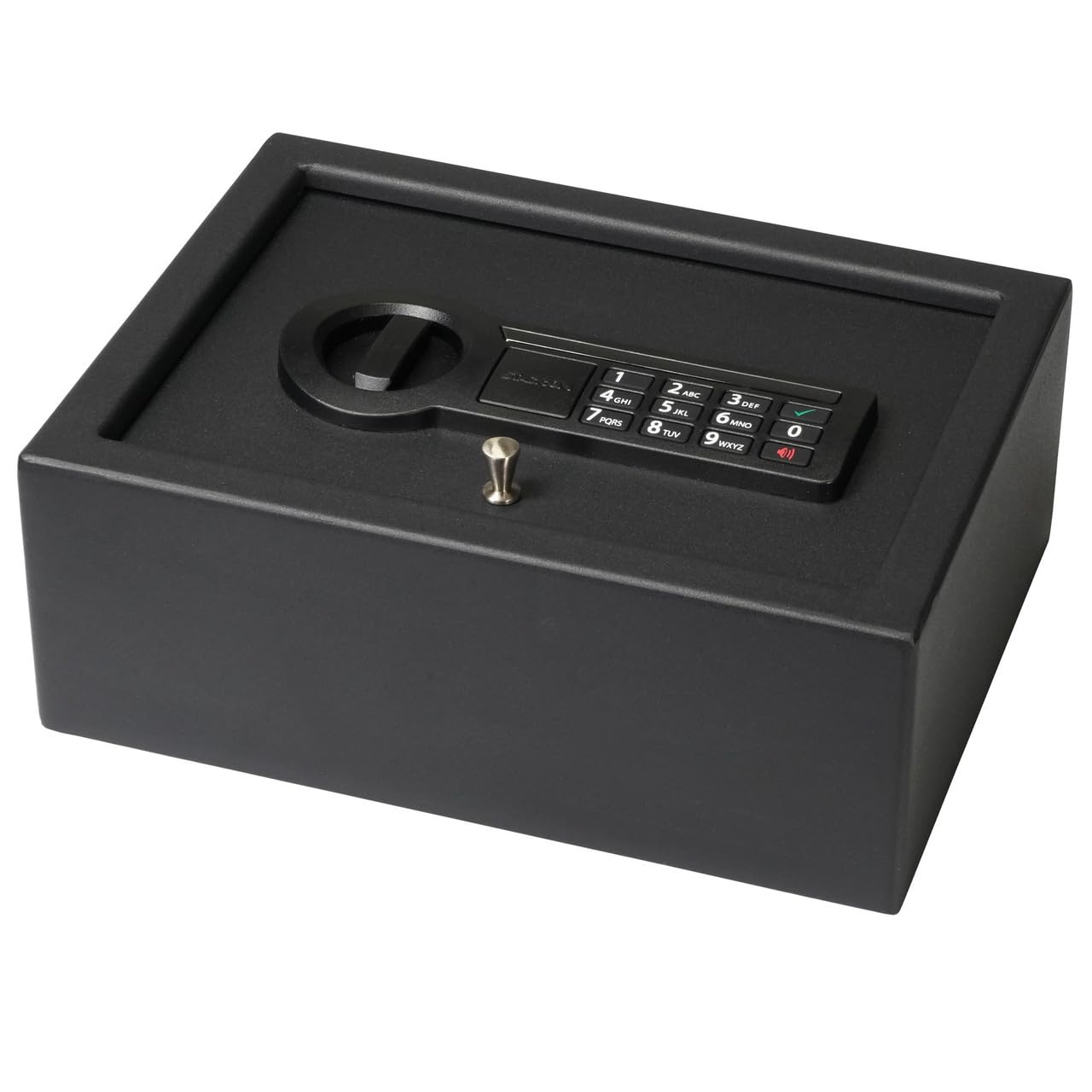
בילד: פראָנט view of the safe, showing the electronic keypad and the manual lock. This is where you will interact with the safe for daily use.
4.2. Initial Code Setting
- With the safe door open, press the red reset button located on the inside of the door. The yellow light on the keypad will illuminate.
- Enter a new 3-8 digit code on the keypad.
- Press the 'A' or '#' button to confirm. The yellow light will turn off, and a green light will flash, indicating the code has been set.
- פּרובירט דעם נייעם קאָד מיט דער טיר אָפֿן איידער איר עס פֿאַרמאַכט.
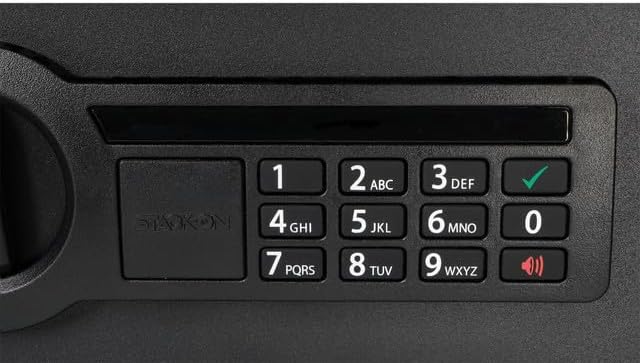
בילד: א דעטאַלירטע view of the electronic keypad, highlighting the numbered buttons and the 'A' (or checkmark) and 'B' (or speaker) buttons used for operation and setting codes.
4.3. אויפשטעלן דעם זיכערן
The safe features pre-drilled holes for secure mounting. Use the included hardware to fasten the safe to a stable surface, such as inside a drawer, cabinet, or to a desk. Ensure the mounting location is flat and provides adequate support.

Image: The safe positioned inside a drawer, illustrating how it can be discreetly stored and mounted within furniture.
5. אַפּערייטינג ינסטרוקטיאָנס
5.1. Opening with Electronic Lock
- Enter your 3-8 digit personal code.
- Press the 'A' or '#' button. The green light will illuminate.
- אינערהאלב 5 סעקונדעס, דרייט דעם קנעפּל זייגערווייז צו עפענען די זיכערע טיר.
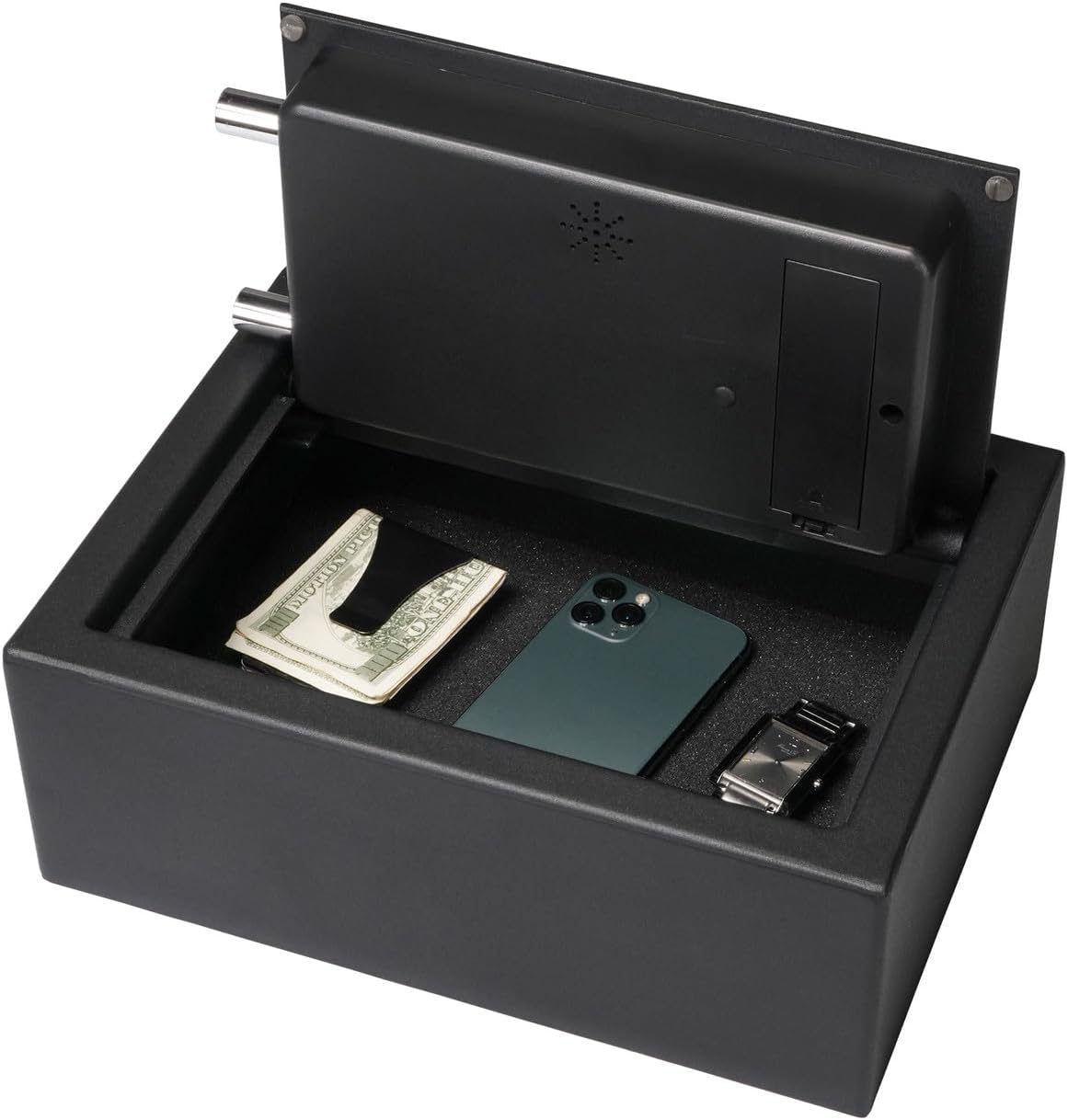
Image: The safe opened, showing its interior with a soft, foam-padded lining and various items stored inside.
5.2. Opening with Backup Key
In case of forgotten code or battery failure, the safe can be opened using the backup key.
- Remove the cover plate over the manual lock cylinder, usually located in the center of the knob.
- Insert the backup key into the lock cylinder.
- Turn the key clockwise while simultaneously turning the knob clockwise to open the safe.
- Remove the key once the safe is open.
5.3. Changing Your Code
To change your personal code, follow the same steps as '4.2. Initial Code Setting' while the safe door is open.

Image: A close-up of the safe's locking mechanism, showing the two steel live-action bolts that secure the door when closed.
6. וישאַלט
6.1. באַטערי פאַרבייַט
When the batteries are low, the red light on the keypad will flash, or the safe may not respond to code entry. Replace all batteries with new AA alkaline batteries. Do not mix old and new batteries.
6.2. רייניקונג
רייניקט די אויסערליכע זייט פון זיכער מיט א ווייכן, דamp שטאָף. פֿאַרמײַדט ניצן אַברייסיוו רייניגער אָדער סאָלווענטן וואָס קענען שאַטן די ענדיקונג אָדער עלעקטראָנישע קאָמפּאָנענטן.
7. טראָובלעשאָאָטינג
| פּראָבלעם | מעגלעך סיבה | לייזונג |
|---|---|---|
| זיכער עפֿנט זיך נישט מיט קאָד. | Incorrect code entered; low batteries. | Re-enter code carefully; replace batteries; use backup key. |
| די קלאַוויאַטור רעאַגירט נישט. | טויט באַטעריז. | פאַרבייַטן באַטעריז. |
| Door will not close properly. | Obstruction in door frame; locking bolts extended. | Clear any obstructions; ensure bolts are retracted before closing. |
8. ספּעסאַפאַקיישאַנז
- מאָדעל נומער: PDS-1800-E
- סאָרט: אָנלייגן-אויף
- לאַק טיפּ: Electronic Combination Lock with Backup Key
- מאַטעריאַל: אַללוי סטיל
- קאָליר: שוואַרץ
- פּראָדוקט גרייסן (ד x ב x ה): 30" x 8" x 6"
- נומער וואָג: 17 פונט
- ספּעציעלע פֿעיִקייטן: Anti-Theft, Concealed Hinges, Two Steel Live-Action Bolts, Foam-Padded Interior
- מאַונטינג טיפּ: Tabletop / Freestanding (Mounting hardware included)
- וואַסער קעגנשטעל מדרגה: ניט וואַסער קעגנשטעליק
9. וואָראַנטי און שטיצן
פֿאַר וואָראַנטי אינפֿאָרמאַציע אָדער טעכנישע שטיצע, ביטע זען די פאַבריקאַנט'ס באַאַמטער webזייטל אדער קאנטאקט זייער קאסטומער סערוויס דעפארטמענט. האלט אייער קויף קוויטל אלס באווייז פון קויפן.